
1. Introduction
Thank you for choosing the Streetz HL-421 Adjustable Foldable Over-Ear Headphones. This manual provides detailed instructions for setting up, operating, and maintaining your headphones to ensure optimal performance and longevity. Please read this manual thoroughly before using the product.
2. Product Overview
Familiarize yourself with the components of your Streetz HL-421 headphones.

Figure 2.1: Front view of the Streetz HL-421 headphones, showcasing the adjustable headband and over-ear cups.

Figure 2.2: Close-up of the right earcup, showing the control buttons for power, volume, and track navigation.
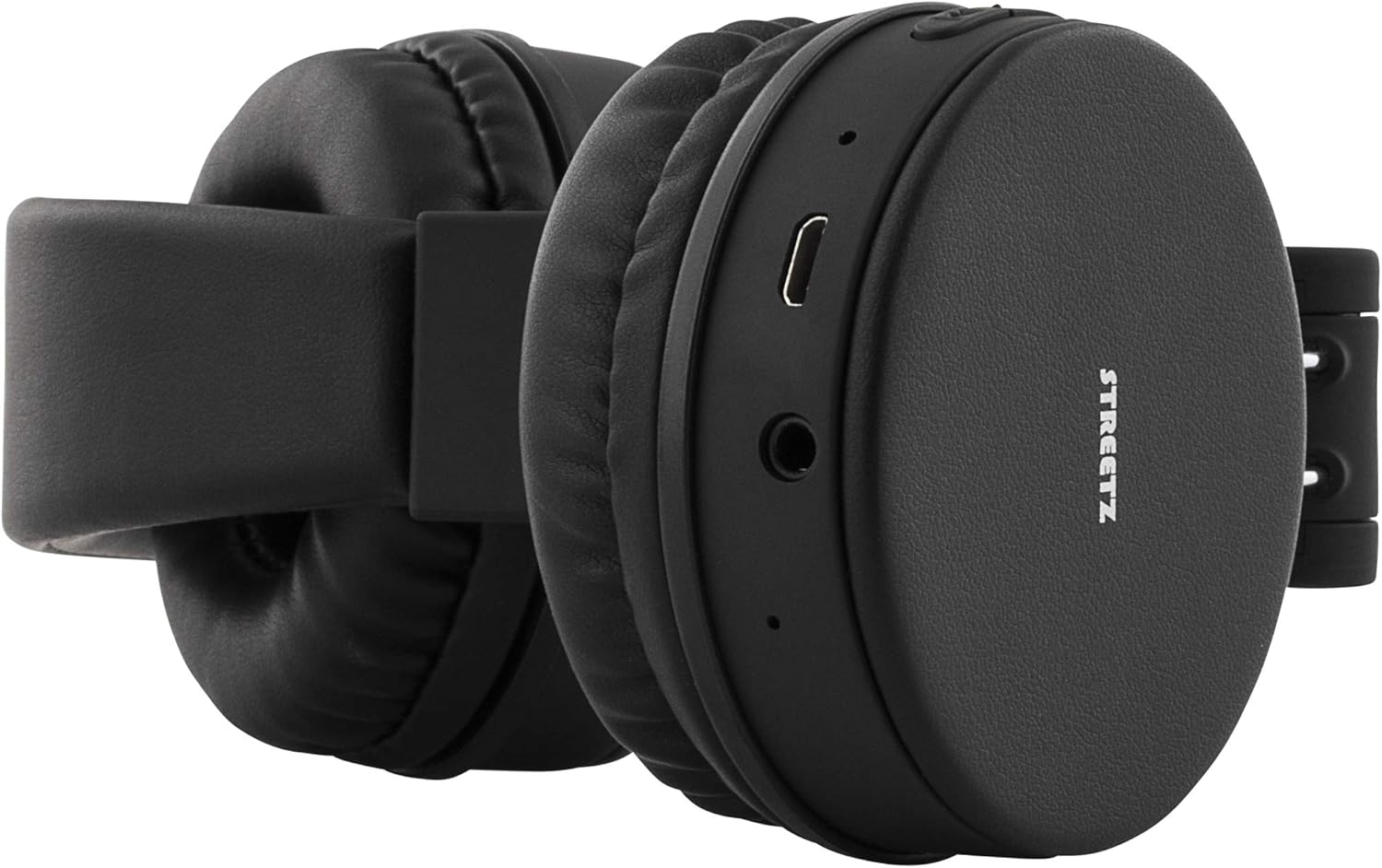
Figure 2.3: View of the left earcup, highlighting the micro-USB charging port and the 3.5mm audio jack.
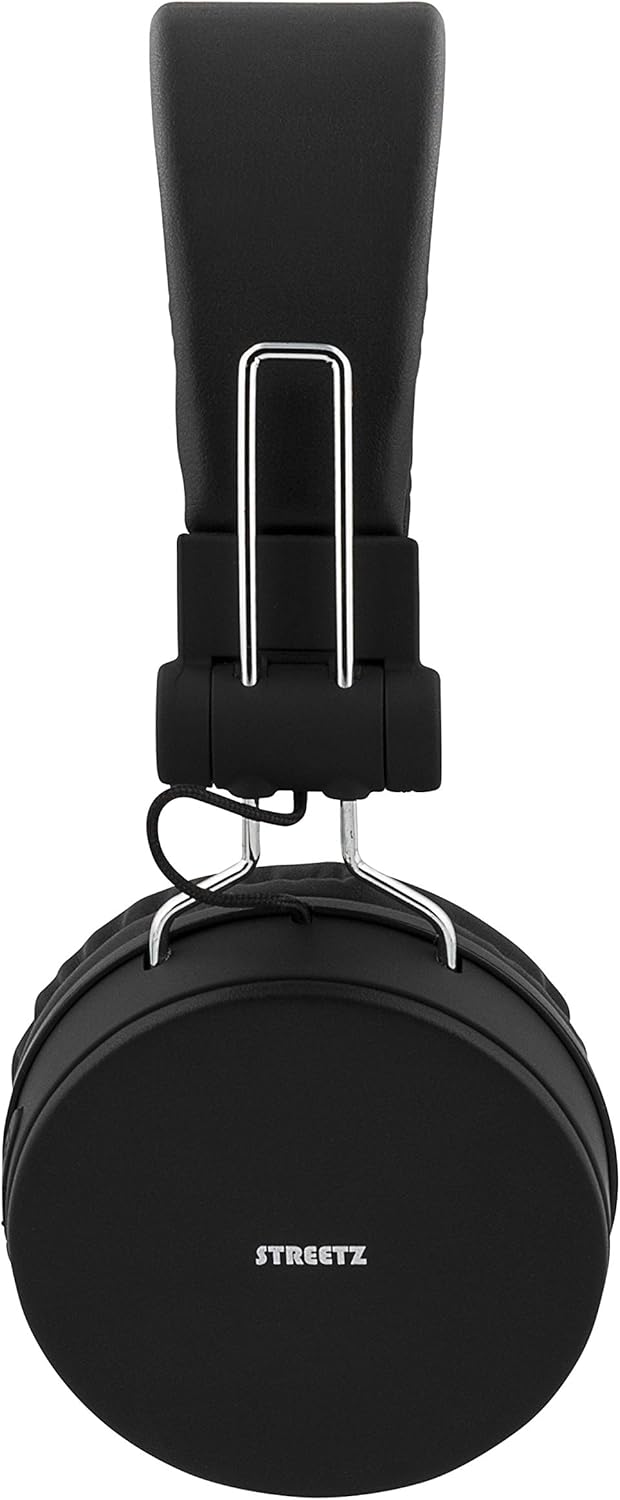
Figure 2.4: The headphones in their folded configuration, demonstrating their portability.

Figure 2.5: The included micro-USB charging cable and 3.5mm audio cable, alongside the product manual.
3. Setup
3.1 Charging the Headphones
Before first use, fully charge your headphones. A full charge provides up to 22 hours of playtime.
- Locate the micro-USB charging port on the left earcup (refer to Figure 2.3).
- Connect the included micro-USB cable to the charging port.
- Connect the other end of the USB cable to a USB power source (e.g., computer USB port, USB wall adapter).
- The LED indicator will illuminate during charging and change color or turn off when fully charged.
3.2 Bluetooth Pairing
Pair your headphones with a Bluetooth-enabled device for wireless audio.
- Ensure the headphones are charged and powered off.
- Press and hold the Power button (usually the multi-function button) on the right earcup until the LED indicator flashes blue and red, indicating pairing mode.
- On your device (smartphone, tablet, computer), enable Bluetooth and search for available devices.
- Select "Streetz HL-421" or a similar name from the list of found devices.
- Once paired, the LED indicator will typically flash blue slowly or turn solid blue.
Note: The headphones support Bluetooth 4.1 + EDR with a range of up to 10 meters.
3.3 Wired Connection
Use the included 3.5mm audio cable for a wired connection, which does not require battery power.
- Connect one end of the 3.5mm audio cable to the audio jack on the left earcup (refer to Figure 2.3).
- Connect the other end of the cable to the 3.5mm audio output of your device.
- The headphones will automatically switch to wired mode.
4. Operating Instructions
4.1 Controls
The control buttons are located on the right earcup (refer to Figure 2.2).
- Power On/Off: Press and hold the multi-function button.
- Play/Pause: Short press the multi-function button.
- Volume Up: Short press the '+' button.
- Volume Down: Short press the '-' button.
- Next Track: Long press the '+' button.
- Previous Track: Long press the '-' button.
4.2 Making and Receiving Calls
The built-in microphone allows for hands-free calling when connected via Bluetooth.
- Answer Call: Short press the multi-function button when a call comes in.
- End Call: Short press the multi-function button during a call.
- Reject Call: Long press the multi-function button when a call comes in.
- Redial Last Number: Double-press the multi-function button.
5. Maintenance
- Cleaning: Use a soft, dry cloth to clean the headphones. Do not use abrasive cleaners or solvents.
- Storage: When not in use, store the headphones in a cool, dry place. The foldable design allows for compact storage (refer to Figure 2.4).
- Battery Care: To preserve battery life, charge the headphones regularly, even if not used frequently. Avoid extreme temperatures.
6. Troubleshooting
| Problem | Possible Cause | Solution |
|---|---|---|
| Headphones do not power on. | Low battery. | Charge the headphones fully. |
| Cannot pair via Bluetooth. | Headphones not in pairing mode; device Bluetooth off; too far from device. | Ensure headphones are in pairing mode (flashing blue/red). Turn on device Bluetooth. Move headphones closer to device (within 10m). |
| No sound. | Volume too low; incorrect audio source; wired cable not fully inserted. | Increase headphone and device volume. Check device audio output settings. Ensure 3.5mm cable is securely connected. |
| Poor sound quality. | Weak Bluetooth signal; interference. | Move closer to the paired device. Avoid obstacles between headphones and device. |
7. Specifications
- Model: HL-421
- Connectivity: Bluetooth 4.1 + EDR, 3.5mm Audio Jack
- Bluetooth Chipset: CSR8635
- Wireless Range: Up to 10 meters
- Frequency Range: 20Hz - 20kHz
- Impedance: 32 Ohm
- Playtime: Up to 22 hours (at 100% volume)
- Standby Time: Up to 120 hours
- Battery Type: Lithium Ion (1 included)
- Microphone: Yes
- Adjustable Headband: Yes
- Foldable Design: Yes
- Product Dimensions: 17.2 x 6.8 x 18.5 cm
- Item Weight: 156 grams
- Manufacturer: Deltaco
8. Safety Information
- Do not expose the headphones to extreme temperatures, humidity, or liquids.
- Avoid dropping or subjecting the headphones to strong impacts.
- Do not attempt to disassemble or modify the headphones. This will void the warranty.
- Prolonged listening at high volumes can cause hearing damage. Adjust volume to a safe level.
- Keep out of reach of children.
9. Warranty and Support
The Streetz HL-421 headphones come with a standard manufacturer's warranty. For specific warranty terms and conditions, please refer to the documentation provided at the time of purchase or contact your retailer. For technical support or further assistance, please contact the manufacturer, STREETZ, or your local distributor.
