
Product Overview
The Dremel Versa PC10-01 is a powerful and versatile cleaning tool designed to simplify tough cleaning jobs. Its high-speed scrubbing action is ideal for tackling soap scum, baked-on food, difficult grease, dirt, and more. Featuring a compact and ergonomic design, it's comfortable for single-hand use and effective in hard-to-reach places. The tool is powered by a lithium-ion battery, making it suitable for both indoor and outdoor, wet and dry applications.
Key Features
- Power Scrubber: High-speed scrubbing for quicker results with less effort.
- Versatile Accessories: Includes various spin brushes and pads for scrubbing through stubborn grime, mold, mildew, grease, soap scum, lime build-up, and rust.
- Wide Application Range: Best for small, hard-to-clean surfaces such as sinks, glass top stoves, oven windows, grout lines, bathtubs, tiles, drains, wheels, shoes, grills, and more.
- Efficient Cleaning System: Intuitive and easy to use, perfect for a broad range of surfaces in both wet and dry conditions.
- Compact & Waterproof Design: Provides outstanding control and fits comfortably in hand, suitable for wet environments.

Setup and Assembly
Charging the Tool
The Dremel Versa PC10-01 is powered by a 4VMax Lithium-Ion battery. Before first use, fully charge the tool using the provided charger. The charging port is typically located on the handle. A full charge ensures optimal performance and run time.
Attaching Accessories
The Dremel Versa utilizes a hook and loop interface for quick and easy accessory changes. To attach a cleaning pad or brush, simply align it with the backing pad on the tool and press firmly until it adheres securely. To remove, peel it off. Ensure the accessory is centered for balanced rotation.

Operating Instructions
General Usage Tips
For best results and to prevent the tool from stopping due to excessive friction, always ensure the cleaning pad or brush is adequately wet, especially when using abrasive pads. Apply light pressure and allow the high-speed scrubbing action of the Dremel Versa to do the work. Using appropriate cleaning solutions with water can enhance cleaning effectiveness and reduce strain on the tool.
Recommended Applications
The Dremel Versa is designed for a variety of cleaning tasks. Here are some common applications:
- Bathroom Cleaning: Effectively cleans grout lines, shower tiles, bathtubs, and sinks.
- Kitchen Cleaning: Ideal for scrubbing glass top stoves, oven windows, pots, and pans.
- Automotive & Outdoor: Cleans car wheels, grills, and outdoor furniture.
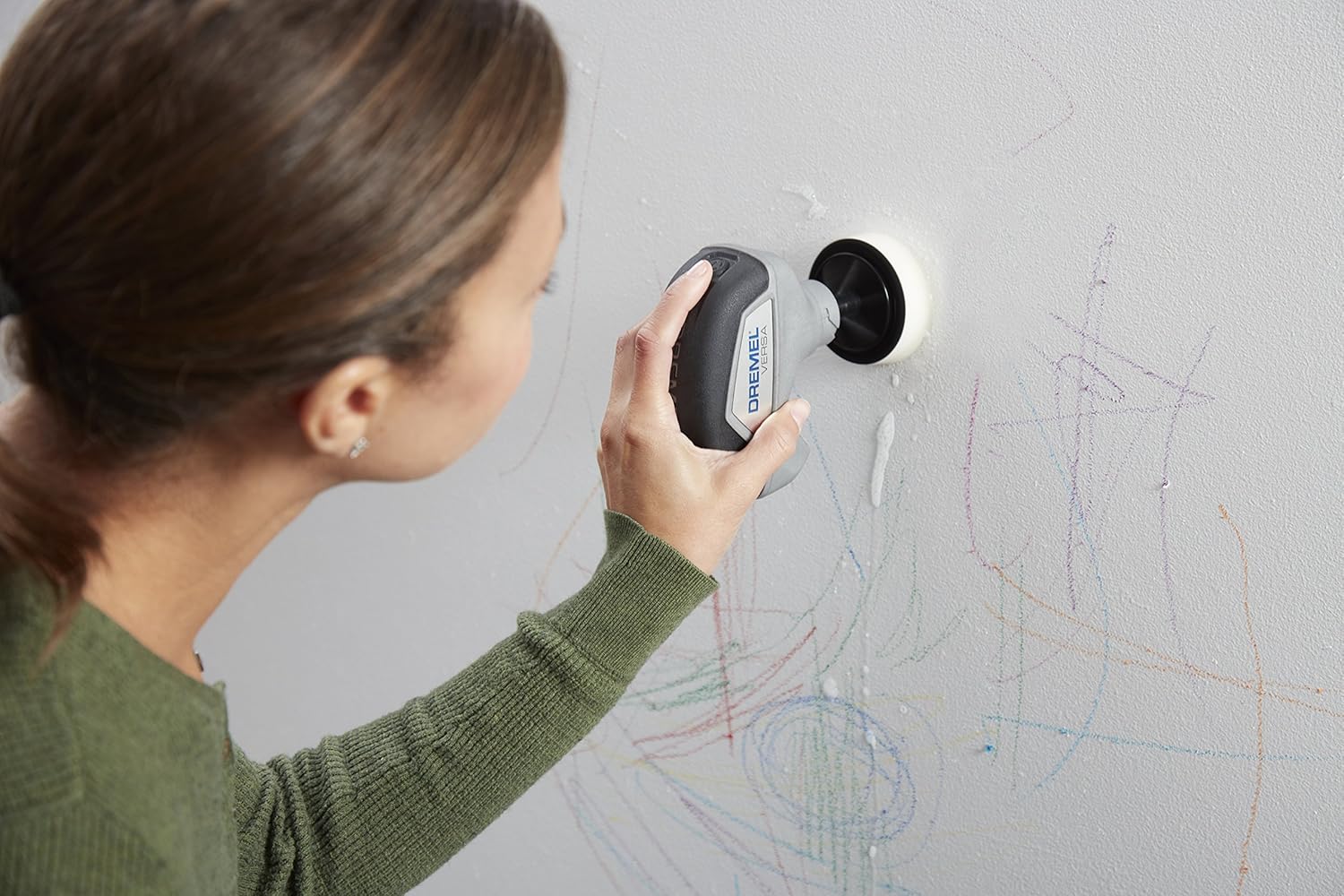
- Household & Miscellaneous: Cleans shoes and can even remove marks from walls.


Official Product Videos
Versa Oven Cleaning
This video demonstrates the Dremel Versa's effectiveness in cleaning tough, baked-on grime from oven surfaces.
Versa Pot Cleaning
Watch how the Dremel Versa makes quick work of cleaning pots and pans, restoring their shine.
Versa Stovetop Cleaning
This video illustrates the Dremel Versa's efficiency in cleaning stovetops, removing spills and stains with ease.
Care and Maintenance
Cleaning the Tool and Accessories
After each use, it is important to clean your Dremel Versa tool and its accessories to maintain performance and longevity. The Dremel Versa is designed to be waterproof, allowing for easy rinsing under a faucet. Remove and rinse cleaning pads and brushes thoroughly to remove any residue. Allow all components to air dry completely before storage. Store the tool and accessories in a clean, dry place, away from direct sunlight or extreme temperatures.
Troubleshooting
Common Issues
- Tool stops unexpectedly during use:
- Check battery level: A low battery can cause the tool to stop. Recharge fully using the provided charger.
- Excessive pressure: Applying too much downward pressure can cause the tool to stall or overheat, triggering an automatic shut-off. Reduce pressure and let the tool's rotation do the work.
- Dry use: Using the tool with dry pads on certain surfaces can create too much friction, leading to auto-shutoff. Ensure pads are wet and consider using a cleaning solution to reduce friction.
- Reduced cleaning performance:
- Worn accessories: Over time, cleaning pads and brushes may wear out. Replace worn-out pads or brushes for optimal scrubbing power.
- Insufficient cleaning solution: Ensure adequate water and cleaning solution are used for the task. Dry scrubbing is less effective and can strain the tool.
Product Specifications
| Specification | Detail |
|---|---|
| Brand | Dremel |
| Model Number | PC10-01 |
| Item Weight | 1.6 Pounds |
| Product Dimensions | 10"L x 3.5"W x 10.25"H |
| Power Source | Battery Powered |
| Voltage | 4 Volts |
| Battery Type | Lithium Ion (included) |
| Speed | 2.2E+3 RPM |
| Special Feature | Waterproof |
| Surface Recommendation | Glass, Tile, Grout |
| Included Components | (1) PC361 Power Cleaner Heavy-Duty Pad, 4VMax Dremel Power Cleaner Tool, (1) PC363 Power Cleaner Non-Scratch Pad, Backing Pad, (1) PC364 Power Cleaner Bristle Brush, Splash Guard, Charger, (1) PC362 Power Cleaner Eraser Pad |

Warranty and Support
Warranty Information
The Dremel PC10-01 Versa Cleaning Tool comes with a limited 2-year warranty. Please retain your proof of purchase for warranty claims.
User Guide and Support
For detailed instructions, safety information, and further assistance, please refer to the official User Guide (PDF). You can also contact Dremel's USA-based customer service team for support via chat, email, or phone, or visit their facility in Racine, WI.


