
Farberware FMO22ABTBKA
Farberware 1100W 2.2 cu ft Countertop Microwave Oven
Model: FMO22ABTBKA
Brand: Farberware
Introduction
This Farberware 1100W 2.2 cu ft Countertop Microwave Oven is designed for convenience and efficiency in both home and office kitchens. It features smart sensor technology, multiple one-touch cooking programs, and a spacious interior. The intuitive control panel and clear LED display make operation simple, while safety features like the child lock ensure peace of mind.
Safety Information
Always read and follow all safety instructions before operating this appliance. Keep the microwave oven clean and free from food debris. Do not operate the oven if the door is damaged or if the seals are not working properly. Ensure proper ventilation around the unit. Do not attempt to service or repair the oven yourself. Refer all servicing to qualified service personnel.
- Do not heat sealed containers or canned foods in the microwave.
- Avoid heating liquids in narrow-necked containers, as they may erupt when removed.
- Always use microwave-safe cookware.
- Supervise children closely when the microwave is in use.
Setup
Unpack the microwave oven and all packing materials. Place the oven on a flat, stable surface that is strong enough to hold the oven and the food you will be cooking. Ensure there is adequate ventilation space around the unit (at least 4 inches on top, sides, and back). Plug the power cord into a grounded electrical outlet. Do not use an extension cord.
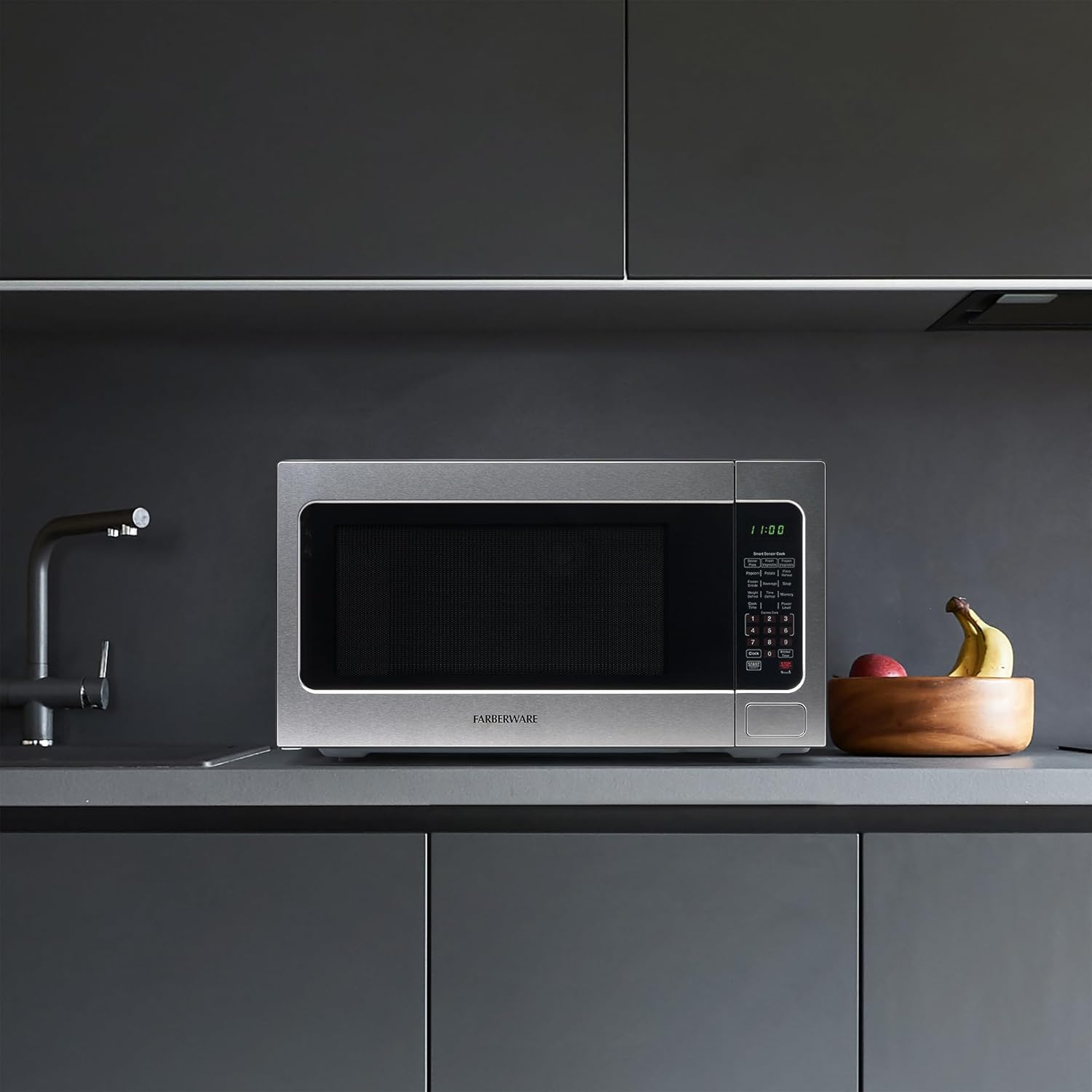
Figure 1: Proper placement of the microwave on a countertop.
Operating Instructions
The Farberware microwave oven offers a variety of cooking functions designed for ease of use.
Control Panel Overview

Figure 2: Detailed view of the control panel.
The control panel features an LED display and clearly labeled buttons for various functions, including Smart Sensor Cook presets, Express Cook, Defrost options, and Power Level selection.
Setting Cook Time and Power Level
- Place food in the microwave.
- Press the "Cook Time" button.
- Enter the desired cooking time using the number pad.
- Press the "Power Level" button.
- Enter the desired power level (1-10, where 10 is 100% power).
- Press "Start".
Smart Sensor Cook
The Smart Sensor Cook function automatically adjusts cooking time and power based on the food's moisture and temperature, eliminating guesswork and preventing overcooking. Available presets include Dinner Plate, Fresh Vegetable, Frozen Vegetable, Popcorn, Potato, Pizza Reheat, Frozen Entrée, Beverage, and Soup.
- To use, simply place the food in the oven and press the corresponding Smart Sensor Cook button (e.g., "Popcorn", "Potato"). The oven will automatically start and adjust.
Express Cook
For quick cooking, use the Express Cook buttons (1-6) for 1 to 6 minutes of cooking at 100% power. You can also press the "Start +30SEC" button to add 30 seconds of cooking time at 100% power with each press.
Defrost Options
The microwave offers both Weight Defrost and Time Defrost options:
- Weight Defrost: Press "Weight Defrost", then enter the weight of the food. The oven will calculate the defrosting time.
- Time Defrost: Press "Time Defrost", then enter the desired defrosting time.
Video 1: Product Feature Overview. This video demonstrates the various functions and features of the Farberware microwave oven, including its smart sensor cook options and ease of use.
Features
- 1100 Watts of Power: Provides efficient and fast cooking.
- 2.2 Cubic Feet Capacity: Offers ample space for various dishes, suitable for apartments and dorms.
- LED Lighting: Easy-view interior lighting allows you to monitor your food as it cooks.
- Child Safety Lock: Prevents unintended operation by children, enhancing household safety.
- Memory Function: Customize and save your favorite cooking settings for quick access.
- Digital Screen with Clock & Timer: Large, clear display shows time and cooking countdown.
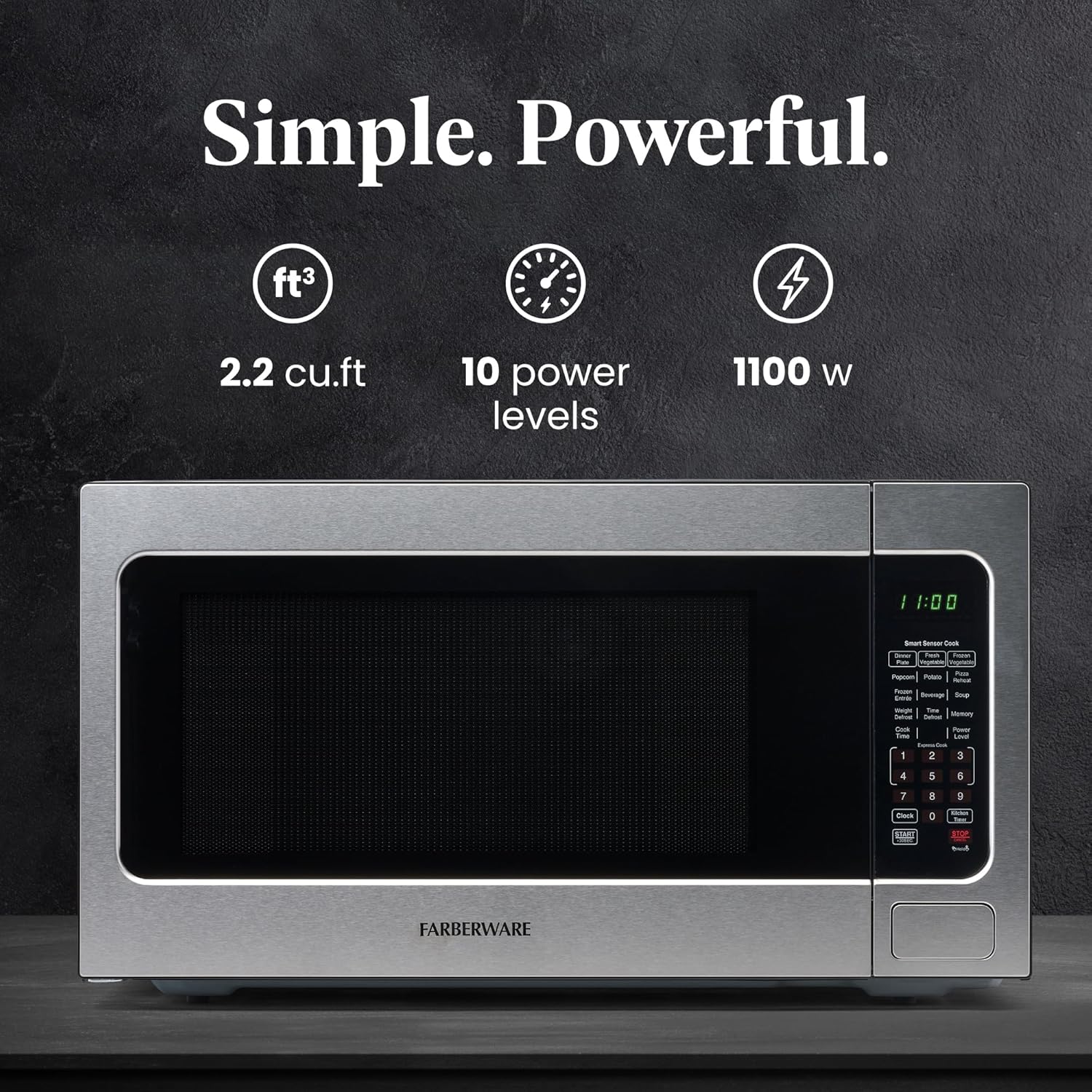
Figure 3: Key features of the microwave oven including capacity, power levels, and wattage.
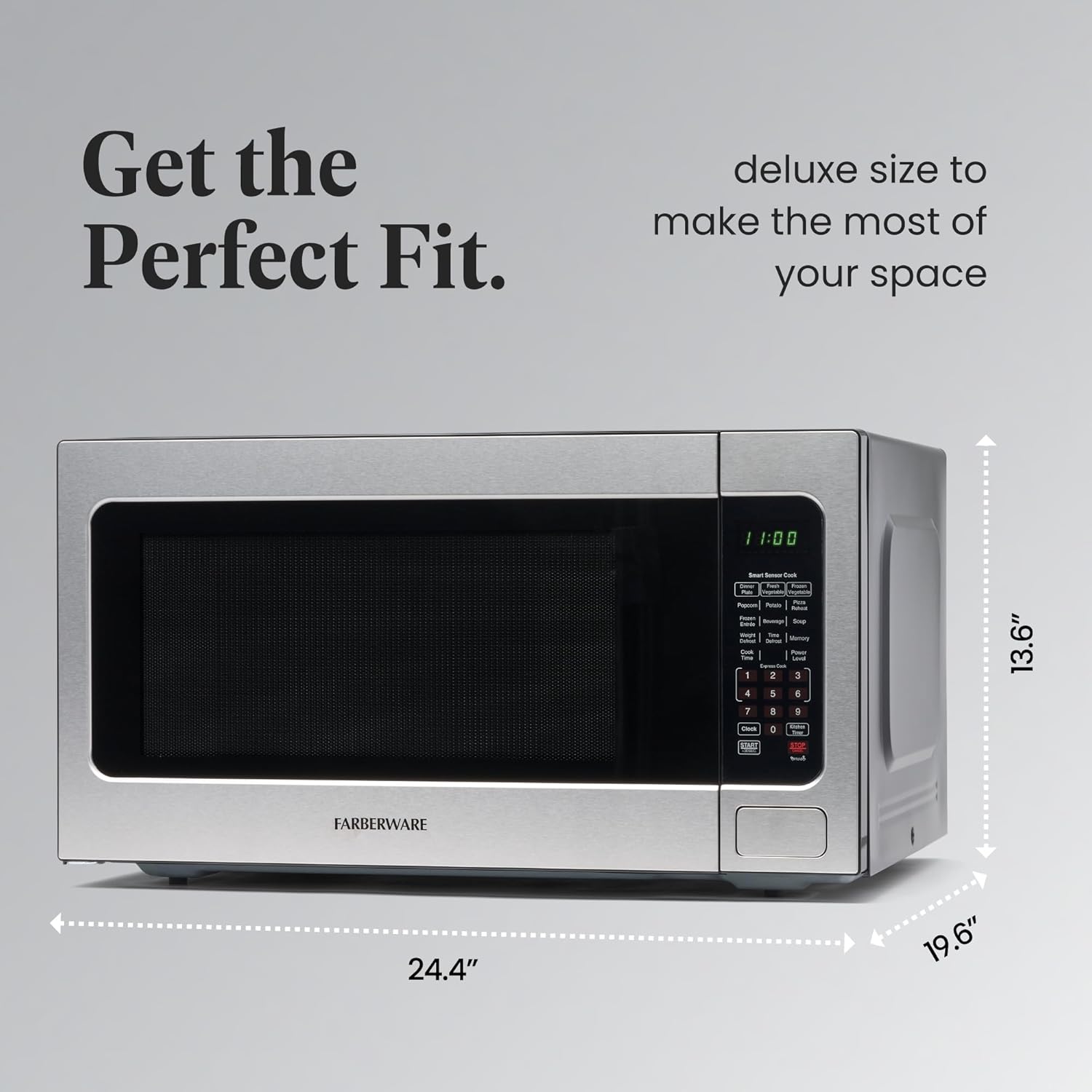
Figure 4: Dimensions of the microwave for perfect fit in various spaces.
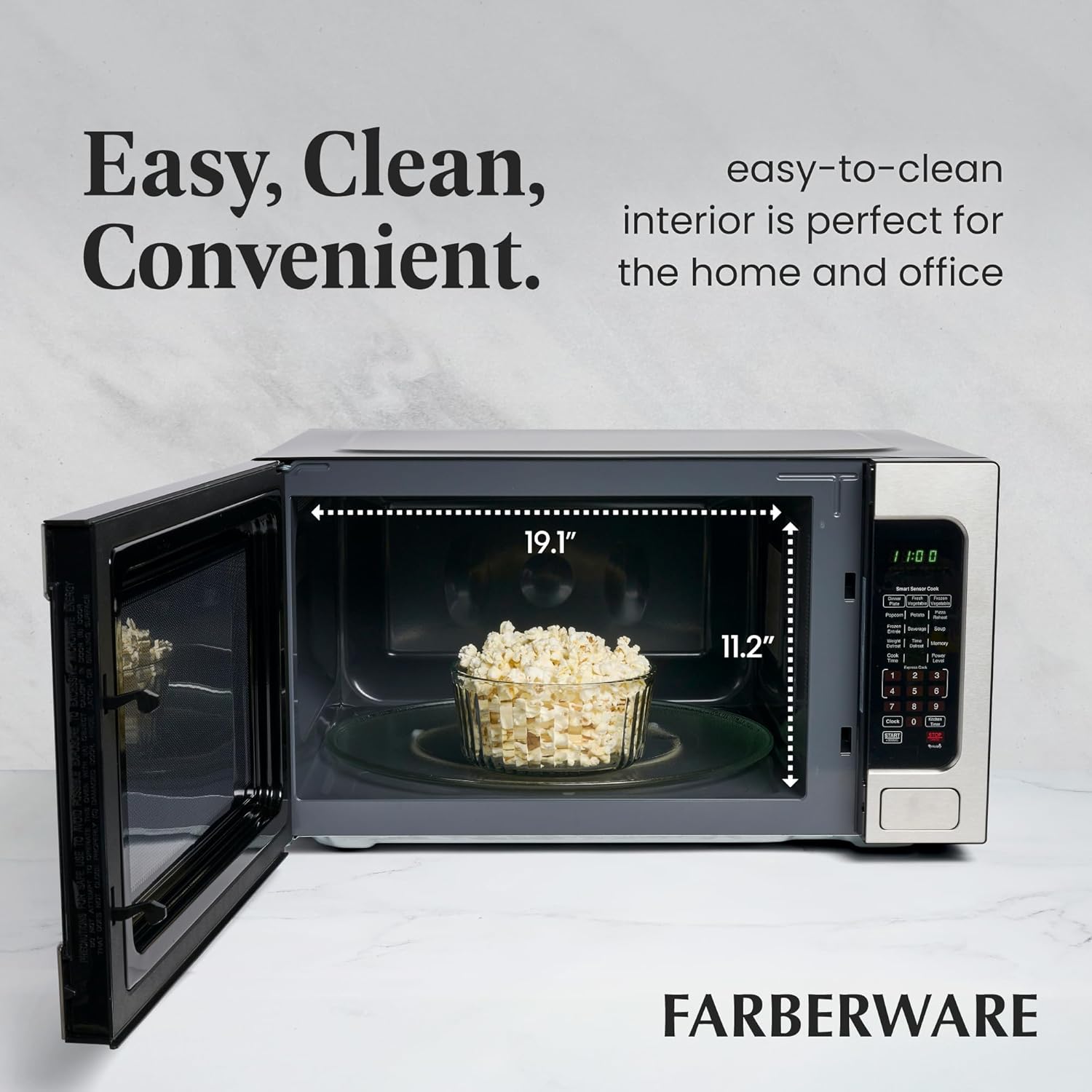
Figure 5: Spacious interior with easy-to-clean surfaces.
Maintenance and Cleaning
Regular cleaning will help maintain the performance and appearance of your microwave oven.
- Interior: Wipe the interior cavity with a damp cloth after each use to prevent food buildup. For stubborn stains, use a mild detergent or a microwave-safe cleaner.
- Exterior: Clean the exterior surfaces with a soft, damp cloth. Avoid abrasive cleaners or scouring pads that could scratch the stainless steel finish.
- Turntable: The glass turntable and roller ring can be removed and washed in warm, soapy water or in the dishwasher. Ensure they are completely dry before placing them back in the oven.
- Door Seals: Regularly inspect the door seals for any damage or debris. Clean them gently with a damp cloth to ensure a proper seal.
Troubleshooting
| Problem | Possible Cause | Solution |
|---|---|---|
| Oven will not start | Door not closed properly; Power cord unplugged; Fuse blown or circuit breaker tripped. | Ensure door is securely closed; Check power cord connection; Check household fuse or reset circuit breaker. |
| Food not heating | Incorrect cooking time/power level; Door not closed properly. | Adjust cooking settings; Ensure door is securely closed. |
| Unusual noise during operation | Turntable not correctly placed; Food container too large. | Re-position turntable and roller ring; Use a smaller, microwave-safe dish. |
| Child lock engaged | Child lock feature activated. | Press and hold the "Stop/Cancel" button for 3 seconds to deactivate. |
Specifications
- Brand: Farberware
- Model Number: FMO22ABTBKA
- Capacity: 2.2 Cubic Feet
- Wattage: 1100 Watts
- Dimensions (D x W x H): 19.6" x 24.4" x 13.6"
- Item Weight: 43.4 pounds
- Color: Stainless Steel
- Material: Plastic (Control Panel/Interior), Stainless Steel (Exterior)
- Special Feature: Child Safety Lock, Smart Sensor Cook, LED Lighting
- Installation Type: Countertop
Warranty and Support
For warranty information or technical support, please refer to the warranty card included with your product or contact Farberware customer service. Keep your purchase receipt as proof of purchase for any warranty claims.
Related documentsFMO22ABTBKA


Ask a question about this manual
Ask about setup, troubleshooting, compatibility, parts, safety, or missing instructions. Manuals+ will review the question and use this page’s manual context to help answer it.