Introduction
This manual provides essential information for the safe assembly, operation, and maintenance of your Diablo V-Master Ergonomic Office Chair. Please read these instructions carefully before use and retain them for future reference.

Image: The Diablo V-Master ergonomic office chair, black, positioned in a modern office environment with a desk and computer.
Safety Warnings
- Assemble the chair carefully, following all provided instructions.
- Ensure the user's weight is within the recommended limits to maintain chair stability and safety.
- Do not stand on the chair.
- Avoid using the chair on uneven surfaces.
- Keep children away from moving parts during adjustment.
Assembly Instructions
The Diablo V-Master chair requires assembly. Please refer to the detailed assembly guide included in the product packaging for step-by-step instructions. Ensure all components are securely fastened before use.

Image: Side profile of the Diablo V-Master chair, highlighting its ergonomic design and frame structure.
Operating Instructions
The Diablo V-Master chair offers multiple adjustment options for personalized comfort.
1. Seat Height Adjustment
Locate the lever on the right side beneath the seat. Pull the lever upwards to raise the seat. To lower, pull the lever while seated. Release the lever at the desired height.
2. Seat Depth Adjustment
Use the lever located on the left side beneath the seat to slide the seat forward or backward, adjusting the depth to support your thighs.
3. Backrest Recline and Tilt Lock
The chair features a continuous recline mechanism. Use the lever on the left side to adjust the recline angle. Lock the backrest in your preferred position by pushing the lever downwards.
4. Armrest Adjustments
The 3D armrests can be adjusted in multiple directions:
- Height: Press the button on the side of the armrest and move it up or down.
- Depth: Slide the armrest pad forward or backward.
- Pivot: Rotate the armrest pads inwards or outwards.

Image: Detail of the adjustable armrests, showing icons for height, depth, and pivot adjustments.
5. Headrest Adjustment
The headrest can be adjusted for height and angle to provide optimal neck support.
6. Flexible Lumbar Support
The chair features flexible lumbar support that adapts to your back's natural curve.
7. Footrest Operation
Pull out the integrated footrest from beneath the seat for additional leg support when reclining.
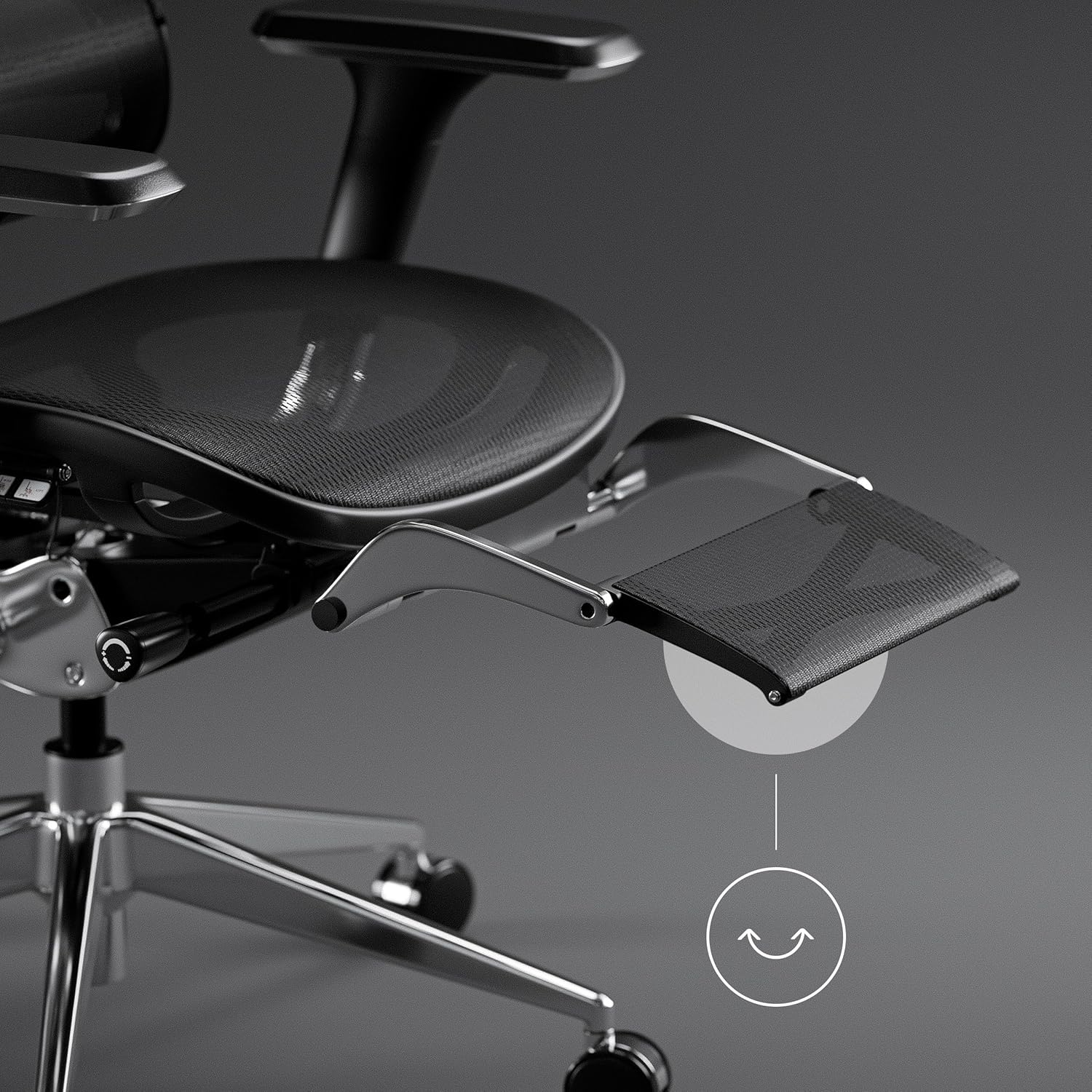
Image: Detail of the retractable footrest extended from beneath the seat.
Maintenance
To maintain the appearance and longevity of your Diablo V-Master chair:
- Cleaning: Spot clean the mesh fabric with a damp cloth and mild detergent. Avoid harsh chemicals.
- Inspection: Periodically check all screws and bolts to ensure they are tight. Re-tighten if necessary.
- Casters: Keep casters free of debris to ensure smooth movement.

Image: Detail of the chair's smooth-rolling casters, designed for quiet movement.
Troubleshooting
- Chair Squeaks: Check for loose connections and tighten any bolts. A small amount of silicone spray on moving parts may help.
- Difficulty Adjusting Height: Ensure the gas lift lever is fully engaged. If the issue persists, the gas lift may need replacement.
- Unstable Chair: Verify that all components are correctly assembled and tightened. Ensure the chair is on a flat, even surface.
Specifications
| Feature | Specification |
|---|---|
| Brand | Diablo |
| Model Number | V-Master |
| Color | Black |
| Product Dimensions (L x W x H) | 70 x 139 x 50 cm |
| Item Weight | 30 Kilograms |
| Material | Aluminum (frame), Breathable Mesh (seat and back) |
| Special Features | Adjustable Headrest, Ergonomic Design, Adjustable Height, Casters, 3D Adjustable Armrests, Flexible Lumbar Support, Retractable Footrest |
| Care Instructions | Spot cleaning |
Warranty and Support
For warranty information or technical support, please refer to the documentation provided with your purchase or contact Diablo customer service directly. Details can typically be found on the manufacturer's official website or through your retailer.


