
Tapo HS103
Kasa Smart Plug HS103 User Manual
Model: HS103
1. Introduction
The Kasa Smart Plug HS103 is a compact Wi-Fi enabled smart outlet designed to bring convenience and automation to your home. It allows you to control connected devices remotely, set schedules, and integrate with popular voice assistants. This manual provides detailed instructions for setting up, operating, and maintaining your Kasa Smart Plug.
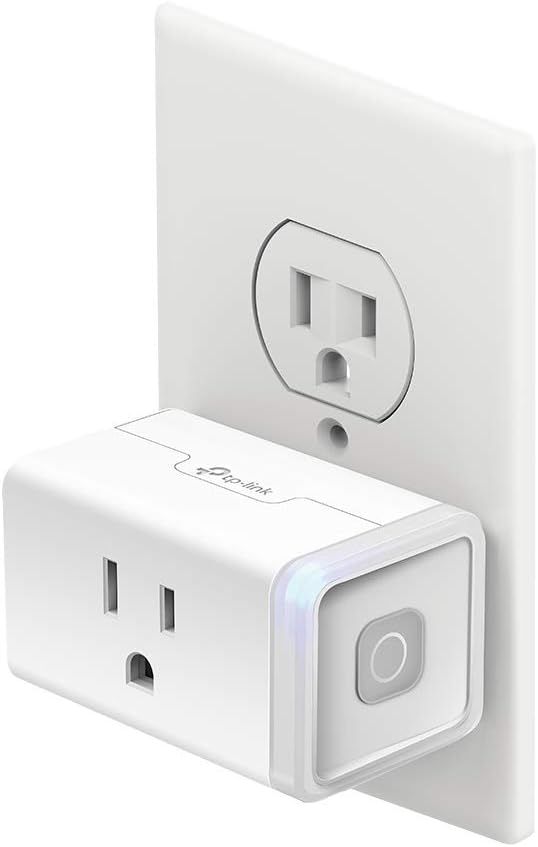
Image: Kasa Smart Plug HS103, a white rectangular device, plugged into a standard wall outlet, showcasing its compact design.
Key Features:
- Voice Control: Control your devices hands-free using Amazon Alexa or Google Assistant.
- Remote Control: Turn electronics on or off from anywhere using the Kasa app on your smartphone.
- Scheduling: Set timers and countdowns to automatically power devices on or off.
- Compact Design: Allows for stacking two smart plugs in a single wall outlet without blocking the second receptacle.
- UL Certified: Ensures safety and reliability.
2. Setup and Installation
Setting up your Kasa Smart Plug is a straightforward process. Follow these steps to get started:
- Download the Kasa App: Search for "Kasa Smart" in your smartphone's app store (Google Play Store for Android or Apple App Store for iOS) and download the application.
- Create a Kasa Account: Open the Kasa app and follow the on-screen prompts to create a new account or log in if you already have one.
- Plug In the Smart Plug: Insert your Kasa Smart Plug HS103 into any standard wall outlet. Ensure it is within range of your 2.4GHz Wi-Fi network.
- Add Device in App: In the Kasa app, tap the "+" icon to add a new device. Select "Smart Plugs" and then choose your specific model (HS103).
- Follow In-App Instructions: The app will guide you through connecting the smart plug to your home Wi-Fi network. This typically involves connecting your phone to the smart plug's temporary Wi-Fi network, then selecting your home Wi-Fi network and entering its password.
- Name Your Plug: Once connected, you can give your smart plug a custom name (e.g., "Living Room Lamp," "Fan") for easy identification and voice control.

Image: A hand holding a smartphone showing the Kasa app's "Add a Device" screen, illustrating the ease of setup with clear options for various smart home devices.
3. Operating Your Smart Plug
The Kasa Smart Plug offers multiple ways to control your connected devices:
3.1. Manual Control
Each Kasa Smart Plug has a physical button on its side. Press this button once to manually turn the connected device on or off. The LED indicator on the plug will change color to show its status (e.g., blue for on, amber for off or setup mode).
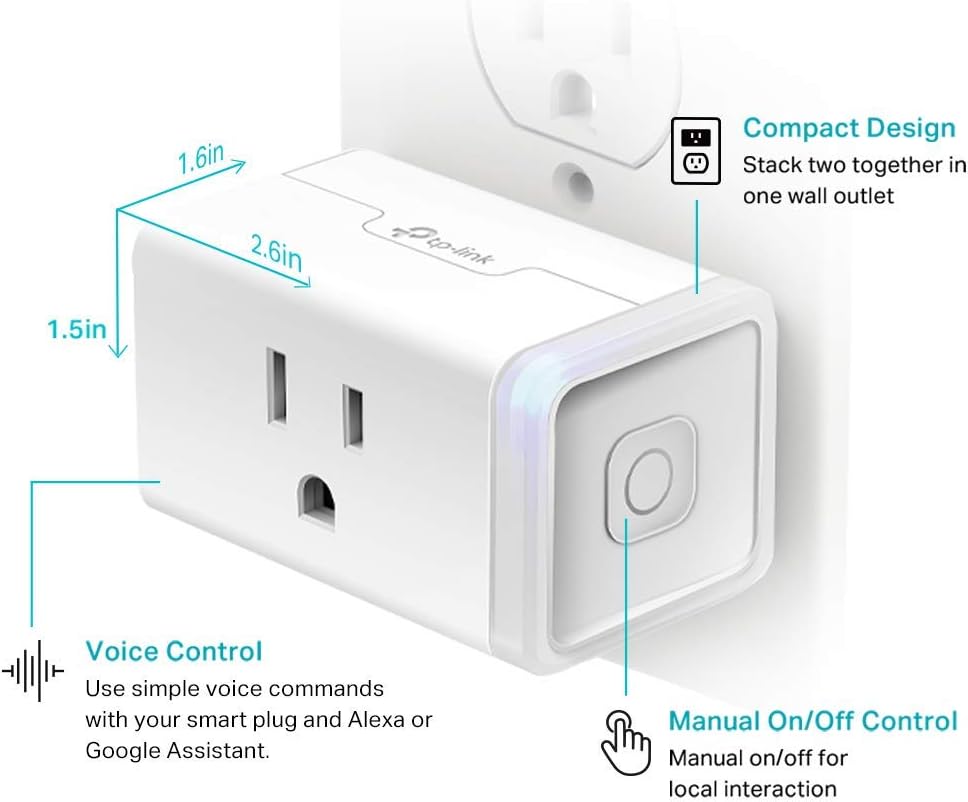
Image: A close-up of the Kasa Smart Plug HS103, illustrating its compact dimensions (1.6in x 1.5in x 2.6in) and pointing out the manual on/off button and its voice control capability.
3.2. Remote Control via Kasa App
The Kasa app allows you to control your smart plug from anywhere with an internet connection:
- Open the Kasa app on your smartphone.
- Select the smart plug you wish to control from the device list.
- Tap the power icon to toggle the device on or off.
3.3. Voice Control
Integrate your Kasa Smart Plug with Amazon Alexa or Google Assistant for convenient voice commands:
- Ensure your smart plug is successfully set up in the Kasa app.
- Open your Amazon Alexa or Google Home app.
- Enable the Kasa Smart skill/action and link your Kasa account.
- Discover new devices. Your smart plug should now be controllable via voice commands.

Image: A visual representation of voice control, demonstrating how to use commands like "Alexa, turn on the kitchen lights" to operate the smart plug.
3.4. Scheduling and Scenes
Automate your devices with schedules and scenes through the Kasa app:
- Schedules: Set specific times for your smart plug to turn on or off daily, weekly, or on custom days. This is ideal for lamps, holiday lights, or humidifiers.
- Away Mode: Simulate occupancy by randomly turning connected lights on and off, enhancing home security when you're away.
- Scenes: Create custom scenes to control multiple Kasa devices simultaneously with a single tap or voice command. For example, a "Goodnight" scene could turn off all lights connected to Kasa plugs.
- Grouping: Group multiple Kasa smart plugs together to control them as one.

Image: An infographic illustrating the diverse functionalities of the Kasa Smart Plug, including scheduling, remote control, grouping, smart actions, scenes, and away mode, alongside examples of compatible appliances.
4. Maintenance
The Kasa Smart Plug HS103 requires minimal maintenance. Follow these guidelines to ensure optimal performance and longevity:
- Cleaning: Disconnect the smart plug from the power outlet before cleaning. Use a soft, dry cloth to wipe the exterior. Do not use liquid cleaners or abrasive materials.
- Environment: Keep the smart plug in a dry environment, away from excessive heat, humidity, and direct sunlight. It is designed for indoor use only.
- Firmware Updates: Periodically check the Kasa app for available firmware updates. Updates often include performance improvements, new features, and security enhancements.
- Overload Prevention: Do not exceed the maximum load rating of 15 Amps. Refer to the specifications section for detailed electrical ratings.
5. Troubleshooting
If you encounter issues with your Kasa Smart Plug, refer to the following common problems and solutions:
| Problem | Possible Cause / Solution |
|---|---|
| Smart Plug cannot connect to Wi-Fi. |
|
| Remote control not working. |
|
| Voice control not responding. |
|
| Smart Plug frequently disconnects. |
|
6. Specifications
Detailed technical specifications for the Kasa Smart Plug HS103:
- Model: HS103
- Voltage: 120 Volts
- Operation Mode: Automatic
- Connectivity Protocol: Wi-Fi (2.4GHz only)
- Controller Type: Amazon Alexa, Google Assistant, IFTTT, Vera
- Control Method: Voice, App
- Item Dimensions (L x W x H): 1.57 x 1.5 x 2.62 inches
- Item Weight: 3.52 ounces
- Plug Format: Type B
- Contact Material: Phosphor Bronze
- Safety Certification: UL Certified

Image: An X-ray view of the Kasa Smart Plug's internal structure, emphasizing its flame-retardant shell and durable nickel-plated phosphor bronze contacts designed for enhanced safety and reliability.
7. Warranty and Support
Your Kasa Smart Plug HS103 comes with a comprehensive warranty and dedicated support:
- Warranty: This product is covered by a 2-year warranty from the date of purchase. Please retain your proof of purchase for warranty claims.
- Technical Support: For further assistance, troubleshooting, or detailed product information, please visit the official TP-Link Kasa Smart support website or contact their customer service directly. You can also find helpful resources and FAQs within the Kasa Smart app.
Related documentsHS103


Ask a question about this manual
Ask about setup, troubleshooting, compatibility, parts, safety, or missing instructions. Manuals+ will review the question and use this page’s manual context to help answer it.