
Introduction
This manual provides essential instructions for the setup, operation, and maintenance of your Esperanza EGG106R USB Gamepad. Please read this guide thoroughly before using the product to ensure optimal performance and longevity.
Product Overview
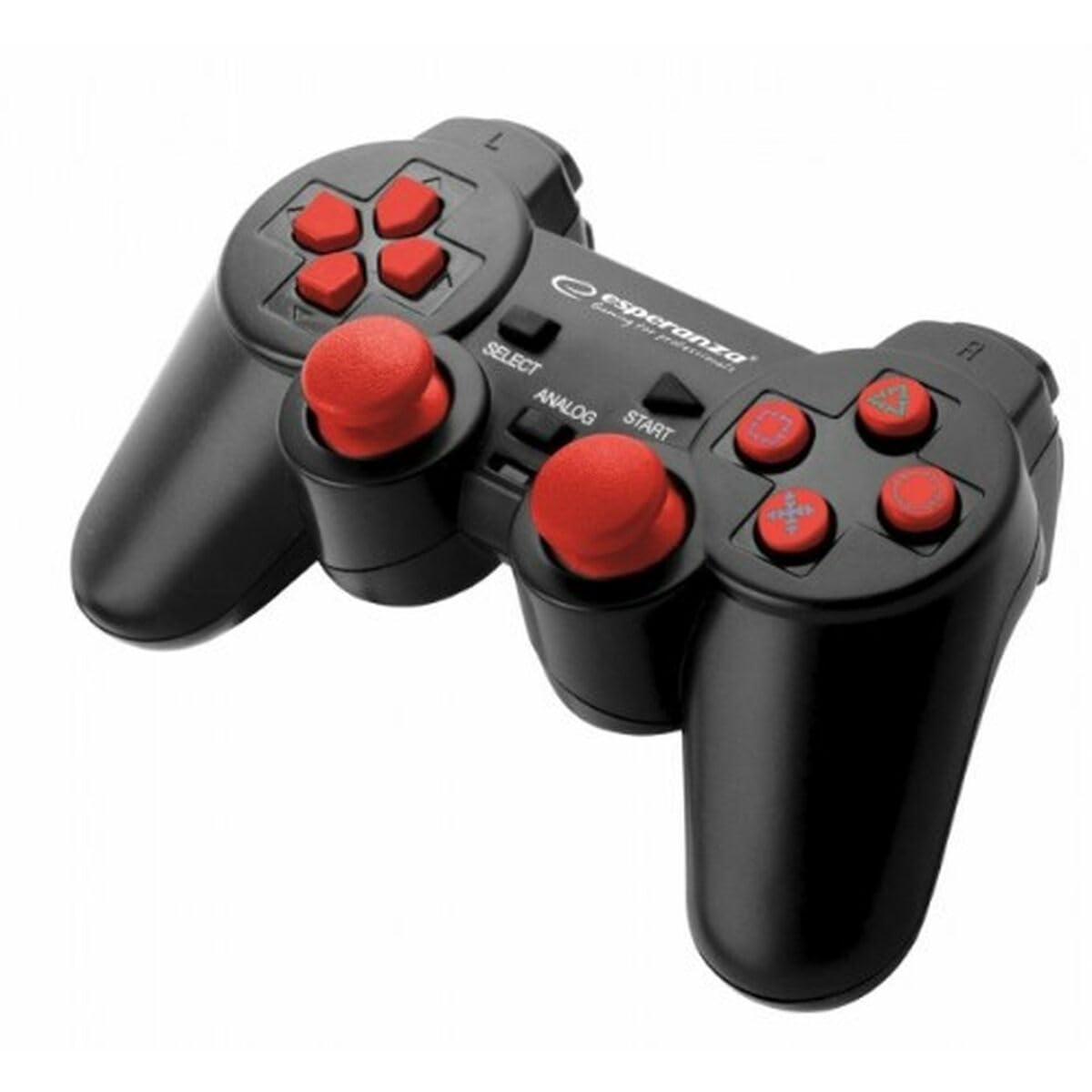
This image shows the Esperanza EGG106R USB Gamepad. It features a black body with red-colored buttons, including a D-pad on the left, four action buttons on the right, two analog sticks, and shoulder buttons. A USB cable extends from the top front of the controller.
Key Features
- Vibration feedback for an immersive gaming experience.
- Ergonomic design for comfortable extended play sessions.
- Dual analog sticks for precise control and movement.
- 12 action buttons, including responsive shoulder triggers.
- 8-way directional pad (D-pad) for accurate input.
- Two operational modes: Analog and Digital, adaptable to various games.
- Standard USB 2.0 connectivity for broad compatibility.
- Generous 1.8-meter cable length for flexible positioning.
- Wide compatibility with PC (Windows Me/XP/2000 SP4/Vista/7/8/10), PlayStation 2 (PS2), and PlayStation 3 (PS3).
Package Contents
Please check the package for the following items:
- 1 x Esperanza EGG106R USB Gamepad
- 1 x User Manual (this document)
Setup Instructions
1. Connecting to a PC
- Locate an available USB 2.0 port on your computer.
- Plug the gamepad's USB connector firmly into the chosen USB port.
- Your operating system (Windows Me/XP/2000 SP4/Vista/7/8/10) should automatically detect the new hardware and install the necessary drivers. This process may take a few moments.
- Once the installation is complete, the gamepad is ready for use. You may need to configure the controller within your specific game's settings.
2. Connecting to PlayStation 2 (PS2) or PlayStation 3 (PS3)
- Locate an available USB port on your PlayStation 2 or PlayStation 3 console.
- Plug the gamepad's USB connector firmly into the console's USB port.
- The console should recognize the gamepad as an input device. You might need to assign it as a controller in the console's accessory settings or within the game's control options.
Operating Instructions
- Analog Sticks: Use the two analog sticks for precise 360-degree movement, camera control, or other analog inputs in compatible games.
- Action Buttons: The four main action buttons (typically on the right side) and the shoulder buttons (L1, L2, R1, R2) are used for various in-game actions such as jumping, attacking, or interacting.
- Directional Pad (D-pad): The 8-way D-pad provides directional input, commonly used for menu navigation, item selection, or specific character movements.
- Mode Button: A dedicated mode button (often labeled "Mode" or "Analog") allows you to switch between analog and digital input modes. Consult your game's instructions to determine the optimal mode for play.
- Vibration Feedback: The integrated vibration motors will provide tactile feedback during gameplay, enhancing the immersive experience in supported titles.
Maintenance
- Cleaning: To clean the gamepad, use a soft, dry cloth. For light dirt, the cloth can be slightly dampened with water. Avoid using harsh chemicals, solvents, or abrasive cleaning materials, as these can damage the surface and internal components.
- Storage: Store the gamepad in a cool, dry environment, away from direct sunlight, high humidity, and extreme temperatures. Do not wrap the USB cable tightly around the controller, as this can cause stress and damage to the cable over time.
- Handling: Handle the gamepad with care. Avoid dropping it or subjecting it to strong impacts. When disconnecting the USB cable, always pull from the plug itself, not the cable, to prevent internal wire damage.
Troubleshooting
- Gamepad Not Detected:
- Ensure the USB cable is securely plugged into the port on your computer or console.
- Try connecting the gamepad to a different USB port.
- Restart your computer or console.
- For PC users, check the Device Manager to confirm if the gamepad is listed and if there are any driver-related issues.
- Buttons Not Responding or Incorrect Input:
- Test the gamepad in a different game or a controller testing utility (available online for PC) to isolate the issue.
- Verify that the correct mode (Analog or Digital) is selected for the game you are playing.
- Check the in-game control settings to ensure that buttons are mapped correctly.
- Vibration Not Working:
- Confirm that vibration feedback is enabled within your game's settings.
- Ensure that the game you are playing supports vibration functionality.
- Check if the gamepad is properly connected and recognized by the system.
Specifications
| Model | EGG106R |
| Connectivity | USB 2.0 |
| Cable Length | 1.8 meters |
| Compatibility | PC (Windows Me, XP, 2000 SP4, Vista, 7, 8, 10), PlayStation 2, PlayStation 3 |
| Features | Dual analog sticks, 12 action buttons, 8-way D-pad, Vibration feedback, Analog/Digital modes |
| Weight | 300 grams |
| Country of Origin | China |
Warranty Information
Warranty information for the Esperanza EGG106R Gamepad is not explicitly provided in this document. For details regarding warranty coverage, duration, and terms, please refer to your purchase receipt, the product packaging, or contact the retailer or manufacturer directly.
Support Information
For further assistance, technical support, or inquiries about your Esperanza EGG106R Gamepad, please visit the official Esperanza website. Contact details for customer service may also be found on the product packaging or within the manufacturer's online resources.
