
AINOPE AV8000-2
AINOPE AV8000-2 Dual Port USB Car Charger Adapter User Manual
Model: AV8000-2
1. Introduction
Thank you for choosing the AINOPE AV8000-2 Dual Port USB Car Charger Adapter. This compact and durable car charger is designed to provide efficient power to your mobile devices while on the go. Its all-metal construction ensures longevity and safety, while the dual USB ports allow for simultaneous charging of two devices.

Figure 1: AINOPE AV8000-2 Dual Port USB Car Charger Adapter (Silver)
Key Features:
- Compact Design: Small, thumb-sized body (1.7" L x 0.9" W) for a flush fit in most car cigarette lighters.
- Efficient Charging: Delivers 4.8A/24W total output, with 2.4A/12W per USB port for fast charging of two devices simultaneously. Note: Does not support Qualcomm Quick Charge.
- Durable Construction: Full zinc alloy body provides scratch resistance, durability, and enhanced heat dissipation for safer operation compared to plastic chargers.
- Certified Safety: Built-in protections against over-current, overcharging, and overheating to safeguard your devices.
2. Important Safety Information
Please read and understand all safety instructions before using this product. Failure to follow these instructions may result in electric shock, fire, or serious injury.
- Do not expose the charger to moisture, extreme temperatures, or direct sunlight.
- Do not attempt to disassemble, repair, or modify the charger.
- Keep out of reach of children.
- Ensure the charger is securely inserted into the vehicle's cigarette lighter socket.
- Use only with compatible devices and cables.
- If the charger appears damaged or malfunctions, discontinue use immediately.
- The charger is designed for 12V vehicle power outlets.
3. What's in the Box
Verify that all items are present in your package:
- 1 x AINOPE AV8000-2 Dual Port USB Car Charger Adapter
- 1 x USB Cable (Note: This cable is listed as an included component in product specifications. Please verify your package contents upon receipt.)
4. Setup Instructions
Follow these steps to install your AINOPE car charger:
- Locate the 12V cigarette lighter socket in your vehicle.
- Insert the AINOPE AV8000-2 car charger firmly into the socket until it is flush with the outlet.
- The blue LED indicators on the USB ports will illuminate, confirming the charger is powered on and ready for use.
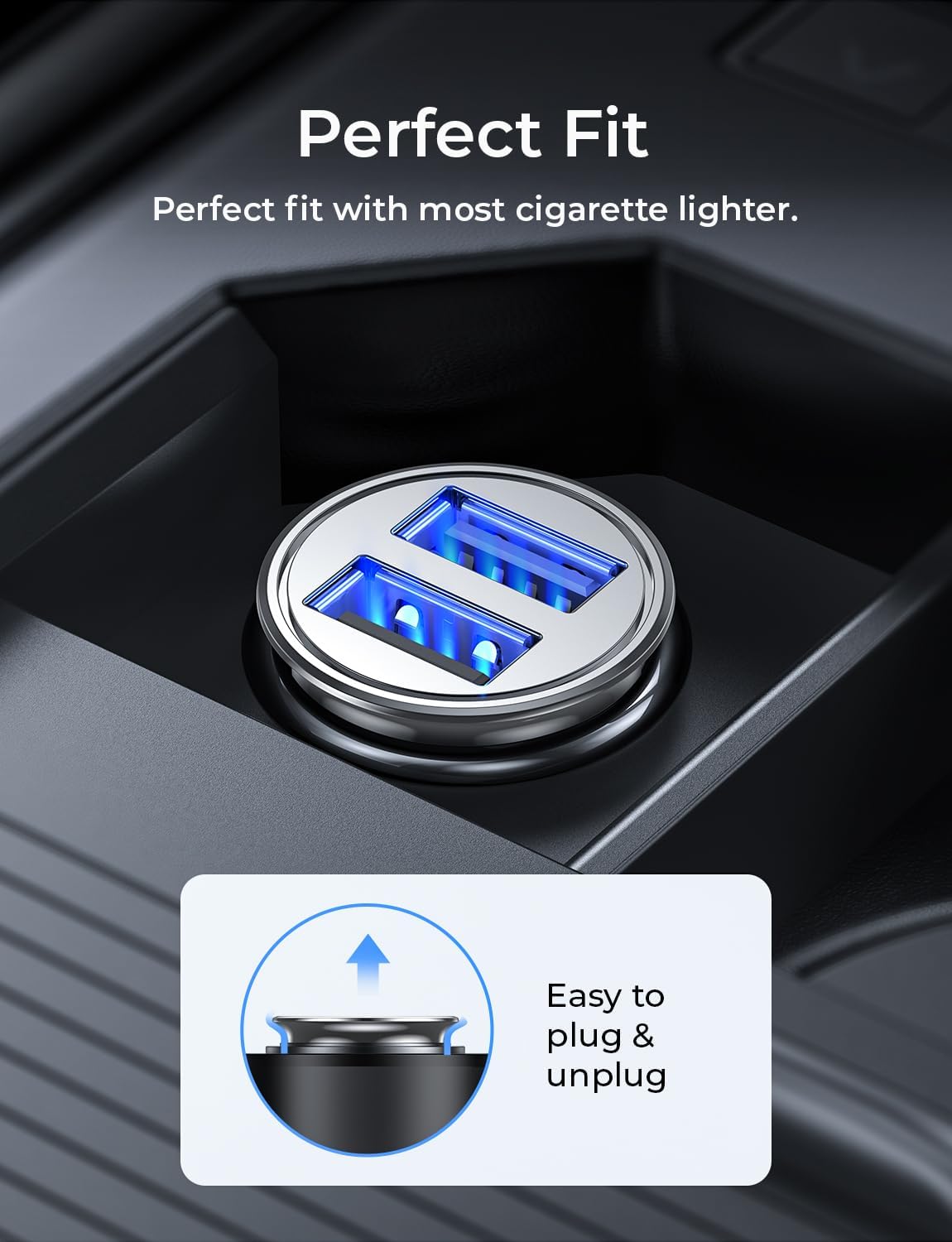
Figure 2: Charger inserted into vehicle's 12V outlet, showing flush fit.
5. Operating Instructions
Once the charger is installed, you can begin charging your devices:
- Connect your device's USB charging cable to one of the two USB ports on the AINOPE car charger.
- Connect the other end of the cable to your mobile device (e.g., smartphone, tablet, smartwatch).
- Your device should begin charging automatically. The charger provides up to 2.4A per port for efficient charging.
- You can charge two devices simultaneously.
Important Note: This charger does not support Qualcomm Quick Charge technology. Devices that support Quick Charge will charge at their standard USB charging rate (up to 2.4A) when connected to this adapter. The device's charging display may not indicate "fast charge" even when charging efficiently.

Figure 3: Charging two devices simultaneously.
6. Maintenance and Care
To ensure the longevity and optimal performance of your AINOPE car charger, follow these maintenance guidelines:
- Cleaning: Disconnect the charger from the power outlet before cleaning. Use a soft, dry cloth to wipe the exterior. Do not use liquid cleaners or abrasive materials.
- Storage: When not in use for extended periods, store the charger in a cool, dry place away from direct sunlight and extreme temperatures.
- Durability: The full zinc alloy body is designed for durability and scratch resistance. Avoid dropping the charger or subjecting it to harsh impacts.

Figure 4: The durable zinc alloy construction of the charger.
7. Troubleshooting
If you encounter issues with your AINOPE car charger, refer to the following common problems and solutions:
| Problem | Possible Cause | Solution |
|---|---|---|
| Charger not powering on (no blue LED). |
|
|
| Device not charging or charging slowly. |
|
|
| Charger feels warm during use. |
|
|
The AINOPE AV8000-2 features Smart Chip Protection, which includes safeguards against over-current, overcharging, and overheating to ensure the safety of both the charger and your connected devices.
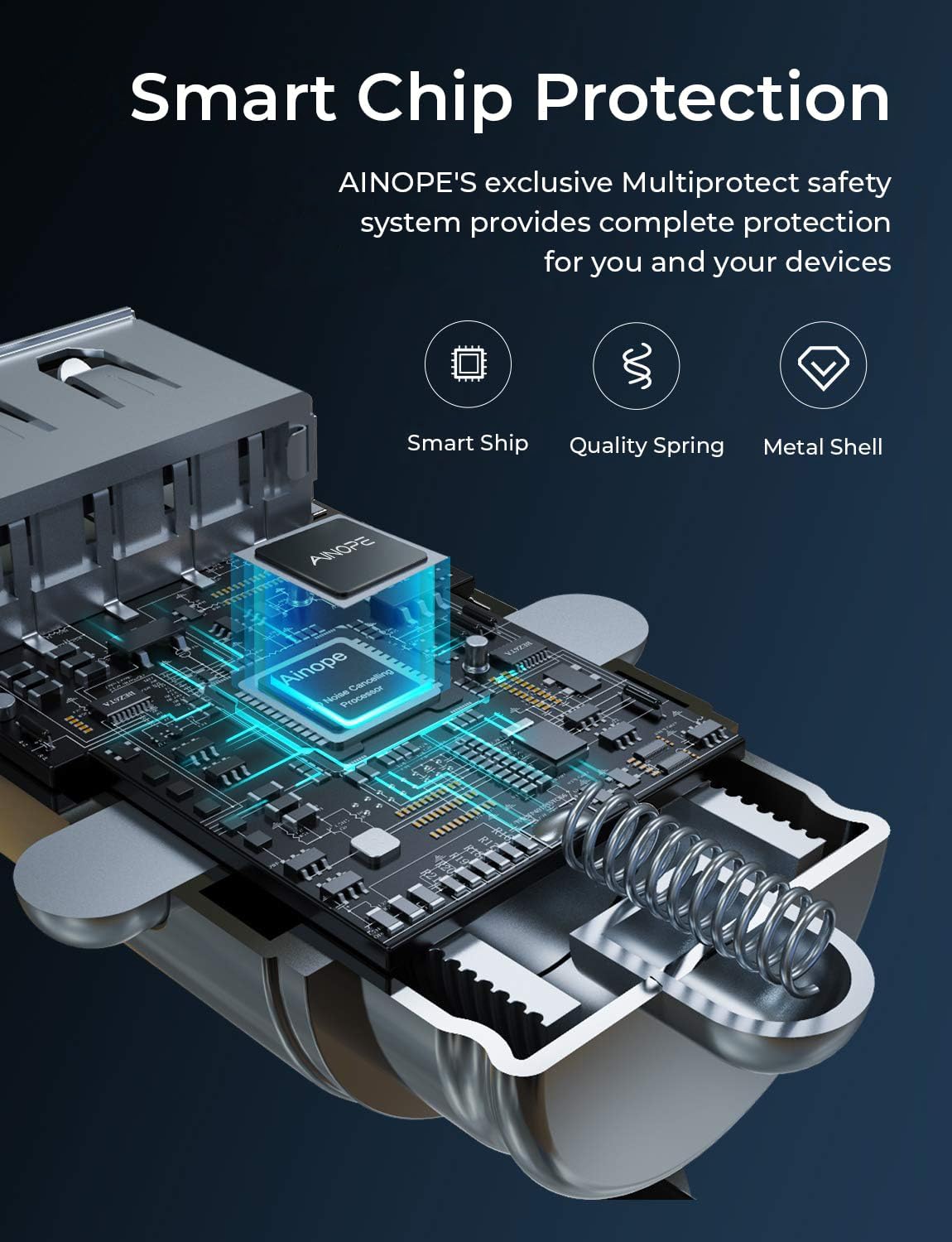
Figure 5: Smart Chip Protection for device safety.
8. Specifications
| Model Number | AV8000-2 |
| Brand | AINOPE |
| Product Dimensions | 1.7 x 0.93 x 1.7 inches |
| Item Weight | 0.96 ounces |
| Input Voltage | 12V - 24V DC |
| Output Amperage | 4.8 Amps (2.4A per port) |
| Total Output Power | 24W |
| Connector Type | USB Type A (Dual Ports) |
| Compatible Devices | Smartphones, Smartwatches, Tablets, and other USB-powered devices |
| Special Feature | Fast Charging (up to 2.4A per port), All-Metal Body, Flush Fit, Multi-Protection Safety System |
| Material | Zinc Alloy |
9. Warranty and Customer Support
AINOPE is committed to providing high-quality products and excellent customer service.
- Warranty: This product comes with a 365-day replacement service.
- Returns & Exchanges: Enjoy 30-day returns and exchanges.
- Customer Support: Our dedicated customer service team is available to respond to your inquiries within 24 hours.
For any questions, concerns, or support needs, please contact us through the platform where you purchased the product or visit the official AINOPE store.

Figure 6: AINOPE After-Sales Service Commitment.
You can find more information and contact details on the AINOPE Official Store.
Related documentsAV8000-2


Ask a question about this manual
Ask about setup, troubleshooting, compatibility, parts, safety, or missing instructions. Manuals+ will review the question and use this page’s manual context to help answer it.