
Evolution Trillium Mini Carbon Black
Evolution Trillium Lightweight Walker Rollator User Manual
Model: Trillium Mini Carbon Black
Introduction
Thank you for choosing the Evolution Trillium Lightweight Walker Rollator. This manual provides essential information for the safe and effective use, assembly, maintenance, and care of your new mobility aid. Please read this manual thoroughly before using the product and retain it for future reference. The Trillium rollator is designed to provide stable support and convenience for individuals requiring assistance with mobility, both indoors and outdoors.
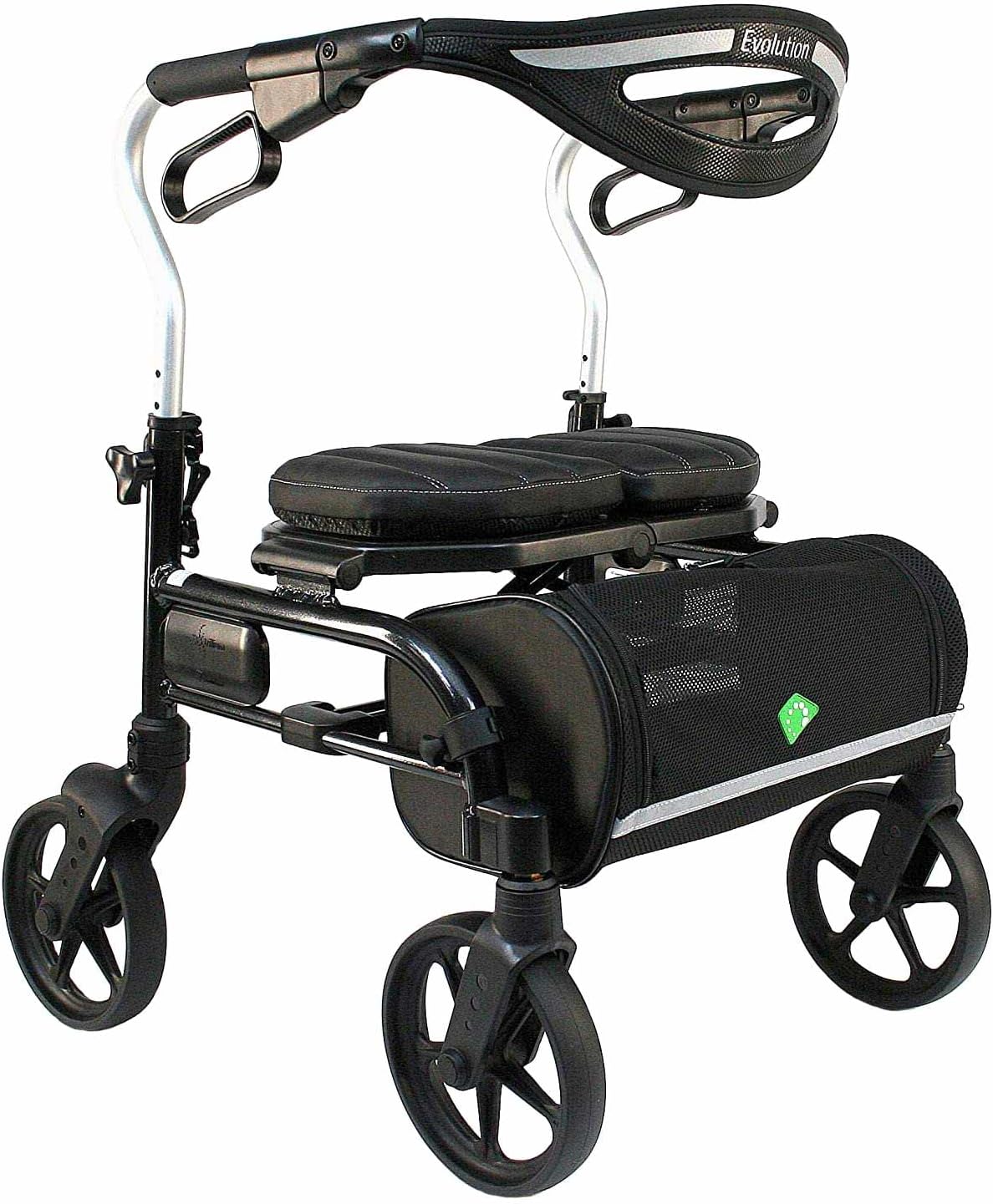
Figure 1: Evolution Trillium Lightweight Walker Rollator (Carbon Black Mini)
Safety Information
Your safety is paramount. Always adhere to the following safety guidelines:
- Use as directed by a Medical Professional: This device is intended for individuals with instability or fatigue. Consult with a healthcare provider to ensure this product is suitable for your specific needs.
- Brake System: Always engage the parking brakes before sitting on the seat or when the rollator is stationary to prevent accidental movement. Ensure brakes are functioning correctly before each use.
- Weight Capacity: Do not exceed the maximum weight capacity of the rollator. Refer to the specifications section for details.
- Uneven Surfaces: Exercise extreme caution on uneven terrain, inclines, or slippery surfaces. The large 8-inch wheels are designed to glide over uneven surfaces, but user vigilance is still required.
- Folding Mechanism: Be mindful of fingers and clothing when folding or unfolding the rollator to avoid pinching.
- Maintenance: Regularly inspect all parts for wear and tear, especially wheels, brakes, and frame components. Do not use the rollator if any part is damaged or missing.
- Modifications: Do not modify the rollator in any way. Unauthorized modifications can compromise safety and void the warranty.
Setup and Assembly
The Evolution Trillium rollator comes largely pre-assembled. Follow these steps for initial setup:
- Unfolding the Rollator:
Carefully remove the rollator from its packaging. Place it on a flat, stable surface. Gently pull the side frames apart until the rollator is fully open and the locking mechanism engages. The seat will drop into place.

Figure 2: Rollator in open, ready-to-use position.
- Adjusting Handle Height:
The handle height should be adjusted so that your arms are slightly bent at the elbow when standing upright with your hands on the grips. Locate the adjustment knobs on the side of each handle support. Loosen the knobs, adjust the handles to the desired height, and then securely tighten the knobs. Ensure both handles are at the same height.
- Brake Check:
Before first use, test the brakes. Squeeze the brake levers to slow down the rollator. Push the levers down to engage the parking brake. The wheels should lock completely. If the brakes do not engage properly, refer to the Troubleshooting section or contact customer support.
Operating Instructions
Walking with the Rollator
Stand upright behind the rollator, holding both handles. Push the rollator forward a short distance, then step forward with one foot, followed by the other. Maintain a comfortable distance from the rollator to ensure stability.
Using the Brakes
- Slowing Down: Gently squeeze both brake levers simultaneously to slow down or control your speed.
- Parking Brake: To engage the parking brake, push both brake levers down until they click into place. This locks the wheels, preventing the rollator from moving. Always engage the parking brake when sitting or when the rollator is stationary. To release, pull the levers back up.
Using the Seat
The Trillium rollator features a comfortable, thick plush padded seat.
- Ensure the rollator is on a flat, stable surface.
- Engage both parking brakes firmly.
- Turn around and slowly lower yourself onto the seat. Use the handles for support if needed.
- To stand up, push off the seat and use the handles for support. Ensure the parking brakes are still engaged.

Figure 3: Comfortable padded seat for resting.
Folding the Rollator for Storage or Transport
The Trillium rollator features a single-handed center folding system for easy storage and transport.
- Ensure the parking brakes are disengaged.
- Locate the strap or handle in the center of the seat.
- Pull upwards on this strap/handle with one hand. The rollator will begin to fold inwards.
- Continue pulling until the rollator is fully folded and compact. A locking clip may engage to keep it folded.
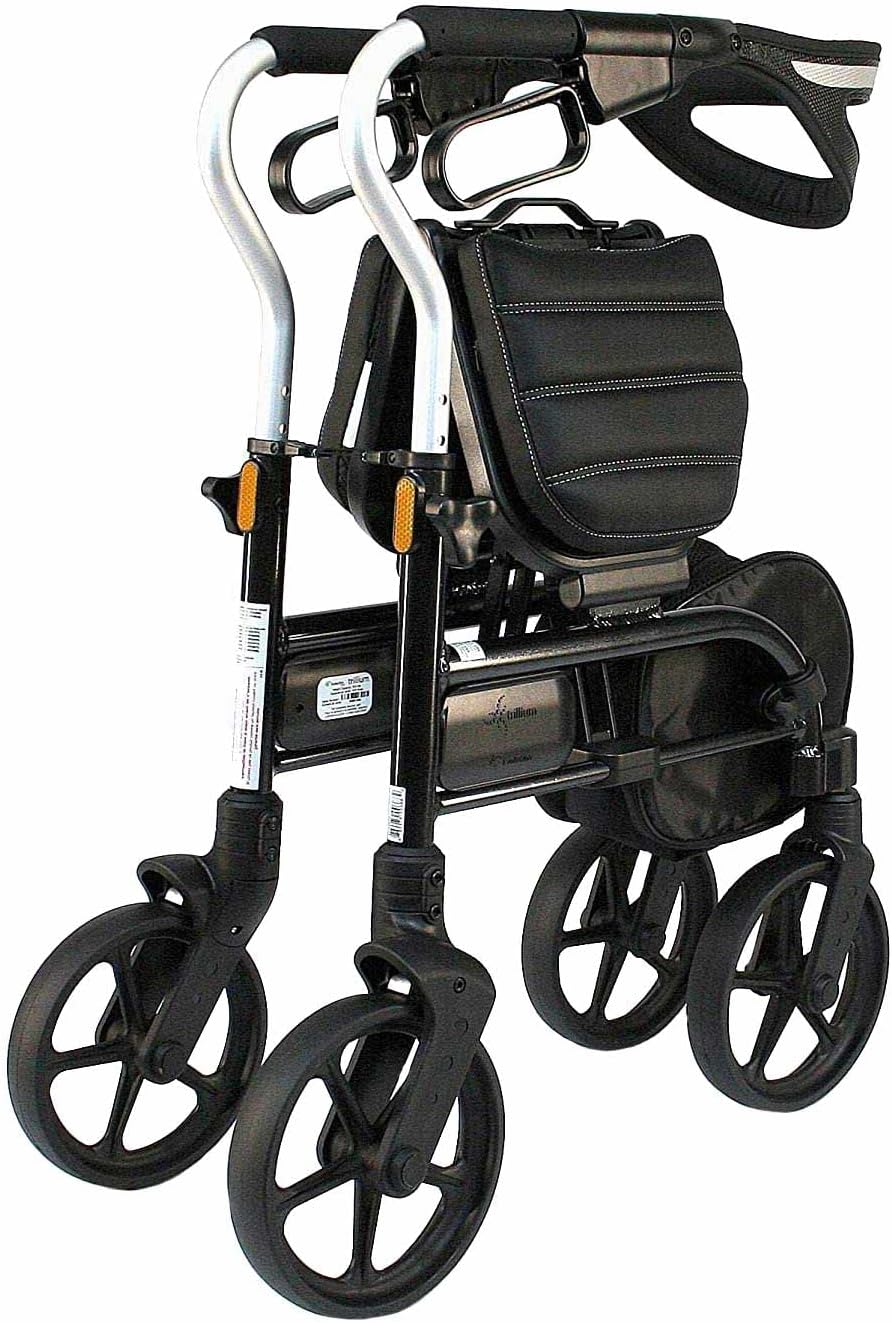
Figure 4: Rollator in folded position for compact storage.
Maintenance and Care
Regular maintenance will ensure the longevity and safe operation of your rollator.
- Cleaning: Wipe down the frame and seat with a damp cloth and mild detergent. Do not use abrasive cleaners or solvents.
- Brakes: Periodically check the brake cables and levers for proper function. The internal cable design minimizes exposure, but ensure smooth operation. If brakes feel loose or do not engage fully, they may need adjustment by a qualified technician.
- Wheels: Inspect the 8-inch EVA tires for wear or damage. Remove any debris (hair, lint, etc.) that may accumulate around the axles.
- Fasteners: Check all screws, bolts, and nuts regularly to ensure they are tight. Tighten if necessary.
- Storage: Store the rollator in a dry place, away from extreme temperatures and direct sunlight.
Troubleshooting
| Problem | Possible Cause | Solution |
|---|---|---|
| Rollator does not fold easily. | Obstruction, or folding mechanism not properly aligned. | Ensure no items are in the basket or on the seat obstructing the fold. Check that the central pull strap is fully engaged. |
| Brakes are not engaging or feel loose. | Brake cable adjustment needed. | Consult a qualified technician for brake adjustment. Do not use the rollator until brakes are fully functional. |
| Rollator wobbles or feels unstable. | Loose fasteners, uneven handle height, or damaged wheel. | Check all fasteners and tighten if loose. Ensure handle heights are equal. Inspect wheels for damage. |
| Wheels do not roll smoothly. | Debris in wheel axles, or worn wheels. | Remove any debris from around the wheel axles. If wheels are worn, contact customer support for replacements. |
Specifications
| Feature | Detail |
|---|---|
| Model | Trillium Mini Carbon Black |
| Product Dimensions | 25.5 x 26 x 37.5 inches (L x W x H) |
| Item Weight | 14 Pounds |
| Material | Aluminum frame |
| Wheel Size | 8-inch EVA tires |
| Brake Type | Locking hand brakes with hidden cables |
| Seat | Thick plush padded seat with backrest |
| Folding Mechanism | Single-handed center folding system |
Warranty and Support
Evolution Technologies Inc. is committed to providing high-quality mobility aids. For information regarding warranty coverage, parts replacement, or technical support, please contact Evolution Walker USA, the manufacturer.
Contact Information:
Please refer to the official Evolution Walker USA website or your purchase documentation for the most current contact details.
Legal Disclaimer: Statements regarding dietary supplements have not been evaluated by the FDA and are not intended to diagnose, treat, cure, or prevent any disease or health condition. This product is a mobility aid and should be used as directed by a medical professional.
Related documentsTrillium Mini Carbon Black


Ask a question about this manual
Ask about setup, troubleshooting, compatibility, parts, safety, or missing instructions. Manuals+ will review the question and use this page’s manual context to help answer it.