
Introduction
Thank you for purchasing the Zebronics Zeb-Passion Portable Bluetooth Wireless Speaker. This manual provides important information regarding the setup, operation, maintenance, and troubleshooting of your device. Please read it thoroughly before using the product to ensure proper functionality and to extend its lifespan.
Package Contents
Verify that all items are present in the package:
- Zebronics Zeb-Passion Portable Bluetooth Wireless Speaker
- Charging Cable
- AUX Cable
- User Manual
Product Overview
The Zeb-Passion speaker features a compact design with a fabric finish, offering multiple connectivity options and functions.
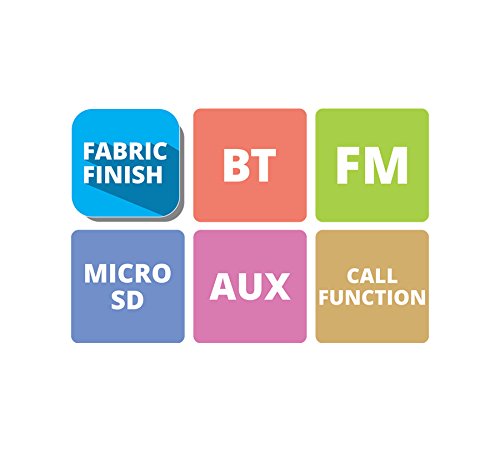
Image: Overview of Zebronics Zeb-Passion speaker features, including Fabric Finish, Bluetooth (BT), FM Radio (FM), Micro SD card support, AUX input, and Call Function.
Key features include:
- Fabric Finish: Durable and stylish exterior.
- Bluetooth (BT): Wireless audio streaming.
- FM Radio: Built-in radio tuner.
- Micro SD: Play music directly from a Micro SD card.
- AUX Input: Wired audio connection.
- Call Function: Hands-free calling.
- Volume Control: Integrated controls for audio adjustment.
- Strap: For convenient portability.
Setup
1. Charging the Speaker
Before initial use, fully charge the speaker. Connect the provided charging cable to the speaker's charging port and the other end to a USB power adapter (not included) or a computer's USB port. The charging indicator light will illuminate during charging and turn off once fully charged.
2. Power On/Off
- To power on: Press and hold the power button until you hear an audible indication.
- To power off: Press and hold the power button again until the speaker shuts down.
3. Bluetooth Pairing
- Ensure the speaker is powered on and in Bluetooth mode. The speaker will automatically enter pairing mode, indicated by a flashing LED light.
- On your mobile device (smartphone, tablet, etc.), enable Bluetooth and search for available devices.
- Select "Zeb-Passion" from the list of found devices.
- Once paired, the speaker will provide an audible confirmation, and the LED indicator will stop flashing and remain solid.
- The speaker will automatically connect to the last paired device when powered on, if the device is within range and Bluetooth is enabled.
Operating Instructions
1. Mode Selection
Press the 'M' (Mode) button to switch between Bluetooth, FM Radio, Micro SD, and AUX modes.
2. Bluetooth Mode
After successful pairing, play audio from your connected device. Use the speaker's volume controls or your device's volume controls to adjust the sound level. Use the speaker's track control buttons (if available) to skip tracks.
3. FM Radio Mode
- Switch the speaker to FM mode.
- Press and hold the Play/Pause button to automatically scan and save available FM stations.
- Use the Previous/Next track buttons to navigate between saved stations.
4. Micro SD Card Mode
Insert a Micro SD card (with MP3 audio files) into the designated slot. The speaker will automatically switch to Micro SD mode and begin playing music. Use the speaker's controls to play/pause and skip tracks.
5. AUX Mode
Connect one end of the provided AUX cable to the speaker's AUX input port and the other end to the audio output jack of your external device (e.g., smartphone, MP3 player). Switch the speaker to AUX mode. Audio will play from your connected device.
6. Call Function
- Answering a Call: When a call comes in, press the Play/Pause button to answer.
- Ending a Call: During a call, press the Play/Pause button to end the conversation.
- Rejecting a Call: Press and hold the Play/Pause button to reject an incoming call.
- Redialing: Double-press the Play/Pause button to redial the last number.
7. Volume Control
Use the dedicated volume buttons on the speaker to increase or decrease the audio output. Some models may integrate volume control with track skip buttons (long press for volume, short press for track skip).
Maintenance
- Keep the speaker dry. Do not expose it to extreme temperatures or humidity.
- Clean the speaker with a soft, dry cloth. Do not use abrasive cleaners or solvents.
- Avoid dropping or subjecting the speaker to strong impacts.
- When not in use for extended periods, store the speaker in a cool, dry place and charge it periodically to maintain battery health.
- The speaker is rated as waterproof. However, avoid submerging it in water for prolonged periods or exposing it to high-pressure water jets.
Troubleshooting
| Problem | Possible Solution |
|---|---|
| Speaker does not power on. | Ensure the speaker is fully charged. Connect it to a power source and try again. |
| Cannot pair via Bluetooth. |
|
| No sound or low volume. |
|
| FM radio reception is poor. |
|
Specifications
- Model Name: Zeb-Passion
- Connectivity Technology: Auxiliary, Bluetooth, Wireless
- Wireless Technology Type: Bluetooth
- Speaker Type: Bookshelf
- Material: Fabric
- Mounting Type: Hanging_mount, Tabletop Mount
- Control Method: Touch (Note: Physical buttons are also present for various functions)
- Tweeter Driver Diameter: 1 Inch
- Number of Audio Channels: 2.1
- Impedance: 4 Ohms
- Waterproof: Yes
- Power Source: Battery Powered
- Item Dimensions (D x W x H): 8.7 x 8.7 x 4.7 Centimeters
- Compatible Devices: Smartphone, Tablet
Safety Information
- Do not disassemble, repair, or modify the speaker. This may void the warranty and pose safety risks.
- Keep the speaker away from heat sources, direct sunlight, and flammable materials.
- Do not use the speaker in extremely dusty or dirty environments.
- Avoid exposing the speaker to strong magnetic fields.
- Dispose of the battery responsibly according to local regulations. Do not dispose of batteries in fire.
- Use only the specified charging cable.
Warranty and Support
For warranty information and technical support, please refer to the warranty card included with your product or visit the official Zebronics website. Keep your purchase receipt for warranty claims.
Zebronics Official Website: www.zebronics.com