
Introduction
The Exost 360 Mini Flip is a 1:34 scale remote-controlled vehicle designed for indoor use. This infrared-controlled car features anti-shock tires, allowing it to tackle various obstacles and perform 360-degree flips. Its unique two-sided design ensures continuous play even after flipping. The vehicle can reach a maximum speed of 8 km/h and operates within an 8-meter range. This manual provides essential information for setting up, operating, and maintaining your 360 Mini Flip.
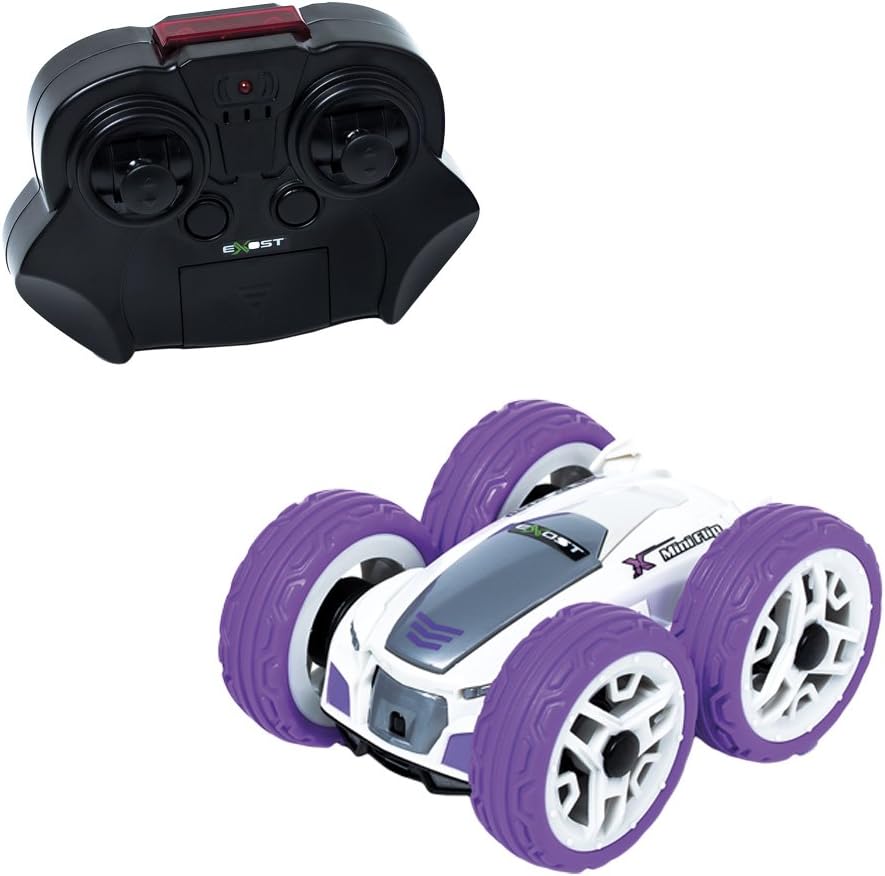
Image: The Exost 360 Mini Flip remote-controlled car, showcasing its compact design and durable wheels.
Safety Information
- Adult supervision is recommended during operation, especially for younger users.
- Keep fingers, hair, and loose clothing away from the wheels and moving parts of the vehicle.
- Do not operate the vehicle near stairs, furniture, or other objects that could cause damage or injury.
- Do not operate the vehicle in wet conditions or near water.
- Dispose of used batteries responsibly according to local regulations.
- Do not mix old and new batteries, or different types of batteries.
- Non-rechargeable batteries are not to be recharged.
Package Contents
Ensure all items are present before proceeding with setup:
- Exost 360 Mini Flip RC Vehicle
- Infrared Transmitter (Remote Control)
- Integrated rechargeable battery for the vehicle
Note: 4 x AA batteries for the transmitter are not included and must be purchased separately.
Setup
1. Transmitter Battery Installation
- Locate the battery compartment on the back of the transmitter.
- Using a screwdriver, open the battery compartment cover.
- Insert 4 x AA batteries, ensuring correct polarity (+/-).
- Replace the battery compartment cover and secure it with the screw.
2. Charging the Vehicle Battery
The vehicle's battery is rechargeable and integrated. It is charged directly via the transmitter.
- Ensure the transmitter has fresh batteries installed.
- Locate the charging cable on the transmitter (usually found in a dedicated compartment).
- Connect the charging cable from the transmitter to the charging port on the vehicle.
- The charging indicator on the transmitter will illuminate (refer to transmitter for specific indicator behavior).
- Allow approximately 35 minutes for a full charge.
- Once charging is complete, disconnect the cable and store it back in the transmitter compartment.
Important: Do not overcharge the vehicle battery. A full charge provides approximately 10 minutes of usage time.

Image: The Exost 360 Mini Flip vehicle alongside its infrared remote control, illustrating the components for setup.
Operating Instructions
1. Power On and Pairing
- Ensure the vehicle battery is charged and the transmitter has fresh batteries.
- Turn on the vehicle using the ON/OFF switch (usually located on the underside or side of the car).
- Turn on the transmitter. The indicator light on the transmitter should blink and then become solid, indicating successful pairing.
- If pairing fails, turn both devices off and repeat the steps.
2. Driving Controls
The transmitter typically features two joysticks for control:
- Left Joystick: Controls forward and backward movement.
- Right Joystick: Controls turning left and right.
Experiment with the controls to get a feel for the vehicle's responsiveness. The 360 Mini Flip is designed to perform flips and continue driving on either side thanks to its unique two-sided body and anti-shock tires.
3. Range and Speed
- The maximum operating range is approximately 8 meters. Performance may vary based on environmental factors and battery levels.
- The vehicle can reach a maximum speed of 8 km/h.
Maintenance
- Cleaning: Use a soft, dry cloth to wipe down the vehicle and transmitter. Do not use water or chemical cleaners.
- Storage: When not in use, store the vehicle and transmitter in a cool, dry place away from direct sunlight. Remove batteries from the transmitter if storing for extended periods.
- Battery Care: Recharge the vehicle battery only when necessary and avoid leaving it fully discharged for long periods.
Troubleshooting
- Vehicle not responding:
- Ensure both the vehicle and transmitter are turned ON.
- Check if the vehicle battery is charged.
- Replace the batteries in the transmitter.
- Ensure the vehicle and transmitter are within the 8-meter operating range.
- Poor range or intermittent control:
- Replace transmitter batteries.
- Ensure there are no obstructions between the transmitter and the vehicle.
- Avoid operating near other infrared devices that might cause interference.
- Vehicle not charging:
- Ensure the transmitter has sufficient battery power to charge the vehicle.
- Verify the charging cable is securely connected to both the transmitter and the vehicle.
Specifications
| Brand | Exost |
| Model Number | 20143 |
| Scale | 1:34 |
| Control Type | Infrared (IR) |
| Max Speed | 8 km/h |
| Operating Range | 8 meters |
| Vehicle Battery | Integrated Rechargeable Battery |
| Transmitter Battery | 4 x AA (not included) |
| Charging Time | Approx. 35 minutes |
| Usage Time | Max. 10 minutes |
| Item Dimensions (L x W x H) | 9 x 7 x 4 cm |
| Recommended Age Range | Children (specific age not provided, generally 5+) |
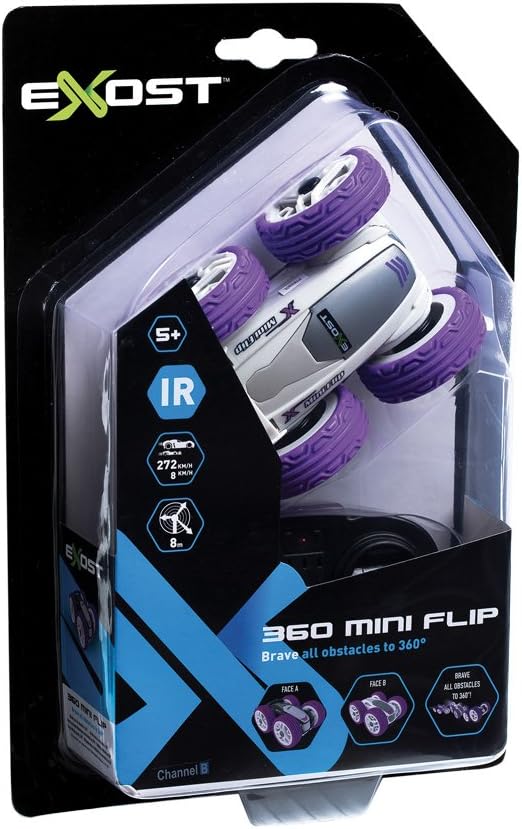
Image: The Exost 360 Mini Flip in its packaging, showing a purple color variant.
Warranty and Support
The Exost 360 Mini Flip is covered by a standard manufacturer's warranty against defects in materials and workmanship. Please retain your proof of purchase for warranty claims.
For technical support, spare parts, or warranty inquiries, please contact Exost customer service through their official website or the retailer where the product was purchased. Specific contact details may be found on the product packaging or the manufacturer's website.


