
Introduction
The NITECORE BR35 is a high-performance, USB rechargeable bike headlight designed to provide superior illumination for all terrain riding. Featuring an innovative dual distance beam and a bright OLED display, it ensures optimal visibility and user convenience. This manual provides detailed instructions for the setup, operation, and maintenance of your BR35 headlight.
Package Contents
Upon unboxing, please verify that all items listed below are included:
- NITECORE BR35 Bike Light
- Remote Switch
- Bike Handlebar Mount
- 2x Thick Mount Pads
- USB Charging Cable

Figure 1: NITECORE BR35 package contents including the light, remote switch, mount, and charging cable.
Setup
Mounting the Headlight
The BR35 features a quick-release mounting design for easy installation and removal without tools.
- Loosen the mount bolt to fit it onto your bicycle's handlebar.
- Tighten the mount bolt securely.
- Slide the BR35 headlight onto the mount until it clicks firmly into place.

Figure 2: Quick-release mounting and removal process for the BR35.
Connecting the Remote Switch
The included remote switch allows for convenient control of the headlight without removing your hands from the handlebars.
- Plug the remote switch cable into the micro-USB port on the BR35 headlight.
- Secure the remote switch to your handlebar using the integrated strap.

Figure 3: Remote switch connected to the BR35 on a bicycle handlebar.
Charging
The NITECORE BR35 features a built-in 6800mAh Li-ion battery that is rechargeable via a convenient USB-C port.
- Open the rubber cover protecting the USB-C charging port on the side of the BR35.
- Connect the included USB charging cable to the port.
- Plug the other end of the cable into a USB adapter, laptop, or power bank.
The intelligent charging circuit will automatically terminate charging upon completion. The OLED display will show the charging status.
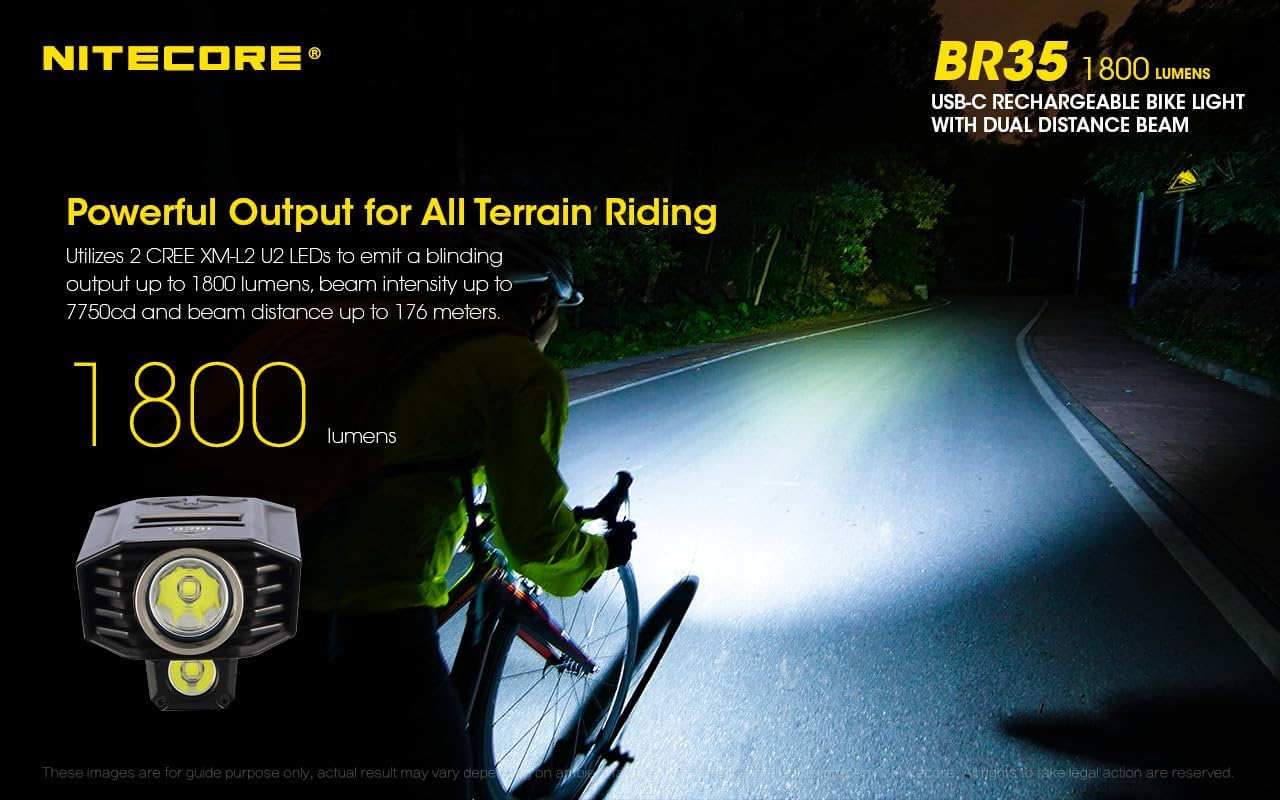
Figure 4: USB-C charging port on the NITECORE BR35.
Operating Instructions
Power On/Off & Mode Selection
The BR35 features three large, backlit control buttons: 'M' (Mode), '+' (Increase Brightness), and '-' (Decrease Brightness).
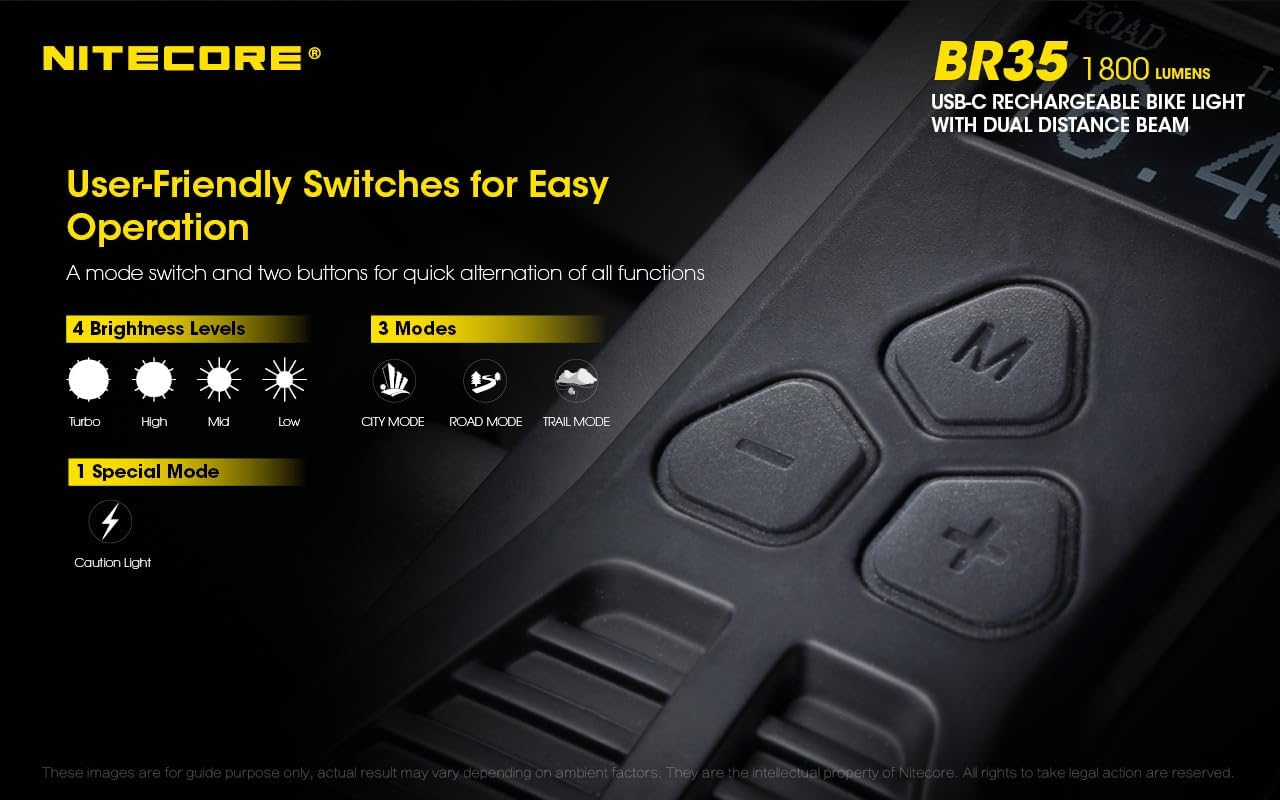
Figure 5: User-friendly switches and OLED display.
- To Turn On: Press and hold the 'M' button.
- To Select Mode: While holding the 'M' button, the OLED display will cycle through 'CITY', 'ROAD', and 'TRAIL' modes. Release the button when the desired mode is displayed.
- To Turn Off: Press and hold the 'M' button again until the light turns off.
OLED Display
The high-definition OLED screen on top of the BR35 provides real-time operational data, including the current mode, brightness level, and remaining runtime/battery power. This allows you to monitor the light's status at a glance.
Brightness Adjustment
Use the '+' and '-' buttons to increase or decrease the brightness level within each mode.
Lighting Modes
The BR35 offers three distinct lighting modes tailored for different riding environments:
- City Mode: In this mode, only the lower beam is constantly on. It can be adjusted using the '+' and '-' buttons. Tapping the 'M' button provides a 3-second burst of Turbo for the upper beam. This mode is ideal for urban night riding where oncoming traffic is present and street lights reduce the need for maximum output.
- Road Mode: This mode allows you to switch between the long-range upper beam and the short-range lower beam by tapping the 'M' button. Brightness levels for the selected beam can be adjusted with '+' and '-'. This mode is suitable for areas with limited oncoming traffic or longer stretches requiring bright, long-range illumination.
- Trail Mode: Both beams are active in Trail Mode, providing up to 1800 lumens of output for complete coverage both up close and at a distance. Cycle through four brightness levels using the '+' and '-' buttons. Tapping the 'M' button will toggle the top beam on and off. This mode is most useful for off-road exploration or any setting where conditions frequently change and full coverage is needed.

Figure 6: Long-range beam illumination from the NITECORE BR35.
Caution Light Mode
For situations where you need to be seen by others, the BR35 offers a Caution Light mode:
- With the light off, press and hold both the '+' and '-' buttons simultaneously to enter Caution Light mode.
- The light will provide a slow blink to alert others of your presence.
- To exit, press and hold the 'M' button.
When the light has been set to City or Road mode, the lower beam will flash. When the light is set to Trail, both beams will flash.
Video Demonstration: Product Features for Nitecore BR35
Video 1: A comprehensive overview of the Nitecore BR35's features, including its dual beam functionality, OLED display, control buttons, and various lighting modes (City, Road, Trail), as well as the remote switch and charging capabilities.
Maintenance
To ensure the longevity and optimal performance of your NITECORE BR35, follow these maintenance guidelines:
- Cleaning: Wipe the light body and lens with a soft, damp cloth. Avoid using abrasive cleaners or solvents that could damage the finish or optics.
- Battery Care: Recharge the battery regularly, even if not in frequent use, to maintain battery health. Avoid fully depleting the battery for extended periods.
- Storage: Store the headlight in a cool, dry place away from direct sunlight and extreme temperatures. If storing for a long time, charge the battery every 3-6 months.
- Water Resistance: Ensure the USB-C port cover is securely closed to maintain the IPX7 waterproof rating, especially before exposure to water.
Troubleshooting
If you encounter issues with your NITECORE BR35, please refer to the following common problems and solutions:
- Light Not Turning On:
- Ensure the battery is charged. Connect the light to a power source using the USB-C cable.
- Verify that the 'M' button is pressed and held correctly for power on.
- Light Not Charging:
- Check the USB-C cable and power adapter for damage. Try a different cable or adapter.
- Ensure the USB-C cable is fully inserted into the port on the light.
- OLED Display Not Working:
- If the light is on but the display is blank, try turning the light off and on again.
- Ensure the battery has sufficient charge.
- Remote Switch Not Responding:
- Ensure the remote switch cable is securely connected to the micro-USB port on the light.
- Check the cable for any visible damage.
If the issue persists after attempting these solutions, please contact Nitecore customer support for further assistance.
Specifications
| Feature | Specification |
|---|---|
| Brand | Nitecore |
| Model | BR35 |
| Brightness | Up to 1800 Lumens |
| Power Source | Built-in 6800mAh Li-ion Battery |
| Charging Port | USB-C |
| Water Resistance | IPX7 (Waterproof) |
| Item Weight | 0.5 Kilograms |
| Product Dimensions | 4.3"L x 1.93"W x 1.61"H |
| Mounting Type | Handlebar Mount |
Table 1: NITECORE BR35 Technical Specifications.
Warranty & Support
The NITECORE BR35 comes with a 1-year warranty from the date of purchase. Please retain your proof of purchase for warranty claims.
For technical support, troubleshooting assistance beyond this manual, or warranty inquiries, please visit the official Nitecore website or contact their customer service department. Contact information can typically be found on the product packaging or the official Nitecore brand store.
Nitecore Official Store: Visit the Nitecore Store on Amazon


