
Optimus H-7245
Optimus H-7245 Portable Oscillating Ceramic Heater User Manual
Model: H-7245 | Brand: Optimus
1. Introduction
The Optimus H-7245 Portable Oscillating Ceramic Heater is designed to provide efficient and targeted warmth for indoor spaces. This manual provides essential information for safe and effective operation, maintenance, and troubleshooting.
Key Features:
- Multiple Heat Settings: Offers 750W, 1500W, and an ECO (500W) mode for varied heating needs.
- Automatic Thermostat Control: Maintains desired room temperature efficiently.
- Oscillation Function: Distributes heat evenly across a wider area.
- LED Display: Provides clear indication of settings and temperature.
- Enhanced Safety: Includes Tip-over Safety Switch, Internal Heat Limiting Thermostat, and Overheat Protection Circuit.
2. Important Safety Information
WARNING: This product contains chemicals known to the State of California to cause cancer and birth defects or other reproductive harm. For more information, go to www.P65Warnings.ca.gov.
- Always plug heaters directly into a wall outlet/receptacle. Never use with an extension cord or relocatable power tap (outlet/power strip).
- Do not operate any heater with a damaged cord or plug, or after the heater malfunctions, has been dropped or damaged in any manner.
- Do not use outdoors.
- This heater is not intended for use in bathrooms, laundry areas, and similar indoor locations. Never locate heater where it may fall into a bathtub or other water container.
- Keep combustible materials, such as furniture, pillows, bedding, papers, clothes, and curtains at least 3 feet (0.9 m) from the front of the heater and keep them away from the sides and rear.
- Extreme caution is necessary when any heater is used by or near children or invalids and whenever the heater is left operating and unattended.
3. Package Contents
Your Optimus H-7245 heater package includes:
- Optimus H-7245 Portable Oscillating Ceramic Heater
4. Setup
Before first use, ensure the heater is placed on a firm, level surface away from any obstructions or flammable materials. Plug the heater directly into a 120V AC wall outlet. Do not use extension cords or power strips.

Figure 1: Main view of the Optimus H-7245 heater. Ensure proper placement on a stable surface.
5. Operating Instructions
Power On/Off
Press the Power button on the control panel to turn the heater On or Off. The LED display will illuminate when the unit is active.
Heat Settings
The heater offers three heat settings: Low (500W ECO), Medium (750W), and High (1500W). Cycle through these settings using the Mode button on the control panel.

Figure 2: Control panel highlighting the Mode button for selecting heat settings.
Thermostat Control
Use the Electronic Digital Thermostat to set your desired room temperature. The heater will automatically cycle On and Off to maintain this temperature, optimizing energy use in ECO mode.
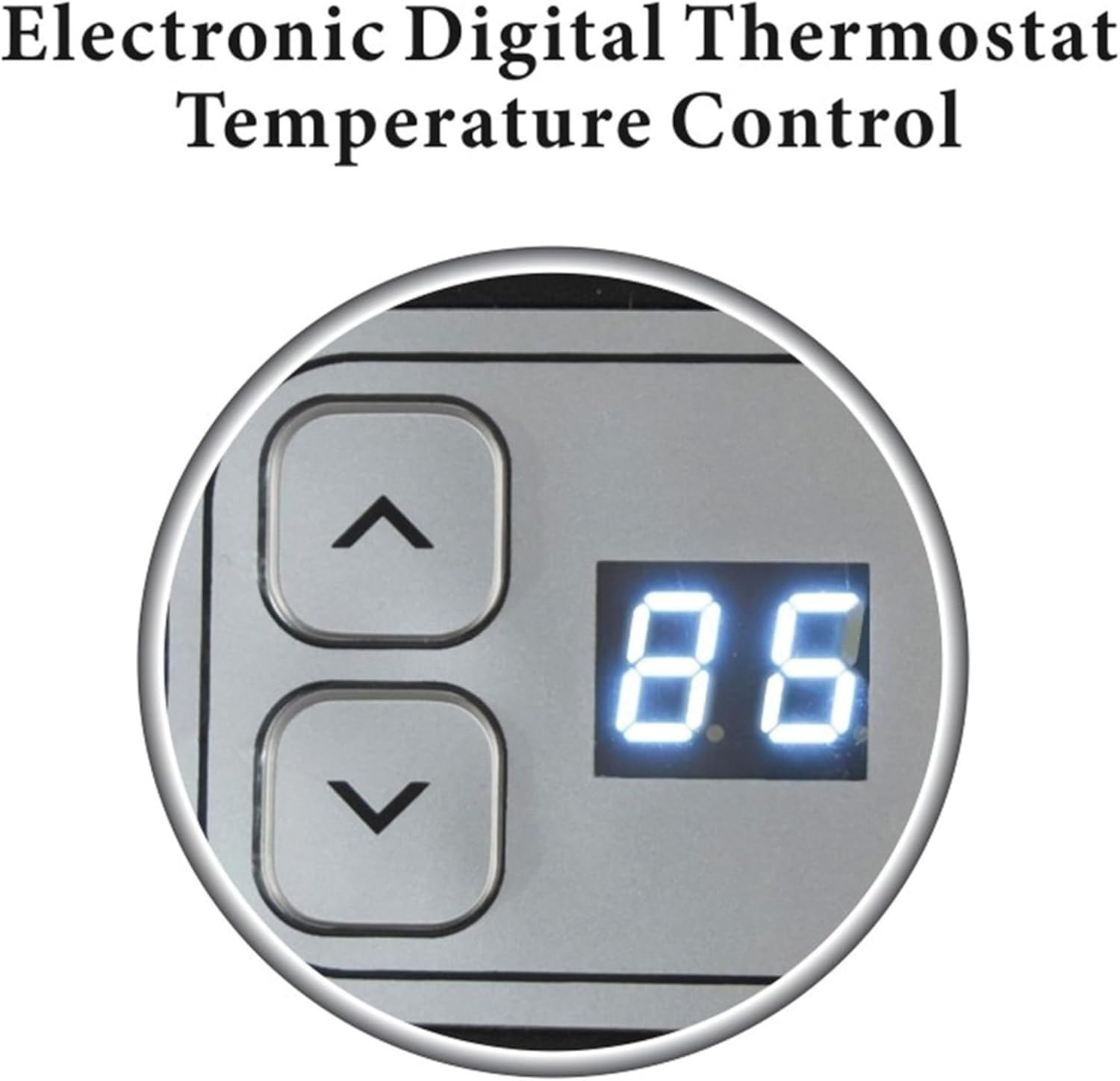
Figure 3: Digital display and temperature adjustment buttons for thermostat control.
Timer Function
Set the operational duration using the Timer button. The timer can be set for 1 to 12 hours, after which the heater will automatically shut off.

Figure 4: Timer button and associated LED indicator for setting automatic shut-off.
Oscillation
Activate the Motorized Oscillation Base by pressing the Oscillation button. This feature allows the heater to rotate, distributing warm air more broadly across the room.

Figure 5: The oscillation feature helps to spread heat evenly.
6. Maintenance
Regular cleaning ensures optimal performance and longevity of your heater.
- Always unplug the heater before cleaning.
- Use a soft, damp cloth to wipe the exterior surfaces. Do not use abrasive cleaners or solvents.
- Gently vacuum the air intake and exhaust grilles to remove dust and lint.
- Ensure the heater is completely dry before plugging it back in.
7. Troubleshooting
If your heater is not operating correctly, please check the following:
- Heater does not turn on: Ensure the power cord is securely plugged into a 120V AC outlet. Check if the room's circuit breaker has tripped.
- Heater turns off unexpectedly: The unit may have overheated or been tipped over. The built-in Tip-over Safety Switch and Overheat Protection Circuit will automatically shut off the heater for safety. Allow the unit to cool down for 10-15 minutes, then place it on a stable surface and restart.

Figure 6: The heater automatically shuts off if tipped over, indicated by the Tip-over Safety Switch.
8. Specifications
| Feature | Detail |
|---|---|
| Brand | Optimus |
| Model Number | H-7245 |
| Heat Output | 1500 Watts (High), 750 Watts (Medium), 500 Watts (ECO) |
| Fuel Type | Electric |
| Voltage | 120 Volts (AC) |
| Special Feature | Oscillation, Thermostat, LED Display, Safety Switches |
| Form Factor | Compact, Portable |
| Item Weight | 4.58 pounds |
| Indoor/Outdoor Usage | Indoor |
9. Warranty and Support
The Optimus H-7245 Portable Oscillating Ceramic Heater comes with a Limited Three Years Warranty. For warranty claims or technical support, please refer to the contact information provided in your product packaging or visit the official Optimus website.
10. Product Video Overview
Watch this video for a brief overview of the Optimus H-7245 heater's features and operation.
Video: A user demonstrates the features and functionality of the Optimus H-7245 heater.
Related documentsH-7245

Ask a question about this manual
Ask about setup, troubleshooting, compatibility, parts, safety, or missing instructions. Manuals+ will review the question and use this page’s manual context to help answer it.