
Commax CDV-70K
Commax Fine View Series 7" Video Door Phone CDV-70K User Manual
Model: CDV-70K | Brand: Commax
Product Overview
The Commax Fine View Series 7" Video Door Phone CDV-70K is an advanced security and communication system designed for residential and commercial use. It features a 7-inch wide TFT color LCD display, providing clear visuals for monitoring visitors and facilitating two-way communication. This unit is designed for wall surface mounting and integrates seamlessly with compatible Commax Fine View Series Video Intercom Door Cameras.
Key features include:
- 7" wide TFT color LCD video door phone with soft touch switch.
- Compatibility with various Commax Fine View Series Video Intercom Door Cameras (4 wires connection).
- Enables video talk and door lock release for both individual and public entrances.
- Supports connection of up to 2 door cameras and 1 interphone.
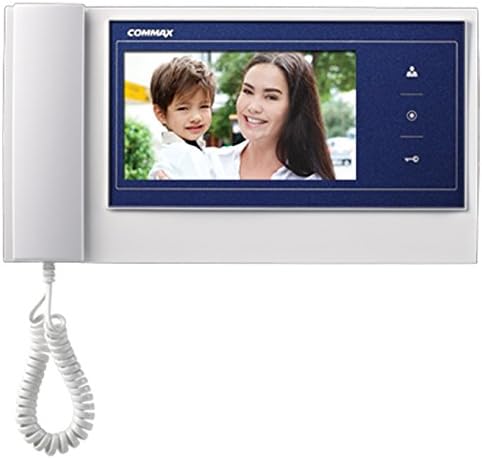
Figure 1: Front view of the Commax CDV-70K monitor, showing the 7-inch display and handset.
Setup Guide
1. Unpacking
Carefully unpack all components from the box. Ensure the following items are present:
- CDV-70K Monitor Unit
- Mounting Bracket
- Screws and Wall Plugs
- User Manual (this document)
Inspect all components for any signs of damage. If any items are missing or damaged, contact Commax customer support immediately.
2. Mounting the Monitor
The CDV-70K is designed for wall surface mounting. Choose a suitable location indoors, away from direct sunlight, heat sources, and excessive moisture. Ensure the mounting surface is flat and sturdy enough to support the unit's weight.
- Mark the desired mounting position on the wall using the mounting bracket as a template.
- Drill holes at the marked positions. Insert wall plugs if necessary.
- Secure the mounting bracket to the wall using the provided screws.
- Before attaching the monitor, proceed to the wiring section.
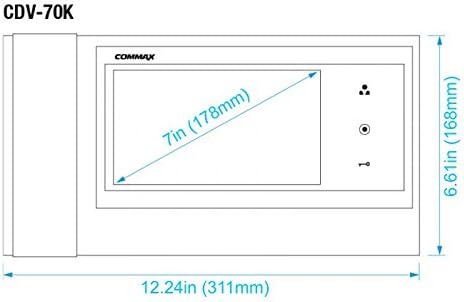
Figure 2: Dimensions of the CDV-70K monitor (311mm x 168mm x 32mm).
3. Wiring Connections
The CDV-70K requires a 4-wire connection for both the door camera and the interphone, ensuring correct polarity. Refer to the wiring diagram on the back of the unit and below for proper connection.
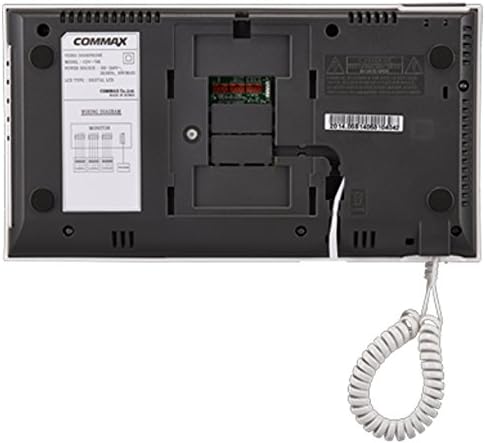
Figure 3: Rear view of the CDV-70K monitor, showing the wiring terminals and diagram.
Wiring Diagram Key:
- Door Camera Connection: Use 4 wires, ensuring correct polarity (+, -, Video, Audio).
- Interphone Connection: Use 4 wires, ensuring correct polarity (+, -, Talk, Ring).
- Power Supply: Connect to a 100-240V~, 50/60Hz power source.
After completing all wiring, carefully attach the CDV-70K monitor to the mounting bracket.
Operating Instructions
1. Basic Operation
The CDV-70K features soft touch switches for intuitive control.
- Monitoring: Press the Monitor button to view the live feed from the connected door camera. The display will show the video for approximately 30 ± 5 seconds.
- Answering a Call: When a visitor presses the call button on the door camera, the monitor will ring. Lift the handset or press the Talk button to establish two-way audio communication. The talk duration is approximately 60 ± 5 seconds.
- Door Release: During a call or while monitoring, press the Door Release button to unlock the connected electric door lock.
- Interphone Communication: If an interphone is connected, you can initiate communication by pressing the designated interphone button (if available on your specific setup) or by lifting the handset and dialing the interphone unit.
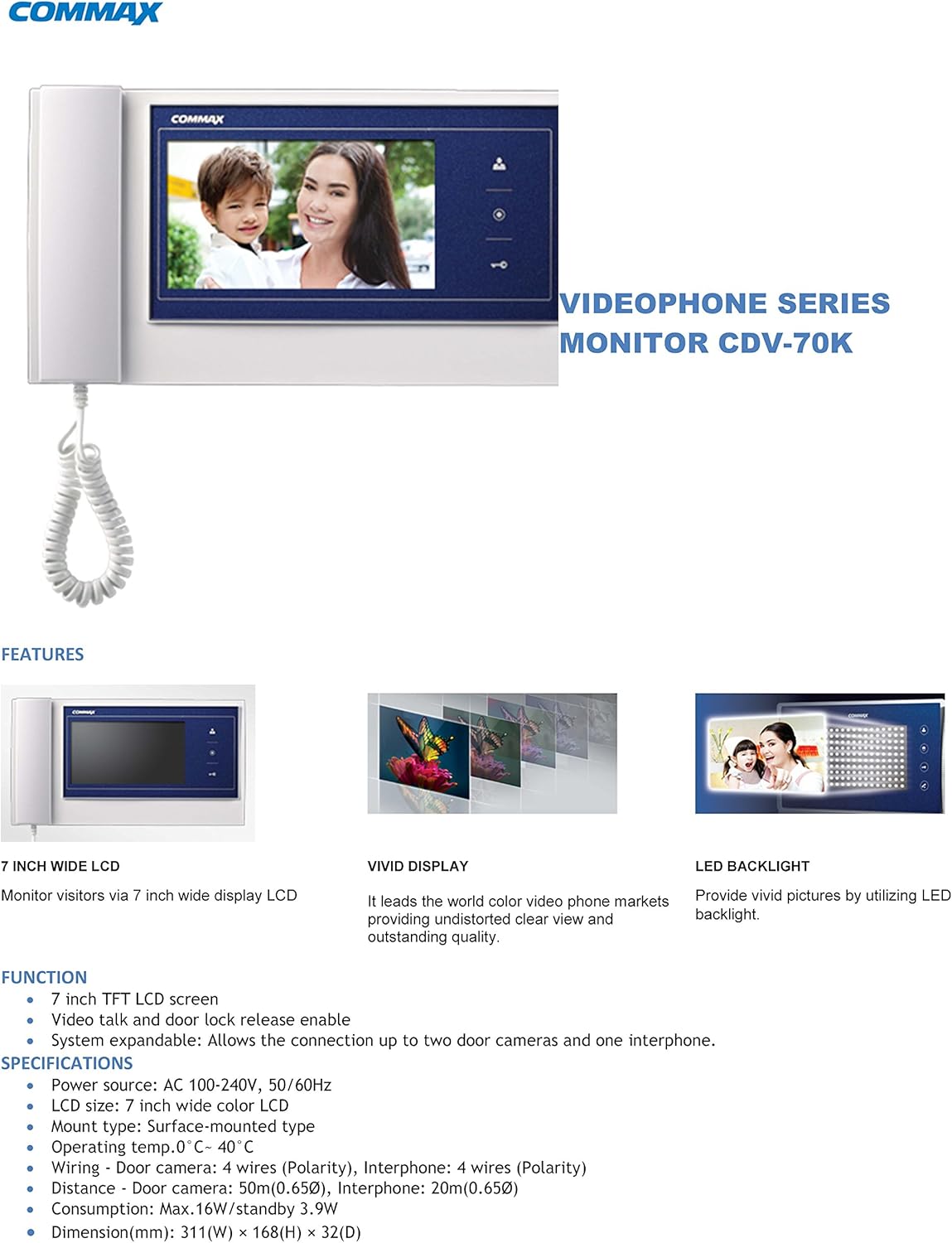
Figure 4: The CDV-70K display highlighting its vivid color and LED backlight for clear viewing.
Maintenance
To ensure the longevity and optimal performance of your Commax CDV-70K video door phone, follow these maintenance guidelines:
- Cleaning: Use a soft, dry cloth to clean the monitor screen and casing. For stubborn marks, slightly dampen the cloth with water or a mild, non-abrasive cleaner. Avoid using harsh chemicals, solvents, or abrasive materials, as these can damage the surface.
- Handset Care: Keep the handset clean and free from dust. Ensure the coiled cord is not tangled or stretched excessively, which could lead to damage.
- Environmental Conditions: Operate the unit within the specified temperature range (0°C ~ 40°C / 32°F ~ 104°F). Avoid exposing the unit to extreme temperatures, high humidity, or direct water contact.
- Power Off Before Cleaning: Always disconnect the power supply before performing any cleaning or maintenance to prevent electrical shock.
Troubleshooting
If you encounter issues with your CDV-70K, refer to the following common problems and solutions:
| Problem | Possible Cause | Solution |
|---|---|---|
| No power to the monitor. | Power cable disconnected; power outage; faulty power supply. | Check power cable connection. Verify power outlet. Contact an electrician if necessary. |
| No video display from door camera. | Incorrect wiring; faulty camera; monitor issue. | Check 4-wire connection polarity to the door camera. Ensure the camera is powered and functioning. |
| No audio during talk. | Incorrect audio wiring; faulty microphone/speaker. | Verify audio wire connection and polarity. Test with another interphone if available. |
| Door lock not releasing. | Incorrect door lock wiring; faulty lock; insufficient power to lock. | Check door lock wiring. Ensure the lock mechanism is not jammed. Consult a professional if the lock requires external power. |
| Monitor not ringing when door camera button is pressed. | Ring wire disconnected; faulty door camera button. | Check the ring wire connection from the door camera to the monitor. Ensure the door camera button is functional. |
If the problem persists after attempting these solutions, please contact Commax customer support.
Technical Specifications
| Feature | Specification |
|---|---|
| Model | CDV-70K |
| Screen Display | 7" wide TFT Color LCD |
| Wiring (Door Camera) | 4 wires (polarity) |
| Wiring (Interphone) | 4 wires (polarity) |
| Rating Voltage | 100-240 V~, 50/60Hz (Free Voltage) |
| Power Consumption (Stand-by) | 4.5W |
| Power Consumption (Maximum) | 16W |
| Ringtone | Electronic chime (Entrance), Electronic buzzer (Interphone) |
| Monitoring Display Time | 30 ± 5 seconds |
| Talk Display Time | 60 ± 5 seconds |
| Working Temperature | 0°C ~ 40°C (32°F ~ 104°F) |
| Dimensions (W × H × D) | 311 × 168 × 32 mm (12.24 × 6.61 × 1.26 inches) |
| Installation Type | Surface Mount, Wall Mount |
| Control Method | Touch |
| UPC | 730957987870 |
Warranty Information
Commax products are manufactured to high-quality standards. For specific warranty terms and conditions applicable to your CDV-70K unit, please refer to the warranty card included with your purchase or visit the official Commax website. Typically, warranty coverage addresses manufacturing defects under normal use conditions.
Keep your proof of purchase for any warranty claims.
Customer Support
For technical assistance, troubleshooting beyond this manual, or inquiries regarding your Commax CDV-70K video door phone, please contact Commax customer support.
Please have your product model number (CDV-70K) and purchase details ready when contacting support.
You can find contact information on the official Commax website or through your local distributor.
Related documentsCDV-70K


Ask a question about this manual
Ask about setup, troubleshooting, compatibility, parts, safety, or missing instructions. Manuals+ will review the question and use this page’s manual context to help answer it.