
1. Introduction
Thank you for purchasing the VTech Toot-Toot Drivers Hippie Van. This interactive toy is designed to provide engaging play for young children, encouraging motor skills, language development, and imaginative play through sounds, songs, and melodies. This manual provides essential information for the safe and proper use of your product.
2. Safety Information
- Battery Safety: Do not mix old and new batteries. Do not mix alkaline, standard (carbon-zinc), or rechargeable (nickel-cadmium) batteries. Remove batteries if the toy will not be used for an extended period.
- Choking Hazard: This toy contains small parts (e.g., surfboard accessory). Not suitable for children under 1 year. Adult supervision is recommended.
- Cleaning: Clean the toy with a slightly damp cloth. Do not immerse in water.
- Disposal: Dispose of batteries and the product responsibly according to local regulations.
3. Setup
3.1 Battery Installation
- Locate the battery compartment on the underside of the Hippie Van.
- Using a screwdriver, loosen the screw on the battery compartment cover.
- Remove the cover.
- Insert 2 new AAA (LR03) batteries, ensuring correct polarity (+/-).
- Replace the battery compartment cover and tighten the screw.
Note: 2 AAA batteries are included for demonstration purposes. For regular use, replace with new alkaline batteries.
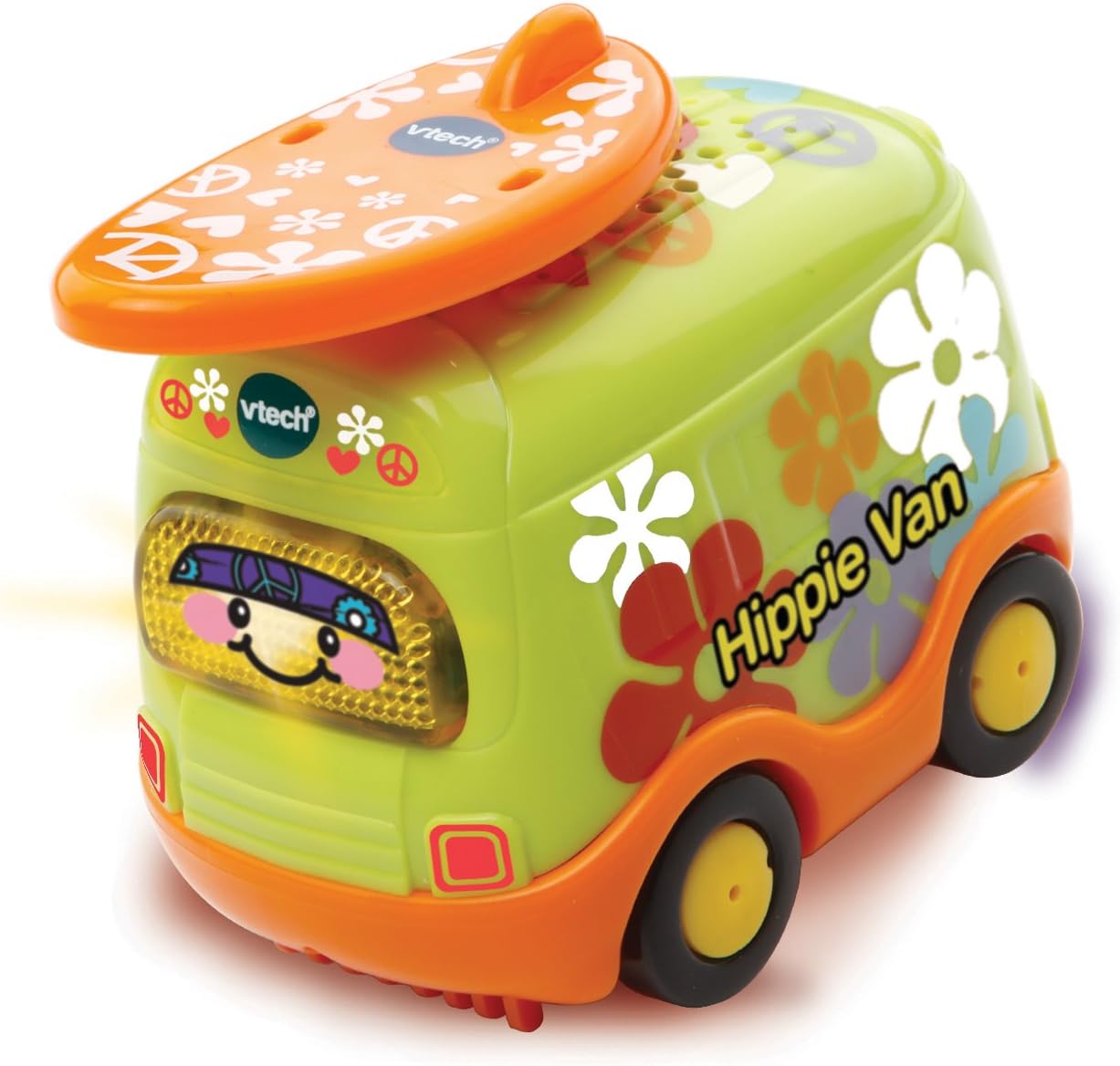
Figure 1: VTech Toot-Toot Drivers Hippie Van, showing its vibrant green and orange design with a surfboard on top.
4. Operating Instructions
4.1 Power On/Off
Locate the On/Off switch on the underside of the vehicle. Slide the switch to the "On" position to activate the toy. Slide to "Off" to conserve battery life.
4.2 Basic Play
- Light-Up Face Button: Press the light-up face button on the front of the van to trigger various sounds, songs, and melodies.
- Movement: Push the van along to hear additional sounds and phrases.
- Surfboard Accessory: The removable surfboard accessory can be used for imaginative role-play.
4.3 SmartPoint Interaction
The Toot-Toot Drivers Hippie Van is compatible with VTech SmartPoint play sets (sold separately). When the van drives over a SmartPoint location on a compatible play set, it will respond with unique phrases, music, and sound effects, enhancing interactive play.

Figure 2: The Hippie Van packaged in its box, illustrating the "Try Me" button and the SmartPoint feature compatibility.
5. Maintenance
5.1 Cleaning
- Wipe the toy with a slightly damp cloth.
- Do not use harsh chemicals or abrasive cleaners.
- Do not immerse the toy in water, as this may damage the electronic components.
5.2 Storage
Store the toy in a cool, dry place away from direct sunlight when not in use. Remove batteries if storing for an extended period.
6. Troubleshooting
| Problem | Possible Solution |
|---|---|
| Toy does not turn on or respond. |
|
| Sound is distorted or too quiet. |
|
| Toy does not respond to SmartPoint locations. |
|
7. Specifications
- Model Number: 164363
- Product Dimensions: 8.3 x 10 x 5.4 cm
- Item Weight: 130 g (0.13 Kilograms)
- Material: Plastic
- Color: Orange (main accent, van is green)
- Batteries Required: 2 x AAA (LR03) Alkaline batteries (included for demo)
- Age Range: Kid (Recommended 1-5 years)
- Special Features: Portable, Light-up face button, SmartPoint technology

Figure 3: The Hippie Van in its packaging, clearly indicating the recommended age range of 1-5 years.
8. Warranty
VTech products are manufactured to high quality standards. For information regarding warranty coverage, please refer to the warranty card included with your purchase or visit the official VTech website for your region.
9. Customer Support
For further assistance, technical support, or to inquire about replacement parts, please contact VTech customer service. Contact details can typically be found on the VTech official website or on the product packaging.


