
Introduction
This manual provides instructions for the safe installation, operation, and maintenance of your John Timberland Deaver 15 1/4" Rubbed Bronze Motion Sensor Outdoor Wall Light Fixture. Please read all instructions carefully before beginning installation and retain this manual for future reference.
Safety Information
- WARNING: Risk of electric shock. Disconnect power at the fuse box or circuit breaker before installation or servicing.
- All electrical connections must be in accordance with local codes, ordinances, or the National Electric Code (NEC). Consult a qualified electrician if you are unfamiliar with proper electrical wiring connections.
- This fixture is rated for wet locations, suitable for outdoor use.
- Use only one maximum 60-watt standard-medium base A19 bulb (not included). For motion sensor functionality, a dimmable bulb is required.
- Proposition 65 Warning: This product may contain chemicals known to the State of California to cause cancer and birth defects or other reproductive harm.
Package Contents
Verify that all components are present before beginning installation:
- Outdoor Wall Light Fixture (1)
- Mounting Hardware (screws, wire nuts, mounting plate)
- Instruction Manual (this document)
Specifications
| Brand | John Timberland |
| Model Number | 33H55 |
| Dimensions (H x W x D) | 15 1/4" x 7" x 8" (extends from wall) |
| Backplate Dimensions | 5 3/4" H x 4 1/2" W x 1" D |
| Weight | 4.04 lbs |
| Material | Alloy Steel construction, Clear Water Glass |
| Finish | Oil-rubbed Bronze |
| Bulb Type | Standard-medium base (E26) A19 (max 60W, not included) |
| Voltage | 120 volts |
| Motion Sensor Range | 5 to 40 feet |
| Motion Sensor Detection Angle | 220 degrees |
| Indoor/Outdoor Usage | Outdoor (Wet Location Rated) |
Setup and Installation
Before you begin: Ensure power is disconnected at the circuit breaker. Professional installation by a qualified electrician is recommended for all electrical wiring.
- Prepare the Mounting Location: Ensure the electrical box is securely mounted and capable of supporting the fixture's weight.
- Attach Mounting Plate: Secure the fixture's mounting plate to the electrical box using the provided screws.
- Wiring Connections: Connect the fixture's wires to the household electrical wires. Typically, this involves connecting:
- Black (Live) to Black (Live)
- White (Neutral) to White (Neutral)
- Copper (Ground) to Green or Bare Copper (Ground)
- Mount the Fixture: Carefully align the fixture with the mounting plate and secure it with the provided screws. Ensure no wires are pinched.
- Install Bulb: Insert one A19 standard-medium base bulb (max 60W) into the socket. For motion sensor functionality, a dimmable bulb is required.
- Restore Power: Once installation is complete and secure, restore power at the circuit breaker.

Figure 1: Product Dimensions. The fixture measures 15 1/4 inches high, 7 inches wide, and extends 8 inches from the wall. The backplate is 5 3/4 inches high by 4 1/2 inches wide.
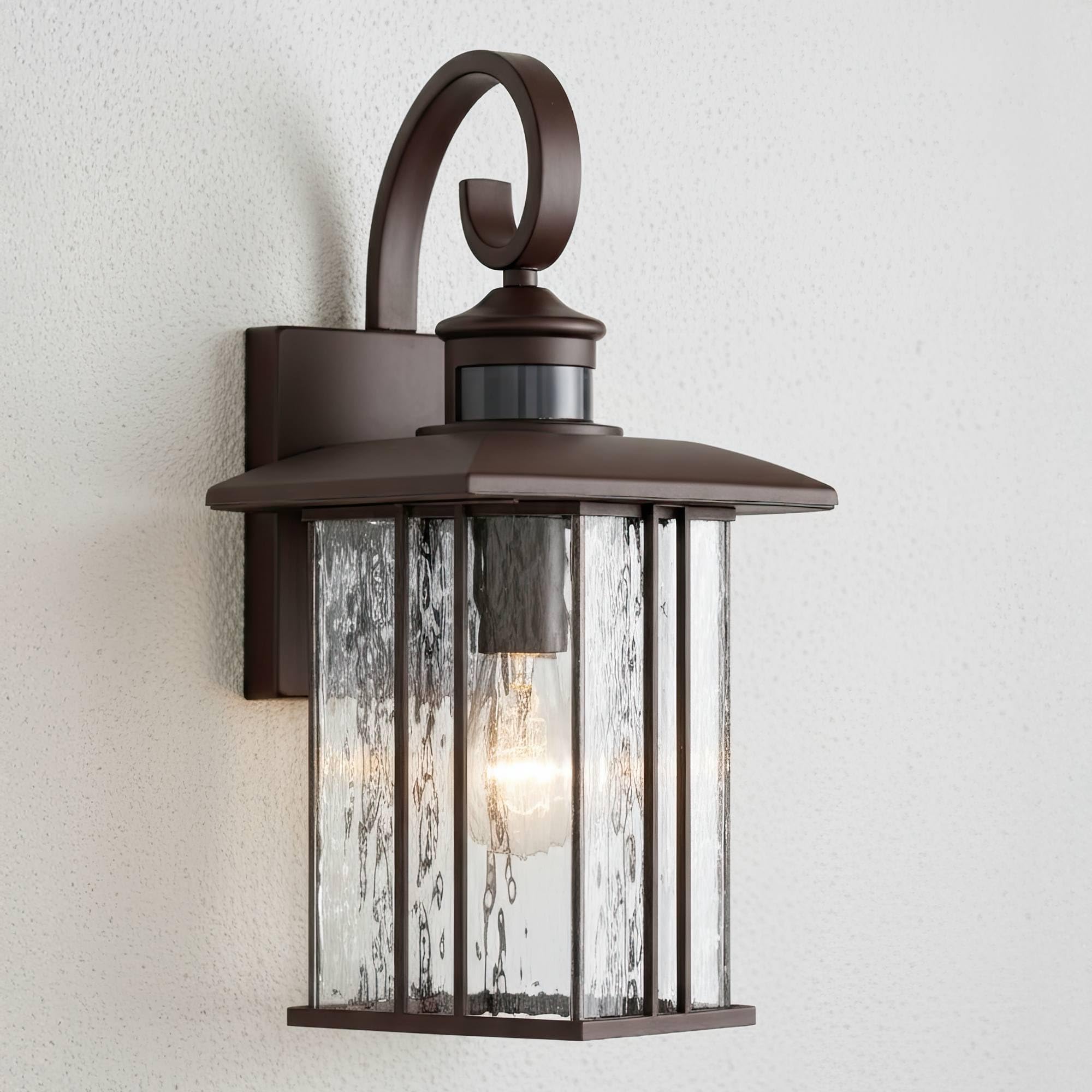
Figure 2: Front view of the Deaver outdoor wall light fixture, showcasing the rubbed bronze finish and clear water glass panels.
Operating Instructions
This outdoor wall light features a built-in motion sensor and dusk-to-dawn functionality.
Motion Sensor Operation
- The light will turn on at 25% power when dusk is detected.
- When motion is detected within the 5 to 40-foot range and 220-degree detection angle, the light will brighten to 100% power.
- After one minute of no detected motion, the light will return to 25% power.
- The motion sensor is designed to operate with dimmable bulbs.
Dusk-to-Dawn Manual Override
A dusk-to-dawn manual override option is available. Refer to the specific instructions provided with the motion sensor module for details on how to activate or deactivate this feature, as it may vary.

Figure 3: Close-up of the integrated motion sensor, located at the top of the fixture.

Figure 4: The Deaver outdoor wall light installed and illuminated on an exterior wall, demonstrating its functional aesthetic.
Maintenance
Regular maintenance ensures optimal performance and extends the life of your fixture.
- Cleaning: To clean the fixture, ensure power is off. Wipe the oil-rubbed bronze finish with a soft, damp cloth. For the clear water glass, use a mild glass cleaner if necessary, and wipe dry to prevent water spots. Avoid abrasive cleaners or solvents that could damage the finish or glass.
- Bulb Replacement: Ensure power is off before replacing the bulb. Allow the old bulb to cool completely before removal. Replace with a new A19 standard-medium base bulb (max 60W). Remember to use a dimmable bulb for proper motion sensor operation.
- Inspection: Periodically inspect the fixture for any signs of wear, damage, or loose connections. Address any issues promptly.

Figure 5: Detail of the clear water glass, which should be cleaned gently to maintain clarity.
Troubleshooting
| Problem | Possible Cause | Solution |
|---|---|---|
| Light does not turn on. | No power to the fixture; faulty bulb; incorrect wiring. | Check circuit breaker. Ensure bulb is correctly installed and not burnt out. Verify wiring connections. |
| Motion sensor not detecting motion or light stays on/off. | Sensor obstructed; incorrect sensitivity setting; ambient light interference; faulty sensor. | Clear any obstructions from the sensor. Adjust sensor sensitivity (if applicable). Ensure sensor is not exposed to direct light sources. Consult support if issues persist. |
| Light strobes or flickers with LED bulb. | Incompatible LED bulb with motion sensor/dimming circuit. | Ensure you are using a high-quality, dimmable LED bulb specifically designed for motion sensor applications. Some LED bulbs may not be fully compatible, leading to strobing. Try a different brand or type of dimmable LED bulb. |
| Light remains at 25% power, does not brighten to 100% with motion. | Non-dimmable bulb installed; motion sensor malfunction. | Replace with a dimmable A19 bulb. If the problem persists, the motion sensor may require servicing. |
Warranty
This John Timberland Deaver Outdoor Wall Light Fixture is covered by a limited 1-year warranty from the date of purchase. This warranty covers defects in materials and workmanship under normal use. It does not cover damage resulting from improper installation, accident, misuse, abuse, or unauthorized modifications. For warranty claims, please contact customer support.
Support
For technical assistance, replacement parts, or general inquiries, please contact John Timberland customer support. You can find more information and contact details on the official John Timberland website or through your retailer.
Video: An informational video about the John Timberland brand, showcasing various outdoor lighting and decor products.
Visit the John Timberland Store on Amazon for additional products and information.