
Bower BSP-SLFEKIT1BL
Bower Multipod 6-in-1 Tripod Selfie Stick Instruction Manual
Model: BSP-SLFEKIT1BL
1. Introduction
The Bower Multipod 6-in-1 Tripod Selfie Stick is a versatile accessory designed to enhance your mobile photography and videography experience. It functions as both an extendable selfie stick and a stable tripod, offering multiple setup options for various content creation needs. This device includes a detachable Bluetooth remote shutter for convenient hands-free operation.

Image: The Bower Multipod in tripod configuration, holding a smartphone horizontally, ready for use.
2. Package Contents
Verify that all items are present in the package:
- Selfie Tripod (Bower Multipod)
- Shutter Remote (Bluetooth)
- Charging Cable (for remote)

Image: All components of the Bower Multipod package laid out, including the main unit, remote, charging cable, and a GoPro mount.
3. Product Overview
The Bower Multipod features a compact design that easily transforms between a handheld selfie stick and a stable tripod. It includes an integrated phone mount, a detachable Bluetooth remote, and an extendable aluminum pole.

Image: Two views of the Bower Multipod: one in tripod mode with a phone, and another in extended selfie stick mode, alongside the detachable remote shutter.
4. Setup & Assembly
4.1 Unfolding Tripod Legs
- Hold the main body of the Multipod.
- Gently pull the three legs outwards from the base until they fully extend and lock into position, forming a stable tripod base.
4.2 Extending the Pole
- With the tripod legs deployed or collapsed, grasp the top section of the pole.
- Pull upwards to extend the aluminum pole to your desired height. The pole can extend from 7 inches to a maximum of 36 inches.
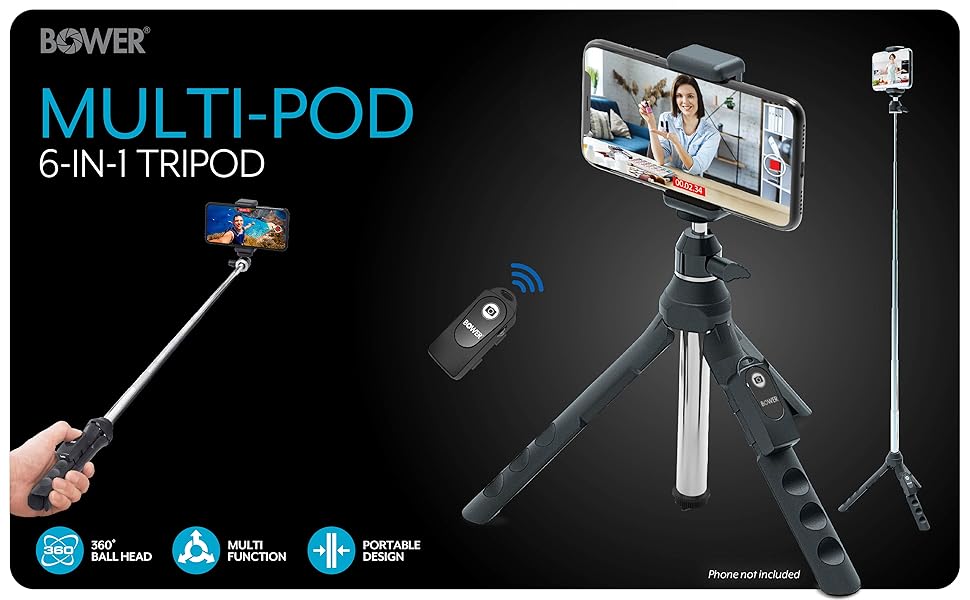
Image: Illustrations demonstrating the extendable height of the Multipod, from its compact 7.5-inch form to its maximum 36-inch extension.
4.3 Attaching a Smartphone
- Locate the adjustable phone mount at the top of the Multipod.
- Gently pull the spring-loaded clamp upwards to open it.
- Insert your smartphone into the clamp, ensuring it is securely held. The mount accommodates most smartphones with a maximum opening of 3.2 inches.
- The phone mount features non-abrasive materials to protect your device.
4.4 Attaching a Camera or GoPro
- The Multipod features a universal 1/4-inch mounting thread on the top ball head.
- Remove the smartphone mount by unscrewing it from the 1/4-inch thread.
- Attach your small digital camera (not DSLR's) or GoPro device (using the provided adapter) to the 1/4-inch screw.
- Tighten securely to prevent movement.
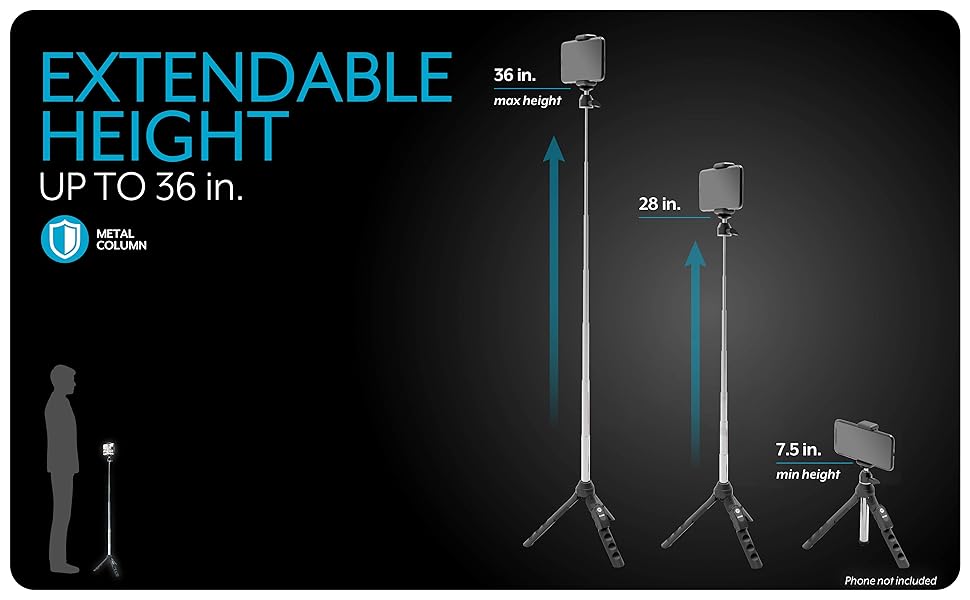
Image: Three examples of devices mounted on the Multipod: a smartphone, a compact digital camera, and a GoPro action camera.
4.5 Pairing the Bluetooth Remote
- Remove the detachable Bluetooth remote shutter from its slot on the Multipod handle.
- Turn on the remote by pressing and holding the button until an indicator light flashes.
- On your smartphone, go to Bluetooth settings and search for available devices.
- Select the device named "Bower" or similar to pair. The indicator light on the remote will stop flashing once paired.
- The remote is compatible with Android and iOS devices.
5. Operating Instructions
5.1 Using as a Selfie Stick
- Collapse the tripod legs into the handle.
- Extend the aluminum pole to your desired length.
- Hold the handle and use the attached smartphone or camera to capture photos or videos.

Image: A hand holding the Bower Multipod in selfie stick mode, with a smartphone attached and extended.
5.2 Using as a Tripod
- Unfold the tripod legs and place the Multipod on a flat, stable surface.
- Extend the pole to the required height.
- Use the Bluetooth remote to trigger the camera shutter or start/stop video recording from a distance.

Image: A person demonstrating content creation using the Bower Multipod in tripod mode with a smartphone.
5.3 Adjusting Phone Orientation
- The phone mount is attached to a 360° rotating metal ball head.
- Loosen the small knob on the side of the ball head.
- Adjust your phone to a horizontal or vertical position, or any desired angle.
- Tighten the knob to secure the phone's position.
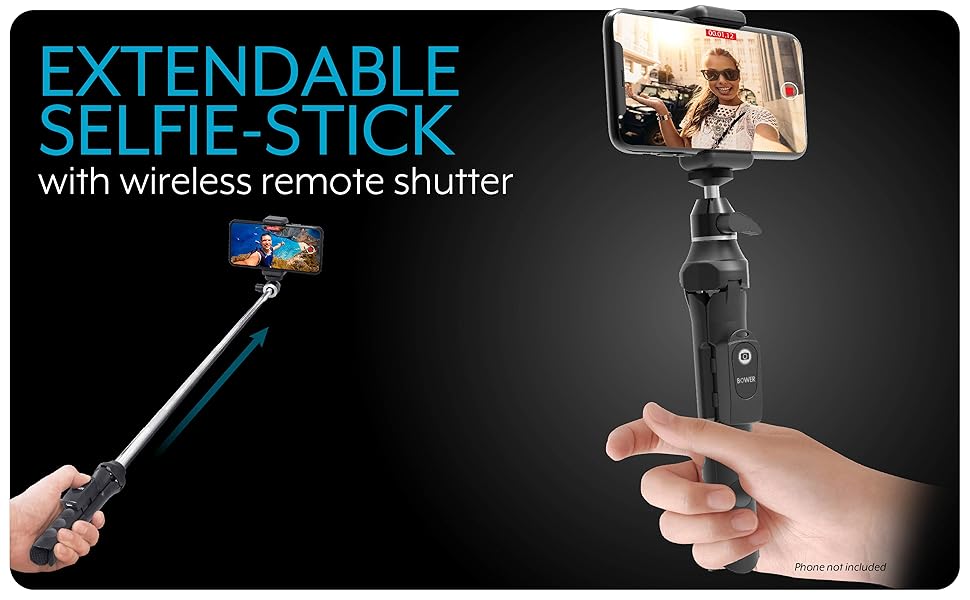
Image: A visual guide highlighting the extendable phone mount, detachable wireless remote shutter, and the 360° rotating metal ball head for flexible positioning.
5.4 Using the Remote Shutter
Once paired, simply press the button on the Bluetooth remote to remotely trigger your smartphone's camera shutter for photos or to start/stop video recording.
6. Compatibility
- Smartphones: Works with most smartphones (max 3.2" opening). Compatible with Android and iOS operating systems.
- Small Digital Cameras: Compatible with small digital cameras (not DSLR's) that feature a 1/4-inch tripod mounting thread. Maximum load capacity: 1 lb.
- Action Cameras: Works with most action cameras using the appropriate adapter (GoPro adapter included).
7. Maintenance & Care
- Clean the Multipod with a soft, dry cloth. Avoid abrasive cleaners or solvents.
- Store in a cool, dry place away from direct sunlight and extreme temperatures.
- Ensure the remote shutter is charged regularly using the provided charging cable.
- Avoid over-tightening knobs or forcing parts, as this may cause damage.
8. Troubleshooting
- Remote not pairing: Ensure the remote is charged and turned on. Check your smartphone's Bluetooth settings to ensure it's discoverable and try re-pairing.
- Instability in tripod mode: Ensure the tripod legs are fully extended and locked on a flat, stable surface. Avoid placing heavy devices beyond the recommended weight limit.
- Phone not fitting in mount: Verify your phone's width is within the 3.2-inch maximum opening of the mount.
9. Specifications
| Feature | Detail |
|---|---|
| Model Number | BSP-SLFEKIT1BL |
| Product Dimensions | 9 x 4 x 4 inches (collapsed) |
| Item Weight | 7.2 ounces |
| Maximum Height | 36 Inches |
| Weight Limit | 6.6 Pounds |
| Material | Aluminum or Metal Composite |
| Phone Mount Opening | Up to 3.2 inches |
| Tripod Head Type | Ball Heads (360° rotating) |
| Remote Control | Detachable Bluetooth Shutter |
| Compatible OS | Android, iOS |
| Power (Remote) | 1 Lithium Ion battery (included) |
10. Warranty & Support
For warranty information, technical support, or service inquiries, please refer to the official Bower website or contact their customer service directly. Keep your purchase receipt for warranty claims.
Ask a question about this manual
Ask about setup, troubleshooting, compatibility, parts, safety, or missing instructions. Manuals+ will review the question and use this page’s manual context to help answer it.