
Ergosolid Falco-40
Ergosolid Falco-40 Adjustable Rolling TV Stand User Manual
Model: Falco-40
1. Introduction and Overview
Thank you for choosing the Ergosolid Falco-40 Adjustable Rolling TV Stand. This product is designed to provide a versatile and stable solution for mounting and moving your LCD/LED television. It features a robust steel construction, adjustable height, tilt functionality, and lockable swivel casters for easy mobility. This manual provides detailed instructions for safe assembly, operation, and maintenance of your TV stand.
The Falco-40 is suitable for most LCD/LED TVs ranging from 30 to 65 inches (76 cm to 165 cm diagonal) with a maximum weight capacity of 40 kg. It supports various VESA mounting patterns from 100x100 mm up to 600x400 mm. An adjustable shelf is included for media devices or accessories, and integrated cable management helps maintain a tidy appearance.

Image 1.1: The Ergosolid Falco-40 TV stand with a television, demonstrating its functionality.
2. Safety Information
Please read and understand all instructions before assembly and use. Failure to follow these instructions may result in property damage, serious injury, or death.
- Weight Capacity: Do not exceed the maximum load capacity of 40 kg (88 lbs) for the TV stand and 4 kg (8.8 lbs) for the accessory shelf.
- TV Size: This stand is designed for TVs between 30 and 65 inches. Ensure your TV's VESA pattern is compatible (100x100mm to 600x400mm).
- Stability: Always ensure the stand is on a level surface. Lock the casters when the stand is in a stationary position to prevent accidental movement.
- Assembly: Assemble the product exactly as described in this manual. Do not modify the stand or use it for purposes other than intended.
- Children: Keep children away from the assembly area. Small parts may be a choking hazard. Do not allow children to climb on or play with the stand.
- Moving the Stand: When moving the stand with a TV mounted, do so slowly and carefully. Ensure the TV is securely attached and the path is clear.
3. Package Contents
Before starting assembly, verify that all components listed below are present and undamaged. If any parts are missing or damaged, do not proceed with assembly and contact customer support.
- Ergosolid Falco-40 TV Stand components (base, columns, TV mounting bracket)
- Accessory Shelf
- Set of screws, washers, and spacers for various TV types
- Installation instructions
- Necessary assembly tools (e.g., Allen key, screwdriver - often included)
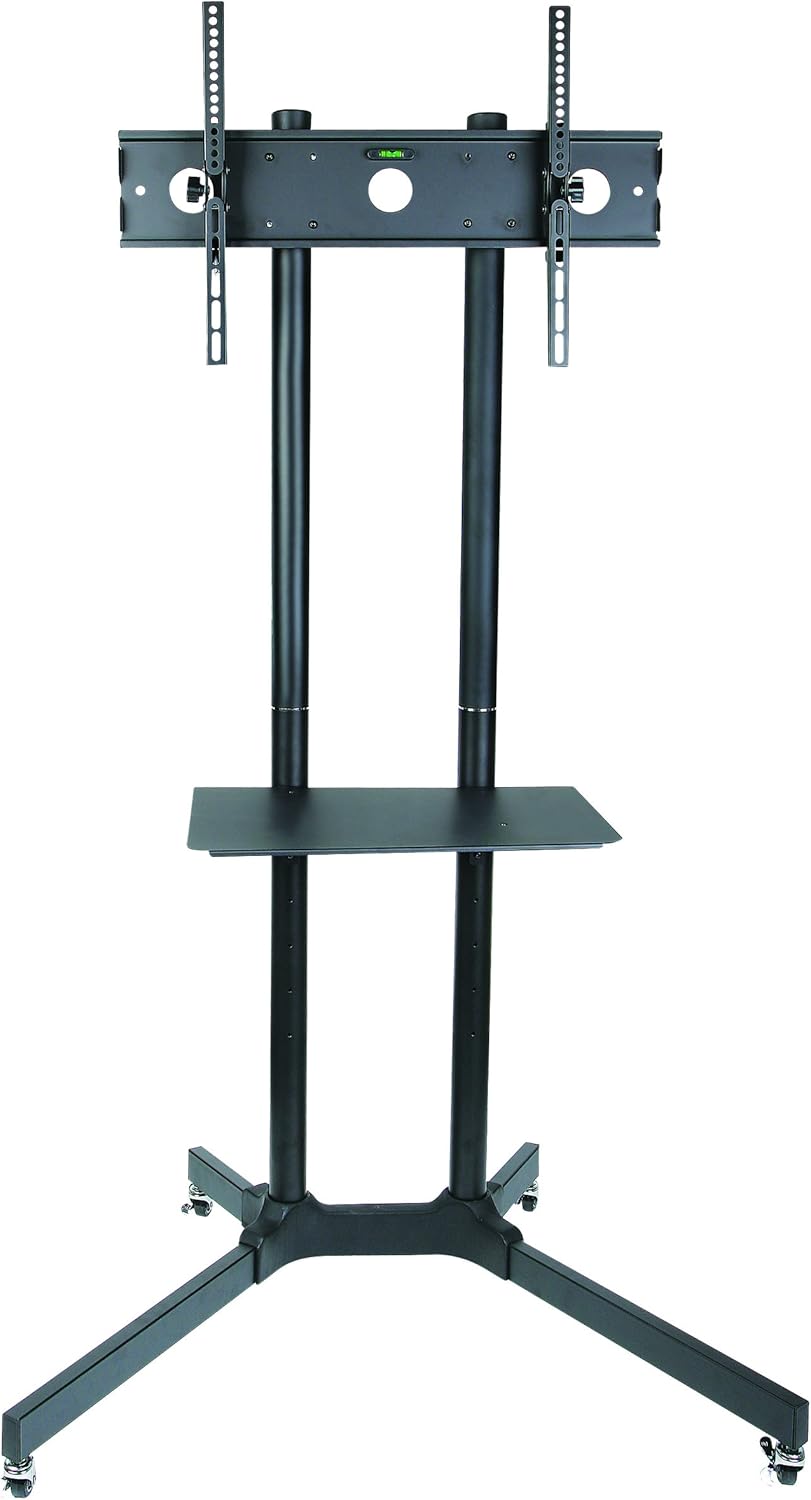
Image 3.1: All components of the Falco-40 TV stand before assembly.
4. Setup and Assembly
Assembly typically requires two people for safety and ease. A screwdriver may be needed in addition to any included tools.
- Attach Casters to Base: Securely fasten the four swivel casters to the base of the stand. Ensure two of the casters have locking mechanisms and are positioned for easy access.
- Assemble Columns: Connect the lower and upper column sections. Ensure they are firmly joined and aligned.
- Mount Columns to Base: Attach the assembled columns to the stand's base using the provided hardware.
- Install TV Mounting Bracket: Secure the TV mounting bracket to the top of the columns. This bracket includes the VESA arms.
- Attach VESA Arms to TV: Identify the correct screws, washers, and spacers from the assortment that fit your TV's VESA mounting holes. Attach the vertical VESA arms to the back of your television. Ensure the arms are oriented correctly for hanging.
- Mount TV to Stand: With assistance, carefully lift your TV and hook the VESA arms onto the TV mounting bracket on the stand. Secure the TV in place using the safety screws or locking mechanisms on the bracket.
- Install Accessory Shelf: Attach the accessory shelf to the desired height on the columns using the provided brackets and screws.
- Cable Management: Route all cables through the integrated cable management system within the columns for a clean setup.

Image 4.1: Assembly diagram illustrating height adjustment and tilt.

Image 4.2: Detail of a lockable caster wheel.
5. Operating Instructions
- Moving the Stand: To move the stand, unlock all four casters by flipping their levers to the "OFF" position. Carefully push the stand to its desired location. Once positioned, lock the casters by flipping the levers to the "ON" position to ensure stability.
- Adjusting TV Height: The TV mounting bracket can be adjusted along the columns. Loosen the securing bolts on the columns, adjust the TV to the desired height (between 100 cm and 170 cm from the floor to the center of the TV), and then firmly tighten the bolts.
- Adjusting TV Tilt: The TV can be tilted vertically by +15° to -15°. Loosen the tilt adjustment knobs on the sides of the TV mounting bracket, adjust the screen to the desired angle, and then securely tighten the knobs.
- Adjusting Shelf Height: The accessory shelf can be repositioned along the columns. Loosen the shelf's securing screws, slide it to the desired height (between 36 cm and 70 cm from the floor), and re-tighten the screws.

Image 5.1: Adjustable dimensions and tilt range of the Falco-40 stand.
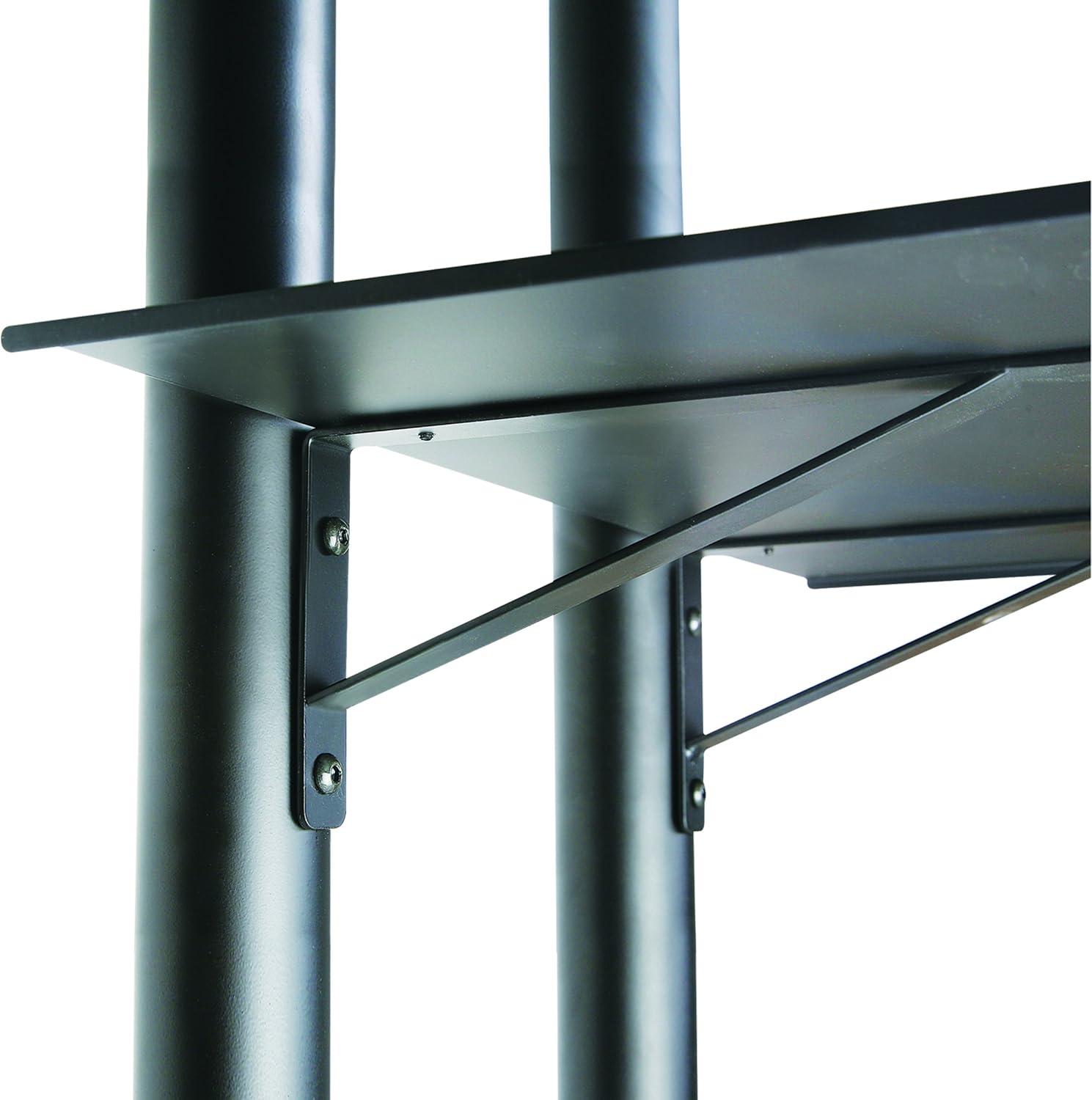
Image 5.2: Detail of the adjustable accessory shelf.
6. Maintenance
- Cleaning: Wipe the stand with a soft, damp cloth. Avoid abrasive cleaners or solvents that could damage the finish.
- Regular Checks: Periodically check all screws and bolts to ensure they remain tight. Re-tighten if necessary to maintain stability and safety.
- Caster Functionality: Ensure the casters roll smoothly and the locking mechanisms engage properly. Clean any debris from the wheels if movement becomes restricted.
7. Troubleshooting
- Stand is unstable:
- Ensure all assembly screws are tightened securely.
- Verify the stand is on a flat, level surface.
- Check that the TV weight does not exceed 40 kg.
- TV does not fit the mounting bracket:
- Confirm your TV's VESA mounting pattern is within the supported range (100x100mm to 600x400mm).
- Ensure you are using the correct screws, washers, and spacers for your specific TV model.
- Casters do not roll or lock properly:
- Check for debris or obstructions in the wheels.
- Ensure the locking levers are fully engaged or disengaged.
8. Specifications
| Model Number | Falco-40 |
| Brand | Ergosolid |
| Compatible TV Sizes | 30 - 65 inches (76 cm - 165 cm) |
| Maximum Load Capacity (TV) | 40 kg (88 lbs) |
| Maximum Load Capacity (Shelf) | 4 kg (8.8 lbs) |
| VESA Compatibility | 100x100, 200x100, 200x200, 300x300, 400x200, 400x400, 600x400 mm |
| Height Adjustment (TV) | 100 cm - 170 cm (from floor to center of TV) |
| Vertical Tilt Angle | +15° / -15° |
| Base Dimensions | 880 mm x 665 mm |
| Material | Steel |
| Color | Black |
| Special Features | Adjustable height, Mobile with brakes, Cable management, Accessory shelf |


Image 8.1: Base and shelf dimensions.
9. Warranty and Support
Warranty: The Ergosolid Falco-40 TV Stand comes with a 2-year manufacturer's warranty. Please retain your proof of purchase for warranty claims.
Customer Support: For any questions, missing parts, or technical assistance, please contact Ergosolid customer support through your retailer or the official Ergosolid website. Please have your model number (Falco-40) and purchase details ready when contacting support.
Related documentsFalco-40

Ask a question about this manual
Ask about setup, troubleshooting, compatibility, parts, safety, or missing instructions. Manuals+ will review the question and use this page’s manual context to help answer it.