
Introduction
This manual provides comprehensive instructions for the installation, operation, and maintenance of the Dorman 74445 Emergency Brake Release Handle. Designed as a direct replacement, this handle restores the functionality and appearance of the original part in specified Dodge vehicles. Please read this manual thoroughly before attempting any installation or repair.
Product Overview
The Dorman 74445 Emergency Brake Release Handle is a critical component designed to facilitate the release of the parking brake in compatible vehicles. It is engineered to match the fit and function of the original equipment, ensuring reliable performance and a long service life.
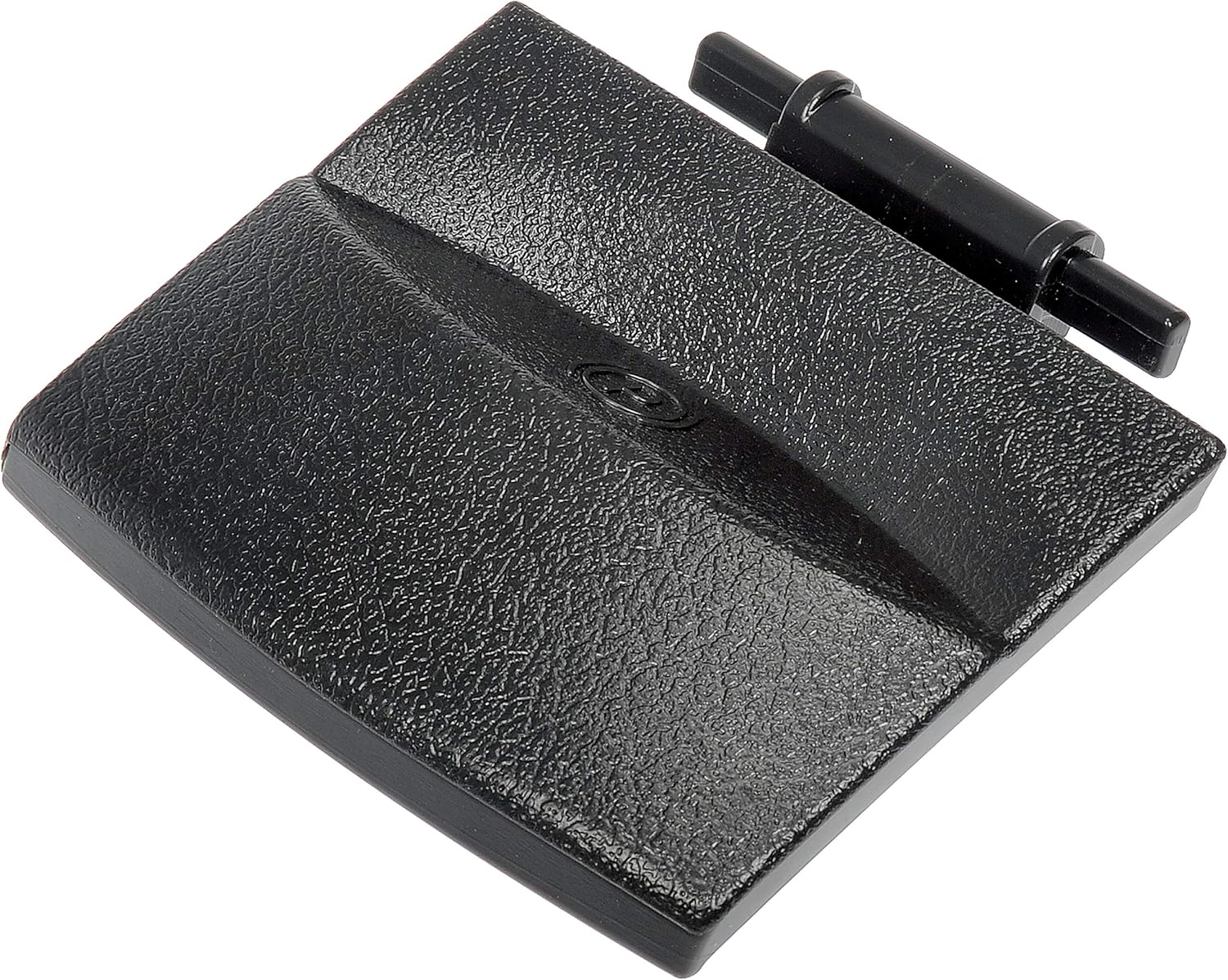
Figure 1: Angled view of the Dorman 74445 Emergency Brake Release Handle. This image shows the textured black finish and the overall shape of the handle.
Key Features:
- Direct Replacement: Engineered to match the fit and function of the original handle.
- Restores Functionality: Designed to fully restore the appearance and functionality of the parking brake release.
- Durable Construction: Manufactured from quality alloy steel to ensure reliable performance and extended service life.
- Trustworthy Quality: Backed by Dorman's extensive automotive experience.
Compatibility
This part is compatible with the following Dodge vehicle models. Always verify fitment using your vehicle's specific make, model, and trim level.
- Dodge Durango: 2004, 2005, 2006, 2007, 2008
- Dodge Ram 1500: 2006, 2007, 2008
- Dodge Ram 2500: 2006, 2007, 2008, 2009
- Dodge Ram 3500: 2006, 2007, 2008, 2009, 2010
- Dodge Ram 4500: 2008, 2009, 2010
- Dodge Ram 5500: 2008, 2009, 2010
Installation
Installation of the Dorman 74445 Emergency Brake Release Handle is typically straightforward, designed for direct replacement. While specific steps may vary slightly by vehicle model, the general procedure involves removing the old handle and attaching the new one. Professional installation is recommended if you are unfamiliar with automotive repairs.

Figure 2: Front view of the Dorman 74445 handle, showing the textured surface and the 'P' symbol for parking brake.
General Installation Steps:
- Prepare the Vehicle: Ensure the vehicle is parked on a level surface with the transmission in 'Park' (automatic) or 'Neutral' (manual) and the wheels chocked.
- Locate the Old Handle: Identify the existing emergency brake release handle, typically located near the parking brake pedal.
- Remove the Old Handle: Carefully detach the old handle. This may involve releasing clips or fasteners. Refer to your vehicle's service manual for precise removal instructions.
- Inspect the Cable Mechanism: Before installing the new handle, inspect the emergency brake release cable and its attachment point for any damage or wear.
- Attach the New Handle: Connect the Dorman 74445 handle to the emergency brake release cable mechanism. Ensure it is securely fastened.
- Test Functionality: After installation, test the emergency brake and its release handle multiple times to confirm proper operation. Engage the parking brake, then pull the release handle to ensure it disengages smoothly.

Figure 3: Back view of the Dorman 74445 handle, showing the internal mechanism and the part number "74445" stamped on the back.
Operation
The Dorman 74445 Emergency Brake Release Handle operates identically to the original equipment. To release the parking brake, firmly pull the handle towards you. The parking brake indicator light on your vehicle's dashboard should extinguish, confirming the brake has been disengaged.
Maintenance
The Dorman 74445 Emergency Brake Release Handle requires minimal maintenance. Periodically inspect the handle and its connection point for any signs of wear, damage, or looseness. Ensure the handle moves freely and returns to its resting position after being pulled. Keep the area around the handle clean and free of debris.
Troubleshooting
If you encounter issues with your Dorman 74445 Emergency Brake Release Handle, refer to the table below for common problems and their potential solutions.
| Problem | Possible Cause | Solution |
|---|---|---|
| Handle feels loose or wobbly. | Improper installation; worn mounting clips. | Re-check installation to ensure handle is securely fastened. Replace mounting clips if worn. |
| Parking brake does not release. | Cable issue (frayed, seized); handle not fully engaging cable. | Inspect the emergency brake cable for damage. Ensure the handle is correctly attached to the cable mechanism. Professional inspection may be required. |
| Handle is stiff or difficult to pull. | Lack of lubrication; debris; cable binding. | Clean the handle mechanism. Apply a small amount of appropriate lubricant to moving parts. Check the cable for binding. |
Specifications
| Attribute | Detail |
|---|---|
| Part Number | 74445 |
| Material | Alloy Steel |
| Color | Black |
| Product Dimensions | 4.21"L x 3.94"W |
| Item Weight | 2.75 Ounces |
| Included Components | 1 Handle Assembly |
| Manufacturer | Dorman Products |
Warranty Information
Dorman products are manufactured to high-quality standards and are backed by a limited warranty. For detailed warranty terms and conditions, please refer to the official Dorman warranty document. A PDF version of the warranty can often be found on the product's listing page or the manufacturer's website.
You can access the Warranty Document here.
Support
For further assistance, technical support, or inquiries regarding the Dorman 74445 Emergency Brake Release Handle, please contact Dorman Products directly or visit their official website. You can also find more information and products on the Dorman Store on Amazon.
Dorman Customer Service: Refer to Dorman's official website for the most current contact information.


