
Introduction
This manual provides detailed instructions for the setup, operation, maintenance, and troubleshooting of your KLIM Chroma Gaming Keyboard. Please read this manual thoroughly to ensure optimal performance and longevity of your device.
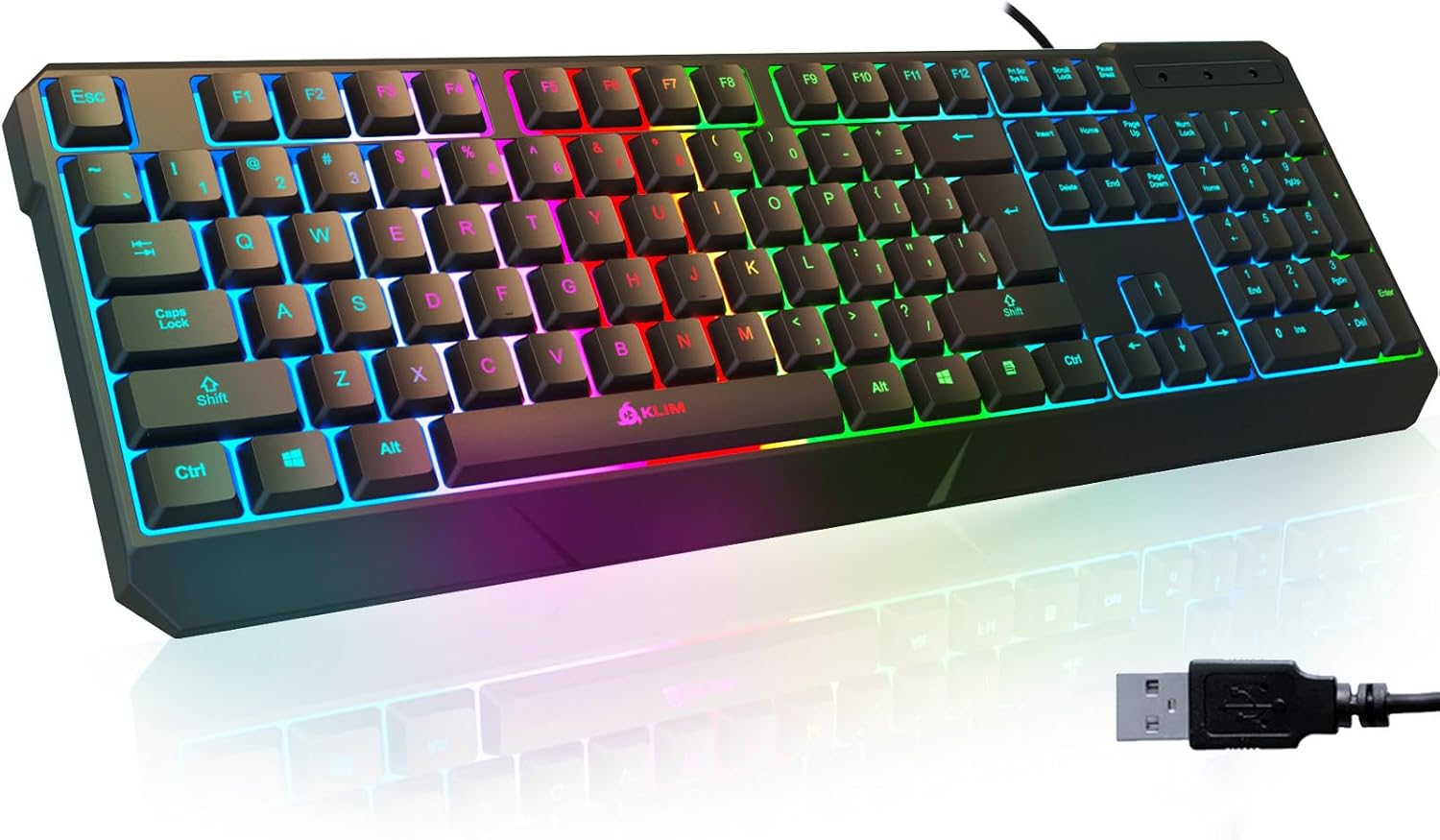
Image: The KLIM Chroma Gaming Keyboard, showcasing its full layout with vibrant RGB backlighting and the attached USB connector.
Product Features
- Rapid Response Time: Optimized for gaming and professional use with a 2ms response time.
- Vivid Backlighting: Integrated low-lighting feature with vivid color mixing lights for enhanced visibility in dim conditions. Characters are laser-engraved for clarity.
- Durability: Keys designed to withstand up to 10,000,000 keystrokes. Constructed with sturdy ABS plastic.
- Waterproof Design: Resistant to accidental spills.
- Ergonomic Design: Features kickstands and a mid-low keycap design for improved comfort.
- Broad Compatibility: Compatible with Windows XP/ME/Vista/7/8/10/11, Mac OS, PS4, PS5, PC desktops, and laptops.
- Plug & Play: No drivers required for installation.

Image: An overhead view of the KLIM Chroma keyboard, illustrating its outstanding performance features such as fast response time, improved typing speed, and quiet operation.
Setup Instructions
- Unpacking: Carefully remove the keyboard from its packaging.
- Connection: Locate an available USB port on your computer or gaming console. Insert the USB connector of the KLIM Chroma Gaming Keyboard into the USB port.
- Automatic Installation: The keyboard is designed for Plug & Play functionality. Your operating system should automatically detect and install the necessary drivers. No manual driver installation is typically required.
- Verification: Once connected, the keyboard's backlighting should illuminate, indicating it is powered on and ready for use. Test key presses to confirm functionality.

Image: The KLIM Chroma keyboard emphasizing its instant connectivity and plug-and-play functionality, requiring no additional drivers.
Operating Instructions
Backlight Control
- Toggle Backlight: Press the Scroll Lock key to turn the backlighting on or off.
- Adjust Brightness: Use the Fn + Page Up keys to increase backlight brightness and Fn + Page Down keys to decrease backlight brightness.
- Change Lighting Mode: The keyboard features various lighting modes. Press Fn + Scroll Lock to cycle through available lighting effects.
Multimedia and Function Keys
The KLIM Chroma keyboard includes dedicated function keys (F1-F12) that can be combined with the Fn key to access multimedia controls and other shortcuts.
| Key Combination | Function |
|---|---|
| Fn + F1 | Open Media Player |
| Fn + F2 | Volume Down |
| Fn + F3 | Volume Up |
| Fn + F4 | Mute |
| Fn + F5 | Stop Playback |
| Fn + F6 | Previous Track |
| Fn + F7 | Play/Pause |
| Fn + F8 | Next Track |
| Fn + F9 | Open Email |
| Fn + F10 | Open Web Browser |
| Fn + F11 | Lock Keyboard |
| Fn + F12 | Open Calculator |

Image: The KLIM Chroma keyboard showcasing its stunning RGB lighting effects, enhancing the visual appeal of a desktop setup.
Maintenance
- Cleaning: Use a soft, dry cloth to wipe the surface of the keyboard. For stubborn dirt, a slightly damp cloth with mild soap can be used, ensuring no liquid enters the key switches.
- Dust Removal: Use compressed air to remove dust and debris from between the keys.
- Spill Management: Although the keyboard is waterproof, it is recommended to immediately disconnect it and allow it to dry completely if a spill occurs. Do not use the keyboard while it is wet.
- Storage: Store the keyboard in a cool, dry place away from direct sunlight and extreme temperatures when not in use for extended periods.

Image: The KLIM Chroma keyboard being splashed with water, illustrating its ultra-durable and spill-proof construction.
Troubleshooting
- Keyboard Not Responding:
- Ensure the USB cable is securely connected to both the keyboard and the computer/console.
- Try connecting the keyboard to a different USB port.
- Restart your computer or console.
- Test the keyboard on another device to rule out a device-specific issue.
- Backlight Not Working:
- Press the Scroll Lock key to ensure the backlight is toggled on.
- Adjust brightness using Fn + Page Up/Page Down.
- Keys Not Registering:
- Check for any physical obstructions or debris under the keycap.
- Perform a general cleaning as described in the Maintenance section.
- Unexpected Behavior:
- Ensure your operating system is up to date.
- If using on a console, ensure the console's firmware is updated.
Specifications
| Feature | Detail |
|---|---|
| Model | k907 |
| Brand | Klim |
| Connectivity | Wired USB |
| Response Time | 2 ms |
| Key Durability | Up to 10,000,000 keystrokes |
| Material | ABS Plastic |
| Special Features | Backlit (RGB), Ergonomic, Water Resistant, Waterproof |
| Compatible OS | Windows XP/ME/Vista/7/8/10/11, Mac OS |
| Compatible Devices | PC, Laptop, PS4, PS5, Gaming Console |
| Product Dimensions | 44 x 14.4 x 2.9 cm (17.3L x 5.7W x 1.1H inches) |
| Weight | 460 g (1.01 lbs) |

Image: A side view of the KLIM Chroma keyboard, detailing its ergonomic design with a stepped-key layout and foldable kickstands for adjustable inclination.
Warranty and Support
The KLIM Chroma Gaming Keyboard comes with a 5-year warranty, reflecting the manufacturer's confidence in its quality and durability.
For any issues, questions, or support needs, please contact KLIM customer service. You can typically find contact information on the manufacturer's official website or through the retailer where the product was purchased.
Email support: support@klimtechnologies.com

Image: An illustration demonstrating the wide compatibility of the KLIM Chroma keyboard with various platforms including PC, Mac, PlayStation 4, PlayStation 5, Xbox One, and Xbox Series X.


