
1. Introduction
This manual provides detailed instructions for the operation and maintenance of your Runleader RL-KT001 9999 Days Events Timer. This digital timer is designed to count down to significant events, displaying days, hours, minutes, and seconds. It features a clear display, customizable faceplates, a backlight, and an audible reminder.
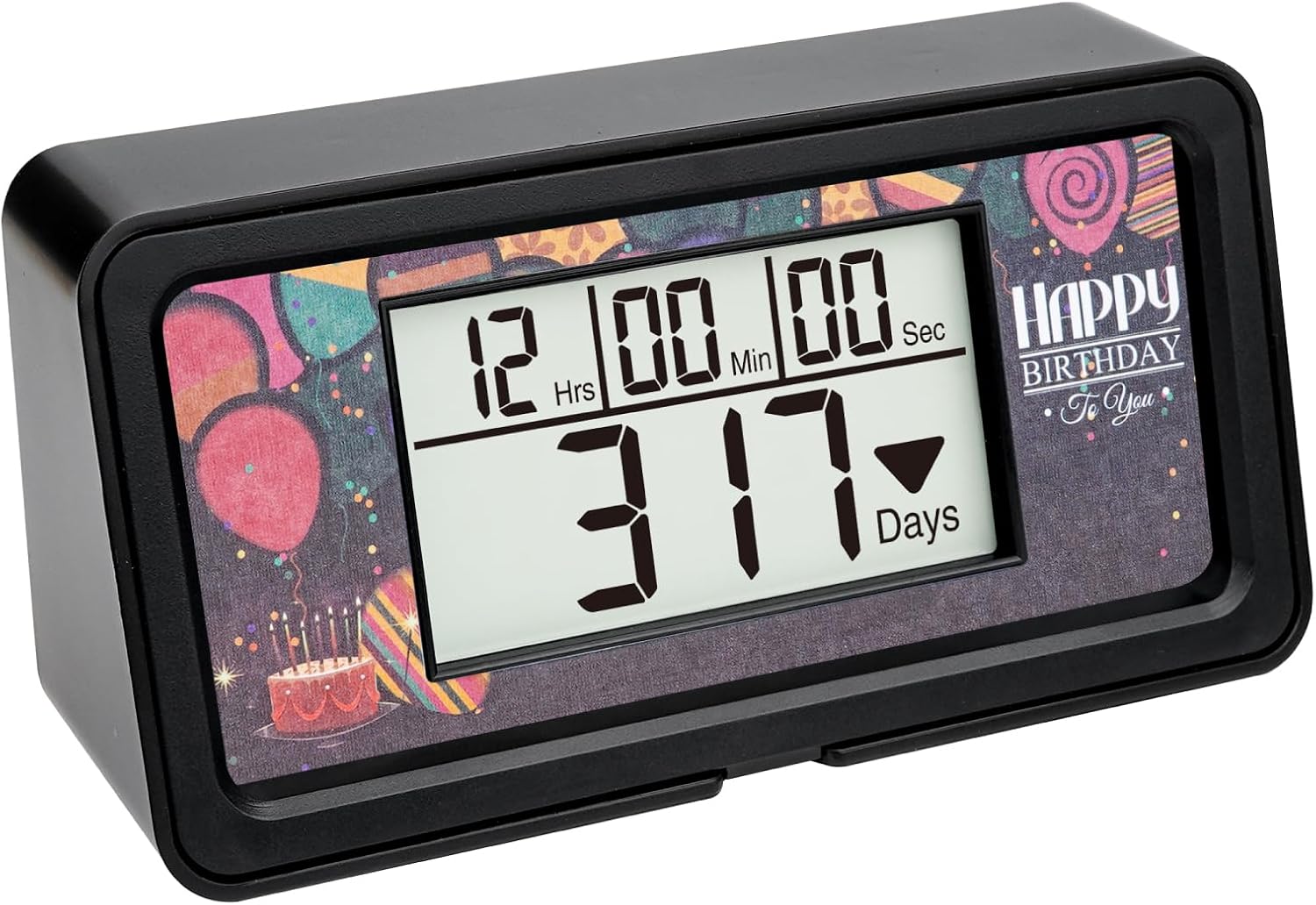
Image 1.1: The Runleader RL-KT001 9999 Days Events Timer displaying a countdown with a 'Happy Birthday' faceplate.
2. Product Features
- Large Digit Display: Provides clear visibility of the countdown.
- Extended Countdown Range: Capable of counting down up to 9999 days.
- Replaceable Faceplates: Includes 5 decorative faceplates for various occasions.
- Buzzer Alarm Reminder: Emits an audible alert upon reaching the target time.
- Backlight Function: Illuminates the display for visibility in low-light conditions.
- User-Replaceable Battery: Designed for easy battery replacement.

Image 2.1: Visual representation of the timer's key features, including its large display, long countdown capability, replaceable faceplates, and alarm reminder.
3. Setup
3.1 Package Contents
Before proceeding, please verify that all items are present in the package:
- Runleader RL-KT001 9999 Days Events Timer (x1)
- User Manual (x1)
- Colorful Sticker Faceplates (x5)

Image 3.1: The accessories included with the Runleader RL-KT001 timer: the timer unit, user manual, and five colorful faceplates.
3.2 Battery Installation
The timer requires 1 Lithium Metal battery. To install or replace the battery:
- Locate the battery compartment on the back of the timer.
- Open the battery compartment cover.
- Insert the Lithium Metal battery, ensuring correct polarity (+/-).
- Close the battery compartment cover securely.
4. Operating Instructions
4.1 Button Functions
The timer features five control buttons and a buzzer reminder on the back. Familiarize yourself with their functions:
| No. | Button | Function |
|---|---|---|
| 1 | Finish | Access target time setting mode. |
| 2 | Look | View the currently set target time. |
| 3 | Clear | Delete the current tracking event. |
| 4 | Enter | Confirm settings and begin tracking. |
| 5 | Current | Access current time setting mode. |
| 6 | Buzzer Reminder | Audible alarm output. |

Image 4.1: Location and function of the control buttons and buzzer on the back of the timer.
4.2 Display Elements
The timer display shows the countdown in days, hours, minutes, and seconds:
| No. | Symbol | Meaning |
|---|---|---|
| 1 | 12 Hrs | Hours remaining. |
| 2 | 00 Min | Minutes remaining. |
| 3 | 00 Sec | Seconds remaining. |
| 4 | 317 Days | Days remaining. |

Image 4.2: Explanation of the numerical display segments for hours, minutes, seconds, and days.
4.3 Setting Current Time
To ensure accurate countdowns, first set the current date and time:
- Press the Current button to enter current time setting mode.
- Use the arrow buttons (usually located on the side or near the setting buttons) to adjust the Year (2000-2099), Month (1-12), Day (1-31), Hour (0-23), Minute (0-59), and Second (0-59).
- Press Enter to confirm each setting and move to the next, or to exit current time setting mode once all values are set.
4.4 Setting Target Time
After setting the current time, you can set your desired event countdown:
- Press the Finish button to enter target time setting mode.
- Use the arrow buttons to adjust the Target Year (2000-2099), Month (1-12), Day (1-31), Hour (0-23), Minute (0-59), and Second (0-59).
- Important: The target time must be later than the current time.
- Press Enter to confirm each setting and move to the next. Once all target values are set, press Enter again to begin the countdown tracking.

Image 4.3: Detailed instructions for setting both the current time and the target countdown time.
4.5 Viewing and Clearing Events
- To view the set target time without interrupting the countdown, press the Look button.
- To stop and clear an active countdown, press the Clear button.
4.6 Backlight Operation
The backlight is activated by pressing any button. It will remain illuminated for a short period to conserve battery life.
5. Faceplate Replacement
The Runleader RL-KT001 timer comes with five interchangeable faceplates to customize its appearance for different events or preferences. These faceplates are held in place by a magnetic frame.
- Gently take down the magnetic frame from the front of the timer.
- Remove the current faceplate.
- Select your desired new faceplate and place it onto the timer's display area.
- Reattach the magnetic frame to fix the new faceplate securely in position.

Image 5.1: Step-by-step guide for replacing the decorative faceplates using the magnetic frame.
6. Maintenance
6.1 Cleaning
To clean the timer, use a soft, dry cloth. Avoid using abrasive cleaners, solvents, or harsh chemicals, as these can damage the display or casing.
6.2 Battery Replacement
When the display becomes dim or unresponsive, it is time to replace the battery. Refer to Section 3.2 for battery installation instructions. Always dispose of used batteries responsibly according to local regulations.
6.3 Storage
If storing the timer for an extended period, remove the battery to prevent leakage and potential damage to the device.
7. Troubleshooting
- Display is blank or dim: Check if the battery is correctly installed or needs replacement.
- Countdown not starting: Ensure the target time is set to a date and time later than the current time. Press the 'Enter' button after setting the target time.
- Backlight not staying on: The backlight is designed to illuminate temporarily after a button press to conserve battery. This is normal operation.
- Incorrect time displayed: Re-enter the current time and date carefully, following the steps in Section 4.3.
8. Specifications
| Feature | Specification |
|---|---|
| Model Number | RL-KT001 |
| Product Dimensions | 2.52"D x 1.97"W x 5.2"H (64mm D x 50mm W x 132mm H) |
| Item Weight | 0.5 Ounces (14.17 grams) |
| Power Source | 1 Lithium Metal Battery (required) |
| Countdown Range | Up to 9999 Days |
| UPC | 606412395231 |

Image 8.1: Detailed product dimensions of the Runleader RL-KT001 timer.
9. Warranty and Support
For warranty information or technical support, please refer to the contact details provided with your purchase or visit the official Runleader website. Keep your purchase receipt as proof of purchase.