
Dorman 946-042
Dorman 946-042 Rear Drive Shaft Assembly User Manual
Model: 946-042 | Brand: Dorman
Product Overview
The Dorman 946-042 Rear Drive Shaft is a complete drive shaft assembly designed for dependable fit and performance in compatible Chevrolet/GMC models. This unit is pre-balanced and ready for installation, featuring 100% new yokes, tubes, constant velocity (CV) joints, and universal joints.
Key Features:
- Direct Replacement: Manufactured to original equipment dimensions for precise fitment.
- 100% New Components: Constructed entirely from new parts, eliminating core charges or return hassles.
- Pre-Balanced: Arrives balanced for smooth operation, simplifying installation.
- Serviceable Construction: Features non-staked universal joints designed for future maintenance and replacement.
- Vehicle Compatibility: Compatible with select Chevrolet Tahoe (2001-2006) and GMC Yukon (2003-2006) models. Always confirm fitment using vehicle trim information.
Setup and Installation
Installation of the Dorman 946-042 Rear Drive Shaft involves replacing the existing drive shaft. Due to the specialized nature of driveshaft repairs, it is recommended that this procedure be performed by qualified personnel or individuals with appropriate automotive repair experience and tools.
General Installation Steps (Consult Vehicle Service Manual for Specifics):
- Safely lift and support the vehicle on a level surface.
- Mark the orientation of the existing driveshaft relative to the differential and transmission flanges to ensure correct reinstallation.
- Remove the fasteners securing the driveshaft to the differential and transmission.
- Carefully remove the old driveshaft from the vehicle.
- Inspect the transmission output shaft seal and differential pinion seal for leaks or damage; replace if necessary.
- Install the new Dorman 946-042 Rear Drive Shaft, aligning it according to the marks made earlier.
- Secure all fasteners to the manufacturer's specified torque.
- Lower the vehicle and perform a road test to confirm proper operation and absence of vibrations.

Image: The complete Dorman 946-042 Rear Drive Shaft Assembly, ready for installation.
Video: An overview of the Dorman Driveshaft Assembly, highlighting its features and benefits for repair and replacement. This video demonstrates aspects of driveshaft construction and installation considerations.
Operation
The drive shaft is a critical component of your vehicle's drivetrain, responsible for transmitting torque from the transmission or transfer case to the differential, which then powers the wheels. Proper operation of the Dorman 946-042 Rear Drive Shaft ensures smooth power delivery and minimizes vibrations during vehicle movement.
After installation, the vehicle should operate without excessive noise, vibration, or harshness (NVH) originating from the driveshaft. Any unusual sounds or vibrations should be investigated immediately.
Maintenance
The Dorman 946-042 Rear Drive Shaft is designed with serviceable universal joints, which allows for easier and more cost-effective future maintenance compared to non-serviceable staked joints found in some original equipment driveshafts.
Recommended Maintenance Practices:
- Regular Inspection: Periodically inspect the driveshaft for signs of wear, damage, or loose components, especially the universal joints and center support bearing (if applicable).
- Lubrication: If the universal joints are equipped with grease fittings, lubricate them according to your vehicle manufacturer's recommendations or during routine service intervals.
- Addressing Vibrations: Promptly address any new or increased vibrations, as these can indicate a driveshaft imbalance or failing universal joints.

Image: A close-up view of the driveshaft yoke, illustrating the robust construction.
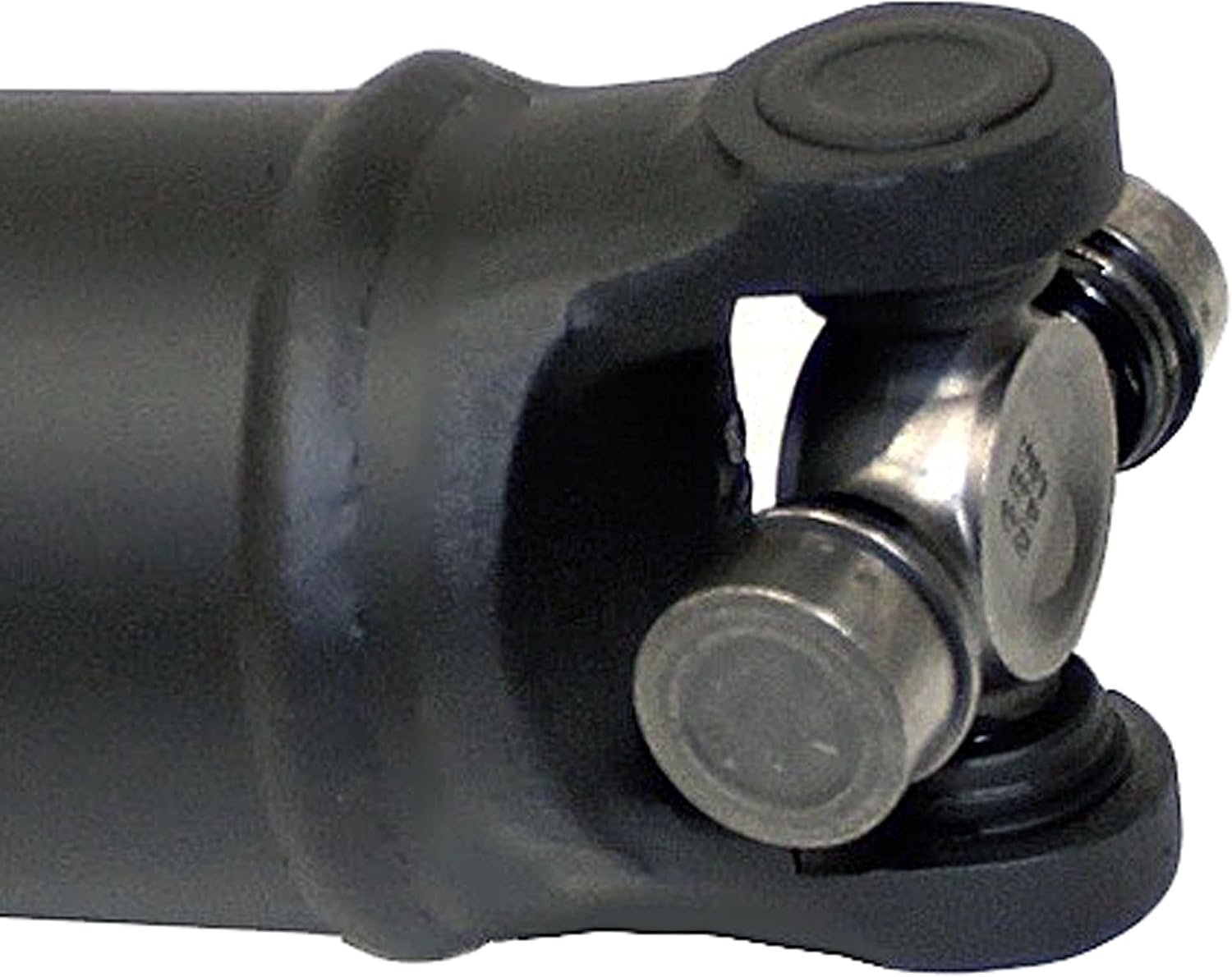
Image: A detailed view of the universal joint on the Dorman driveshaft, designed for serviceability.
Troubleshooting
Common issues related to driveshafts often manifest as vibrations or noises. Below are some general troubleshooting tips:
| Symptom | Possible Cause | Action |
|---|---|---|
| Vibration during acceleration | Worn universal joints, driveshaft imbalance, loose fasteners. | Inspect U-joints for play, check driveshaft balance, ensure fasteners are torqued correctly. |
| Clunking noise when shifting gears or accelerating | Excessive play in universal joints or slip yoke. | Inspect U-joints and slip yoke for wear; replace components as needed. |
| Squeaking or chirping noise at low speeds | Lack of lubrication in universal joints. | Lubricate U-joints if equipped with grease fittings. |
If troubleshooting steps do not resolve the issue, or if you are unsure about performing repairs, consult a certified automotive technician.
Specifications
- Manufacturer: Dorman Products
- Brand: Dorman
- Model: Dorman 946-042
- Item Weight: 23.6 pounds
- Product Dimensions: 65.5 x 7.75 x 7.5 inches
- Item Model Number: 946-042
- Manufacturer Part Number: 946-042
- OEM Part Number: 15183258
- Hollander Number: 431-05629
- ASIN: B078SWRV32
- Date First Available: January 5, 2018
- What's in the Box: 1 Driveshaft
Warranty and Support
The Dorman 946-042 Rear Drive Shaft is balance-checked and backed by a limited lifetime warranty, ensuring smooth operation and long-term reliability.
For additional support, product information, or to explore other Dorman products, please visit the official Dorman Store:
Visit the Dorman Store on Amazon
For specific technical inquiries or warranty claims, please refer to the contact information provided with your product packaging or on the official Dorman website.
Related documents946-042

Ask a question about this manual
Ask about setup, troubleshooting, compatibility, parts, safety, or missing instructions. Manuals+ will review the question and use this page’s manual context to help answer it.