
Hatteker RFC-690
Hatteker Professional Hair Clipper User Manual
Model: RFC-690
Introduction
Thank you for choosing the Hatteker Professional Hair Clipper. This cordless hair clipper is designed for precise and comfortable grooming, featuring a ceramic blade, waterproof design, and an LED display for convenience. This manual provides detailed instructions for the safe and effective use, maintenance, and troubleshooting of your new hair clipper.

Image: The Hatteker Professional Hair Clipper shown with its full set of accessories, including guide combs, charging stand, and cleaning brush.
Package Contents
Please verify that all items are present in your package:
- Hatteker Professional Hair Clipper (Model RFC-690)
- Six (6) Guide Combs (3mm, 4-6mm, 7-9mm, 10-12mm, 16-18mm, 22-24mm)
- Charging Stand
- USB Charging Cable
- Cleaning Brush
- User Manual (this document)
- Additional razor heads for beard and trimming
- Extra Lithium-ion Battery

Image: A complete view of the Hatteker Hair Clipper and all its components, including various guide combs, charging cable, and cleaning tools.
Product Features
The Hatteker Professional Hair Clipper is equipped with several advanced features for optimal performance:
- Ceramic Cutting Blade: Designed for smooth, irritation-free cutting, suitable for various hair types.
- Whole Body Waterproof: The clipper can be rinsed under running water for easy and thorough cleaning.
- Fine Adjustment Button: Allows for precise length adjustments from 0.5mm to 2.5mm.
- LED Indicating Light: A clear HD display shows battery percentage and charging status.
- USB Charging: Convenient charging via USB, compatible with various power sources.
- Long-lasting Lithium-ion Battery: Provides up to 2.5 hours of runtime after a 90-minute charge.

Image: A visual breakdown highlighting key features such as the ceramic blade, waterproof design, fine adjustment dial, LED display, USB charging port, and lithium battery.
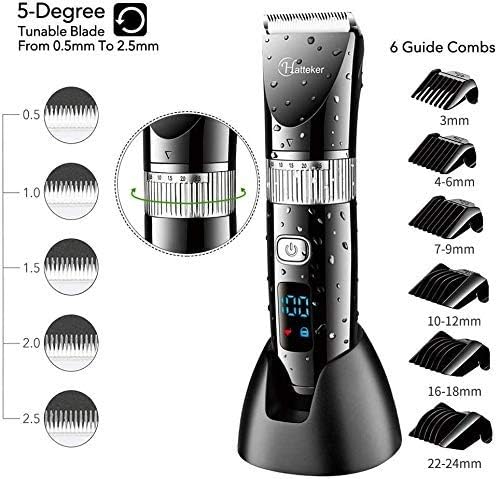
Image: The clipper head being rinsed under a faucet, demonstrating its 100% waterproof capability for easy cleaning.
Setup
1. Charging the Clipper
- Ensure the clipper is turned off before charging.
- Connect the USB charging cable to the charging port at the bottom of the clipper or to the charging stand.
- Plug the USB cable into a compatible USB power source (e.g., computer, laptop, USB charger, power bank).
- The LED display will show the battery percentage, indicating the charging progress. A full charge typically takes approximately 90 minutes.
- Once fully charged, the display will show 100%. Disconnect the clipper from the power source.
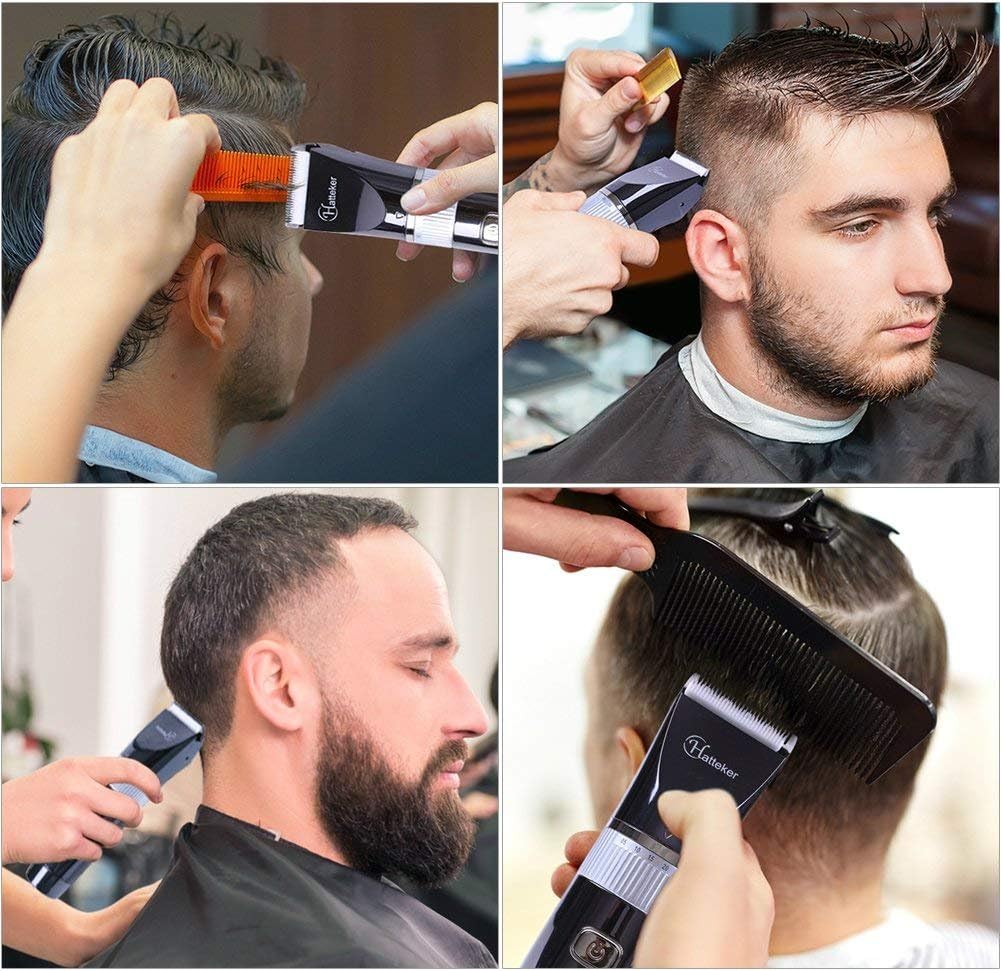
Image: The Hatteker Hair Clipper on its charging stand, illustrating the USB charging method and indicating a 90-minute full charge for 2.5 hours of work time.
2. Attaching Guide Combs
- Select the desired guide comb based on the cutting length required (e.g., 3mm, 4-6mm, etc.).
- Align the guide comb with the clipper blade and push it firmly until it clicks into place.
- To remove a guide comb, gently pull it away from the blade.
Operation
1. Turning On/Off
Press the power button located on the front of the clipper to turn it on or off. The LED display will illuminate when the clipper is active.
2. Adjusting Cutting Length
- Fine Adjustment: Use the rotatable ring below the blade to adjust the cutting length from 0.5mm to 2.5mm in 5-degree increments. This allows for precise trimming without a guide comb or for blending.
- Guide Combs: For longer lengths, attach one of the six provided guide combs. The comb length corresponds to the hair length after cutting.
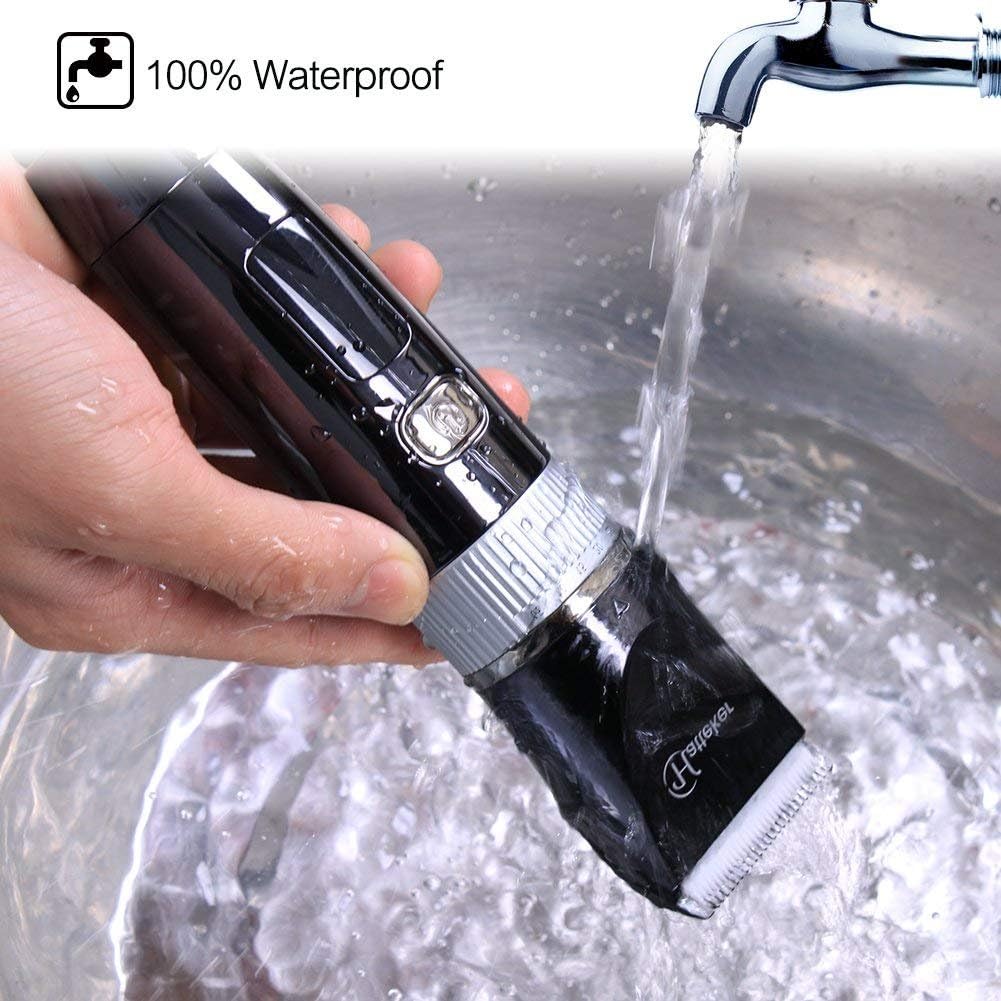
Image: The clipper demonstrating its 5-degree tunable blade for fine adjustments from 0.5mm to 2.5mm, alongside the six different guide combs (3mm, 4-6mm, 7-9mm, 10-12mm, 16-18mm, 22-24mm).
3. Hair Cutting Tips
- Ensure hair is clean and dry before cutting.
- For best results, comb hair in the direction of growth.
- Start with a longer guide comb and gradually reduce the length if desired.
- Move the clipper against the direction of hair growth for an even cut.
- Use smooth, overlapping strokes.
- For detailing and outlining, remove the guide comb and use the fine adjustment feature.

Image: Examples of the Hatteker Hair Clipper being used for various grooming tasks, including cutting hair on the head and trimming a beard.
Maintenance and Cleaning
Regular cleaning and maintenance will ensure the longevity and optimal performance of your Hatteker Hair Clipper.
1. Cleaning After Each Use
- Turn off the clipper and disconnect it from any power source.
- Remove the guide comb.
- Use the provided cleaning brush to remove loose hairs from the blade and clipper body.
- Since the clipper is whole body waterproof, you can rinse the blade head and the entire clipper under running water. Ensure water does not enter the charging port if not fully sealed.
- Shake off excess water and allow the clipper to air dry completely before storing or recharging.
Image: The clipper head being rinsed under a faucet, demonstrating its 100% waterproof capability for easy cleaning.
2. Blade Care
The ceramic blade is designed for durability. For optimal performance, it is recommended to periodically apply a small amount of clipper oil (not included) to the blades after cleaning, especially if the clipper feels less smooth during operation. Turn the clipper on for a few seconds to distribute the oil evenly.
Troubleshooting
If you encounter any issues with your Hatteker Professional Hair Clipper, please refer to the following common problems and solutions:
| Problem | Possible Cause | Solution |
|---|---|---|
| Clipper does not turn on. | Low battery or no charge. | Charge the clipper fully. Ensure the charging cable is properly connected to both the clipper and the power source. |
| Poor cutting performance or pulling hair. | Blades are dirty, dull, or not oiled. Hair is too thick or wet. | Clean the blades thoroughly. Apply clipper oil to the blades. Ensure hair is dry before cutting. Do not force the clipper through thick hair; take smaller sections. |
| Clipper makes unusual noise. | Blades are not properly aligned or need lubrication. | Clean and oil the blades. If the issue persists, ensure the blade head is securely attached. |
| LED display not working correctly. | Software glitch or internal issue. | Try fully discharging and then recharging the battery. If the problem persists, contact customer support. |
If the problem persists after attempting these solutions, please contact Hatteker customer support for further assistance.
Specifications
| Feature | Detail |
|---|---|
| Model Number | RFC-690 |
| Blade Material | Ceramic |
| Power Source | Battery Powered (Lithium-ion) |
| Charging Time | Approx. 90 minutes |
| Runtime | Up to 2.5 hours |
| Waterproof Rating | Whole Body Waterproof |
| Cutting Length Adjustment | 0.5mm - 2.5mm (fine adjustment), 3mm - 24mm (with guide combs) |
| Dimensions (L x W x H) | 6.8 x 15.7 x 22.7 cm |
| Item Weight | 520 Grams |
Warranty and Support
Hatteker products are manufactured with high-quality standards. For information regarding warranty coverage, returns, or technical support, please refer to the warranty card included in your package or contact the retailer from whom you purchased the product. You may also visit the official Hatteker website for further assistance.
Please retain your proof of purchase for any warranty claims.
Related documentsRFC-690


Ask a question about this manual
Ask about setup, troubleshooting, compatibility, parts, safety, or missing instructions. Manuals+ will review the question and use this page’s manual context to help answer it.