
XINBAOHONG S-04
XINBAOHONG S-04 Rechargeable Clip-on Selfie Ring Light User Manual
Model: S-04
1. Introduction
This manual provides comprehensive instructions for the XINBAOHONG S-04 Rechargeable Clip-on Selfie Ring Light. It covers product features, setup, operation, charging, maintenance, troubleshooting, and technical specifications. Please read this manual thoroughly before using the device to ensure proper function and longevity.
2. Product Overview
2.1 Package Contents
- 1 x XINBAOHONG S-04 LED Fill Light
- 1 x Micro USB Charging Cable
2.2 Key Features
- Uniform Illumination: High diffusion light mask with dense multi-source LED distribution provides even and soft fill light.
- Adjustable Brightness: Features 3 distinct white light brightness modes (Low, Normal, High).
- Rechargeable Battery: Built-in rechargeable lithium-ion battery eliminates the need for disposable batteries.
- User-Friendly Design: Silicone gel padding protects devices from scratches. Maximum clip thickness of 18mm.
- Versatile Application: Suitable for selfies, video calls, makeup application, reading, camping, and as a general flash light.
2.3 Product Components

Image 1: Overview of the XINBAOHONG S-04 Selfie Ring Light components. This image highlights the Micro USB charging port, the function button for power and brightness control, the built-in charging indicator light, and the mini silicone gel pads designed for device protection.
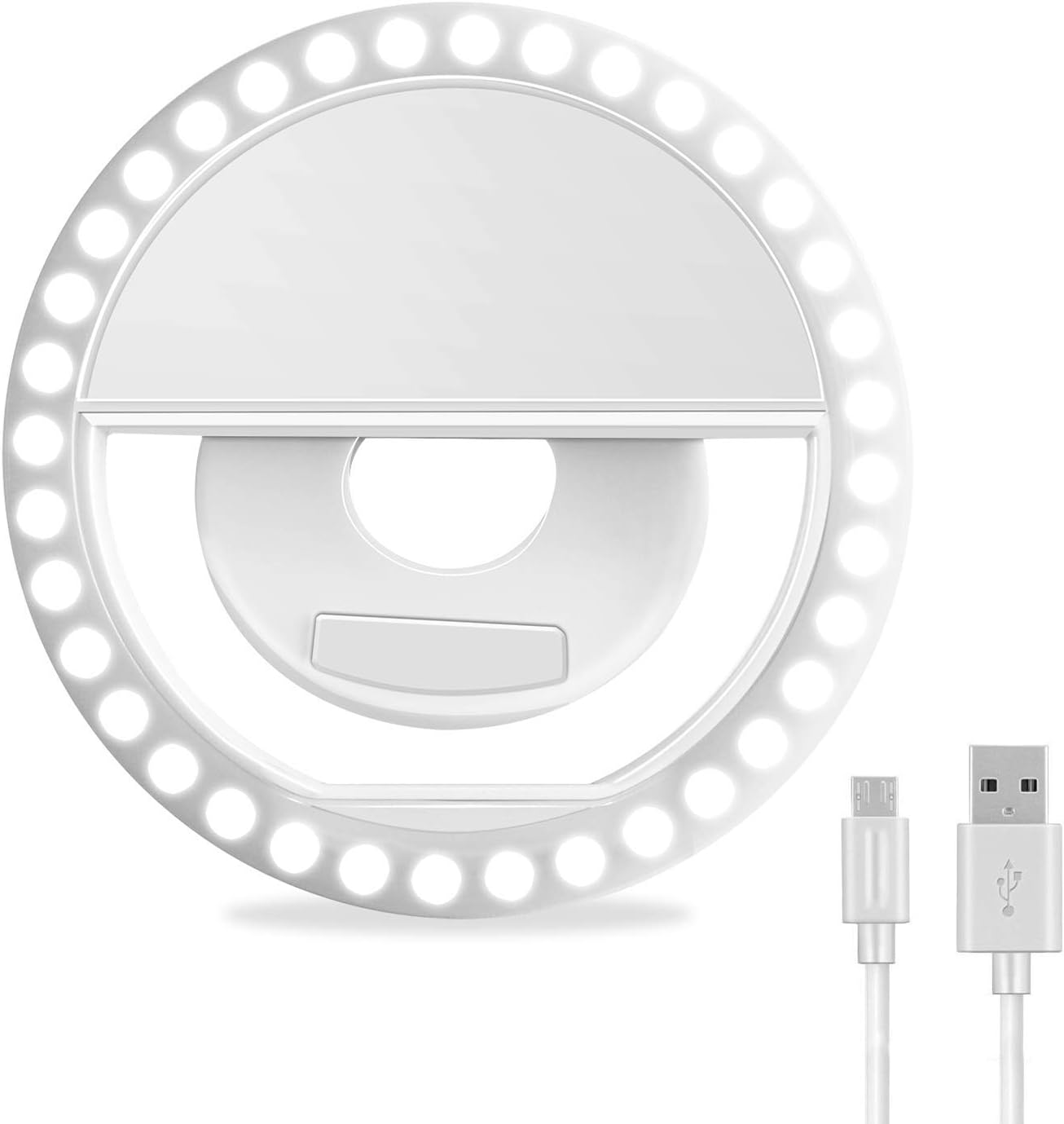
Image 2: Front view of the XINBAOHONG S-04 Selfie Ring Light, showcasing its circular LED arrangement and central clipping mechanism.
3. Setup
The XINBAOHONG S-04 is designed for easy attachment to various devices.
- Charge the Device: Before first use, fully charge the selfie ring light using the provided Micro USB cable. Refer to Section 4.3 for charging instructions.
- Attach to Device: Gently open the clip and attach the ring light to the top edge of your smartphone, tablet, laptop, or other compatible device. Ensure the silicone pads are in contact with your device to prevent scratches. The maximum compatible thickness for clipping is 18mm (0.7 inches).

Image 3: Demonstrates how to clip the XINBAOHONG S-04 onto a smartphone, highlighting the maximum compatible thickness.

Image 4: The XINBAOHONG S-04 clipped onto a smartphone, iPad, and MacBook, illustrating its versatility across different devices.
4. Operating Instructions
4.1 Power On/Off
Locate the function button on the top of the ring light (refer to Image 1).
- To power on the device, press the function button once. The light will turn on at the lowest brightness setting.
- To power off the device, cycle through all brightness settings until the light turns off, or press and hold the button for a few seconds.
4.2 Adjusting Brightness
The XINBAOHONG S-04 offers three levels of white light brightness.
- After powering on, press the function button repeatedly to cycle through the brightness levels:
- Low Brightness
- Normal Brightness
- High Brightness
- After the highest brightness setting, pressing the button again will turn the light off.

Image 5: Visual comparison demonstrating the effect of different brightness levels (Low, Medium, High White Light) provided by the selfie ring light, alongside a "Before" image without the light.
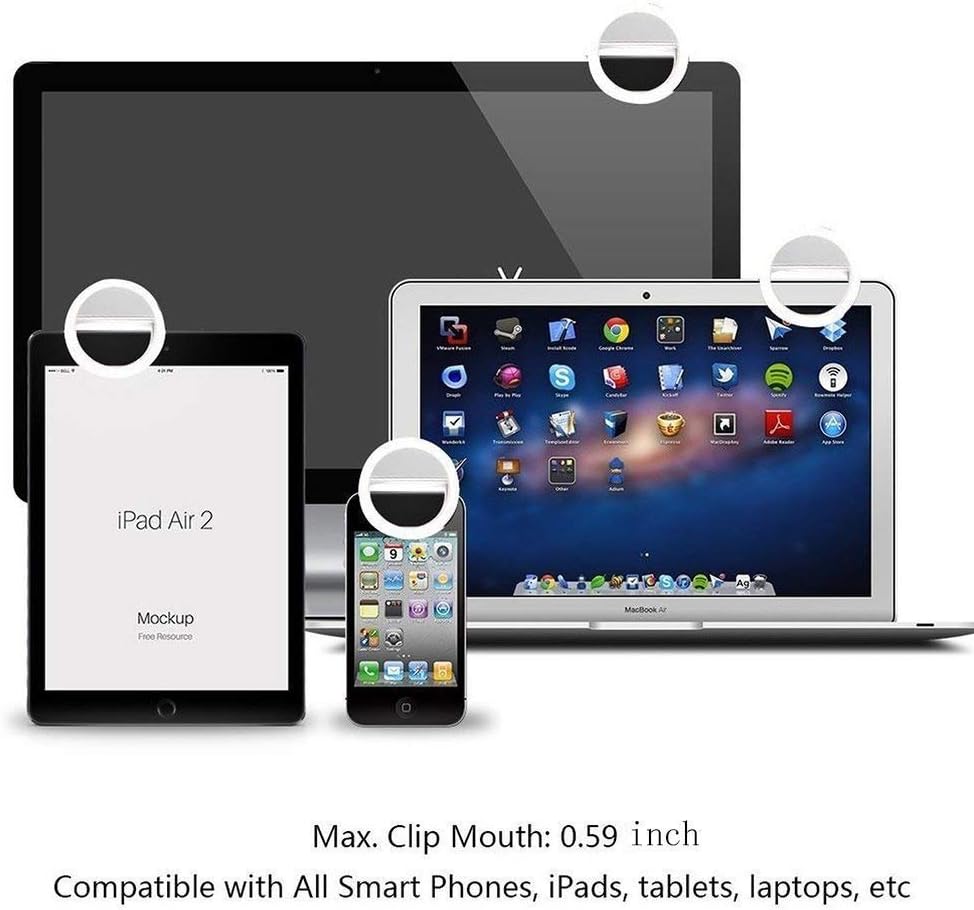
Image 6: A visual representation of the three distinct brightness levels (Level 1, Level 2, Level 3) available on the XINBAOHONG S-04, compared to "No Light."
4.3 Charging the Device
The selfie ring light is equipped with a built-in rechargeable lithium-ion battery.
- Connect the Micro USB end of the provided charging cable to the Micro USB charging port on the ring light (refer to Image 1).
- Connect the standard USB end of the cable to a compatible USB power source (e.g., computer USB port, USB wall adapter, power bank).
- The built-in charging indicator light will illuminate during charging. It will typically change color or turn off once charging is complete.
- A full charge provides approximately 45 minutes of continuous use at high brightness.
5. Maintenance
- Cleaning: Wipe the device with a soft, dry cloth. Do not use abrasive cleaners or solvents.
- Storage: Store the device in a cool, dry place away from direct sunlight and extreme temperatures.
- Battery Care: To prolong battery life, avoid fully discharging the battery frequently. Charge the device regularly, even if not in use, to maintain battery health.
- Handling: Avoid dropping the device or subjecting it to strong impacts.
6. Troubleshooting
| Problem | Possible Cause | Solution |
|---|---|---|
| Light does not turn on. | Battery is depleted. | Charge the device using the provided USB cable. |
| Light is not bright enough. | Incorrect brightness setting. | Press the function button to cycle through the 3 brightness levels until desired illumination is reached. |
| Device does not charge. | Faulty cable or power source. | Ensure the USB cable is securely connected. Try a different USB cable or power source. |
| Light flickers or turns off unexpectedly. | Low battery. | Recharge the device. |
7. Specifications
- Model: S-04
- Brand: XINBAOHONG
- Color: White
- Light Source: 36 LED
- Color Temperature: 6000K (High White Light)
- Battery Type: Lithium-ion (Rechargeable)
- Charging Interface: Micro USB
- Maximum Clip Thickness: 18mm (0.7 inches)
- Product Dimensions (L x W x H): 8.5 x 8.5 x 3 cm (3.35 x 3.35 x 1.18 inches)
- Product Weight: Approximately 50 grams
- Compatible Devices: iPhone, Android smartphones, tablets, laptops, etc.
8. Warranty and Support
Information regarding specific warranty terms and customer support for the XINBAOHONG S-04 is not available in the provided product details. For warranty claims or technical assistance, please refer to the retailer or the official XINBAOHONG website if available.
Ask a question about this manual
Ask about setup, troubleshooting, compatibility, parts, safety, or missing instructions. Manuals+ will review the question and use this page’s manual context to help answer it.