
Introduction
This manual provides essential instructions for the safe and effective use of your UpBright 15V AC/DC Adapter. This power supply is designed to provide reliable power to compatible devices, such as the Polk Audio DSB1, DSB2, AM9114-A, MagniFi Mini Sound Bar, and SB225 Soundbar systems. It features built-in safety protections including Over Voltage Protection (OVP), Over Current Protection (OCP), and Short Circuit Protection (SCP) to ensure safe operation.
Setup Instructions
- Unpack the Adapter: Carefully remove the UpBright AC/DC adapter and its power cord from the packaging. Inspect for any visible damage.
- Connect the AC Power Cord: Connect the detachable AC power cord to the adapter's input port. Ensure the connection is firm.
- Plug into Power Outlet: Insert the AC power cord plug into a standard wall outlet (100-240VAC, 50/60Hz). The adapter is designed for worldwide input voltage compatibility.
- Connect to Device: Plug the barrel connector of the adapter's DC output cable into the corresponding power input port on your compatible Polk Audio soundbar or other device. Ensure the connection is secure.
The UpBright AC/DC adapter is shown plugged into a standard wall outlet, ready to provide power to a compatible device.

This image illustrates different types of AC power cords (US, EU, UK, AU) that may be supplied with the adapter to suit various country/area requirements.
Operating Instructions
Once the adapter is correctly connected to both the power outlet and your device, the device should power on as usual. The adapter operates automatically to provide the necessary power. No further user interaction is typically required for the adapter itself during operation.
- Ensure the adapter is placed in a well-ventilated area to prevent overheating.
- Avoid covering the adapter during use.
- The adapter is designed for indoor use only.

The product label on the UpBright AC/DC adapter displays input (100-240VAC) and output (15VDC) specifications, safety certifications, and indoor use caution.
Maintenance
- Cleaning: Always unplug the adapter from both the wall outlet and your device before cleaning. Use a dry, soft cloth to wipe the exterior. Do not use liquid cleaners or solvents.
- Storage: When not in use, store the adapter in a cool, dry place away from direct sunlight and moisture. Avoid tightly winding the cables to prevent damage.
- Cable Care: Regularly inspect the power cords for any signs of fraying, cuts, or damage. Do not use the adapter if the cables are damaged.
- Battery Note: If your device uses rechargeable batteries, please note that the average battery lasts 1 to 3 years. An old or faulty battery may not accept a charge, which is a device issue, not an adapter malfunction.
Troubleshooting
- Device Not Powering On:
- Ensure all connections (AC cord to adapter, adapter to wall, adapter to device) are secure.
- Verify the wall outlet is functional by testing it with another appliance.
- Confirm the adapter's specifications match your device's power requirements.
- Loose Connection: If the adapter plug feels loose in your device's port, ensure it is fully inserted. If the issue persists, the device's port or the adapter's barrel connector may be worn.
- Adapter Feels Hot: It is normal for the adapter to feel warm during operation. If it becomes excessively hot or emits a burning smell, immediately unplug it and discontinue use.

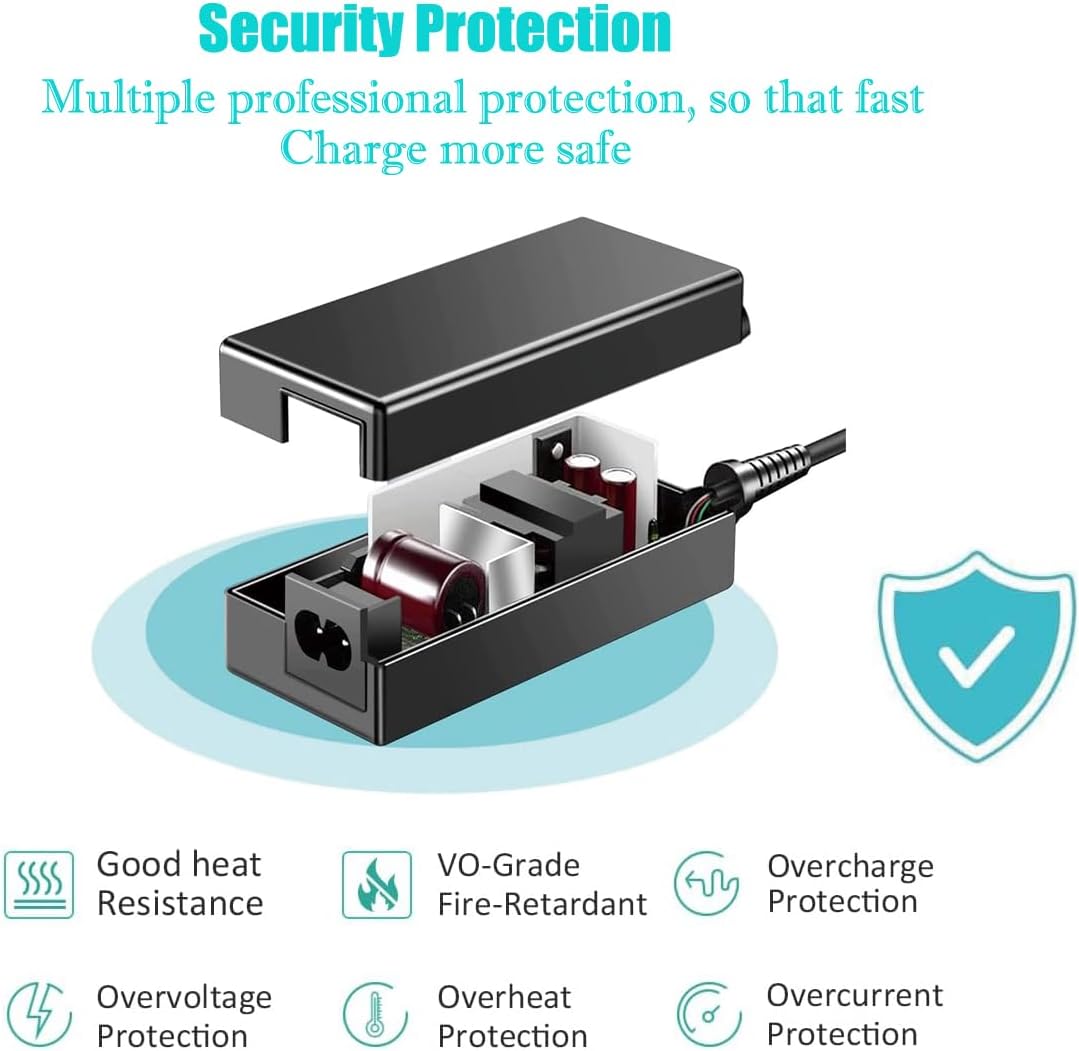
An exploded view of the adapter's internal components highlights its safety features, including good heat resistance, VO-grade fire-retardant materials, and protection against overcharge, overvoltage, overheat, and overcurrent.
Specifications
| Feature | Detail |
|---|---|
| Model Number | ZB-A150025 |
| Input Voltage | 100-240VAC, 50/60Hz |
| Output Voltage | 15VDC |
| Output Current | 2.5A - 3A |
| Protection Features | OVP (Over Voltage Protection), OCP (Over Current Protection), SCP (Short Circuit Protection) |
| Dimensions | 6 x 3 x 2 inches |
| Item Weight | 6.4 ounces (0.18 Kilograms) |
| Material | Plastic, Rubber |
| Connector Type | Barrel Connector |
| Color | Black |
| Compatibility | Polk Audio DSB1, DSB2, AM9114-A, MagniFi Mini Sound Bar, SB225 Soundbar |
Warranty Information
The UpBright AC/DC Adapter comes with a 30-day refund policy and a 24-month exchange warranty. Please retain your proof of purchase for warranty claims.
For detailed terms and conditions, refer to any included warranty certificate or contact UpBright customer support.
Support
If you encounter any issues or have questions regarding your UpBright 15V AC/DC Adapter that are not covered in this manual, please contact UpBright customer support. Refer to the product packaging or the seller's information for specific contact details.