
GhostBed 17AN4039
GhostBed Adjustable Bed Frame Base User Manual
Model: 17AN4039
Brand: GhostBed
Introduction
Welcome to the GhostBed Adjustable Bed Frame Base user manual. This guide provides detailed instructions for the assembly, operation, maintenance, and troubleshooting of your new adjustable bed base. Designed for ultimate comfort and support, your GhostBed adjustable base offers a range of features to enhance your sleep experience, including zero gravity positioning, massage functions, and convenient USB charging ports. Please read this manual thoroughly before setup and operation to ensure safe and optimal performance.
Product Features
The GhostBed Adjustable Bed Frame Base is engineered with advanced features to provide a personalized and restorative sleep environment:
- Personalized Comfort: Elevate your head and/or feet to your preferred position, or select from various pre-set positions for lounging, reading, or watching TV.
- Zero Gravity Setting: Experience a weightless sensation with a single touch, promoting ultimate relaxation and pressure relief.
- Interactive Massage Units: Enjoy 5-mode interactive massage units with adjustable intensity, perfect for soothing aches and pains.
- Health Benefits: Find optimal sleeping positions to help reduce snoring, alleviate acid reflux, and improve circulation.
- Convenient USB Ports: Two USB ports are located on each side of the base for easy charging of your devices.
- Under-Bed LED Lighting: Soft illumination for easy navigation in the dark.
- Wireless Backlit Remote: Intuitive control with a backlit remote for easy adjustments, even in low light.
- Multiple Height Options: Features 3-piece legs allowing you to select your preferred height, up to 12 inches.
- Anti-Skid Fabric & Retainer Bar: Ensures your mattress stays securely in place.

Image: Overview of the GhostBed Adjustable Bed Frame Base highlighting its key features including massage, preset positions, USB ports, and LED lighting.

Image: Benefits of using the GhostBed Adjustable Bed Frame Base, including relief from acid reflux, reduced snoring, and alleviation of insomnia.
What's Included
Your GhostBed Adjustable Bed Frame Base package includes the following components:
- Twin XL Adjustable Base (pre-assembled)
- Wireless Remote Control
- Legs (3-piece for adjustable height)
- Power Cord and Adapter
- Retainer Bar
- AAA Batteries for Remote (2 required)
Note: Mattress is not included with the adjustable base.
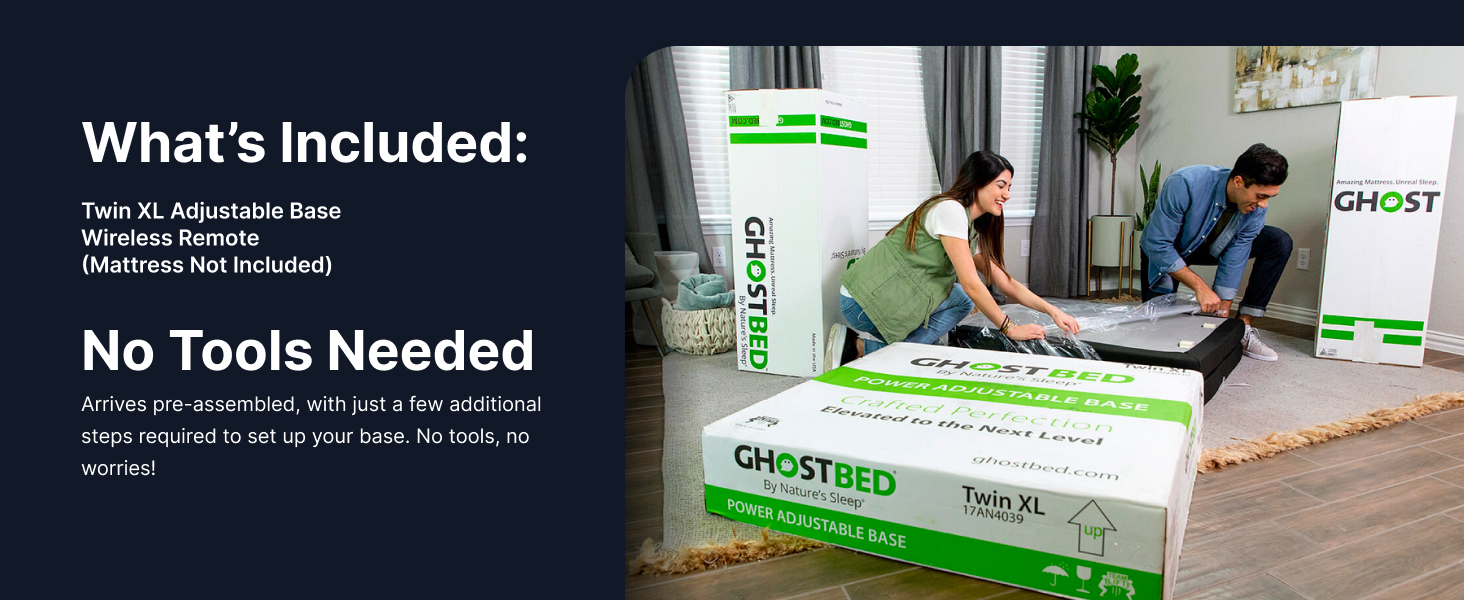
Image: The GhostBed Adjustable Bed Frame Base arrives pre-assembled, requiring minimal setup.
Setup Instructions
Your GhostBed Adjustable Bed Frame Base is designed for easy setup with no tools required for most steps. It arrives largely pre-assembled.
1. Unpacking
- Carefully remove the adjustable base and all components from the packaging.
- Place the base upside down on a clean, flat surface to access the leg attachment points and power connections.
2. Attaching Legs
- Locate the legs and screw them into the designated threaded holes on the underside of the base.
- The legs are 3-piece, allowing you to adjust the overall height of the bed base. Assemble them to your desired height before attaching to the base.
- Ensure all legs are securely tightened.
3. Connecting Power
- Connect the power cord to the control box located underneath the base.
- Plug the power adapter into a grounded electrical outlet.
4. Remote Pairing (Initial Setup)
- Insert the two AAA batteries into the wireless remote control.
- The remote should automatically pair with the base. If not, refer to the troubleshooting section for manual pairing instructions.
5. Positioning the Base
- Carefully flip the bed base over and place it in your desired location.
- Place your mattress on top of the adjustable base. The anti-skid fabric and retainer bar will help keep the mattress in place.

Image: The GhostBed Adjustable Bed Frame Base ready for use in a bedroom.

Image: Detailed dimensions of the Twin XL GhostBed Adjustable Bed Frame Base.
Operating Instructions
Your GhostBed Adjustable Bed Frame Base is controlled by a user-friendly wireless remote. Familiarize yourself with the remote's functions for optimal use.
Wireless Remote Overview
The remote allows you to adjust the head and foot sections independently, activate massage functions, and select pre-programmed positions.
- Head Up/Down Buttons: Adjust the head section of the bed.
- Foot Up/Down Buttons: Adjust the foot section of the bed.
- Flat Button: Returns the bed to a completely flat position.
- Zero Gravity (ZG) Preset: Elevates both head and foot to a position that mimics weightlessness, reducing pressure on the body.
- Anti-Snore Preset: Slightly elevates the head to open airways and reduce snoring.
- Lounge Preset: Positions the bed for comfortable reading or watching TV.
- Memory Preset (M): Allows you to save your favorite custom position for quick recall. To save a position, adjust the bed to your desired setting, then press and hold the 'M' button until the bed beeps or lights flash.
- Massage Buttons: Activate and cycle through 5 massage modes and 3 intensity levels for both head and foot sections. Includes a timer function.
- Under-Bed Light Button: Turns the integrated LED under-bed lighting on or off.

Image: The Zero Gravity preset position, designed to reduce pressure on muscles and joints.
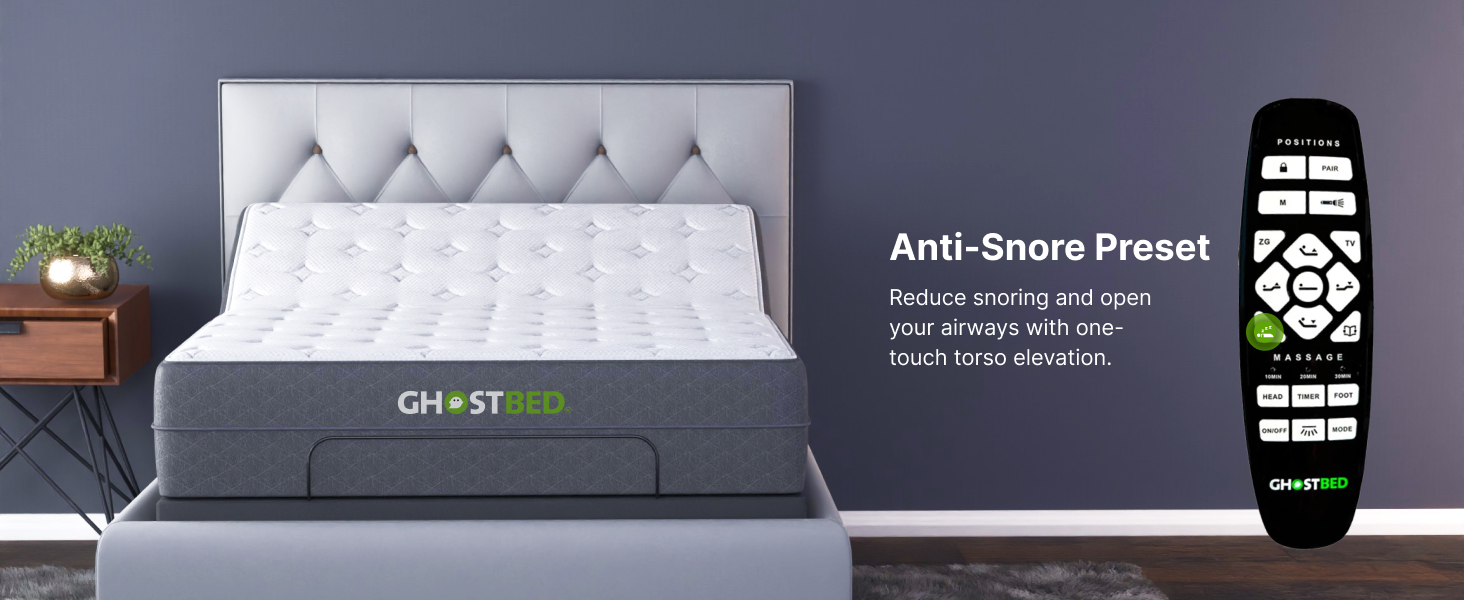
Image: The Anti-Snore preset position, which gently elevates the torso to open airways.

Image: The Lounge preset position, ideal for reading or relaxing.

Image: Customize and save your favorite position using the Memory Preset function.

Image: Enjoy dual head and foot massage settings with 5 modes and 3 intensities.
USB Ports
Two USB charging ports are conveniently located on each side of the bed base. Use these to charge your mobile devices while you relax or sleep.
Under-Bed LED Lights
Press the dedicated button on your remote to activate the soft LED lighting under the bed. This provides gentle illumination for safety and convenience during nighttime.
Maintenance
Care and Cleaning
- General Cleaning: Wipe the bed frame with a damp cloth to remove dust and dirt. Avoid using harsh chemicals or abrasive cleaners, as they may damage the finish.
- Fabric Care: For the fabric portions, spot clean with a mild detergent and water solution. Blot dry thoroughly.
- Electrical Components: Ensure the power cord and control box are free from dust and debris. Do not attempt to open or service the electrical components yourself.
- Regular Inspection: Periodically check all connections and fasteners to ensure they are secure.
Troubleshooting
If you encounter any issues with your GhostBed Adjustable Bed Frame Base, please refer to the following common problems and solutions:
| Problem | Possible Cause | Solution |
|---|---|---|
| Bed does not operate / No power | Power cord unplugged; Circuit breaker tripped; Remote batteries dead. | Ensure power cord is securely plugged into outlet and base. Check household circuit breaker. Replace remote batteries. |
| Remote not responding | Remote not paired; Batteries low/dead; Obstruction between remote and base. | Replace batteries. Ensure no obstructions. To re-pair, unplug base for 30 seconds, plug back in, then press and hold the 'Pair' button on the remote (if available, or a combination like 'Head Up' and 'Foot Down' simultaneously) until the base responds. |
| Motor runs but no movement | Obstruction under bed; Mechanism jammed. | Check for any objects obstructing the movement of the bed mechanism. Ensure the bed is not pushed against a wall or furniture. |
| Massage function not working | Massage unit unplugged; Overheating. | Check connections to massage units under the bed. Allow unit to cool down if it has been running continuously for an extended period. |
If the problem persists after attempting these solutions, please contact GhostBed Customer Support.
Specifications
Detailed technical specifications for your GhostBed Adjustable Bed Frame Base:
| Feature | Detail |
|---|---|
| Size | Twin XL |
| Product Dimensions (L x W x H) | 79"L x 37"W x 14"H |
| Item Weight | 100 Pounds |
| Color | Grey |
| Special Feature | Adjustable, Zero Gravity, Massage, USB Ports, Under-Bed LED Lights |
| Included Components | Adjustable Base, Wireless Remote |
| Finish Type | Matte, Metallic |
| Ground To Item Distance | 14 Inches (adjustable with 3-piece legs) |
| Model Number | 17AN4039 |
| UPC | 810000333622 |
| Batteries Required | 2 AAA batteries (for remote) |
| Date First Available | December 27, 2017 |
Warranty and Support
Warranty Information
GhostBed products are backed by a manufacturer's warranty. Please refer to the warranty card included with your purchase or visit the official GhostBed website for specific warranty terms and conditions. Generally, the adjustable base comes with a limited warranty covering manufacturing defects.
Returns and Customer Support
This product is eligible for 30-day easy returns. For any questions, technical assistance, or warranty claims, please contact GhostBed Customer Support:
- Online: Visit the GhostBed official website for support resources and contact forms.
- Phone: Refer to the contact information provided on your purchase documentation or the GhostBed website.
When contacting support, please have your model number (17AN4039) and proof of purchase readily available.
Related documents17AN4039


Ask a question about this manual
Ask about setup, troubleshooting, compatibility, parts, safety, or missing instructions. Manuals+ will review the question and use this page’s manual context to help answer it.