
Jaybird 985-000700
Jaybird Freedom Special Edition Wireless In-Ear Headphones
Model: 985-000700
Introduction
The Jaybird Freedom Special Edition wireless in-ear headphones are designed for active lifestyles, offering a secure and comfortable fit with high-quality audio. These Bluetooth earbuds are sweat-proof and water-resistant, making them ideal for sports and fitness activities. With an innovative on-the-go charging clip, they provide extended battery life for all-day use.
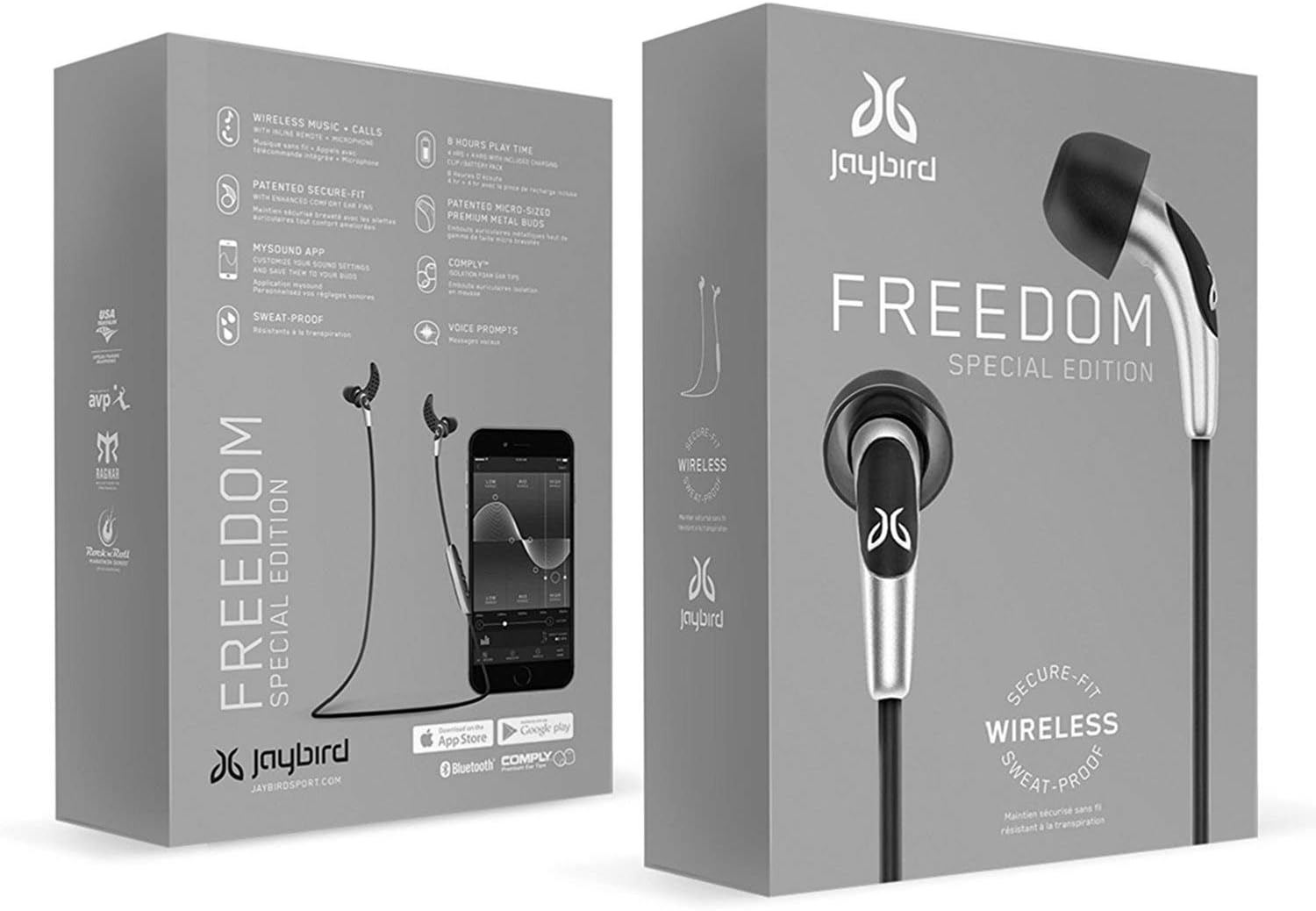
Image: Jaybird Freedom Special Edition headphones in their retail packaging, showcasing the sleek design and branding.
Package Contents
Before you begin, ensure all components are present in your package:
- Jaybird Freedom Bluetooth earbuds
- 3 sizes of silicone ear tips
- 3 sizes of secure-fit ear fins
- 3 sizes of Comply foam eartips (sport)
- Cord clip
- Cord management clips
- USB 2.0 charging cable
- Carrying pouch
- Charge clip

Image: All components included with the Jaybird Freedom Special Edition headphones, laid out clearly, including various ear tips, fins, charging clip, and carrying pouch.
Setup
1. Initial Charging
Before first use, fully charge your Jaybird Freedom headphones. Connect the USB charging cable to the charge clip, then attach the headphones to the charge clip. Plug the USB cable into a power source. A full charge takes approximately 2.5 hours. The headphones offer 4 hours of playback, with an additional 4 hours provided by the portable charge clip, totaling 8 hours of on-the-go battery life.
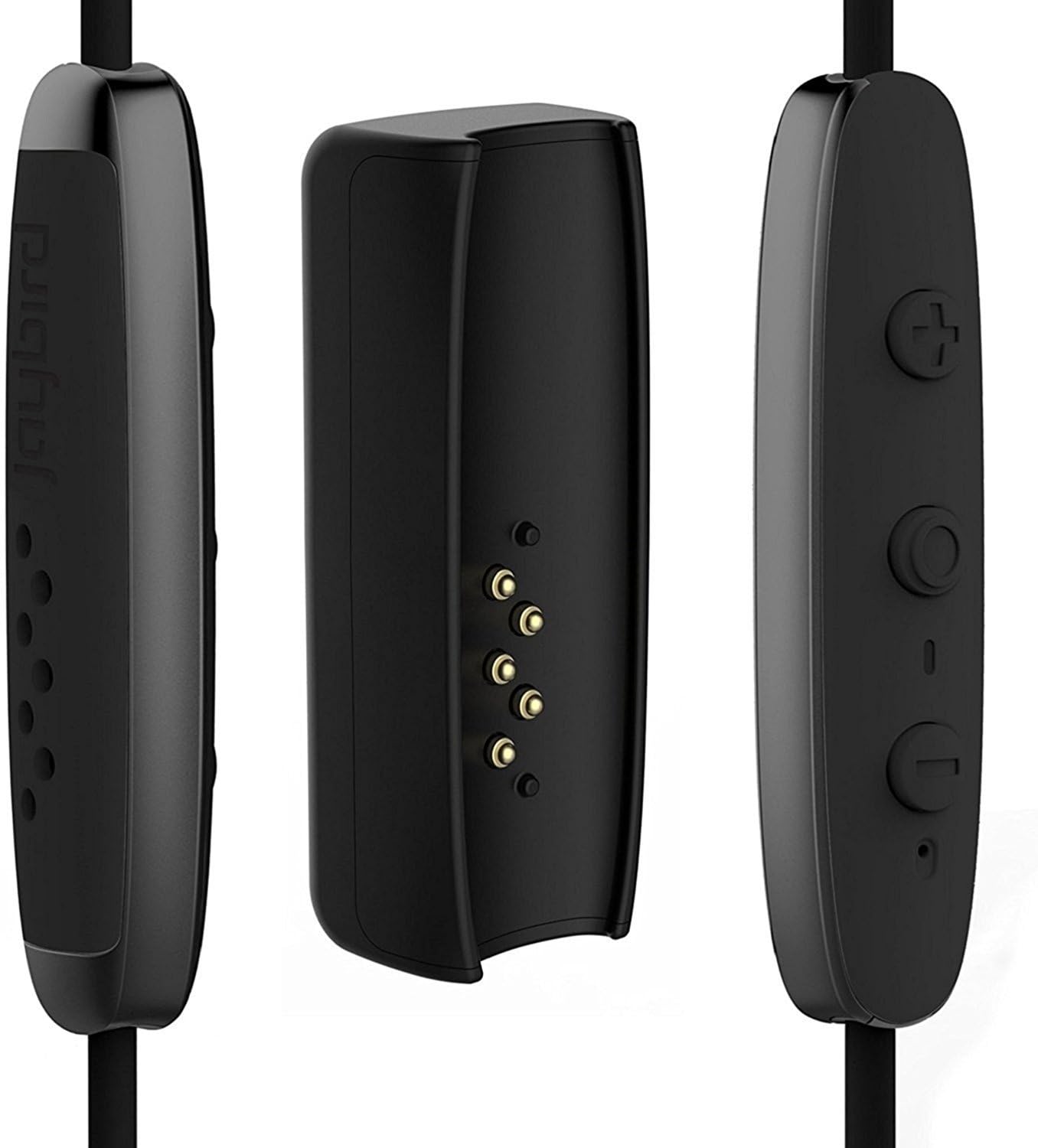
Image: Close-up view of the Jaybird Freedom charging clip, showing the connection points for the earbuds and the USB charging port.
2. Pairing with Your Device
- Ensure your headphones are charged and turned off.
- Press and hold the power button on the inline remote until the LED indicator flashes red and green, indicating pairing mode.
- On your smartphone, PC, or tablet, navigate to the Bluetooth settings.
- Select "Jaybird Freedom" from the list of available devices.
- Once connected, the LED indicator will turn solid blue.
3. Finding Your Perfect Fit
The Jaybird Freedom comes with various sizes of silicone ear tips, secure-fit ear fins, and Comply foam eartips to ensure a comfortable and secure fit for different ear shapes. Experiment with different combinations to find the best seal and stability, especially for active use. The patented ear fins help keep the earbuds firmly in place during movement.

Image: Close-up of the Jaybird Freedom Special Edition earbuds, highlighting the ear tips and secure-fit fins designed for comfort and stability.
4. Jaybird MySound App
Download the Jaybird MySound app from your device's app store (iOS/Android). This app allows you to customize the sound profile of your headphones, adjust equalizer settings, and save personalized presets. It also provides battery status updates and firmware updates for optimal performance.

Image: A smartphone displaying the Jaybird MySound app interface, showing sound customization options, with the Jaybird Freedom earbuds connected.
Operating Instructions
Basic Controls
| Button/Action | Function |
|---|---|
| Power Button (Center) | Press and hold to Power On/Off. Press once to Play/Pause music or Answer/End calls. |
| Volume Up (+) | Press once to increase volume. Press and hold to skip to next track. |
| Volume Down (-) | Press once to decrease volume. Press and hold to skip to previous track. |
Battery Management
The headphones provide voice prompts for battery level. When the battery drops to 20%, you will receive a warning, and at 10%, a prompt to recharge. The included charge clip allows you to extend your listening time by an additional 4 hours, and you can continue listening while the clip is attached and charging.
Sweat-Proof and Water-Resistant Design
The Jaybird Freedom headphones feature a double nano-coating that protects them from sweat and light splashes, making them suitable for intense workouts and outdoor activities. While they are water-resistant, they are not designed for submersion in water.

Image: A man wearing Jaybird Freedom earbuds, demonstrating their sweat-proof and water-resistant capabilities during a physical activity.

Image: Two individuals running on a trail, both wearing Jaybird Freedom earbuds, illustrating their suitability for active use.
Maintenance
- Cleaning: Regularly clean the ear tips and ear fins with a soft, damp cloth. Ensure the charging contacts on the earbuds and clip are free of debris.
- Storage: When not in use, store the headphones in the provided carrying pouch to protect them from dust and damage.
- Water Resistance: While water-resistant, avoid exposing the headphones to excessive moisture or submerging them. If they get wet, wipe them dry thoroughly before charging or storing.
Troubleshooting
| Problem | Possible Solution |
|---|---|
| Headphones not turning on/charging | Ensure the charging cable and clip are securely connected. Try a different USB port or power adapter. Allow sufficient time for charging (2.5 hours). |
| Cannot pair with device | Ensure headphones are in pairing mode (flashing red/green LED). Turn off and on Bluetooth on your device. Forget "Jaybird Freedom" from your device's Bluetooth list and try pairing again. Move closer to your device. |
| Poor sound quality or intermittent connection | Ensure headphones are fully charged. Reduce distance between headphones and device. Avoid obstacles between them. Check for interference from other wireless devices. Adjust sound settings in the Jaybird MySound app. |
| Earbuds do not stay in ear | Experiment with different sizes of ear tips and secure-fit ear fins provided. Ensure the ear fins are correctly oriented and tucked into the ear's concha. |
Specifications
- Brand: Jaybird
- Model Number: 985-000700
- Connectivity: Wireless Bluetooth
- Ear Placement: In-Ear
- Form Factor: In-Ear
- Battery Composition: Lithium-polymer
- Battery Life: Up to 8 hours (4 hours earbuds + 4 hours with charge clip)
- Charge Time: Approximately 2.5 hours
- Water Resistance Level: Water-repellent (Hydrofuge)
- Frequency Range: 20 Hz - 20,000 Hz
- Compatible Devices: Smartphones, PC, Tablet, Mac
- Control Type: Media Control
- Special Features: Wireless, Sweat-proof, Custom Sound via MySound App
Warranty and Support
The Jaybird Freedom Special Edition headphones come with a 2-year manufacturer's guarantee. For product support, troubleshooting assistance, or warranty claims, please visit the official Jaybird website or contact their customer service. Keep your proof of purchase for warranty validation.
For the latest information and support resources, please refer to the official Jaybird support page: jaybirdsport.com/support
Ask a question about this manual
Ask about setup, troubleshooting, compatibility, parts, safety, or missing instructions. Manuals+ will review the question and use this page’s manual context to help answer it.