
1. Introduction
This manual provides comprehensive instructions for the safe and effective use of your We R Memory Keepers Trim and Score Board. This versatile tool is designed for various paper crafting projects, offering both precise trimming and scoring functionalities. Please read this manual thoroughly before initial use and retain it for future reference.

Image 1.1: The We R Memory Keepers Trim and Score Board, showcasing its compact design and integrated tools.
2. Safety Information
- Sharp Blades: The trimming blade is extremely sharp. Exercise caution when handling, replacing, or cleaning the blade. Keep fingers clear of the cutting path.
- Adult Supervision: This product is not a toy. Keep out of reach of children. Adult supervision is recommended for younger users.
- Stable Surface: Always use the board on a flat, stable surface to prevent accidental movement during operation.
- Proper Storage: When not in use, fold the board and store it in a safe place to protect the blade and prevent injury.
3. Package Contents
Verify that all items are present in your package:
- Foldable 12 x 12-inch Trim and Score Board
- Detachable Scoring Tool
- Paper Trimmer (integrated with the board)
- Two Titanium Blades (one pre-installed, one spare)

Image 3.1: The Trim and Score Board as it appears in its retail packaging, indicating included components.
4. Product Features
- Dual Functionality: Combines paper trimming and scoring into one tool.
- Large Work Area: Provides a 12 x 12-inch surface when unfolded.
- Integrated Measurements: Features measurements in both inches and centimeters for precise work.
- Foldable Design: Allows for compact storage when not in use.
- Replaceable Blades: Uses V3 side blades for easy replacement.
5. Setup
- Unfold the Board: Gently unfold the Trim and Score Board until it lies flat, creating a 12x12 inch work surface. Ensure the locking mechanism (if present) is engaged to keep the board stable.
- Identify Components: Locate the scoring tool, which is typically stored in a designated slot on the board. The paper trimmer with its blade carriage is integrated along one edge.
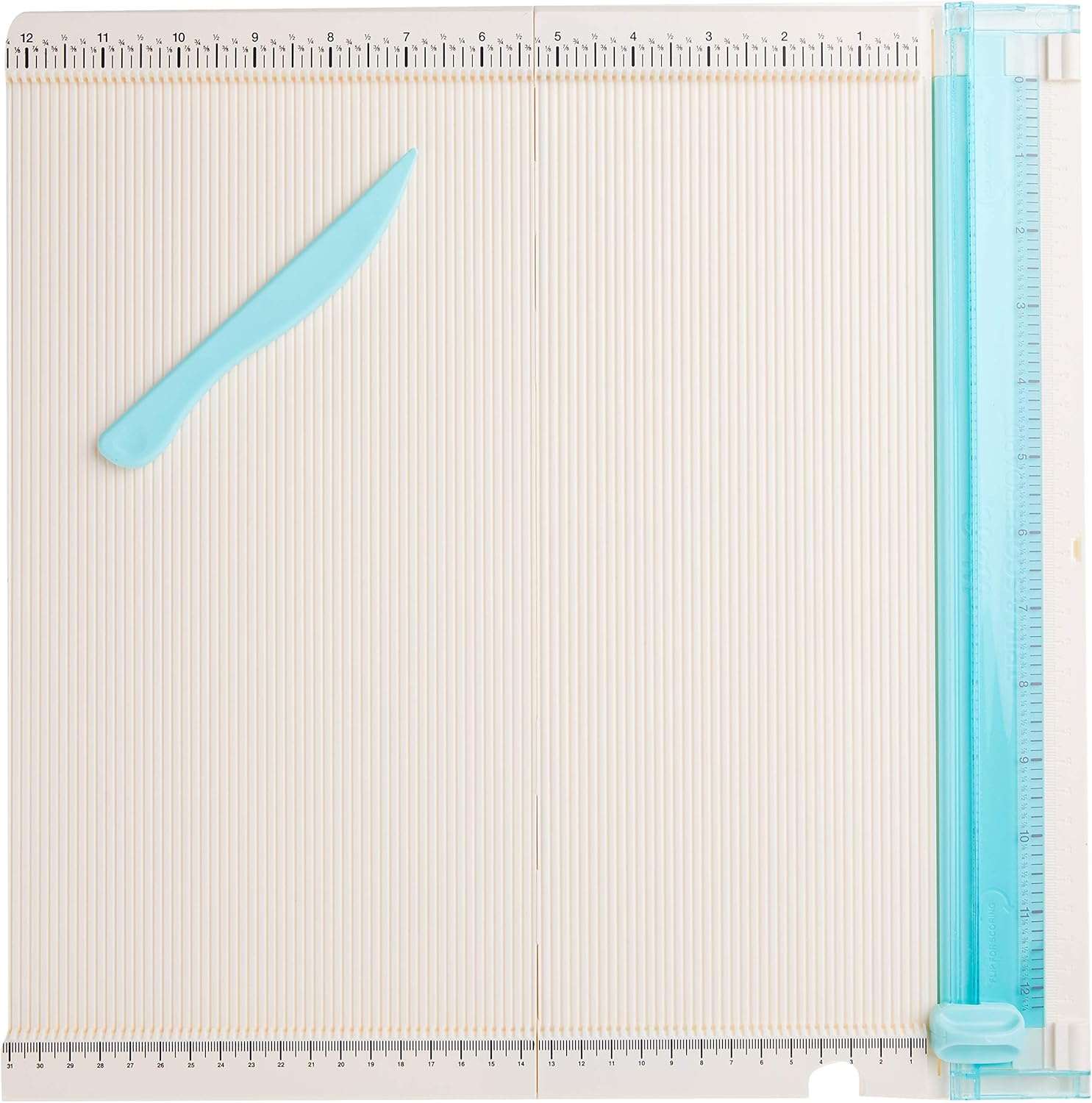
Image 5.1: The Trim and Score Board fully opened, showing the scoring grid and the integrated trimmer with its scoring tool.
6. Operating Instructions
6.1. Trimming Paper
- Position Paper: Lift the clear cutting guide arm. Place your paper against the top edge and align it with the desired measurement on the ruler. Ensure the paper is flat and secure.
- Engage Blade: Lower the clear cutting guide arm to hold the paper firmly in place.
- Cut: Slide the blade carriage firmly along the track from top to bottom (or bottom to top) to cut the paper. Apply even pressure for a clean cut.
- Remove Paper: Lift the cutting guide arm and remove the trimmed paper.
6.2. Scoring Paper
- Position Paper: Place your paper on the scoring grid, aligning it with the desired score line.
- Use Scoring Tool: Take the detachable scoring tool. Place its tip into the groove corresponding to your desired score line.
- Score: Apply gentle, even pressure and slide the scoring tool along the groove to create a crease. For deeper scores, you may pass the tool over the line multiple times.
6.3. Blade Replacement
When the blade becomes dull and no longer cuts cleanly, it's time for replacement. The Trim and Score Board uses V3 side blades.
- Locate Blade Carriage: Identify the blade carriage on the trimming track.
- Remove Old Blade: Carefully slide the blade carriage to the center of the track. Gently pinch the sides of the blade housing and lift the old blade out. Dispose of the old blade safely.
- Insert New Blade: Align the new V3 side blade with the slots in the blade carriage. Press down firmly until it clicks securely into place.
- Test: Perform a test cut on a scrap piece of paper to ensure the new blade is properly installed and cutting effectively.
7. Maintenance
- Cleaning: Regularly wipe the board surface with a soft, dry cloth to remove paper dust and debris. Avoid abrasive cleaners or solvents.
- Blade Care: Keep the blade clean and free of adhesive residue. Replace blades as needed for optimal performance.
- Storage: Fold the board for compact storage. Ensure the scoring tool is secured in its designated slot.
8. Troubleshooting
- Uneven Cuts: Ensure the paper is firmly aligned against the top edge and the clear cutting guide is fully lowered. The blade may be dull and require replacement.
- Paper Tears/Fraying: This often indicates a dull blade. Replace the blade with a new V3 side blade. Ensure you are applying consistent pressure during the cut.
- Difficulty Scoring: Ensure the scoring tool is properly seated in the groove and you are applying sufficient, even pressure.
- Board Not Lying Flat: Check for any debris or obstructions in the hinge mechanism. Ensure the board is fully unfolded and locked into position.
9. Specifications

Image 9.1: The Trim and Score Board displaying its approximate dimensions.
| Feature | Detail |
|---|---|
| Brand | We R Memory Keepers |
| Model Number | 660257 |
| Work Surface Size | 12 x 12 inches (unfolded) |
| Material | Plastic, Titanium (blades) |
| Color | Blue |
| Special Feature | Foldable |
| Item Weight | 1.41 pounds |
| Product Dimensions | 36.12 x 8.4 x 0.5 inches (unfolded) |
| Included Components | Trim Board, Blade, Scoring Tool |
10. Warranty and Support
For warranty information or product support, please refer to the official We R Memory Keepers website or contact their customer service directly. Keep your purchase receipt as proof of purchase.
