
1. Important Safety Information
- Ensure proper ventilation around the device.
- Do not expose the converter to water, moisture, or extreme temperatures.
- Use only the provided power adapter (5V/1A).
- Avoid dropping or subjecting the device to severe impacts.
- Do not attempt to open or repair the unit yourself. Refer all servicing to qualified personnel.
- Keep out of reach of children.
2. Package Contents
Verify that all items are present in your package:
- 1x LiNKFOR SCART/HDMI to HDMI Converter
- 1x 1.5m SCART Cable
- 1x 5V/1A Power Adapter
- 1x User Manual

Image: Contents of the product package, including the converter unit, SCART cable, power adapter, and user manual.
3. Product Overview
The LiNKFOR SCART/HDMI to HDMI Converter is designed to convert analog SCART signals and digital HDMI signals to a single HDMI output, with additional audio output options. It supports both NTSC and PAL formats and offers 720p/1080p output resolutions.
3.1 Front and Rear Panel Layout

Image: Detailed view of the converter's front and rear panels, showing all input and output ports and control buttons.
- HDMI Input: Connects to HDMI source devices (e.g., PS3, Blu-Ray player).
- SCART Input: Connects to SCART source devices (e.g., DVD player, Set-top Box).
- DC/5V: Power input port.
- Power LED: Indicates power status.
- HDMI Output: Connects to HDMI display devices (e.g., HDTV, monitor).
- Audio Output (3.5mm Jack): Connects to stereo headphones or speakers.
- TOSLINK (Optical) Output: Connects to digital audio receivers or soundbars.
- SCART/HD Button: Toggles between SCART and HDMI input sources.
- 720P/1080P Button: Selects output resolution (720p or 1080p).
- PAL/NTSC Button: Selects video format (PAL or NTSC).
4. Setup Instructions
Follow these steps to connect your LiNKFOR converter:
4.1 Connecting SCART Source to HDMI Display
- Connect your SCART source device (e.g., DVD player, VCR) to the SCART Input port on the converter using a SCART cable.
- Connect your HDMI display device (e.g., HDTV, projector) to the HDMI Output port on the converter using an HDMI cable.
- (Optional) Connect headphones or speakers to the 3.5mm Audio Output, or a digital audio receiver/soundbar to the TOSLINK Output.
- Connect the 5V/1A power adapter to the DC/5V port on the converter and then plug it into a power outlet. The Power LED will illuminate.
- Press the SCART/HD button to select the SCART input.

Image: Visual guide for connecting a SCART source device to the converter and then to an HDMI display.
4.2 Connecting HDMI Source to HDMI Display (Pass-through with Audio Extraction)
- Connect your HDMI source device (e.g., PS3, Blu-Ray player) to the HDMI Input port on the converter using an HDMI cable.
- Connect your HDMI display device (e.g., HDTV, monitor) to the HDMI Output port on the converter using an HDMI cable.
- Connect headphones or speakers to the 3.5mm Audio Output, or a digital audio receiver/soundbar to the TOSLINK Output for audio extraction.
- Connect the 5V/1A power adapter to the DC/5V port on the converter and then plug it into a power outlet. The Power LED will illuminate.
- Press the SCART/HD button to select the HDMI input.

Image: Visual guide for connecting an HDMI source device to the converter and then to an HDMI display, demonstrating audio extraction capabilities.
5. Operating Instructions
Once connected, operate the converter using the control buttons:
- Input Selection: Press the SCART/HD button to switch between SCART input and HDMI input. The converter will automatically detect the active signal.
- Output Resolution: Press the 720P/1080P button to toggle the HDMI output resolution between 720p (60Hz) and 1080p (60Hz). Select the resolution compatible with your display device.
- Video Format: Press the PAL/NTSC button to switch between PAL and NTSC video formats. Ensure this matches the format of your source device for optimal display.

Image: A comprehensive connection diagram illustrating how various devices like laptops, PS3, DVD/Blu-ray players, and set-top boxes can be connected to the converter, with outputs to soundbars, headphones, HDTVs, and projectors.
6. Specifications
| Brand | LiNKFOR |
| Model Number | XUNULK017 |
| Input Ports | 1x SCART, 1x HDMI |
| Output Ports | 1x HDMI, 1x 3.5mm Audio Jack, 1x TOSLINK (Optical) |
| SCART Input Support | NTSC3.58, NTSC4.43, SECAM, PAL/M, PAL/N, RGB, CVBS |
| HDMI Output Resolution | 720p (60Hz), 1080p (60Hz) |
| Power Supply | DC 5V/1A |
| Color | Black |
| Dimensions | 102 x 101 x 25 mm (approx.) |
| Material | Metal Casing |
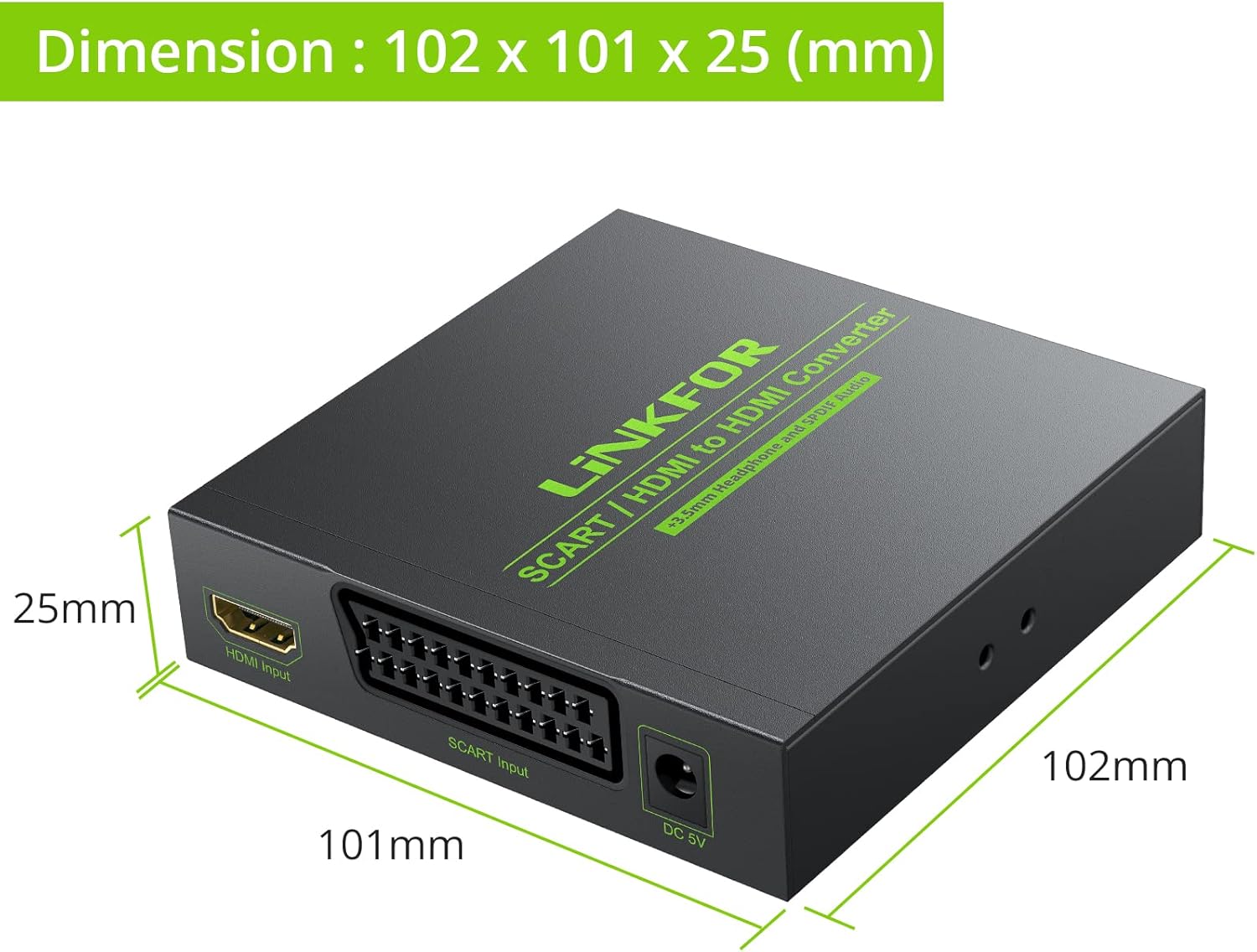
Image: Diagram illustrating the physical dimensions of the converter unit in millimeters.
7. Troubleshooting
If you encounter issues, refer to the following common problems and solutions:
- No Picture on Display:
- Ensure the power adapter is securely connected and the Power LED is on.
- Verify all cables (SCART, HDMI) are correctly and firmly connected.
- Press the SCART/HD button to ensure the correct input source (SCART or HDMI) is selected.
- Try switching the output resolution using the 720P/1080P button to match your display's capabilities.
- Check if your display is set to the correct HDMI input channel.
- No Audio Output:
- Ensure audio cables (3.5mm jack, TOSLINK) are properly connected to your audio device.
- Verify the audio device (headphones, speakers, soundbar) is powered on and set to the correct input.
- Check the volume levels on both your source device and audio output device.
- Poor Picture Quality / Distorted Image:
- Ensure the PAL/NTSC setting matches the video format of your source device.
- Check the quality of your SCART or HDMI input cable. A faulty cable can cause signal degradation.
- Ensure the output resolution (720p/1080p) is suitable for your display.
- Minimize interference by keeping the converter away from other electronic devices.
8. Maintenance
To ensure the longevity and optimal performance of your converter:
- Clean the device with a soft, dry cloth. Do not use liquid cleaners or aerosols.
- Store the converter in a cool, dry place when not in use.
- Avoid placing heavy objects on top of the unit.
- Disconnect the power adapter during electrical storms or when unused for long periods.
9. Warranty and Support
This LiNKFOR product comes with a limited warranty. For specific warranty terms and conditions, please refer to the documentation included with your purchase or contact LiNKFOR customer support.
For technical support or further assistance, please visit the official LiNKFOR website or contact their customer service department. Contact information can typically be found on the product packaging or the brand's official online presence.
Brand: LiNKFOR
Model: XUNULK017