
1. Introduction
This manual provides essential information for the safe and effective use of your Fancy Buying replacement laptop battery. Please read these instructions carefully before installation and operation to ensure optimal performance and longevity of your battery.

Image 1.1: Fancy Buying Laptop Battery. This image displays the physical appearance of the replacement battery.
2. Product Specifications and Features
The Fancy Buying laptop battery is designed to provide reliable power for compatible ASUS X550 series laptops. Key specifications and features include:
- Voltage: 14.8V (compatible with 14.4V)
- Capacity: 2200mAh (4400 Milliampere Hour)
- Cell Type: 4-cell Lithium-Ion
- Recharge Cycles: Up to 500 times over the battery's life
- Certifications: CE, FCC, RoHS compliant

Image 2.1: Battery Specifications. This image highlights the battery's capacity, discharge time, voltage, and type.
2.1. Multiple Protection Features
The battery incorporates multiple safety features to ensure reliable operation and protect your device:
- Short-circuit protection
- Over-heating protection
- Over-charge protection
- Over-voltage protection
- Over-power protection
- Electromagnetic safety
- Anti-static effect
- Over-discharge protection

Image 2.2: Multiple Protection. This image illustrates the various safety mechanisms integrated into the battery design.
3. Compatibility
This battery is compatible with a range of ASUS laptop models and part numbers. Please verify your laptop's model and original battery part number before installation.
3.1. Compatible Part Numbers
- X550
- X550A
- X550B
- X550D
- A41-X550
- A550C
3.2. Compatible Laptop Models
This battery is suitable for various ASUS A550 and F550 series laptops, including but not limited to:
- ASUS A550 Series: A550, A550C, A550Ca, A550Cc, A550L, A550La, A550Lb, A550Lc, A550V, A550Vb, A550Vc
- ASUS F550 Series: F550, F550C, F550Ca, F550Cc, F550Dp, F550E, F550Ea, F550L, F550La, F550Lb, F550Lc, F550V, F550Vb, F550Vc
- ASUS F552 Series: F552, F552C, F552Ci, F552E, F552Ea, F552Ep, F552V, F552Vi

Image 3.1: Compatibility List. This image provides a visual reference for compatible part numbers and laptop models.
4. Setup and Installation
Follow these steps to safely install your new laptop battery. It is recommended to power off your laptop and disconnect the AC adapter before proceeding.
- Identify Your Laptop Model: Ensure you have the correct battery for your specific laptop model. Refer to Image 4.1 for instructions on how to check your laptop model.
- Power Off and Disconnect: Shut down your laptop completely and unplug the AC power adapter.
- Remove Old Battery: Locate the battery release latches or screws on the underside of your laptop. Slide the latches or unscrew the fasteners to release the old battery. Carefully remove it from its compartment.
- Insert New Battery: Align the new Fancy Buying battery with the battery compartment. Gently slide it into place until it clicks or locks securely. Ensure the power interface and battery buckle fit closely to prevent movement.
- Secure Battery: If your laptop uses screws to secure the battery, fasten them.
- Power On: Reconnect the AC adapter and power on your laptop. The system should recognize the new battery.

Image 4.1: How to Check Your Laptop Model. This image provides a visual guide for identifying your laptop's model information.
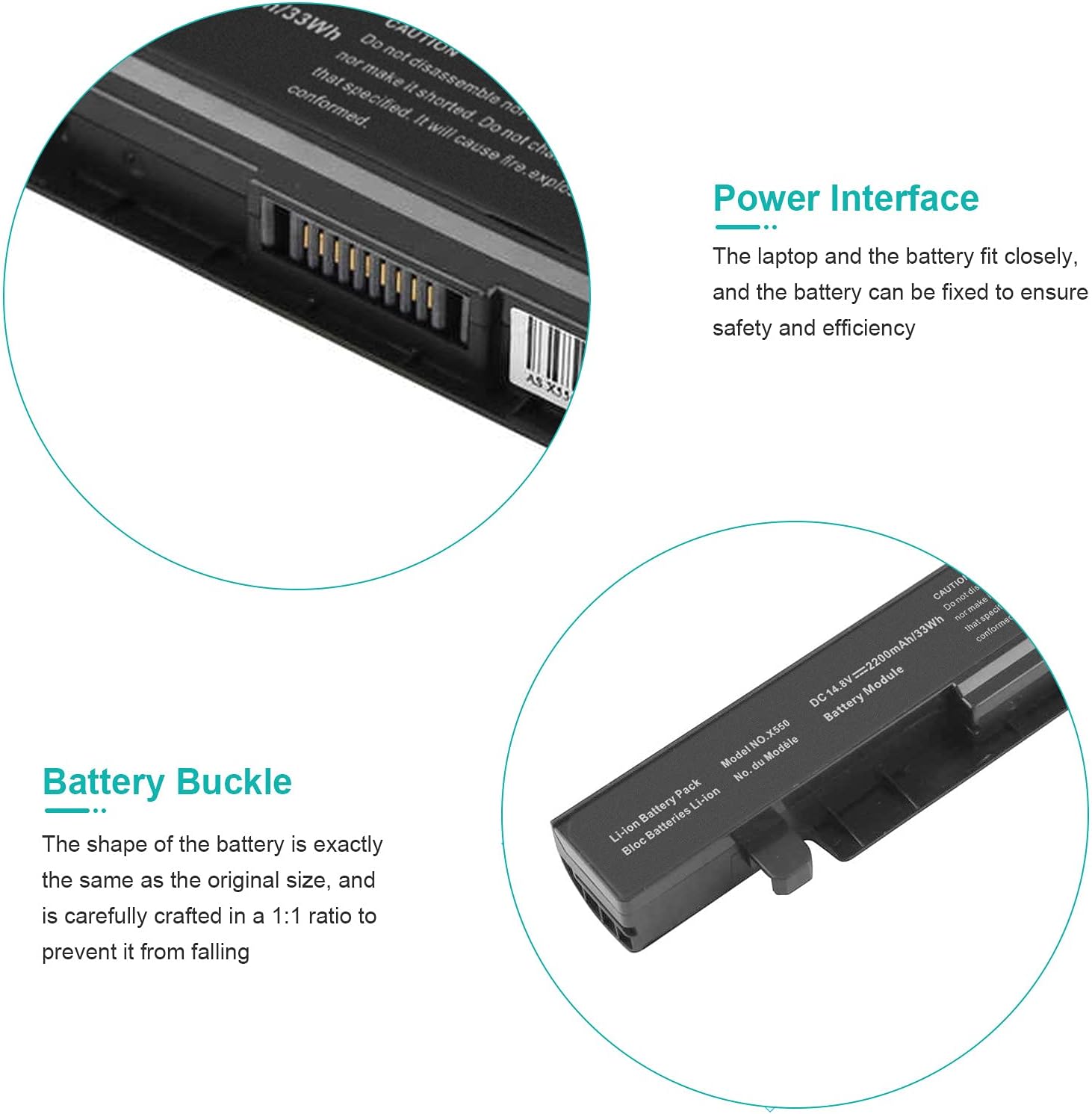
Image 4.2: Power Interface and Battery Buckle. This image shows the precise fit of the battery's power interface and buckle, ensuring secure installation.

Image 4.3: Battery Installed. This image demonstrates the battery correctly seated within a laptop.
5. Operating Instructions
For optimal performance and battery life, follow these operating guidelines:
- First Use: Upon initial installation, it is recommended to fully charge the battery to 100% and then allow it to discharge naturally to about 5-10% before recharging. This helps calibrate the battery.
- Regular Charging: Charge the battery using your laptop's original or certified AC adapter. Avoid using unapproved chargers.
- Avoid Deep Discharge: While occasional full discharge for calibration is fine, consistently running the battery to 0% can reduce its overall lifespan.
- Temperature: Operate your laptop in moderate temperatures. Extreme heat or cold can negatively impact battery performance and longevity.
6. Maintenance
Proper maintenance can extend the life and performance of your Fancy Buying laptop battery:
- Storage: If storing the battery for an extended period, ensure it is charged to approximately 50-70% and stored in a cool, dry place. Avoid storing a fully charged or completely depleted battery.
- Cleaning: Keep the battery contacts clean. Use a dry, soft cloth to wipe away any dust or debris.
- Avoid Physical Damage: Protect the battery from drops, impacts, and punctures.
- Software Updates: Keep your laptop's operating system and drivers updated, as power management software can affect battery performance.

Image 6.1: Battery Performance Comparison. This image illustrates the performance characteristics of this battery compared to others, highlighting its quality and potential for longer life with proper care.
7. Troubleshooting
If you encounter issues with your battery, consider the following common solutions:
- Battery Not Recognized:
- Ensure the battery is correctly seated in its compartment.
- Restart your laptop.
- Update your laptop's BIOS and power management drivers.
- Battery Not Charging:
- Verify the AC adapter is properly connected and functioning.
- Check the charging port for any debris.
- Try removing the battery, connecting the AC adapter, and then reinserting the battery.
- Short Battery Life:
- Adjust power settings in your operating system to optimize battery usage.
- Close unnecessary applications running in the background.
- Reduce screen brightness.
If these steps do not resolve the issue, please contact customer support.
8. Warranty and Support
Your Fancy Buying laptop battery comes with a 12-month warranty. This covers returns or exchanges for manufacturing defects. Additionally, 12 months of customer service support is provided.
For warranty claims, technical assistance, or any questions regarding your product, please contact Fancy Buying customer service through the retailer where the product was purchased or visit the official Fancy Buying store page.
Fancy Buying Store: Visit Fancy Buying Store on Amazon