
1. Introduction
Thank you for purchasing the Hysure Compact Dehumidifier. This manual provides important information regarding the safe operation, installation, maintenance, and troubleshooting of your new appliance. Please read this manual thoroughly before use and retain it for future reference.
This dehumidifier is designed to remove excess moisture from small spaces, helping to prevent mold, mildew, and musty odors. Its compact size and quiet operation make it suitable for bedrooms, bathrooms, closets, and other similar areas.
2. Safety Instructions
- Always ensure the dehumidifier is placed on a stable, level surface.
- Do not block the air inlet or outlet. Maintain at least 10 cm (4 inches) clearance around the unit.
- Do not immerse the appliance, power cord, or plug in water or other liquids.
- Unplug the dehumidifier from the power outlet before cleaning or performing any maintenance.
- Keep out of reach of children and pets.
- Do not operate the appliance if the power cord or plug is damaged. Contact customer support for assistance.
- This appliance is for indoor use only. Do not use outdoors.
- Do not use in areas where flammable liquids or gases are stored.
3. Product Overview
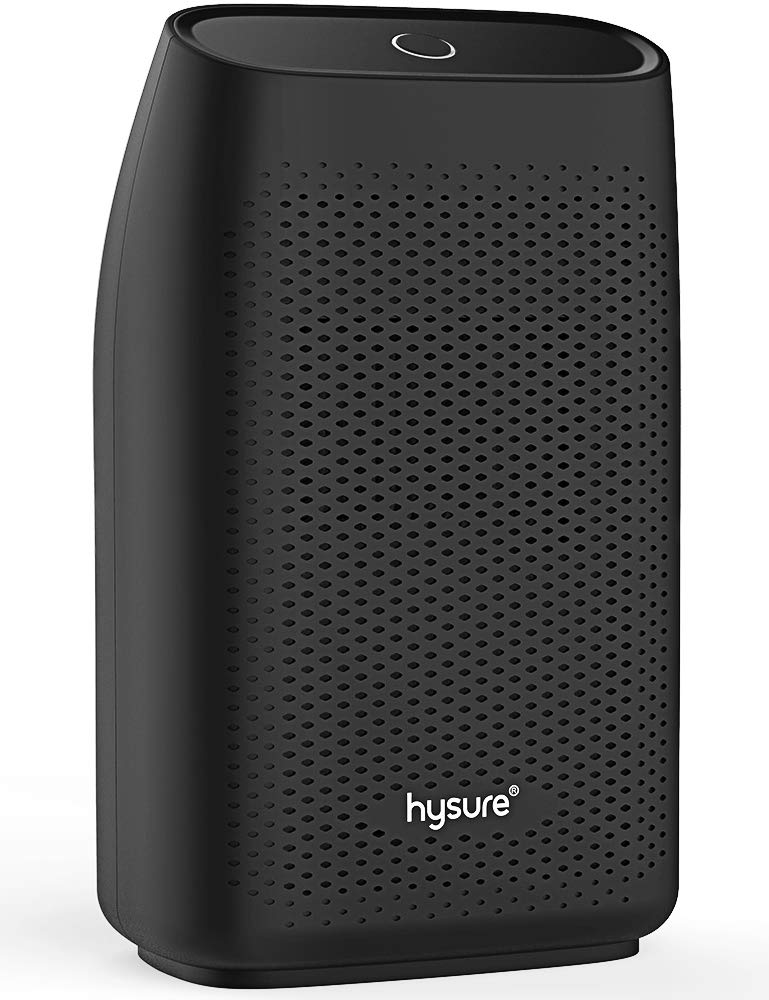
The Hysure Compact Dehumidifier is designed for efficiency and ease of use. Key features include automatic shutoff when the water tank is full, lightweight construction, and quiet operation.
Dimensions and Capacity:
- Water Tank Capacity: 700 Milliliters
- Product Dimensions (D x W x H): 4.2" x 6.4" x 10.5"
- Recommended Coverage Area: Up to 215 sq ft (1200 Cubic Feet)
4. Setup
- Unpack: Carefully remove the dehumidifier from its packaging. Retain packaging for future storage or transport.
- Placement: Place the dehumidifier on a firm, level surface in the desired location. Ensure there is adequate space (at least 10 cm or 4 inches) around the unit for proper airflow.
- Power Connection: Plug the power adapter into the dehumidifier's power input, then plug the adapter into a suitable electrical outlet (100-240V AC, 50/60Hz).
- Water Tank: Ensure the water tank is correctly inserted into the unit.
5. Operating Instructions
Power On/Off:
To turn the dehumidifier on or off, simply press the power button located on the top of the unit. The indicator light will illuminate when the unit is operating.
Automatic Shutoff:
The dehumidifier is equipped with an automatic shutoff feature. When the water tank reaches its maximum capacity, the unit will automatically turn off, and the indicator light may change color or flash to alert you. This prevents overflow.
Emptying the Water Tank:
- When the water tank is full, the dehumidifier will stop operating.
- Carefully pull out the water tank from the back of the unit.
- Remove the rubber stopper from the tank and pour out the collected water.
- Replace the rubber stopper securely and reinsert the water tank into the dehumidifier until it clicks into place.
- Press the power button to resume operation.
6. Maintenance
Regular maintenance ensures optimal performance and longevity of your dehumidifier.
Cleaning the Exterior:
- Wipe the exterior of the unit with a soft, damp cloth. Do not use abrasive cleaners or solvents.
- Ensure the unit is unplugged before cleaning.
Cleaning the Water Tank:
- Remove the water tank and rinse it with clean water.
- If there is any residue or buildup, use a mild detergent and a soft brush to clean the inside of the tank. Rinse thoroughly.
- Dry the tank completely before reinserting it into the dehumidifier.
Air Inlet/Outlet:
- Periodically check the air inlet and outlet for dust or debris.
- Use a soft brush or vacuum cleaner with a brush attachment to gently clean any accumulated dust.
7. Troubleshooting
| Problem | Possible Cause | Solution |
|---|---|---|
| Dehumidifier does not turn on. | No power supply. Power button not pressed. Water tank full or incorrectly inserted. | Check power connection. Press power button. Empty and reinsert water tank correctly. |
| No water collected. | Room humidity is too low. Temperature is too low. Air inlets/outlets blocked. | Ensure room humidity is above 40% RH. Operate in temperatures above 8°C (46°F). Clear any obstructions. |
| Unit is noisy. | Unit not on a level surface. Obstruction in fan. | Place on a stable, level surface. Check for and remove any obstructions (ensure unit is unplugged first). |
| Water leaks from unit. | Water tank not inserted correctly. Rubber stopper not sealed. | Ensure water tank is fully and correctly inserted. Check that the rubber stopper is securely in place. |
8. Specifications
- Brand: hysure
- Model: B07878NP9P
- GTIN: 614024933338
- Water Tank Capacity: 700 Milliliters
- Product Dimensions (D x W x H): 4.2" x 6.4" x 10.5"
- Recommended Coverage Area: 20 Square Meters (approx. 215 sq ft)
- Color: Black
- Special Features: Automatic Shutoff, Lightweight, Quiet Operation
- Operation Mode: Sleep
- Recommended Uses: Bathroom, Home, Dorm Room, Baby Room
9. Warranty and Support
For warranty information or technical support, please refer to the warranty card included with your product or contact Hysure customer service directly. Please have your model number (B07878NP9P) and purchase date available when contacting support.