
1. Introduction
The HyperX Cloud Flight is a wireless gaming headset designed for extended use and immersive audio experiences. It features a robust 2.4GHz wireless connection, a long-lasting battery, and comfortable memory foam earcups. This manual provides essential information for setting up, operating, and maintaining your headset.
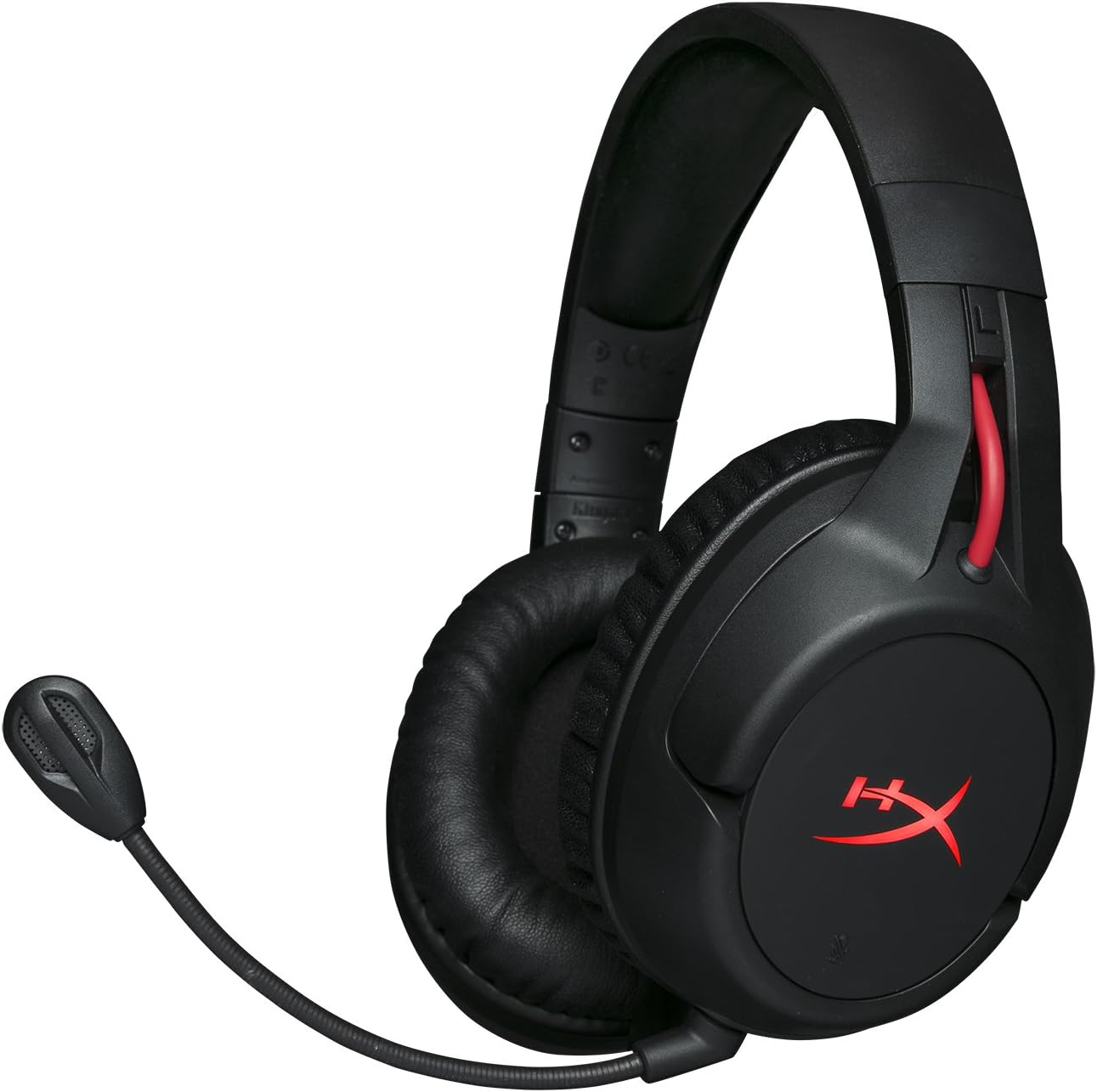
Figure 1.1: HyperX Cloud Flight Wireless Gaming Headset.
2. Package Contents
Ensure all items are present in the package:
- HyperX Cloud Flight Headset
- Detachable Noise-Cancelling Microphone
- USB Charging Cable
- USB Wireless Adapter
- User Manual

Figure 2.1: Included components of the HyperX Cloud Flight headset.
3. Product Features
- Gaming-Grade Wireless: Utilizes a stable 2.4GHz wireless connection for reliable audio transmission.
- Extended Battery Life: Up to 30 hours of battery life with LED lights off, allowing for prolonged gaming sessions.
- Signature HyperX Comfort: Features comfortable memory foam earcups and a durable, adjustable steel slider for a secure and pleasant fit.
- Multi-Platform Compatibility: Compatible with PC, PlayStation 4, and PlayStation 5.
- Rotating Ear Cups: Ear cups rotate 90 degrees for comfortable resting around your neck and feature LED lighting effects.
- Intuitive On-Board Controls: Convenient controls for LED effects, microphone mute, power, and volume are located on the ear cups.
- Detachable Noise-Cancelling Microphone: Ensures clear communication and can be removed when not needed. The microphone functions only in wireless mode and is compatible with PC and PS4.
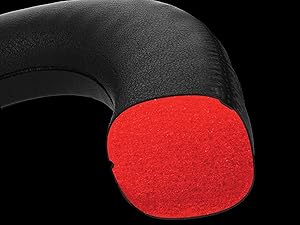
Figure 3.1: Headset designed for comfort during extended use.

Figure 3.2: Durable steel slider for adjustability and longevity.
4. Setup Instructions
- Charge the Headset: Before first use, fully charge the headset using the provided USB charging cable. Connect the micro-USB end to the headset and the USB-A end to a powered USB port.
- Connect USB Wireless Adapter: Insert the USB wireless adapter into an available USB port on your PC, PS4, or PS5.
- Power On Headset: Press and hold the power button on the left earcup for 3-5 seconds until the LED indicator lights up. The headset will automatically pair with the USB adapter.
- Attach Microphone: Insert the detachable noise-cancelling microphone into the port on the left earcup. Ensure it clicks securely into place.
- Adjust Settings (PC/PS4/PS5):
- PC: Go to Sound Settings and select "HyperX Cloud Flight" as the default playback and recording device.
- PS4/PS5: Go to Sound/Audio Devices settings and ensure "HyperX Cloud Flight" is selected for both input and output.
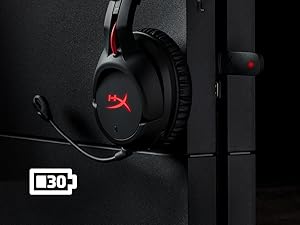
Figure 4.1: Connecting the USB adapter to a console for wireless operation.
5. Operating Instructions
- Power On/Off: Press and hold the power button on the left earcup for 3-5 seconds.
- Volume Control: Use the volume wheel located on the bottom of the right earcup to adjust audio output.
- Microphone Mute: Press the button on the left earcup to mute/unmute the microphone. An audible indicator will confirm the status.
- LED Effects: Briefly press the power button to cycle through LED lighting effects (Solid LED, Breathing LED, LED Off).
- Chat Mixer (PC/PS4): The headset features a chat mixer on the left earcup. The front button prioritizes game volume, while the rear button prioritizes chat volume.
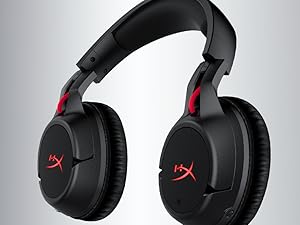
Figure 5.1: On-board controls for volume and microphone mute.
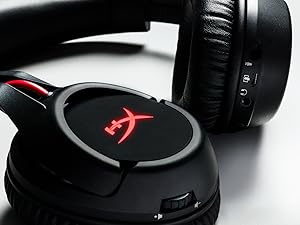
Figure 5.2: Detachable microphone for clear voice communication.
6. Charging and Battery Life
The HyperX Cloud Flight headset offers impressive battery performance:
- LED Off: Up to 30 hours
- Breathing LED: Up to 18 hours
- Solid LED: Up to 13 hours
Battery life is tested at 50% headset volume. Audible indicators will notify you of low battery status. Use the provided USB charging cable to recharge the headset.
Video 6.1: Product Overview showcasing features including battery life.
7. Maintenance and Care
- Store the headset in a clean, dry place when not in use.
- Clean earcups and headband with a soft, damp cloth. Avoid harsh chemicals.
- Do not expose the headset to extreme temperatures or direct sunlight.
- Avoid dropping or subjecting the headset to strong impacts.
8. Troubleshooting
- No Audio/Microphone:
- Ensure the headset is powered on and fully charged.
- Verify the USB wireless adapter is securely connected to your device.
- Check your device's sound settings to ensure "HyperX Cloud Flight" is selected as the default audio input/output.
- Confirm the microphone is properly attached and not muted.
- Poor Wireless Connection:
- Ensure the headset is within the 20-meter wireless range of the USB adapter.
- Minimize obstructions between the headset and the adapter.
- Avoid interference from other 2.4GHz devices.
- Headset Not Charging:
- Verify the USB charging cable is correctly connected to both the headset and a powered USB port.
- Try a different USB port or charging cable.
9. Specifications
| Feature | Detail |
|---|---|
| Model Name | Cloud Flight |
| Connectivity Technology | Wireless (2.4GHz) |
| Wireless Range | Up to 20 meters |
| Compatible Devices | PC, PS4, PS5 |
| Driver | Dynamic, 50mm with neodymium magnets |
| Headphone Type | Circumaural, Closed back |
| Frequency Response | 20Hz - 20,000Hz |
| Impedance | 32 ohms |
| Sound Pressure Level | 106 dBSPL/mW at 1kHz |
| THD | <2% |
| Headphone Weight | 300g (315g with mic) |
| Microphone Element | Electret condenser microphone |
| Microphone Polar Pattern | Noise-cancelling |
| Microphone Frequency Response | 100Hz - 7000Hz |
| Microphone Sensitivity | -45dBV (0dB=1V/Pa, 1kHz) |
| Battery Life (LED off) | 30 hours |
| Battery Life (Breathing LED) | 18 hours |
| Battery Life (Solid LED) | 13 hours |
| Material | Memory Foam, Premium Leatherette, Steel |
| Item Dimensions (LxWxH) | 7.48 x 3.43 x 7.36 inches |
| UPC | 196188048207 |
10. Warranty and Support
The HyperX Cloud Flight headset typically comes with a 2-year manufacturer's warranty. For technical support, warranty claims, or additional product information, please visit the official HyperX support website or contact their customer service.
You can find more information and support resources at the HyperX Store on Amazon.


