
ZINUS OLB-LD-C59E
ZINUS 59 Inch Dominic L-Shaped Computer Desk Instruction Manual
Model: OLB-LD-C59E
1. Safety Information
Please read and understand all instructions before assembly and use. Retain this manual for future reference.
- Weight Limit: Adhere to the recommended maximum weight limit of 100 pounds (45 kg) for the desktop surface. Exceeding this limit may result in instability or damage.
- Assembly Tools: Use only hand tools during assembly. Power tools can overtighten fasteners, potentially stripping threads or damaging components, leading to potential injuries.
- Stable Surface: Assemble the desk on a clean, flat, and stable surface to prevent scratching or damage to components.
- Component Check: Before assembly, verify that all parts are present and undamaged. Do not proceed with assembly if any parts are missing or damaged.
- Child Safety: Keep small parts and packaging materials away from children during assembly to prevent choking hazards.
2. Product Overview
The ZINUS Dominic L-Shaped Computer Desk is designed to provide a functional and spacious workspace. Its L-shape configuration is ideal for corner placement, maximizing room utility. The desk features a sturdy metal frame, an engineered wood desktop, and integrated storage solutions including a drawer, a side storage hook, and a cable manager.

Image 2.1: The ZINUS Dominic L-Shaped Computer Desk, showcasing its design and ample workspace.
3. Package Contents
Before beginning assembly, ensure all components listed below are present and undamaged.

Image 3.1: The ZINUS L-Shaped Corner Desk packaging, indicating the product type and size.
- Desk Panels (L-shaped sections)
- Metal Legs and Frame Components
- Drawer Assembly
- Side Storage Hook
- Cable Manager
- All necessary assembly hardware (bolts, washers, etc.)
- Assembly Tools (e.g., small ratchet wrench)
- Instruction Manual
4. Setup & Assembly
Assembly of the ZINUS Dominic L-Shaped Desk is designed to be straightforward and can typically be completed by one person. An included ratchet tool simplifies the process.
4.1 Assembly Steps
- Unpack Components: Carefully remove all parts from the packaging. Place them on a soft, clean surface to prevent scratches.
- Identify Parts: Refer to the included parts list and diagrams to identify each component.
- Assemble Frame: Attach the metal legs and frame components according to the provided diagrams. Ensure all bolts are securely tightened using the hand tools provided. Do not overtighten.
- Attach Desktop Panels: Secure the engineered wood desktop panels to the assembled frame. Ensure proper alignment before tightening fasteners.
- Install Drawer: Follow the specific instructions for installing the drawer mechanism and the drawer itself. Ensure it slides smoothly.
- Attach Accessories: Install the side storage hook and cable manager in their designated positions.
- Final Check: Verify that all connections are secure and the desk is stable before placing items on it.
4.2 Desk Dimensions
Understanding the desk's dimensions is crucial for proper placement and use.

Image 4.1: Detailed dimensions of the L-shaped desk, indicating overall length, width, and height, as well as individual section measurements.
5. Operating Instructions
The ZINUS Dominic L-Shaped Desk is designed for efficient organization and use.
5.1 Integrated Drawer
The desk includes a single drawer for storing small office supplies, keeping your workspace tidy.

Image 5.1: The integrated drawer, shown open with various small office items.
5.2 Cable Manager
Utilize the integrated cable manager to route and organize power cords and data cables, maintaining a clean and hazard-free desktop.
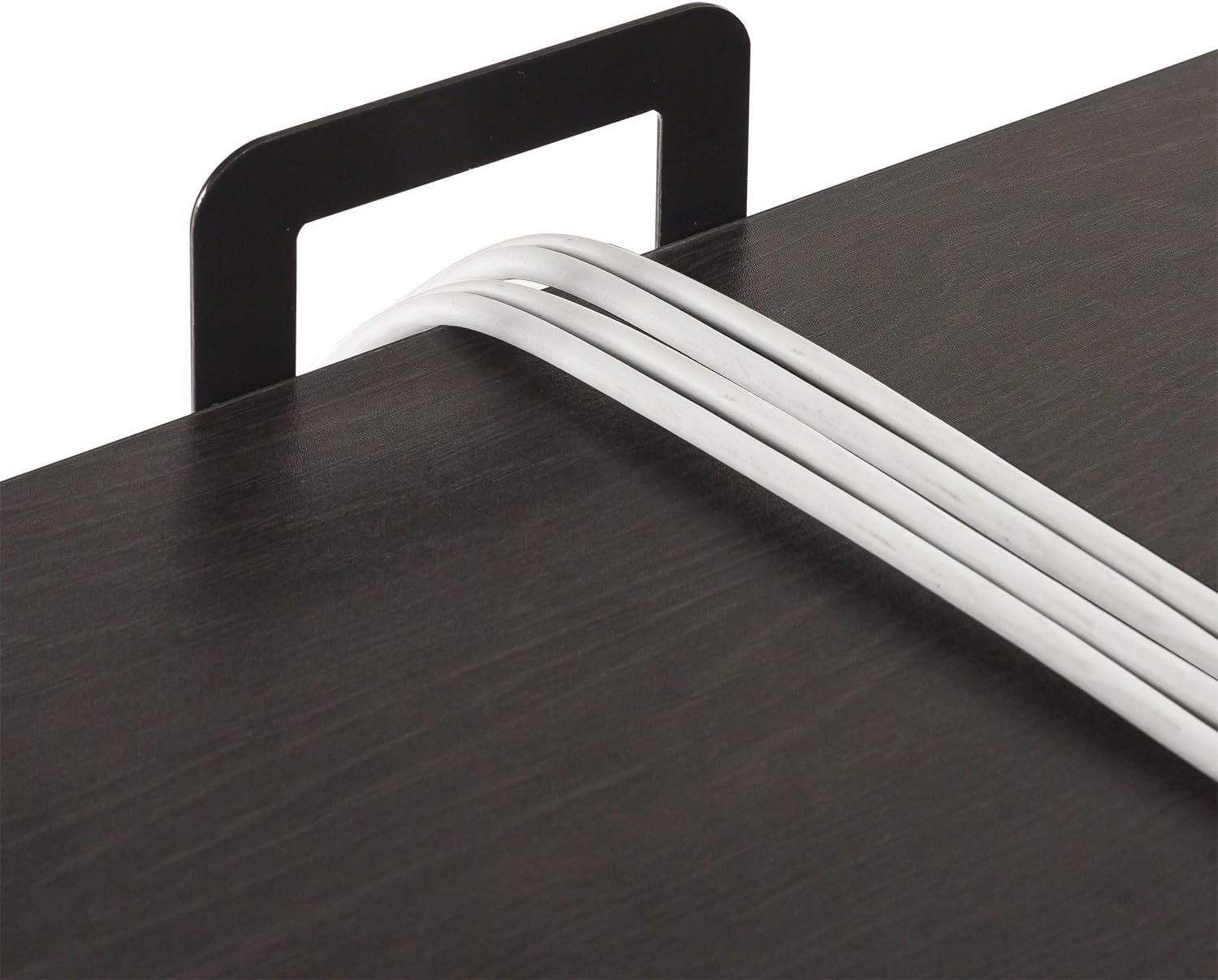
Image 5.2: The cable manager, demonstrating its use for organizing multiple cables.
5.3 Side Storage Hook
The convenient side storage hook provides a dedicated spot for hanging bags, headphones, or other items, keeping them off the floor and within easy reach.

Image 5.3: The side storage hook, shown with a laptop bag hanging for convenient access.
6. Maintenance & Care
Proper care will help maintain the appearance and longevity of your ZINUS Dominic L-Shaped Desk.
- Cleaning: Wipe surfaces with a soft, damp cloth. Avoid harsh chemicals or abrasive cleaners, which can damage the finish.
- Spills: Immediately wipe up any spills to prevent staining or damage to the engineered wood surface.
- Heat & Moisture: Avoid placing hot items directly on the desktop. Use coasters or protective pads. Protect the desk from excessive moisture.
- Fasteners: Periodically check all bolts and fasteners to ensure they remain tight. Retighten as necessary to maintain stability.
- Relocation: When moving the desk, lift it rather than dragging it to prevent damage to the legs and frame.
7. Troubleshooting
This section addresses common issues you might encounter with your desk.
- Desk is Wobbly:
- Ensure all bolts and fasteners are securely tightened.
- Verify the desk is on a level surface. Adjust floor glides if present, or place shims under legs if needed.
- Drawer is Sticking or Difficult to Open/Close:
- Check the drawer slides for proper alignment and ensure no obstructions are present.
- Verify that the drawer was installed correctly according to the assembly instructions.
- Ensure the drawer is not overloaded, which can cause misalignment.
- Minor Scuffs or Surface Imperfections:
- For minor scuffs on the espresso finish, a furniture marker or touch-up pen matching the color may be used.
- Always test any touch-up product on an inconspicuous area first.
8. Specifications
| Feature | Detail |
|---|---|
| Brand | ZINUS |
| Model Name | 59 Inch Dominic Black Metal Corner Desk with Storage Drawer |
| Model Number | OLB-LD-C59E |
| UPC | 841550220322 |
| Product Dimensions (D x W x H) | 59"D x 55"W x 28.98"H |
| Item Weight | 60.7 Pounds (27.5 kg) |
| Color | Espresso (Desktop), Black (Base) |
| Top Material Type | Engineered Wood |
| Base Material | Metal (Steel) |
| Maximum Weight Recommendation | 100 Pounds (45 kg) |
| Number of Drawers | 1 |
| Special Features | Integrated Drawer, Side Storage Hook, Cable Manager |
| Required Assembly | Yes |
| Recommended Number of People for Assembly | 1 |
| Includes All Assembly Tools | Yes |
9. Warranty & Support
The ZINUS Dominic L-Shaped Computer Desk is backed by a Worry-Free 1-Year Limited Warranty. This warranty covers manufacturing defects in materials and workmanship from the date of purchase.
For warranty claims, missing parts, or any product-related inquiries, please contact ZINUS Customer Support.
- Contact Information: Refer to the ZINUS official website or your purchase documentation for the most current customer support contact details.
- Proof of Purchase: Please retain your proof of purchase (receipt or order confirmation) as it will be required for any warranty claims.
Related documentsOLB-LD-C59E


Ask a question about this manual
Ask about setup, troubleshooting, compatibility, parts, safety, or missing instructions. Manuals+ will review the question and use this page’s manual context to help answer it.