
Introduction and Overview
The Arachnid Cricket Pro 900 Talking Dartboard is designed to enhance your dart playing experience with advanced features and durable construction. This electronic dartboard offers a 15.5-inch regulation size target area, suitable for up to 8 players with a 4-player score display. Its NylonTough segments ensure durability and improved playability by maintaining shape through countless games, while micro-thin segment dividers reduce bounce-outs and increase scoring potential.
Key features include 48 games (8 new) with 354 options, one-touch quick select for 301/Cricket, and a state-of-the-art voice prompt that announces scores. An enhanced voice record feature is available, along with an optional 3-level "Heckler" mode for interactive play. The board is designed with tournament spider and trademarked tournament colors. Additional features like single in/out and double in/out, solo play, player handicap, sleep mode, and reset options provide versatile gameplay.
What's Included
Your Arachnid Cricket Pro 900 package includes everything you need to start playing:
- Arachnid Cricket Pro 900 Electronic Dartboard
- 6 Soft-tip Darts
- Extra Soft-tip Dart Tips
- AC Adapter
- Mounting Hardware
- Game Instructions
- Operating Manual (this document)

Image: The included AC adapter, six soft-tip darts, and a bag of extra tips.
Setup
Proper setup is crucial for optimal performance and safety. Follow these steps to install your dartboard:
- Choose a Location: Select a sturdy wall in a well-lit area with sufficient space for throwing darts. Ensure there is enough clearance around the board for players and to prevent damage to surrounding objects. The dartboard dimensions are approximately 22.5"W x 30.2"H.
- Mounting: Use the provided mounting hardware to securely attach the dartboard to the wall. Ensure the center of the bullseye is 5 feet 8 inches (1.73 meters) from the floor.
- Power Connection: Connect the supplied AC adapter to the dartboard's power input jack and then plug it into a standard electrical outlet. An extension cord may be necessary depending on the outlet's proximity.
- Dart Storage: The dartboard features integrated dart holders for convenient storage of your soft-tip darts.

Image: The Arachnid Cricket Pro 900 dartboard mounted on a wall, ready for play.
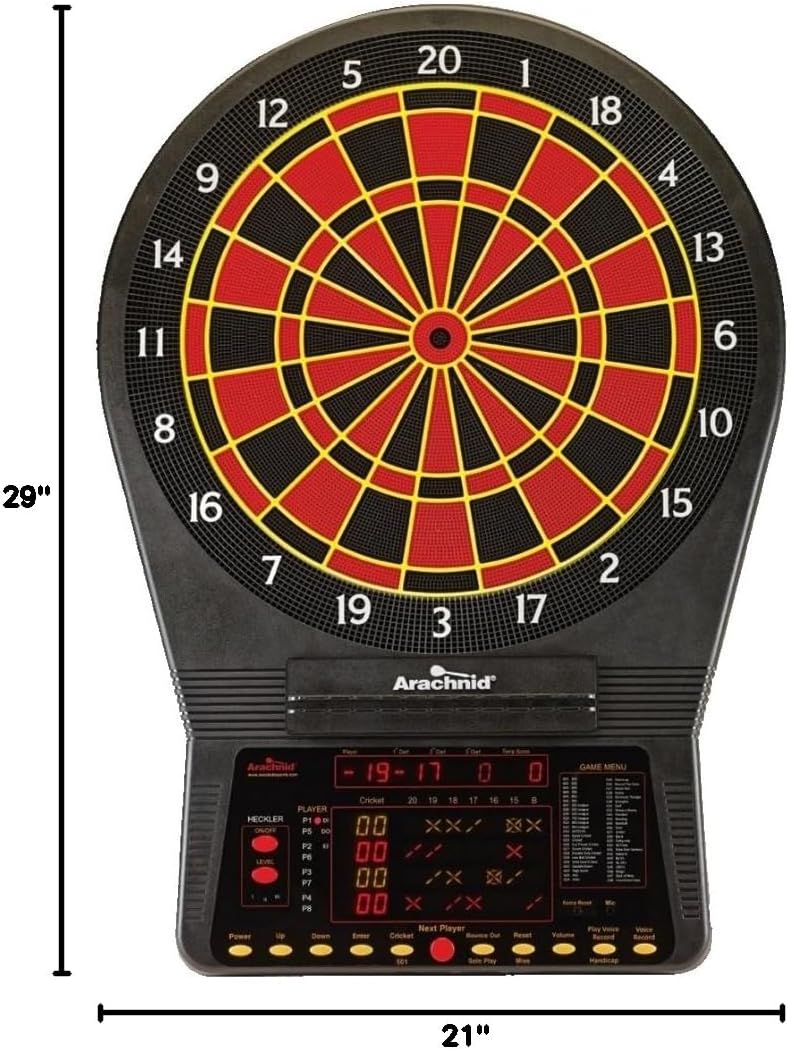
Image: Diagram illustrating the dimensions of the dartboard, 29 inches in height and 21 inches in width.
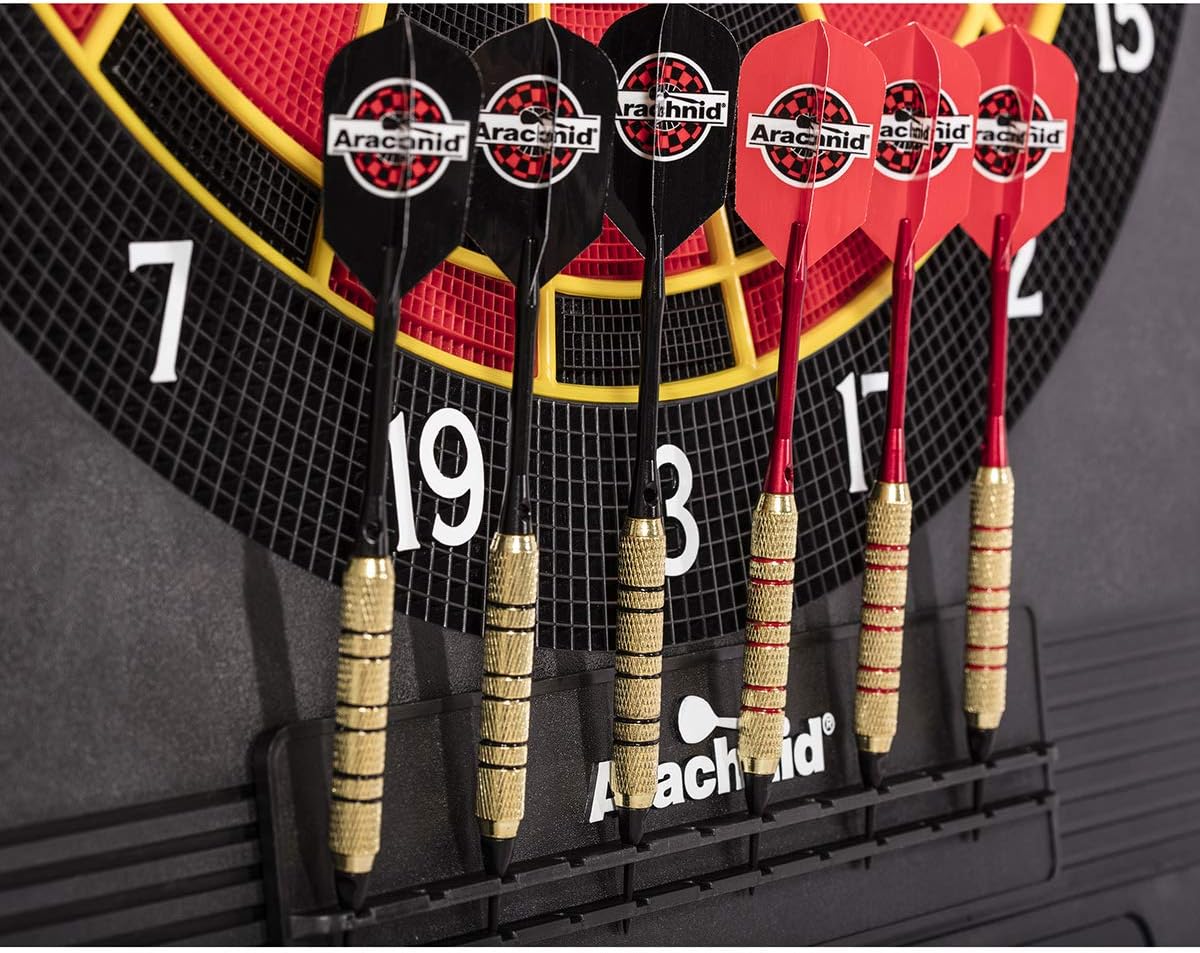
Image: Soft-tip darts neatly stored in the dartboard's integrated holders.
Operating Instructions
The Cricket Pro 900 offers a wide range of games and features for an engaging dart experience.
Powering On and Game Selection
- Power Button: Press the "Power" button to turn the dartboard on or off.
- Game Menu: Use the "Game Menu" display to browse through the 48 available games.
- Quick Select: Utilize the one-touch quick select buttons for popular games like 301 and Cricket.
- Player Selection: The dartboard supports up to 8 players, with a 4-player score display. Select the number of players before starting a game.
Gameplay Features
- Voice Prompt: The dartboard features a voice prompt that announces dart scores, enhancing the interactive experience.
- Voice Record: An enhanced voice record feature allows for personalized audio feedback.
- Heckler Feature: Activate the optional 3-level "Heckler" to add a fun, challenging element to your game, with the board providing humorous commentary on throws.
- Solo Play: Practice and improve your skills with the solo play option.
- Player Handicap: Adjust handicaps for players to ensure fair and competitive games among varying skill levels.
- Dart Averaging: For '01 games, the dart averaging feature tracks and displays the average points per dart at the end of each player's round.
- Single In/Out & Double In/Out: These options are available for '01 games, requiring players to start or end a game with a single or double segment hit.
Control Panel Buttons
Familiarize yourself with the control panel buttons for seamless navigation:
- Power: Turns the dartboard on/off.
- Up/Down: Navigate through game options and settings.
- Enter: Confirm selections.
- Cricket: Quick select for Cricket game.
- 301: Quick select for 301 game.
- Next Player: Advance to the next player's turn.
- Bounce Out: Register a dart that bounced out.
- Reset: Reset the current game.
- Volume: Adjust the audio volume.
- Play Voice: Replay voice prompts.
- Voice Record: Activate voice recording.
- Handicap: Access handicap settings.
For detailed rules and specific game instructions, refer to the included game instructions manual.
Maintenance
To ensure the longevity and optimal performance of your Arachnid Cricket Pro 900 dartboard, follow these maintenance guidelines:
- Cleaning: Wipe the dartboard surface and control panel with a soft, dry cloth. Avoid using abrasive cleaners or solvents, as they may damage the finish or electronic components.
- Dart Tips: Regularly inspect your soft-tip darts and replace worn or broken tips to prevent damage to the dartboard segments and ensure accurate scoring. The board is designed for soft-tip darts only.
- Storage: When not in use for extended periods, unplug the AC adapter and store the dartboard in a dry, cool place away from direct sunlight and extreme temperatures.
- Segment Care: While the NylonTough segments are durable, avoid excessive force when inserting darts. If a segment becomes loose, gently press it back into place.
Troubleshooting
If you encounter any issues with your dartboard, refer to the following common troubleshooting tips:
- No Power:
- Ensure the AC adapter is securely plugged into both the dartboard and a working electrical outlet.
- Check if the power button on the dartboard is pressed.
- Test the outlet with another device to confirm it has power.
- Darts Not Registering:
- Ensure you are using soft-tip darts.
- Check if the dart tips are not broken or excessively worn. Replace if necessary.
- Make sure the dart is fully inserted into the segment.
- If a specific segment consistently fails to register, gently press on the segment to ensure it is properly seated.
- Bounce-Outs:
- Ensure dart tips are in good condition. Worn tips can lead to more bounce-outs.
- The dartboard features micro-thin segment dividers to minimize bounce-outs, but some may still occur depending on dart condition and throwing technique.
- Voice Prompt Issues:
- Check the volume settings on the control panel.
- Ensure the voice prompt feature is enabled in the game settings.
- Display Malfunctions:
- Try turning the dartboard off and then on again (power cycle).
- If the issue persists, contact customer support.
Specifications
| Brand | Arachnid |
| Model Name | Cricket Pro 900 by Arachnid |
| Model Number | CP900 |
| Material | Plastic |
| Color | Multicolor |
| Product Dimensions (W x H) | 22.5"W x 30.2"H |
| Item Weight | 11.7 Pounds |
| Target Area Size | 15.5 inches (Regulation Size) |
| Number of Games | 48 (8 new) with 354 options |
| Max Players | 8 |
| Included Components | Dartboard, Mounting Hardware, 6 Soft-tip Darts, Extra Tips, AC Adapter, Game Instructions, Operating Manual |
| Manufacturer | DMI Sports |
| UPC | 754806264400 |
Warranty and Support
The Arachnid Cricket Pro 900 Electronic Dartboard comes with a 90 Day Limited Warranty. This warranty covers defects in materials and workmanship under normal use. Please retain your proof of purchase for warranty claims.
For technical support, warranty service, or replacement parts, please contact Arachnid customer service. Refer to the contact information provided in your product packaging or visit the official Arachnid website for assistance.
Legal Disclaimer: The ARACHNID trademark is a registered trademark owned by Arachnid 360 LLC and used by Escalade Sports pursuant to license.
