
1. Introduction
Thank you for choosing the FLEXISPOT EC5S Electric Standing Desk Frame. This manual provides essential information for the safe and efficient assembly, operation, and maintenance of your new height-adjustable desk frame. The EC5S features a robust 3-column design with dual motors, offering a wide height adjustment range and memory presets for personalized comfort.
Please read this manual thoroughly before installation and retain it for future reference.
2. Safety Warnings
To ensure safe operation and prevent damage, please observe the following safety guidelines:
- The maximum load capacity for this desk frame is 160 kg (352 lbs). Do not exceed this weight limit.
- This product is intended for office and work purposes only. Do not use it for any other applications.
- Ensure all components are correctly assembled and securely fastened before use. A stable base is crucial for safety.
- Keep children and pets away from the desk during operation to prevent injury.
- Ensure there are no obstructions in the desk's path during height adjustment. The desk features an anti-collision rebound function, but caution is still advised.
- Do not open or attempt to repair the motor or control box. Contact qualified service personnel for any repairs.
- Disconnect the power supply before cleaning or performing any maintenance.
- Avoid spilling liquids on the control panel or electrical components.
3. Package Contents
The FLEXISPOT EC5S package includes the following components:
- Desk Frame (legs, crossbars, feet)
- Control Panel
- Control Box
- Power Cable
- All necessary hardware (screws, wrenches, etc.)
- Instruction Manual
4. Setup and Assembly
Assembly of the FLEXISPOT EC5S desk frame is designed to be straightforward. Detailed instructions are included in the package, and setup can typically be completed in under 25 minutes.
Recommended Tabletop Dimensions:
- Width: 120-180 cm (47.2-70.9 inches)
- Depth: 60-80 cm (23.6-31.5 inches)
- Thickness: > 2.5 cm (1 inch)
Ensure you have adequate space for assembly and that all parts are accounted for before beginning. Follow the step-by-step guide provided with your product for precise assembly instructions.

Figure 4.1: Easy installation process, typically completed in under 25 minutes. The frame can also be fitted with optional wheels (e.g., FlexiSpot W1).

Figure 4.2: The frame's width is adjustable from 110-170 cm, accommodating tabletops 120-180 cm wide and 60-80 cm deep.
5. Operating Instructions
The FLEXISPOT EC5S desk frame features an intuitive control panel for easy height adjustment and personalized settings.
Control Panel Functions:

Figure 5.1: The control panel features an LED height display, up/down buttons, three memory presets, and a sedentary reminder.
- Up/Down Buttons: Use the arrow buttons to manually adjust the desk height. The desk will move smoothly at a speed of approximately 3.5 cm/s.
- LED Height Display: Shows the current height of the desk in centimeters.
- Memory Presets (1, 2, 3): Program and save up to three preferred height positions. To set a memory position, adjust the desk to the desired height, then press the 'M' button followed by the desired number (1, 2, or 3). To recall a saved position, simply press the corresponding number button.
- Sedentary Reminder: The control panel includes a timer function to remind you to switch between sitting and standing positions, promoting healthier work habits. Refer to the detailed product manual for setting this feature.
- Anti-Collision Rebound Function: The desk is equipped with an anti-collision system that detects obstacles during movement and automatically reverses slightly to prevent damage or injury.
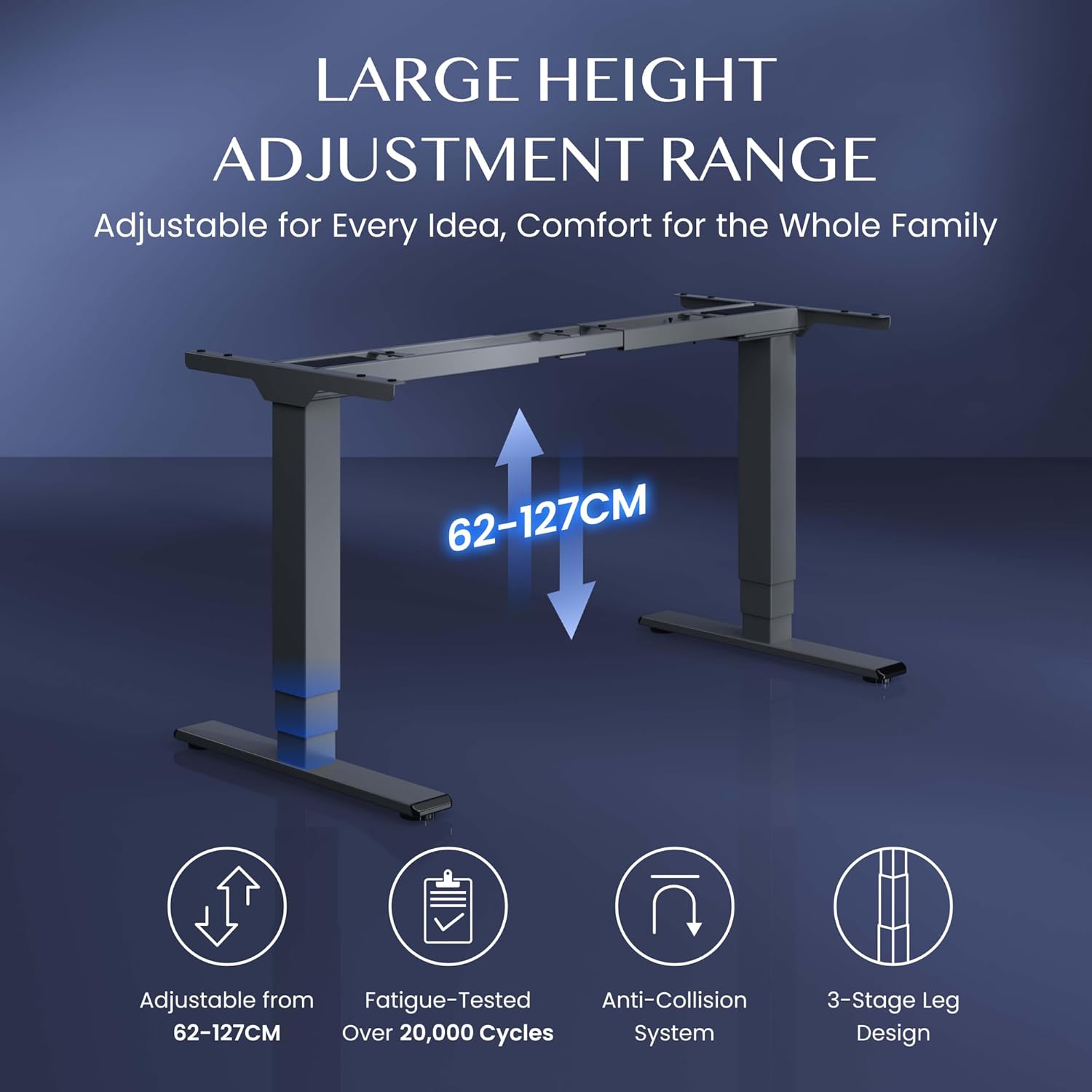
Figure 5.2: The 3-stage leg design allows for a wide height adjustment range from 62-127 cm, featuring fatigue-tested durability and an anti-collision system.
6. Maintenance
Regular maintenance helps ensure the longevity and optimal performance of your FLEXISPOT EC5S desk frame.
- Cleaning: Disconnect the power before cleaning. Use a soft, damp cloth to wipe down the frame and control panel. Avoid abrasive cleaners or solvents that could damage the finish.
- Inspection: Periodically check all screws and bolts to ensure they are tight. Re-tighten if necessary.
- Cable Management: Ensure all cables are neatly organized and not pinched or tangled, which could affect performance or safety.
7. Troubleshooting
If you encounter any issues with your FLEXISPOT EC5S desk frame, please refer to the following common troubleshooting steps:
- Desk Not Moving:
- Check if the power cable is securely plugged into both the desk and the wall outlet.
- Ensure all cables connecting the control panel, motors, and control box are properly connected.
- If the desk has been overloaded, remove some weight and try again.
- Uneven Movement:
- Perform a reset (refer to your product's specific manual for reset procedures, often involving holding down certain buttons).
- Ensure the desk is on a level surface.
- Error Codes on Display:
- Refer to the detailed product manual for a list of error codes and their corresponding solutions.
- Often, unplugging the desk for 10-15 minutes and then plugging it back in can resolve temporary errors.
If the problem persists after attempting these steps, please contact FLEXISPOT customer support for assistance.
8. Specifications
Key technical specifications for the FLEXISPOT EC5S Electric Standing Desk Frame:
| Feature | Specification |
|---|---|
| Model Number | EC5S-EU |
| Height Adjustment Range | 62 - 127 cm (24.4 - 50 inches) |
| Maximum Load Capacity | 160 kg (352 lbs) |
| Maximum Speed | 3.5 cm/s (35 mm/s) |
| Noise Level | < 50 dB |
| Frame Width Adjustment | 110 - 170 cm (43.3 - 66.9 inches) |
| Recommended Tabletop Width | 120 - 180 cm (47.2 - 70.9 inches) |
| Recommended Tabletop Depth | 60 - 80 cm (23.6 - 31.5 inches) |
| Material | Alloy Steel |
| Motor Type | Dual Motors |
| Leg Stages | 3-Stage |
| Power Consumption (Standby) | < 0.5 W |
| Item Weight (Frame Only) | 24.8 kg (54.7 lbs) |

Figure 8.1: Desk dimensions and key performance specifications.
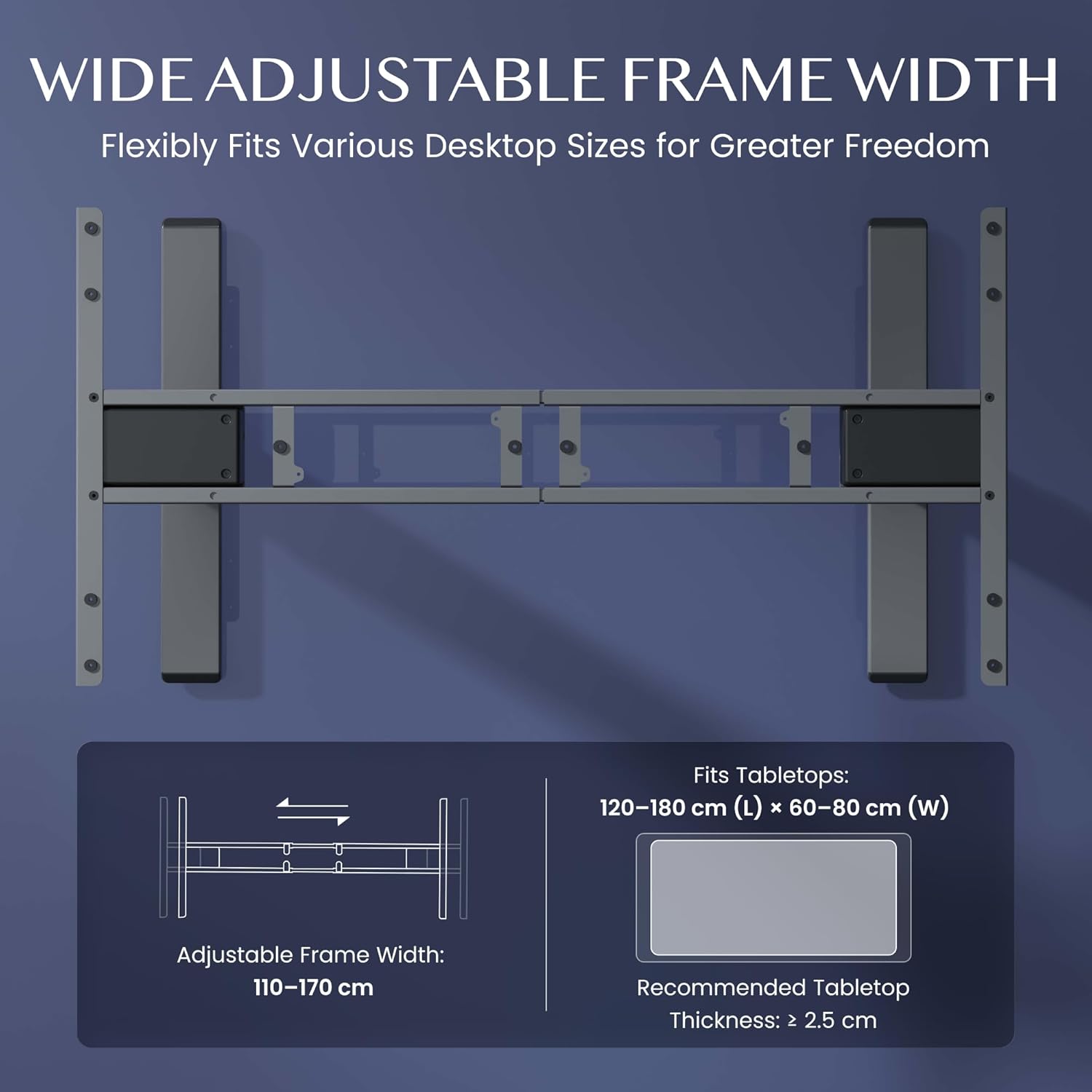
Figure 8.2: Overview of the powerful dual motor system and its performance metrics.

Figure 8.3: The frame features an extra stability design, approximately 30% thicker than standard, for enhanced strength and wobble-free operation.

Figure 8.4: The desk frame supports an ultra-high load capacity of up to 160 kg.
9. Warranty and Support
FLEXISPOT is committed to providing high-quality products and customer satisfaction.
Warranty Information:
- Frame: 5-year warranty
- Controllers and Motors: 3-year warranty
This warranty covers defects in materials and workmanship under normal use. Please retain your proof of purchase for warranty claims.
Customer Support:
For technical assistance, warranty claims, or any questions regarding your FLEXISPOT EC5S desk frame, please contact FLEXISPOT customer support through their official website or the retailer where you purchased the product.


