
Product Overview
The Taylor Digital Glass Body Composition Scale provides accurate weight measurements and analyzes key body composition components, including body fat, body water, and muscle mass percentages. This scale utilizes Bioelectrical Impedance Analysis (BIA) technology and supports up to four unique user profiles, operating in both normal and athlete modes. Its tempered glass platform is designed for comfort and durability, featuring a clear blue backlit display for easy readability.
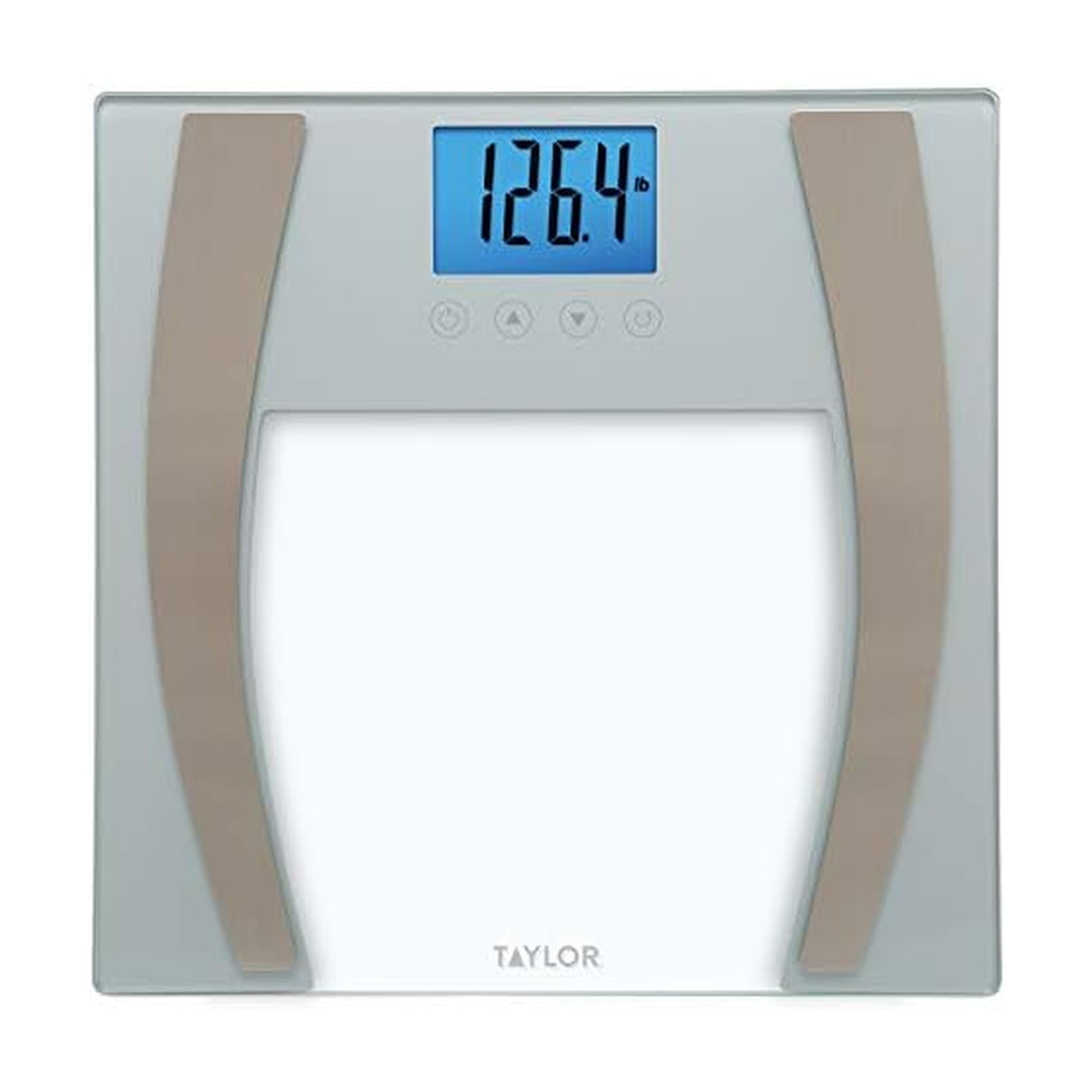
Image: Taylor Digital Glass Body Composition Scale, Model 577141933F.
Setup
1. Battery Installation
Your scale requires 3 AAA batteries, which are included. Locate the battery compartment on the underside of the scale. Open the compartment, insert the batteries according to the polarity indicators (+/-), and close the cover securely.
2. Initial Placement
For accurate readings, place the scale on a hard, flat surface. Avoid carpets or uneven flooring, as this can affect measurement precision.
3. User Profile Setup
The scale can store profiles for up to 4 unique users. To set up a profile:
- Press the "SET" button to enter user setup mode.
- Use the "UP" or "DOWN" arrow buttons to select a user number (P1, P2, P3, P4).
- Press "SET" to confirm the user number.
- Enter your age, height, and gender using the arrow buttons and "SET" to confirm each entry.
- Select "Normal" or "Athlete" mode. Athlete mode is recommended for individuals who exercise at least 3 times per week for a minimum of 2 hours each time.
- The scale will save your profile.
4. Unit Selection
To change the unit of measurement (pounds, kilograms, or stones), locate the switch on the underside of the scale. Slide the switch to your desired unit. The display will update accordingly.
Operating Instructions
1. Taking a Weight Measurement
To take a weight-only measurement:
- Gently tap the scale with your foot to turn it on.
- Wait for "0.0" to appear on the display.
- Step onto the scale with bare feet, ensuring your feet are centered on the metal electrodes for body composition analysis.
- Stand still until your weight is displayed and flashes a few times, indicating a stable reading.
- The scale will then cycle through your body composition metrics (body fat, body water, muscle mass) if a user profile is selected.
2. Body Composition Measurement
For body composition readings, ensure you have a user profile set up and selected. Step onto the scale with bare feet. The scale will automatically detect your profile and display your weight, followed by your body fat percentage, body water percentage, and muscle mass percentage.
3. Athlete Mode
If you engage in intense physical activity (e.g., exercise 3 times a week for 2 hours or more), select "Athlete" mode during user profile setup. This mode uses a different algorithm for body composition calculation, providing more accurate results for athletic individuals.
Maintenance
1. Cleaning
Clean the scale with a damp cloth and mild detergent. Do not use abrasive cleaners or immerse the scale in water. The tempered glass platform can be wiped clean easily.
2. Battery Replacement
When the battery indicator appears on the display, replace all 3 AAA batteries. Ensure correct polarity during installation.
Troubleshooting
- Inaccurate Readings: Ensure the scale is placed on a hard, flat surface. Take measurements at the same time of day, in similar clothing, and with bare feet for body composition. Weight and body composition can fluctuate throughout the day.
- Display Not Clear/Hard to Read: The blue backlit display is designed for visibility. If the display appears dim or unclear, check the batteries and replace them if necessary. Ensure the scale is not exposed to direct sunlight or extreme lighting conditions.
- Scale Not Turning On Easily: Gently tap the scale to activate it. If it still does not turn on, check the battery compartment for proper battery installation and ensure the batteries are not depleted.
- Body Composition Not Displaying: Ensure you are stepping on the scale with bare feet, making good contact with the metal electrodes. Verify that a user profile has been set up and selected.
Specifications
| Brand: | Taylor |
| Model Number: | 577141933F |
| Color: | Silver |
| Material: | Glass |
| Weight Limit: | 400 Pounds (180 kg) |
| Readout Accuracy: | 0.2 Pounds (0.1 kg) |
| Display Type: | LCD with Blue Backlight |
| Power Source: | 3 AAA batteries (included) |
| Product Dimensions: | 12 x 12 x 1 inches |
| Special Feature: | Body Fat, Body Water, Muscle Mass Measurement, 4-User Recognition, Athlete Mode |
Warranty
This Taylor Digital Glass Body Composition Scale comes with a 5-year limited warranty. Please refer to the warranty information provided with your purchase for full details and terms.
Additional Resources
Official Product Video
Video: "Taylor - Life Measured" by Lifetime Brands, Inc. This video highlights Taylor's commitment to precision measurement, innovative designs, and quality craftsmanship across its product range.
Support
For further assistance, technical support, or warranty claims, please contact Taylor customer service. Refer to the contact information provided in your product packaging or visit the official Taylor website.


