
1. Introduction
Welcome to the instruction manual for your Pentel EnerGel Clena Retractable Liquid Gel Pen. This document provides essential information for the proper use, care, and maintenance of your pen to ensure optimal performance and longevity.
2. Product Overview
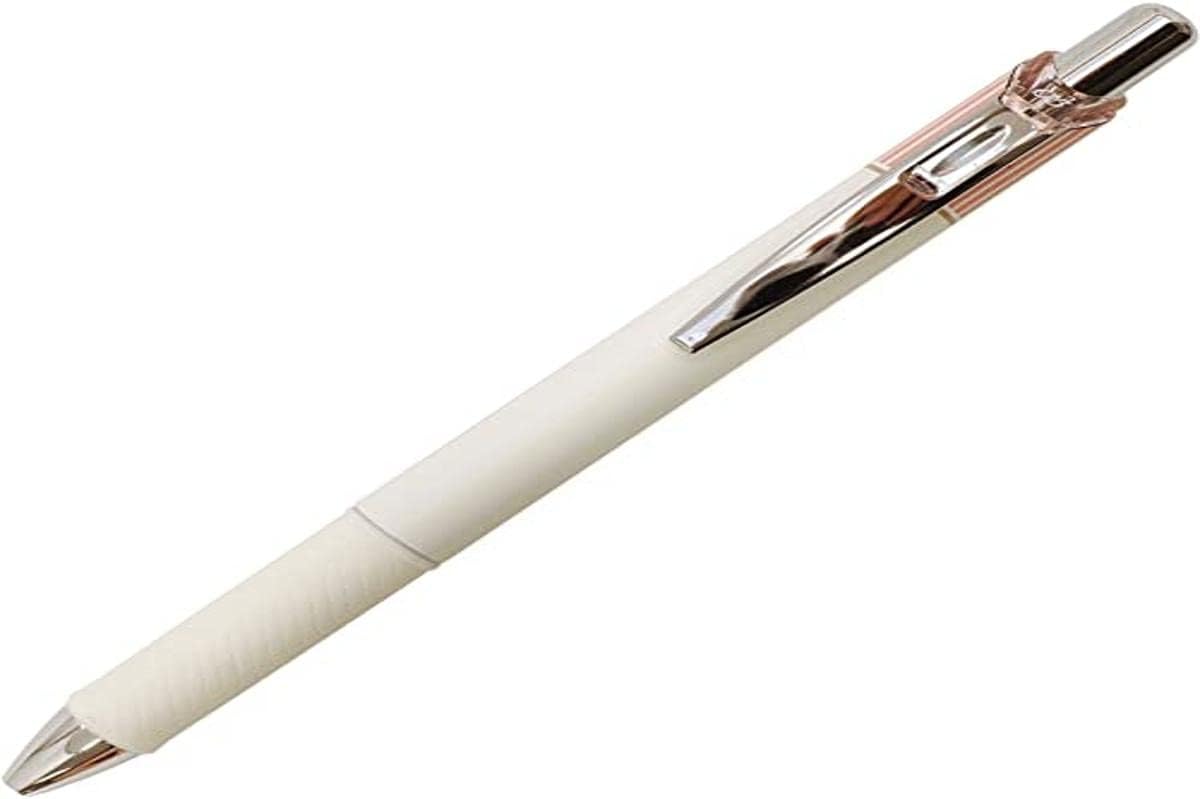
Image: Pentel EnerGel Clena Retractable Liquid Gel Pen, Classical Pink body.
The Pentel EnerGel Clena pen features a retractable design with a 0.5mm micro fine needle tip, delivering smooth black liquid gel ink. Its body is designed for comfortable use and a consistent writing experience.
3. Setup
The Pentel EnerGel Clena pen is designed for immediate use upon removal from its packaging. No assembly is required.
- To prepare for writing, simply click the top button of the pen to extend the pen tip.
- The pen is now ready for use.
4. Operating Instructions
4.1. Writing
- Hold the pen comfortably in your hand.
- Press the top button to extend the pen tip.
- Apply light, consistent pressure to the paper to begin writing. The EnerGel ink is formulated for a smooth and effortless flow.
4.2. Retracting the Tip
- When you have finished writing or wish to store the pen, press the side clip to retract the pen tip.
- Retracting the tip protects it from damage, prevents accidental marks on surfaces, and helps to keep the ink from drying out.
5. Maintenance
5.1. Storage
Always store the pen with the tip retracted. This prevents the ink from drying prematurely and protects the delicate needle tip.
5.2. Refills
Your Pentel EnerGel Clena pen is refillable. When the ink supply is depleted, replace it with a compatible Pentel EnerGel refill.
- Unscrew the pen barrel by twisting the lower section counter-clockwise.
- Carefully remove the empty ink refill from the pen.
- Insert a new Pentel EnerGel refill into the barrel, ensuring it is seated correctly.
- Screw the pen barrel back together securely by twisting clockwise until snug.
5.3. Cleaning
If the pen body accumulates dirt or smudges, wipe it gently with a soft, dry, lint-free cloth. Avoid using abrasive cleaners or harsh chemicals, as these may damage the pen's finish.
6. Troubleshooting
- Ink not flowing:
- Ensure the pen tip is fully extended.
- Gently try writing on a scrap piece of paper to prime the ink flow.
- Check if the ink refill is empty and replace it if necessary.
- Pen tip not retracting or extending properly:
- Inspect the clicking mechanism for any visible obstructions.
- Ensure the pen barrel is securely screwed together, as a loose barrel can affect the mechanism.
7. Specifications
| Model Number | BLN75LP-A |
| Ink Color | Black |
| Point Size | 0.5mm (Micro Fine Needle Tip) |
| Pen Dimensions | Length = 148mm / Width = 15mm / Thickness = 12mm |
| Item Weight | Approximately 0.459 ounces (13 grams) |
| Closure Type | Retractable |
| Grip Type | Contoured |
| Material | Acrylonitrile Butadiene Styrene |
| Manufacturer | Pentel |
8. Warranty and Support
Pentel is committed to providing high-quality products. Your satisfaction is guaranteed, and every Pentel product is backed with a lifetime warranty against defects in materials and workmanship.
For warranty claims, product support, or further assistance, please visit the official Pentel website or contact their customer service department directly. Refer to the packaging or the Pentel website for the most current contact information.