
Introduction
This manual provides detailed instructions for the installation, operation, and maintenance of your Dayton Audio TCP115-4 4" Treated Paper Cone Midbass Woofer. Please read this manual thoroughly before installation and use to ensure proper function and longevity of your speaker component.
Safety Information
Always observe the following safety precautions:
- Ensure all power to audio equipment is disconnected before installation or wiring.
- Use appropriate gauge wiring for speaker connections to prevent overheating and damage.
- Do not exceed the recommended power handling of 80 watts RMS to avoid speaker damage.
- Avoid exposing the speaker to extreme temperatures, moisture, or direct sunlight.
- Keep out of reach of children.
- If you are unsure about any installation steps, consult a qualified audio technician.
What's in the Box
Your Dayton Audio TCP115-4 package should contain the following:
- 1 x Dayton Audio TCP115-4 4" Treated Paper Cone Midbass Woofer
Setup and Installation
Proper installation is crucial for optimal performance of your midbass woofer. Follow these steps carefully:
- Preparation: Ensure you have the necessary tools (screwdriver, wire strippers, soldering iron if needed, mounting hardware) and that your enclosure or mounting location is ready. The speaker requires a 4-inch diameter opening for flush mounting.
- Mounting: Carefully place the woofer into the prepared opening. Align the mounting holes on the speaker frame with the holes in your enclosure or panel. Secure the speaker using appropriate screws, ensuring not to overtighten.
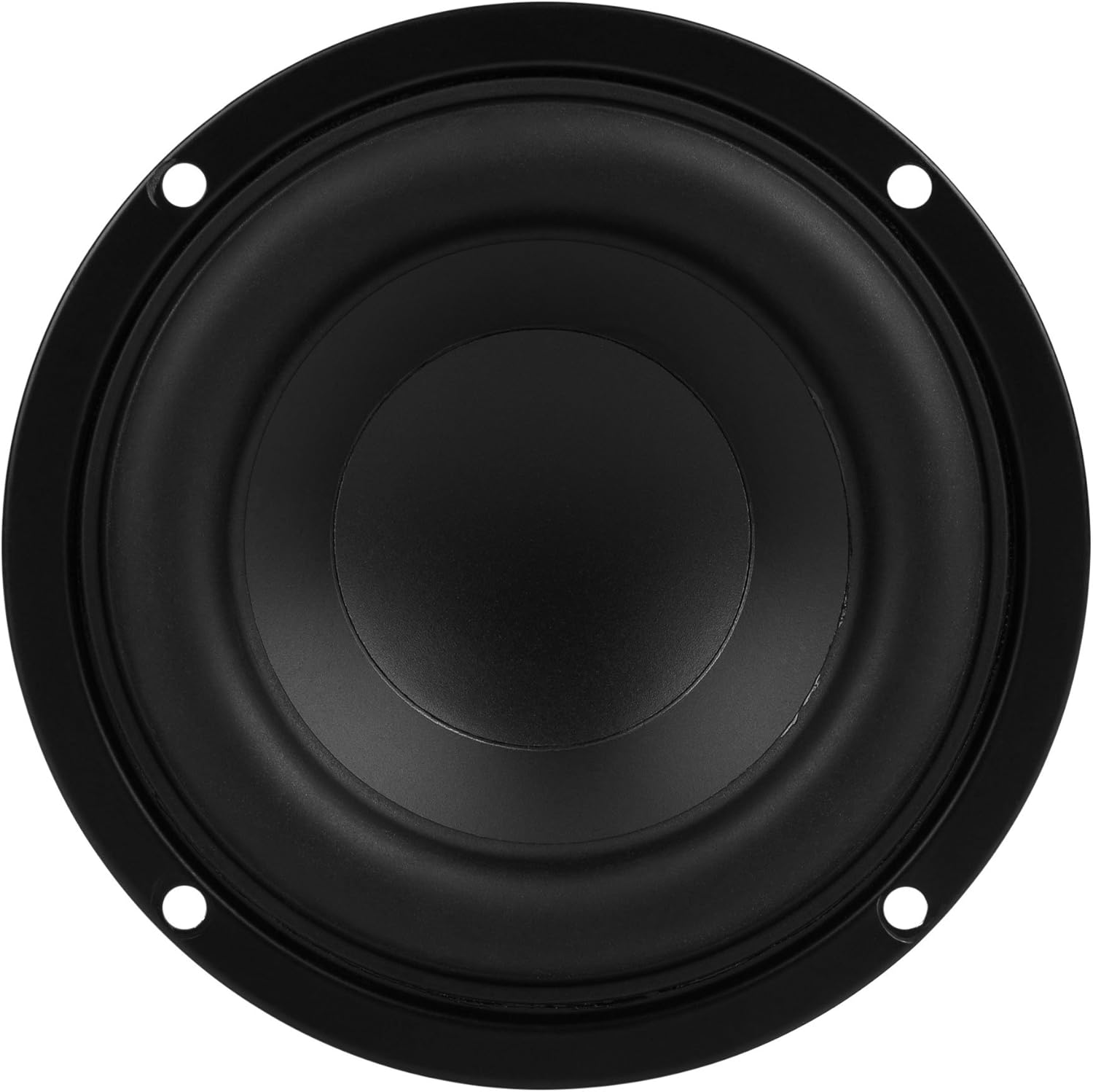
Image: Front view of the Dayton Audio TCP115-4 midbass woofer, showing the treated paper cone and mounting holes.
- Wiring: Connect the speaker wires to the terminals on the back of the woofer. The TCP115-4 is a 4 Ohm speaker. Ensure correct polarity (positive to positive, negative to negative) to avoid phase issues. Soldering connections is recommended for a secure and reliable connection.

Image: Rear view of the Dayton Audio TCP115-4 midbass woofer, highlighting the connection terminals and magnet structure.
- Enclosure Considerations: This midbass woofer is designed for efficiency and compact enclosures. For optimal performance, consider the recommended enclosure volume and tuning frequency for your specific application.
Operating Instructions
Once installed, follow these guidelines for operating your Dayton Audio TCP115-4 midbass woofer:
- Power On: Turn on your audio amplifier or receiver.
- Volume Control: Start with the volume at a low level and gradually increase it to your desired listening level.
- Crossover Settings: For best sound quality and to protect the woofer, use an appropriate crossover frequency. Midbass woofers typically perform best when frequencies below their resonant frequency are filtered out. Consult your amplifier or receiver manual for crossover settings.
- Break-in Period: Allow a break-in period of several hours of moderate use before operating the speaker at high volumes. This allows the suspension components to loosen and achieve optimal performance.
Maintenance
To ensure the longevity and performance of your Dayton Audio TCP115-4 midbass woofer, follow these simple maintenance tips:
- Cleaning: Gently wipe the cone and surround with a soft, dry cloth. Avoid using harsh chemicals or excessive moisture.
- Inspection: Periodically inspect the speaker for any signs of damage to the cone, surround, or dust cap.
- Environment: Keep the speaker in a clean, dry environment, away from direct heat sources or extreme cold.
Troubleshooting
If you encounter issues with your midbass woofer, refer to the following common problems and solutions:
| Problem | Possible Cause | Solution |
|---|---|---|
| No Sound | Incorrect wiring, loose connection, amplifier off, damaged speaker. | Check all wiring connections for proper polarity and tightness. Ensure amplifier is powered on and functioning. Test with another known-good speaker if possible. |
| Distorted Sound | Overpowering, incorrect crossover settings, damaged speaker, poor signal source. | Reduce volume. Verify amplifier power output is within the speaker's RMS rating. Adjust crossover settings. Check audio source for distortion. |
| Weak Bass Output | Incorrect enclosure, phase issues, inadequate amplifier power, incorrect crossover. | Ensure speaker is in a suitable enclosure. Check wiring polarity. Verify amplifier can provide sufficient power. Adjust low-pass filter settings. |
Specifications
Technical specifications for the Dayton Audio TCP115-4 4" Treated Paper Cone Midbass Woofer:
| Feature | Detail |
|---|---|
| Brand | Dayton Audio |
| Model Number | TCP115-4 |
| Speaker Type | Midbass Woofer |
| Woofer Diameter | 4 inches |
| Impedance | 4 Ohm |
| Speaker Maximum Output Power | 80 watts |
| Enclosure Material | Aluminum (Voice Coil Former) |
| Mounting Type | Flush Mount |
| Item Dimensions (D x W x H) | 2.56"D x 4.57"W x 4.57"H |
| UPC | 848791004629 |
Warranty Information
Dayton Audio products are designed for reliability and performance. This product comes with a full warranty. For specific details regarding warranty coverage, duration, and claims, please refer to the official Dayton Audio website or contact customer support. Keep your purchase receipt as proof of purchase.
Customer Support
For technical assistance, troubleshooting, or further information regarding your Dayton Audio TCP115-4 midbass woofer, please visit the official Dayton Audio website or contact their customer support team. Contact details can typically be found on the manufacturer's website.
Online Resources: www.daytonaudio.com


