
1. Introduction
Thank you for choosing the CYBORIS Bluetooth Floating Pool Speaker. This portable, waterproof speaker is designed to provide high-quality audio in various environments, including pools, showers, beaches, and more. Its robust IP67 waterproof rating ensures durability, while features like True Wireless Stereo (TWS) and TF card support offer versatile listening options. Please read this manual carefully to ensure proper use and maintenance of your speaker.

Image: Red CYBORIS floating pool speaker partially submerged in water, showcasing its waterproof design.
2. What's in the Box
- CYBORIS Bluetooth Floating Pool Speaker
- Instruction Manual
- Charging Cable (USB)
- Hook (Carabiner)
3. Product Overview
Familiarize yourself with the speaker's components:
- Power Button: Press and hold to power on/off.
- Play/Pause Button: Controls music playback and call answering/ending.
- Volume Up/Next Track Button: Short press for volume up, long press for next track.
- Volume Down/Previous Track Button: Short press for volume down, long press for previous track.
- Microphone: For hands-free calling.
- Charging Port: Micro USB port for charging.
- TF/Micro SD Card Slot: For playing music directly from a memory card.
- LED Indicator: Displays power, charging, and Bluetooth status.
- Hook Attachment Point: For attaching the included carabiner.
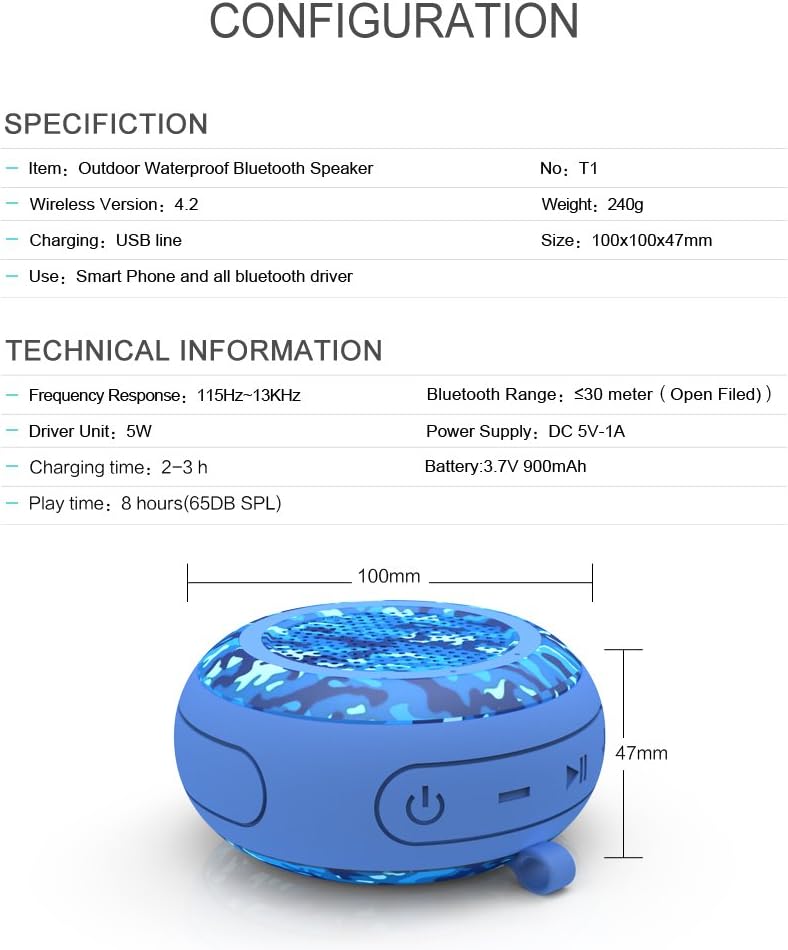
Image: Speaker diagram illustrating button functions and dimensions.
4. Setup
4.1 Charging the Speaker
- Connect the provided USB charging cable to the speaker's charging port.
- Connect the other end of the USB cable to a USB power adapter (DC 5V-1A) or a computer's USB port.
- The LED indicator will illuminate during charging. It typically takes about 3 hours for a full charge.
- Once fully charged, the LED indicator will change or turn off (refer to specific LED behavior in your speaker's quick start guide if different).
Note: For optimal battery life, fully charge the speaker before first use.
4.2 Bluetooth Pairing
- Ensure the speaker is fully charged.
- Press and hold the Power button to turn on the speaker. The LED indicator will flash, indicating it's in pairing mode.
- On your Bluetooth-enabled device (smartphone, tablet, etc.), go to the Bluetooth settings.
- Search for available devices. You should see "CYBORIS-T1" or a similar name in the list.
- Select the speaker name to connect. Once connected, the LED indicator will stop flashing and remain solid, and you may hear a confirmation tone.
Note: The speaker will automatically attempt to reconnect to the last paired device when powered on.
4.3 Using a TF/Micro SD Card
- Insert a TF/Micro SD card (with MP3/APE/FLAC audio files) into the designated slot on the speaker.
- The speaker will automatically switch to TF card mode and begin playing music from the card.
- Use the Play/Pause, Volume Up/Next Track, and Volume Down/Previous Track buttons to control playback.

Image: Speaker with TF/Micro SD card slot and supported audio formats.
5. Operating Instructions
5.1 Power On/Off
- Power On: Press and hold the Power button for approximately 3 seconds until the LED indicator lights up and you hear a power-on tone.
- Power Off: Press and hold the Power button for approximately 3 seconds until the LED indicator turns off and you hear a power-off tone.
5.2 Music Playback
- Play/Pause: Short press the Play/Pause button.
- Volume Up: Short press the Volume Up button.
- Volume Down: Short press the Volume Down button.
- Next Track: Long press the Volume Up button.
- Previous Track: Long press the Volume Down button.
5.3 Hands-Free Calling
- Answer Call: Short press the Play/Pause button when an incoming call rings.
- End Call: Short press the Play/Pause button during a call.
- Reject Call: Long press the Play/Pause button when an incoming call rings.
- Redial Last Number: Double-press the Play/Pause button.
5.4 True Wireless Stereo (TWS) Pairing
The TWS function allows you to pair two CYBORIS T1 speakers together for a stereo sound experience.
- Ensure both speakers are powered off and not connected to any Bluetooth device.
- Power on both speakers. They will enter Bluetooth pairing mode.
- On one of the speakers (this will be the primary speaker), double-press the Power button. The speakers will attempt to pair with each other.
- Once successfully paired, you will hear a confirmation tone, and the LED indicator on the primary speaker will flash slowly, while the secondary speaker's LED will remain solid.
- Now, connect your Bluetooth device to the primary speaker (as described in section 4.2). Music will play through both speakers in stereo.

Image: TWS connection diagram showing two speakers forming left and right channels.
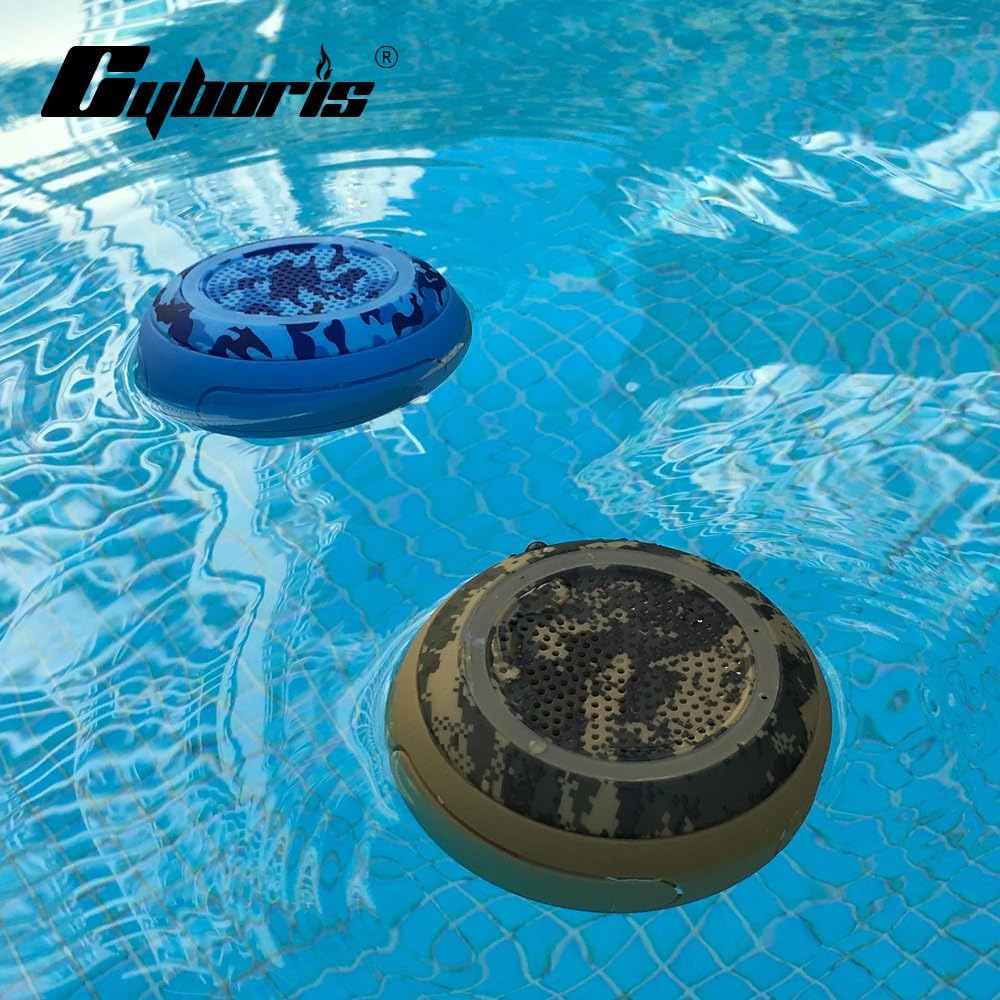
Image: Two CYBORIS speakers floating in a pool, demonstrating their use in water environments.
6. Maintenance
- Cleaning: Wipe the speaker with a soft, damp cloth. Do not use harsh chemicals or abrasive cleaners.
- Water Drainage: If the speaker holes become full of water, the sound may be muffled. Gently shake or tilt the speaker to drain the water from the holes for optimal sound performance.
- Storage: Store the speaker in a cool, dry place away from direct sunlight and extreme temperatures when not in use.
- Battery Care: To prolong battery life, avoid fully discharging the speaker frequently. Charge it regularly, even if not used for extended periods.

Image: Speaker demonstrating its IP67 waterproof capability while floating.
7. Troubleshooting
| Problem | Possible Cause | Solution |
|---|---|---|
| Speaker does not power on. | Low battery. | Charge the speaker fully. |
| Cannot pair with Bluetooth device. | Speaker not in pairing mode; device Bluetooth off; too far from speaker. | Ensure speaker is in pairing mode (flashing LED). Turn on Bluetooth on your device. Move device closer to speaker (within 100-120ft). Forget previous pairings on your device and try again. |
| No sound or muffled sound. | Volume too low; water in speaker holes; speaker not connected. | Increase volume on speaker and device. Drain water from speaker holes. Ensure speaker is properly connected via Bluetooth or TF card. |
| TWS pairing failed. | Speakers not reset; incorrect pairing steps. | Ensure both speakers are powered off and not connected to any device before starting TWS pairing. Follow TWS pairing steps carefully. |
If the problem persists, please contact customer support.
8. Specifications
| Feature | Detail |
|---|---|
| Model Name | CYBORIS-T1 |
| Bluetooth Version | 4.2 |
| Water Resistance Level | IPX7 Waterproof (submersible up to 3 feet for 30 minutes) |
| Speaker Maximum Output Power | 5 Watts |
| Battery Life | Up to 12 Hours |
| Charging Time | Approx. 3 Hours |
| Battery Capacity | 900 mAh |
| Wireless Communication Technology | Bluetooth |
| Maximum Range | 100-120 feet (Open Air Transmission) |
| Product Dimensions (D x W x H) | 3.8" x 3.8" x 1.8" (100mm x 100mm x 47mm) |
| Item Weight | 0.635 ounces (18 Grams) |
| Material | Acrylonitrile Butadiene Styrene (ABS) |
| Special Features | TWS, Bluetooth, Micro SD Card Playing, IPX7 Waterproof, Floating, Built-in Mic |
Video: Official product video demonstrating the CYBORIS Pool Floating Portable Bluetooth Speaker's features and use cases.
9. Warranty and Support
For warranty information and customer support, please refer to the documentation included with your purchase or visit the official CYBORIS brand store on Amazon:
For technical assistance or inquiries, please contact the manufacturer directly through the provided contact channels on their official store page.