
1. Introduction
Thank you for choosing the LogiLink BP0035 TV Wall Mount. This product is designed to securely mount LCD, LED, or PC monitors ranging from 23 to 42 inches in size. Its tilt function allows for optimal viewing angle adjustment, helping to reduce glare and improve your viewing experience. Please read this manual carefully before installation to ensure safe and correct setup.
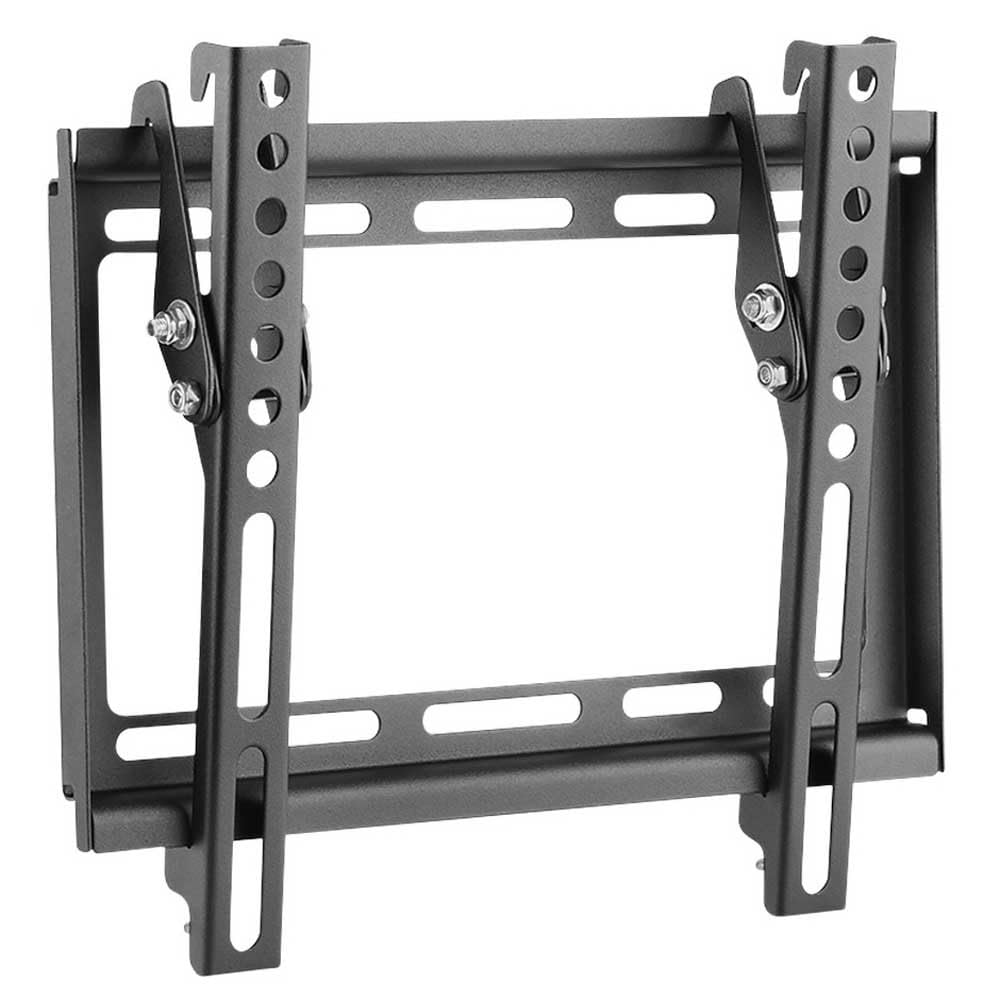
Image 1.1: LogiLink BP0035 TV Wall Mount components.
2. Safety Information
- Ensure the wall structure can support the combined weight of the mount and your TV.
- Do not exceed the maximum load capacity of 35 kg (77 lbs).
- Always use appropriate safety equipment during installation, such as safety glasses.
- If you are unsure about any part of the installation process, consult a qualified professional.
- Keep small parts away from children to prevent choking hazards.
3. Package Contents
Please verify that all components are present before beginning installation:
- Wall Plate (1x)
- TV Brackets (2x)
- Mounting Hardware (screws, anchors, washers)
- Instruction Manual (this document)
4. Setup and Installation
Follow these steps carefully to install your TV wall mount:
- Pre-Installation Check:
- Verify your TV's VESA mounting pattern (e.g., 50x50, 75x75, 100x100, 200x100, 200x200) is compatible with the mount.
- Confirm your TV's weight does not exceed 35 kg (77 lbs).
- Choose a suitable wall location, ensuring it is structurally sound and free from electrical wires or plumbing.
- Attach TV Brackets to TV:
Carefully place your TV face down on a soft, clean surface. Align the TV brackets with the VESA mounting holes on the back of your TV. Use the appropriate screws and washers from the hardware kit to secure the brackets. Do not overtighten.
- Mark Drilling Holes:
Hold the wall plate against the wall at your desired mounting height. Use a level to ensure it is perfectly horizontal. Mark the drilling points through the holes on the wall plate with a pencil.
- Drill Holes:
Drill pilot holes at the marked locations. The drill bit size will depend on your wall type and the anchors provided. Insert wall anchors if required for your wall material (e.g., drywall).
- Attach Wall Plate to Wall:
Align the wall plate with the drilled holes. Secure it to the wall using the provided screws and a screwdriver or drill. Ensure the wall plate is firmly attached and stable.
- Hang TV on Wall Mount:
With assistance, carefully lift the TV (with brackets attached) and hook the brackets onto the wall plate. Ensure the TV is seated securely on the wall plate.
- Secure TV:
Locate the safety screws or locking mechanisms on the bottom of the TV brackets. Tighten these to prevent the TV from accidentally lifting off the wall plate.

Image 4.1: Front view of the LogiLink BP0035 TV Wall Mount, showing mounting points.
5. Operating the Tilt Function
The LogiLink BP0035 mount allows for a tilt adjustment range of -8° to 0°.
- Adjusting Tilt:
To adjust the tilt angle, gently push or pull the bottom of your TV to achieve the desired viewing angle. The mount is designed to hold its position once adjusted. No tools are typically required for tilt adjustment after initial installation.
6. Maintenance
- Regular Checks: Periodically inspect the mount and all fasteners to ensure they remain secure. Tighten any loose screws.
- Cleaning: Clean the mount with a soft, dry cloth. Avoid abrasive cleaners or solvents that could damage the finish.
7. Troubleshooting
- TV is not level: Ensure the wall plate was installed horizontally using a level. If not, you may need to re-install the wall plate.
- Mount feels loose: Re-check all screws securing the wall plate to the wall and the TV brackets to the TV. Ensure wall anchors are properly installed if used.
- Difficulty tilting: Ensure no cables are obstructing the movement. The tilt mechanism should move smoothly. If it feels stiff, check for any debris or obstructions.
8. Specifications
| Model Number | BP0035 |
| Screen Size Compatibility | 23 - 42 inches |
| Load Capacity | Max. 35 kg (77 lbs) |
| VESA Compatibility | 50x50, 75x75, 100x100, 200x100, 200x200 |
| Tilt Angle | -8° to 0° |
| Distance from Wall | 20.5 mm |
| Material | Metal |
| Color | Black |
| Item Weight | 0.59 kg |
| Item Dimensions (L x W x H) | 8.74 x 0.81 x 10.43 inches |

Image 8.1: Technical drawing with key dimensions and tilt range.
9. Warranty and Support
For warranty information or technical support, please refer to the documentation included with your purchase or visit the official LogiLink website. Keep your purchase receipt as proof of purchase.


