
1. Introduction
The Legami FM0001 Portable Mini FM Radio is a compact, battery-operated device designed for receiving FM radio broadcasts. This manual provides essential information for the safe and efficient use of your radio, including setup, operation, and maintenance guidelines.
2. Safety Information
- Do not expose the radio to water or excessive moisture.
- Avoid extreme temperatures.
- Use only the specified battery type (2 x AA batteries).
- Do not mix old and new batteries, or different types of batteries.
- Dispose of batteries properly according to local regulations.
- Keep out of reach of small children.
- Do not attempt to disassemble or modify the radio.
3. Package Contents
- 1 x LEGAMI FM0001 Portable Mini FM Radio
Note: AA batteries are not included and must be purchased separately.
4. Product Overview
Familiarize yourself with the components of your mini FM radio.
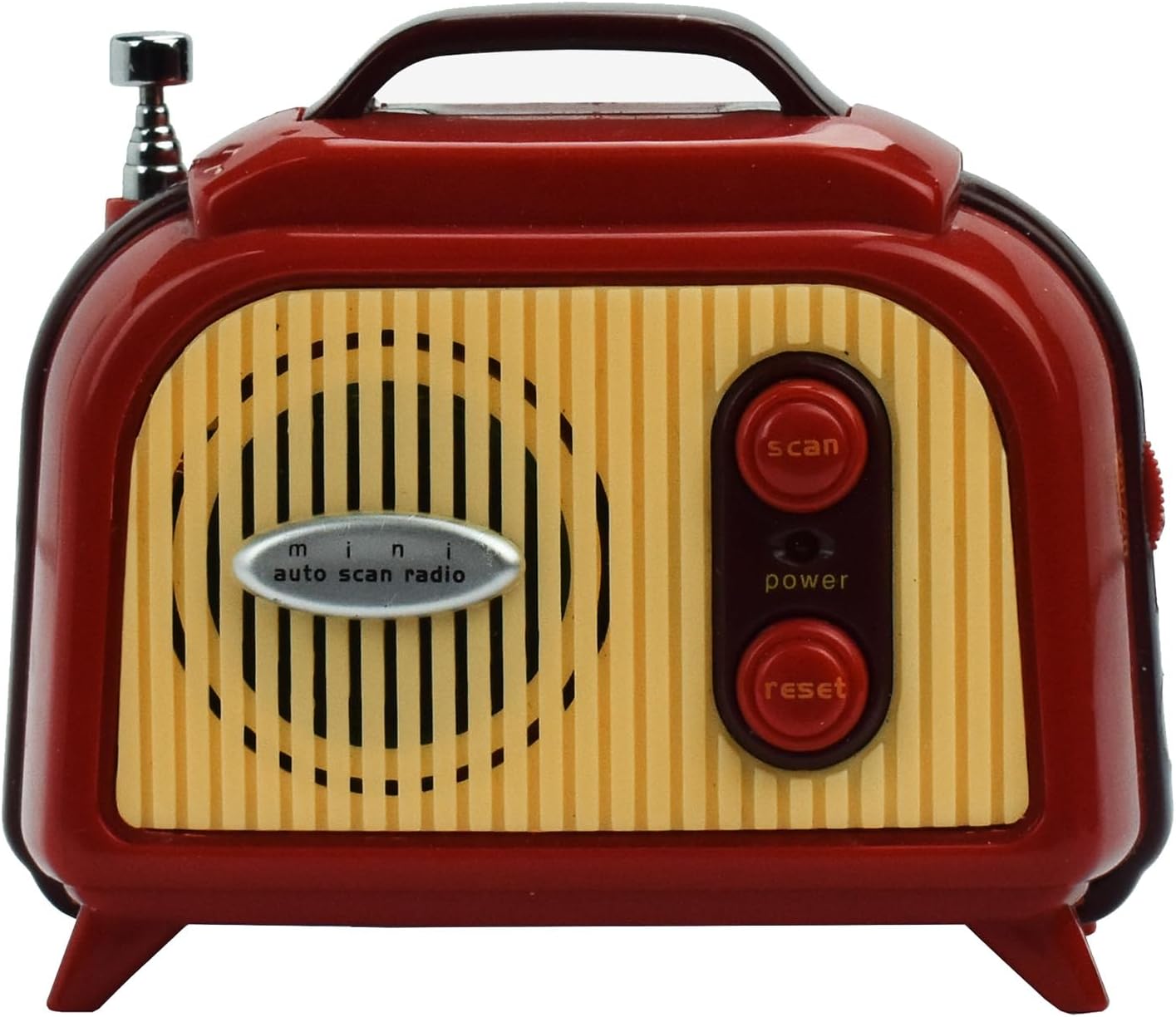
Figure 1: Front view of the radio, highlighting the speaker and control buttons.
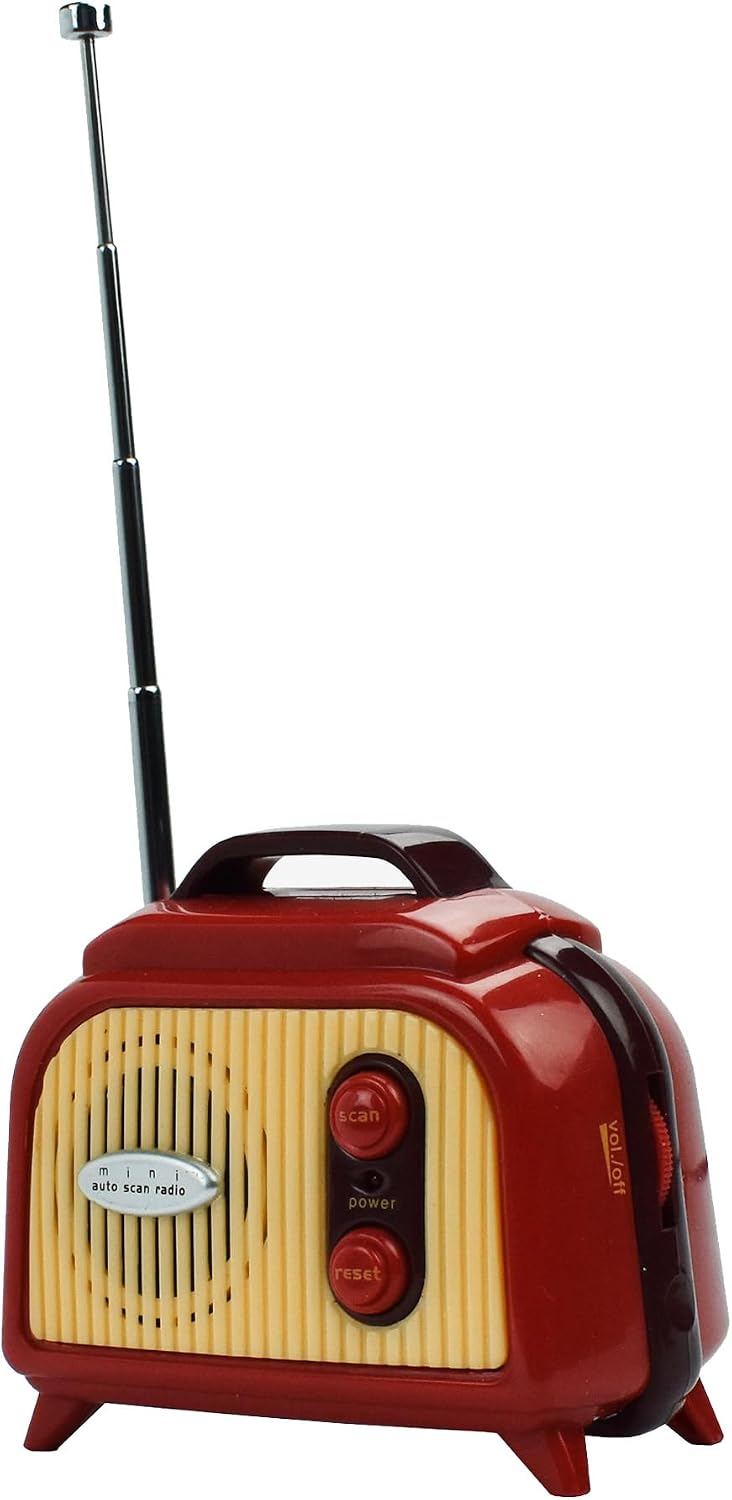
Figure 2: Side view of the radio, illustrating the extendable antenna, volume control, and headphone jack.
Controls and Features:
- Antenna: Extendable for improved FM reception.
- Speaker: Integrated speaker for audio output.
- Scan Button: Initiates automatic scanning for FM radio stations.
- Power Button: Turns the radio on or off.
- Reset Button: Resets the radio to its default settings.
- Volume Dial: Located on the side, controls the audio output level.
- Headphone Jack: For private listening with compatible headphones (headphones not included).
- Battery Compartment: Located on the bottom/rear for AA batteries.
5. Setup
5.1 Battery Installation
- Locate the battery compartment cover on the back or bottom of the radio.
- Slide or unclip the cover to open the compartment.
- Insert two (2) AA batteries, ensuring correct polarity (+ and -) as indicated inside the compartment.
- Replace the battery compartment cover securely.
6. Operating Instructions
6.1 Power On/Off
- To turn on the radio, press the Power button.
- To turn off the radio, press the Power button again.
6.2 Adjusting Volume
- Rotate the Volume Dial located on the side of the radio to increase or decrease the sound level.
6.3 Tuning to FM Stations
- Extend the telescopic antenna for optimal reception.
- Press the Scan button. The radio will automatically scan the FM band (88 MHz to 108 MHz) and stop at the next available station.
- Repeat pressing the Scan button to cycle through available stations.
6.4 Using the Reset Function
- If the radio is not functioning correctly, press the Reset button to restore factory settings. Note that this may clear any previously tuned stations.
6.5 Private Listening
- Plug compatible headphones into the headphone jack on the side of the radio. The internal speaker will automatically mute.
7. Maintenance
- Clean the radio with a soft, dry cloth. Do not use liquid cleaners or abrasive materials.
- If the radio will not be used for an extended period, remove the batteries to prevent leakage.
- Store the radio in a cool, dry place away from direct sunlight.
8. Troubleshooting
| Problem | Possible Cause | Solution |
|---|---|---|
| Radio does not turn on. | Batteries are dead or incorrectly inserted. | Replace batteries or check polarity. |
| Poor reception or static. | Antenna not extended, weak signal, or interference. | Fully extend the antenna. Try repositioning the radio. |
| No sound. | Volume too low, headphones connected, or radio not tuned to a station. | Increase volume. Disconnect headphones. Press Scan to find a station. |
| Radio freezes or malfunctions. | Temporary software glitch. | Press the Reset button. |
9. Specifications
- Brand: Legami
- Model Name: FM0001
- Model Number: 34010494
- Color: Red
- Tuning Technology: FM
- Supported Radio Bands: FM (88 MHz to 108 MHz)
- Power Source: 2 x AA Batteries (not included)
- Special Feature: Portable
- Connectivity: Auxiliary (for headphones)
- Dimensions (L x W x H): 7.5 cm x 4.5 cm x 8.8 cm
10. Warranty and Support
For warranty information or technical support, please refer to the retailer where the product was purchased or visit the official Legami website. Keep your proof of purchase for any warranty claims.