
iFrogz IFFAWL-BL0
IFROGZ Aurora Wireless Headphones User Manual
Brand: iFrogz | Model: IFFAWL-BL0
Introduction
The IFROGZ Aurora Wireless Headphones are designed to provide a high-quality audio experience with the convenience of wireless connectivity. Featuring 40mm drivers for rich sound and a comfortable, foldable design, these headphones are suitable for various uses, including listening to music and taking calls on the go. This manual provides detailed instructions for setup, operation, and maintenance to ensure optimal performance and longevity of your headphones.
Package Contents
Please verify that all items are present in the package:
- IFROGZ Aurora Wireless Headphones
- USB Charging Cable
- 3.5mm Audio Jack Cable
- User Manual (this document)
Product Overview

Figure 1: Angled view of the IFROGZ Aurora Wireless Headphones, highlighting the overall design and earcups.

Figure 2: Side view of the headphones, illustrating the placement of control buttons for volume and track navigation.

Figure 3: Front view of the headphones, showcasing the iFrogz logo and the sleek design of the earcups.
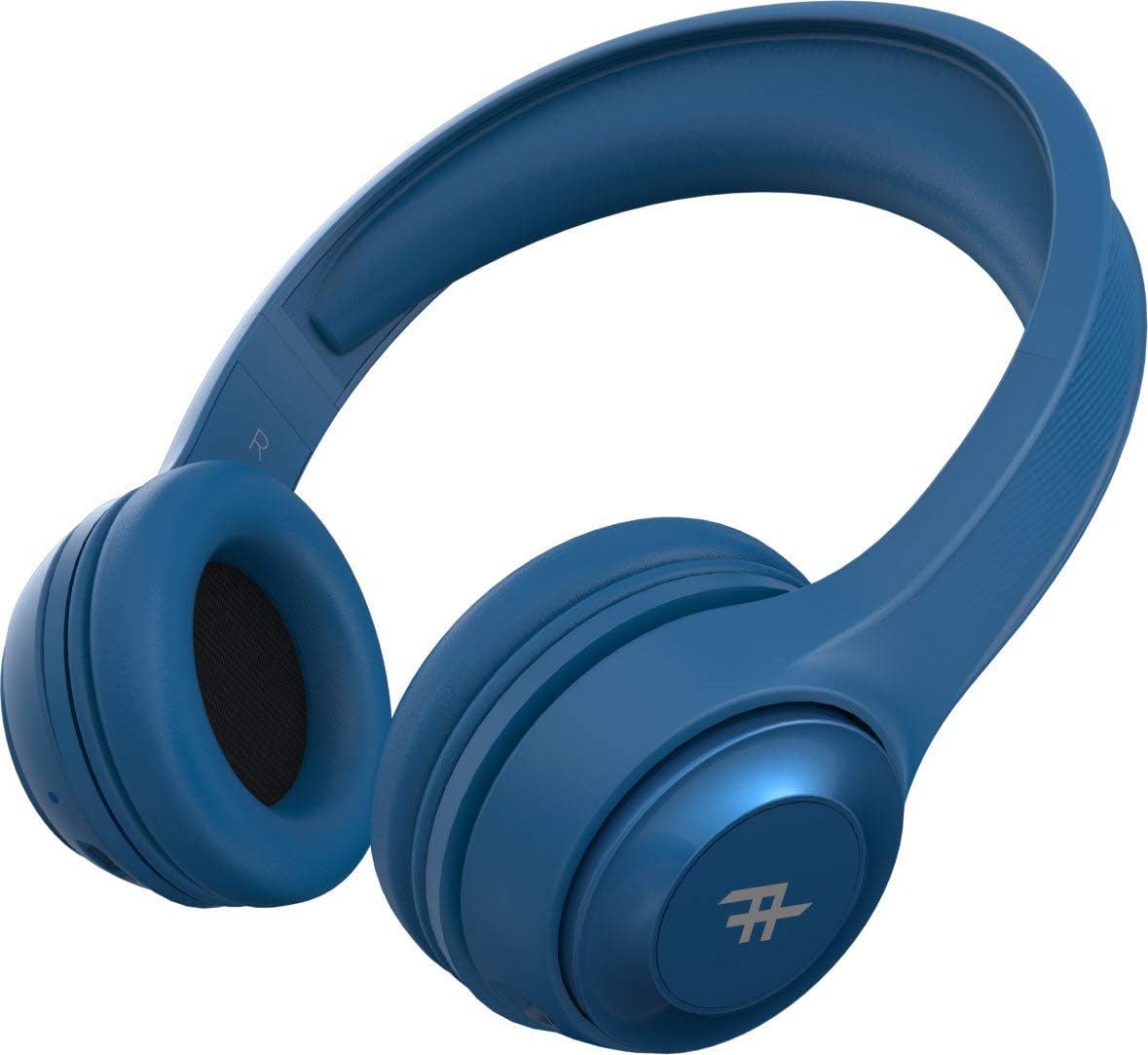
Figure 4: Top view of the headphones, demonstrating the adjustable headband for a comfortable fit.
Key Features:
- Wireless Bluetooth Connectivity: Enjoy freedom from cords with seamless Bluetooth pairing.
- Premium Sound: Equipped with 40mm drivers for rich and powerful audio output.
- On-Headset Controls: Intuitive controls located on the earcup for easy management of music and calls.
- Long Battery Life: Up to 12 hours of playback on a single charge.
- Integrated Microphone: Allows for hands-free calling.
- Foldable Design: Compact and easy to store, ideal for travel.
- Convertible Use: Can be used wirelessly via Bluetooth or wired with the included 3.5mm audio jack cable.
- Passive Noise Isolation: AeroFoam padding on earcups provides comfort and helps reduce ambient noise.
Setup and Initial Use
1. Charging the Headphones
Before first use, fully charge your headphones. Connect the small end of the USB charging cable to the charging port on the headphone earcup and the larger end to a USB power source (e.g., computer USB port, wall adapter). The LED indicator will show charging status and turn off or change color when fully charged.
2. Powering On/Off
- To Power On: Press and hold the Power button (usually the multi-function button) for approximately 3 seconds until the LED indicator lights up and you hear an audible prompt.
- To Power Off: Press and hold the Power button for approximately 5 seconds until the LED indicator turns off and you hear an audible prompt.
3. Bluetooth Pairing
- Ensure the headphones are powered off.
- Press and hold the Power button for about 5-7 seconds until the LED indicator flashes rapidly, indicating pairing mode.
- On your device (smartphone, tablet, computer), enable Bluetooth and search for available devices.
- Select "IFROGZ Aurora" from the list of found devices.
- Once paired, the LED indicator will stop flashing and remain solid blue, and you will hear a confirmation tone.
- If prompted for a password, enter "0000".
Note: The headphones will automatically attempt to reconnect to the last paired device when powered on.
4. Wired Connection (Optional)
If the battery is depleted or you prefer a wired connection, you can use the included 3.5mm audio jack cable. Plug one end into the audio input port on the headphone earcup and the other end into your device's 3.5mm audio output jack. The headphones will function as passive wired headphones in this mode.
Operating Instructions
Music Playback Controls
- Play/Pause: Press the Multi-function button (usually the iFrogz logo button).
- Next Track: Press and hold the "Next" button (usually marked with >).
- Previous Track: Press and hold the "Previous" button (usually marked with <).
- Volume Up: Short press the "+" button.
- Volume Down: Short press the "-" button.
Call Management
- Answer/End Call: Press the Multi-function button.
- Reject Call: Press and hold the Multi-function button for 2 seconds.
- Redial Last Number: Double-press the Multi-function button.
Care and Maintenance
- Cleaning: Wipe the headphones with a soft, dry cloth. Do not use abrasive cleaners or solvents.
- Storage: When not in use, store the headphones in a cool, dry place, away from direct sunlight and extreme temperatures. The foldable design allows for compact storage.
- Battery Care: To preserve battery life, charge the headphones at least once every three months if not used regularly. Avoid fully discharging the battery frequently.
- Water Exposure: These headphones are not waterproof. Avoid exposure to liquids, moisture, or rain.
Troubleshooting
| Problem | Possible Cause | Solution |
|---|---|---|
| Headphones do not power on. | Low battery. | Charge the headphones fully. |
| Cannot pair with Bluetooth device. | Headphones not in pairing mode; device Bluetooth off; too far from device. | Ensure headphones are in pairing mode (flashing LED). Turn on Bluetooth on your device. Move headphones closer to the device (within 10 meters). |
| No sound or low volume. | Volume too low on headphones or device; incorrect audio source; headphones not connected. | Increase volume on both headphones and device. Ensure headphones are properly paired or connected via audio cable. Check audio output settings on your device. |
| Sound distortion. | Too far from Bluetooth device; interference; audio file quality. | Move closer to the Bluetooth device. Avoid strong electromagnetic interference. Try a different audio file. |
| Microphone not working. | Microphone muted on device; headphones not selected as input device. | Check microphone settings on your device. Ensure the headphones are selected as the audio input device during calls. |
Specifications
| Feature | Detail |
|---|---|
| Model Number | IFFAWL-BL0 |
| Connectivity | Wireless (Bluetooth), Wired (3.5mm Audio Jack) |
| Wireless Technology | Bluetooth |
| Battery Type | Lithium-polymer (1 included) |
| Battery Life | Up to 12 hours |
| Form Factor | Over-ear |
| Color | Blue |
| Material | Plastic (PU) |
| Special Features | Foldable design, Integrated microphone |
| Manufacturer | ZAGG |
| Package Dimensions | 8.4 x 19 x 21.2 cm |
| Package Weight | 0.28 kg |
Warranty and Support
For warranty information and customer support, please refer to the warranty card included in your product packaging or visit the official iFrogz website. Keep your proof of purchase for any warranty claims.
For further assistance or technical inquiries, please contact iFrogz customer service.
Ask a question about this manual
Ask about setup, troubleshooting, compatibility, parts, safety, or missing instructions. Manuals+ will review the question and use this page’s manual context to help answer it.