
1. Safety Information
Please read all instructions carefully before installation and use. Retain this manual for future reference.
- Electrical Safety: Ensure power is disconnected before installation or maintenance. All electrical work should be performed by a qualified electrician if direct wiring is required.
- Mounting: Mount the fixture securely to a stable surface.
- Water Resistance: The floodlight has an IP66 rating, suitable for outdoor use. The motion sensor is IP44 rated. Ensure all connections are properly sealed to maintain water resistance.
- Operating Voltage: This product operates at 120 Volts AC.
- Non-Dimmable: This LED flood light is not dimmable. Do not connect to a dimmer switch.
2. Product Overview
The DINGLILIGHTING 10W LED Motion Sensor Flood Light is an outdoor security light designed to provide bright illumination upon detecting motion. It features adjustable settings for sensitivity, duration, and operating time, making it suitable for various outdoor applications such as garages, yards, patios, and pathways.

Image 2.1: Front view of the DINGLILIGHTING 10W LED Motion Sensor Flood Light with its attached US 3-prong plug.
Key Features:
- Automatic Motion Sensing: Activates automatically when motion is detected within 12 meters (40 feet).
- Adjustable Settings: Customize detection distance (SENS), light duration (TIME), and operating mode (LUX).
- Durable & Weatherproof: IP66 rated floodlight and IP44 rated motion sensor for outdoor use. Constructed with aluminum, glass, and metal.
- Energy Efficient: 10W LED provides 800 lumens of 6000K daylight white light.
- Flexible Installation: Features a thickened adjustable metal stand for secure wall mounting.

Image 2.2: Diagram showing key components including the rotatable stent, waterproof joint, high power LED chips, and explosion-proof glass.
3. Setup and Installation
This flood light is designed for wall mounting. Ensure the mounting surface is sturdy enough to support the fixture.
3.1 Package Contents:
- 1 x DINGLILIGHTING 10W LED Motion Sensor Flood Light
- Light kit included (pre-assembled)
3.2 Installation Steps:
- Choose Location: Select a suitable outdoor location for wall mounting, such as a garage, yard, patio, or pathway. Consider the desired detection range and light coverage.
- Mounting: Use appropriate screws and anchors (not included) to securely fasten the adjustable metal stand to the wall. The stand allows for rotation of the light fixture by 60 degrees and the sensor by 180 degrees for optimal positioning.
- Power Connection: The flood light comes with a US 3-prong plug. You can either:
- Plug it directly into a compatible outdoor electrical outlet.
- For a more permanent installation, the plug can be cut off, and the wires connected directly to a junction box by a qualified electrician. Ensure proper insulation and sealing for outdoor use.
- Adjust Angle: Once mounted, adjust the angle of the flood light and the motion sensor to cover the desired area.

Image 3.1: Examples of suitable installation locations and detection patterns, including doorways, backyards, car parks, stairs, balconies, and fence gates.
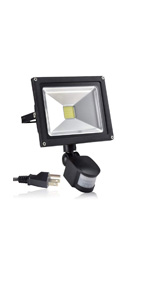
Image 3.2: Illustration showing the two power connection options: using the plug with a socket or cutting the plug for direct wiring.
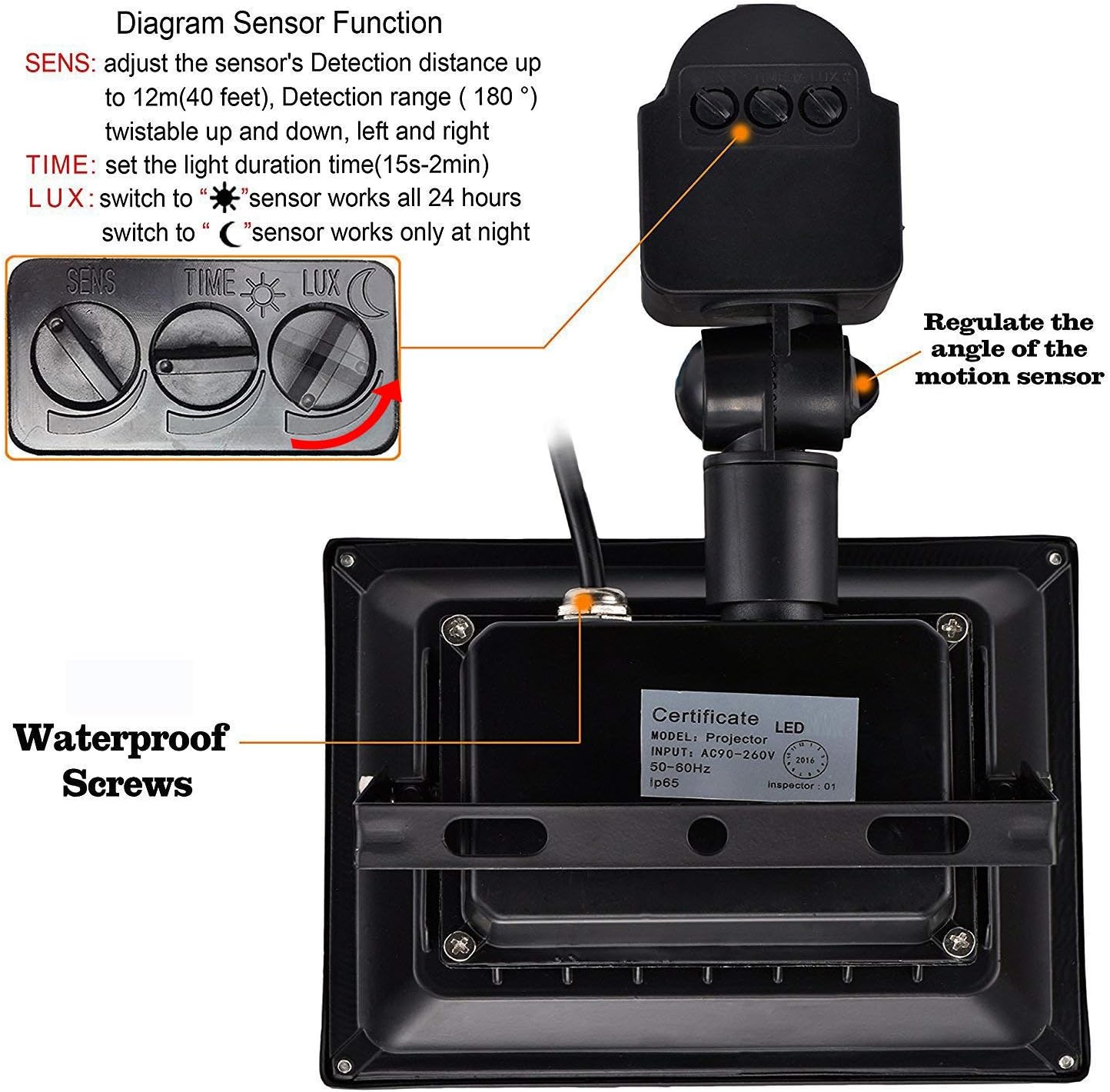
Image 3.3: Detailed dimensions of the flood light and motion sensor unit.
4. Operating Instructions and Settings
The motion sensor features three adjustable dials to customize its operation:

Image 4.1: Diagram illustrating the SENS, TIME, and LUX adjustment dials on the motion sensor.
- SENS (Sensitivity): Adjusts the detection distance of the sensor. Turn the dial to increase or decrease the range. The maximum detection distance is approximately 12 meters (40 feet).
- TIME (Duration): Sets how long the light remains on after motion is detected and no further motion is sensed. The duration can be set from approximately 15 seconds to 2 minutes.
- LUX (Light Sensor): Determines when the sensor will activate the light based on ambient light levels.
- Turn to the 'SUN' symbol: The sensor will operate 24 hours a day, activating the light whenever motion is detected, regardless of ambient light.
- Turn to the 'MOON' symbol: The sensor will only activate the light when motion is detected in low light conditions or at night.
Note: The light will only activate when motion is detected. It does not have a continuous 'on' mode.
5. Maintenance
Regular maintenance ensures optimal performance and longevity of your flood light.
- Cleaning: Periodically clean the lens of the flood light and the sensor window with a soft, damp cloth. Do not use abrasive cleaners or solvents.
- Inspection: Regularly inspect the power cord and housing for any signs of damage. Ensure all mounting screws are tight.
- Water Resistance: Verify that all seals and connections remain intact, especially after any adjustments or extreme weather conditions, to maintain the IP66/IP44 rating.
6. Troubleshooting
If you encounter issues with your DINGLILIGHTING LED Motion Sensor Flood Light, refer to the following common problems and solutions:
| Problem | Possible Cause | Solution |
|---|---|---|
| Light does not turn on. | No power; LUX setting too high (daytime); TIME setting too low; Sensor not detecting motion. | Check power connection. Adjust LUX to 'MOON' for night operation or 'SUN' for 24-hour operation. Increase TIME setting. Verify sensor angle and SENS setting. Test in a dark environment. |
| Light stays on continuously. | Continuous motion in detection area; TIME setting too long; Sensor malfunction. | Ensure no constant motion is within the sensor's range. Reduce TIME setting. If problem persists, contact customer support. |
| Light flashes or flickers. | Unstable power supply; Loose wiring; Faulty unit. | Check power connections. Ensure wiring is secure. If problem persists, contact customer support. |
| Motion sensor range is poor. | SENS setting too low; Obstructions; Incorrect sensor angle. | Increase SENS setting. Clear any obstructions in the detection path. Adjust the sensor's angle for optimal coverage. |
7. Specifications
| Feature | Specification |
|---|---|
| Model Number | WS-FPA5-10A |
| Wattage | 10 Watts |
| Brightness | 800 Lumens |
| Color Temperature | 6000 Kelvin (Daylight White) |
| Power Source | AC Corded Electric (120 Volts) |
| Material | Aluminum, Glass, Metal |
| Floodlight IP Rating | IP66 (Waterproof) |
| Motion Sensor IP Rating | IP44 |
| Product Dimensions (L x W x H) | 4.53" x 3.3" x 5.91" |
| Item Weight | 1.4 Pounds |
| Detection Distance | Up to 12m (40 feet) |
| Detection Range | 180 degrees (twist-able) |
| Light Duration (Adjustable) | 15 seconds to 2 minutes |
| Control Method | PIR Motion Sensor |
8. Warranty and Support
8.1 Warranty Information:
This DINGLILIGHTING product comes with a 2-year manufacturer's warranty from the date of purchase. This warranty covers defects in materials and workmanship under normal use. It does not cover damage caused by improper installation, misuse, accidents, or unauthorized modifications.
8.2 Customer Support:
If you have any questions, require technical assistance, or need to make a warranty claim, please contact DINGLILIGHTING customer service. Our customer service team aims to respond to inquiries within 24 hours.
For further information, you may visit the official DINGLILIGHTING store on Amazon: DINGLILIGHTING Store