
Introduction
The Ameriwood Home Owen Retro Computer Desk is designed to provide a functional workspace for small and medium-sized rooms. This manual contains essential information for the proper assembly, use, and care of your desk to ensure its durability and performance.
Setup Instructions
Minimal assembly is required for the Owen Retro Computer Desk. Please follow these steps carefully:
- Unpack all components and verify that all parts are present according to the included parts list.
- Attach the four hairpin-style metal legs to the underside of the desktop. Ensure all screws are tightened securely.
- Place the desk in its desired location. If the desk feels uneven, gently adjust the legs until it is stable.


The desk is designed to support a maximum weight of 100 lbs (approximately 45 kg).
Operating Instructions
The Owen Retro Computer Desk serves as a versatile surface for various tasks. It is suitable for use as a computer table, home office desk, or study station.
- Workspace: Utilize the spacious desktop for your laptop, monitor, paperwork, and other essential items.
- Storage: The integrated shelves (if applicable to your model) can be used for books, magazines, or small office supplies. These shelves can be easily removed if additional space is needed for items like a computer tower.


Video: An official product video showcasing the Owen Retro Desk, including its dimensions, surface texture, and the removable shelves for flexible storage options.
Maintenance
To maintain the appearance and longevity of your desk, follow these care guidelines:
- Cleaning: Wipe the desk surface with a dry cloth. Avoid using harsh chemicals or abrasive cleaners, as these can damage the engineered wood finish.
- Spills: Promptly clean any spills with a dry cloth to prevent staining, especially on lighter finishes.
- Protection: Use coasters under beverages and protective pads under hot items to prevent heat or moisture damage.
- Legs: Periodically check the leg attachments to ensure they remain tight and secure.
Troubleshooting
If you encounter any issues with your desk, consider the following common solutions:
- Unevenness/Wobbling: If the desk feels unstable, check that all legs are securely fastened and that the desk is placed on a level surface. Slight adjustments to the leg position can often resolve wobbling.
- Stains: For minor stains, try a damp cloth with a mild soap solution, then immediately wipe dry. For persistent stains, consult a professional furniture care guide for engineered wood.
- Damage: If any part of the desk is damaged, do not attempt to repair it with incompatible materials. Contact customer support for guidance.
Specifications
| Feature | Detail |
|---|---|
| Brand | Ameriwood Home |
| Model Number | 9327015COM |
| Model Name | Owen |
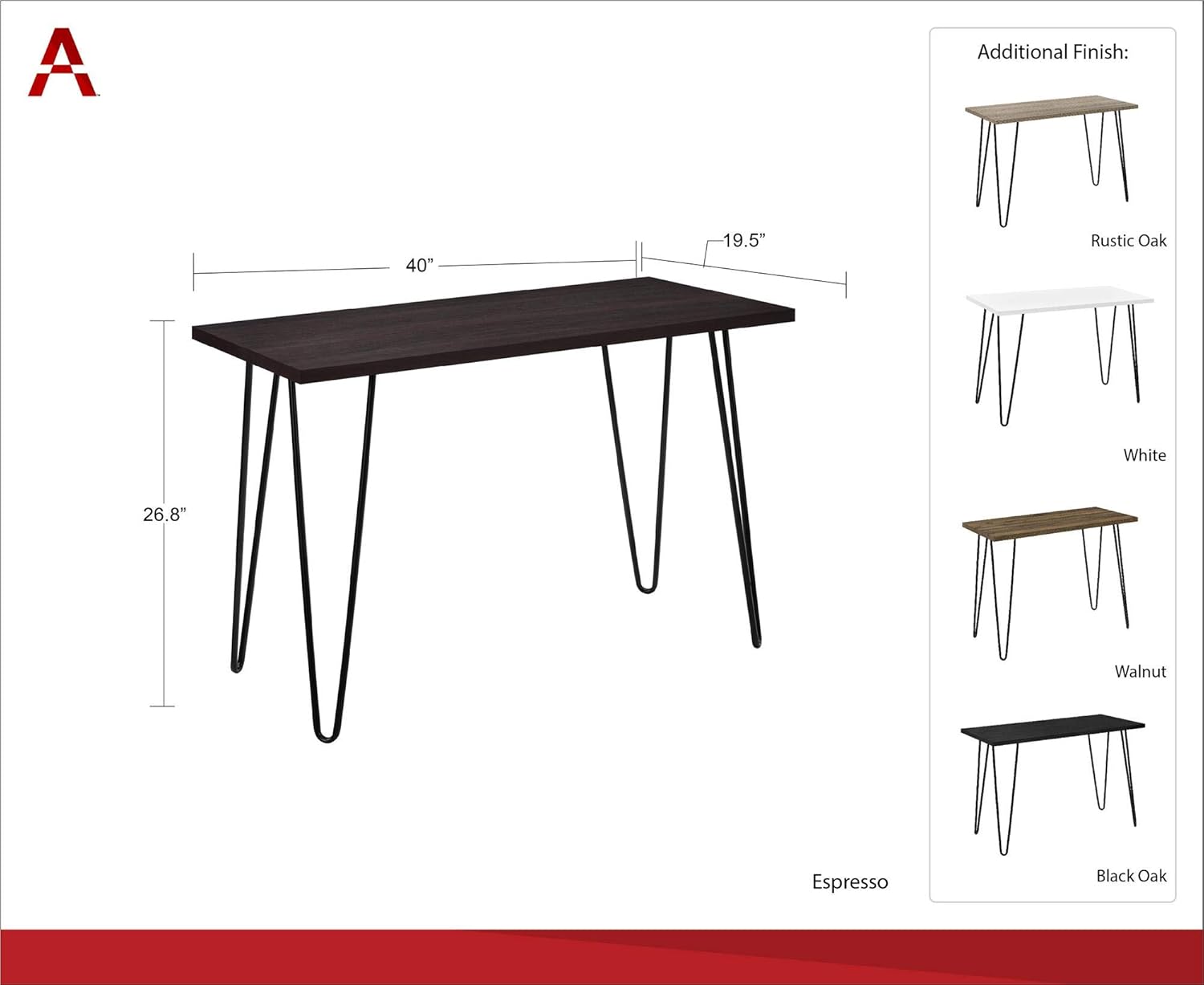
| Product Dimensions (D x W x H) | 19.5" x 40" x 26.75" |
| Item Weight | 25.8 Pounds |
| Maximum Weight Recommendation | 100 Pounds |
| Top Material Type | Engineered Wood |
| Base Material | Metal |
| Color | White/Black (Distressed Gray Oak top) |
| Style | Retro Desk |
Warranty
The Ameriwood Home Owen Retro Computer Desk comes with a 1-year limited warranty from the manufacturer. Please retain your proof of purchase for any warranty claims.
Support
For further assistance, missing parts, or warranty inquiries, please visit the official Ameriwood Home store or contact their customer service department. You can find more information at the Ameriwood Home Store on Amazon.

