
Introduction
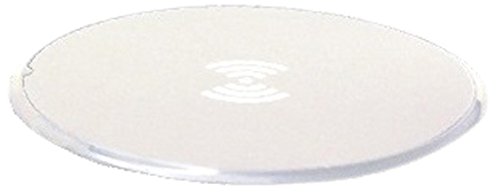
Thank you for choosing the GabbaGoods Qi Certified Wireless Charger. This ultra-slim charging pad provides a convenient and efficient way to charge your Qi-compatible devices without the need for cables directly connected to your phone. Designed for simplicity and reliability, this manual will guide you through the setup, operation, and maintenance of your new wireless charger.
Package Contents
- Hands-Free Wireless Charging Pad
- Micro USB Cable
Setup Instructions
Follow these steps to set up your GabbaGoods Wireless Charger:
- Connect the included Micro USB cable to the Micro USB port on the wireless charging pad.
- Connect the other end of the Micro USB cable to a compatible USB power adapter (not included). For optimal performance, use a 5V/2A or Quick Charge compatible adapter.
- Plug the USB power adapter into a wall outlet.
- The LED indicator on the charging pad will illuminate, signaling that the charger is powered on and ready for use.

Image showing the GabbaGoods wireless charging pad connected to its Micro USB cable, ready for power.
Operating Instructions
To charge your device wirelessly:
- Ensure the wireless charging pad is properly connected to a power source as described in the Setup Instructions.
- Place your Qi-compatible smartphone or device directly onto the center of the charging pad.
- The LED indicator on the charging pad will change (e.g., from solid to blinking, or a different color) to confirm that charging has begun. Your device's screen should also indicate that it is charging.
- For optimal charging efficiency, ensure your device is centered on the pad.
- The charging pad features advanced battery technology to prevent overcharging. Once your device is fully charged, the pad will enter an idle mode to protect your battery.
Note: The charger is designed to work with most phone cases. However, very thick cases or cases containing metal may interfere with wireless charging. If charging issues occur, try removing the phone case.
A smartphone is positioned on the GabbaGoods wireless charging pad, displaying a charging icon and battery percentage, indicating active wireless charging.
Care and Maintenance
- Keep the charging pad dry. Avoid exposure to liquids or moisture.
- Clean the surface of the charging pad with a soft, dry cloth. Do not use harsh chemicals or abrasive cleaners.
- Avoid exposing the device to extreme temperatures (hot or cold).
- Do not attempt to disassemble or modify the charging pad. This will void the warranty.
- Store the charger in a clean, dust-free environment when not in use.
Troubleshooting
If you encounter issues with your wireless charger, please refer to the following common solutions:
- Device not charging:
- Ensure the Micro USB cable is securely connected to both the charging pad and the power adapter.
- Verify that the power adapter is plugged into a working wall outlet.
- Make sure your device is centered on the charging pad.
- Remove any thick or metallic phone cases that might interfere with wireless charging.
- Confirm your device is Qi-compatible.
- Slow charging:
- Ensure you are using a 5V/2A or Quick Charge compatible USB power adapter. Lower power adapters may result in slower charging.
- Avoid using your device extensively while it is charging wirelessly.
- LED indicator not lighting up:
- Check all power connections from the wall outlet to the charging pad.
- Try a different USB power adapter or wall outlet.
Product Specifications
| Brand | Gabba Goods |
| Model Number | GG-QIWC-WHT |
| Connectivity Technology | Wireless |
| Wireless Charging Standard | Qi |
| Connector Type | Micro USB (for power input) |
| Compatible Devices | Qi-enabled Smartphones (e.g., iPhone 8/8 Plus/X, Samsung Galaxy S7/S6/S6 Edge, Google Nexus 4/5/6/7 (2nd Gen), LG G3) |
| Special Feature | Charging Indicator |
| Color | White |
| Item Weight | 4 Ounces |
| UPC / GTIN | 813085027301 |
Warranty and Support
This GabbaGoods product comes with a 1 Year Warranty from the date of purchase. This warranty covers manufacturing defects under normal use.
For warranty claims or technical support, please refer to the contact information provided with your purchase documentation or visit the official Gabba Goods website for customer service details. Please have your model number (GG-QIWC-WHT) and proof of purchase ready when contacting support.