
Introduction
Thank you for choosing the Canto HL-701 Electronic Keyboard. This manual provides essential information for the safe and effective use of your new instrument. Please read it thoroughly before operation and retain it for future reference.
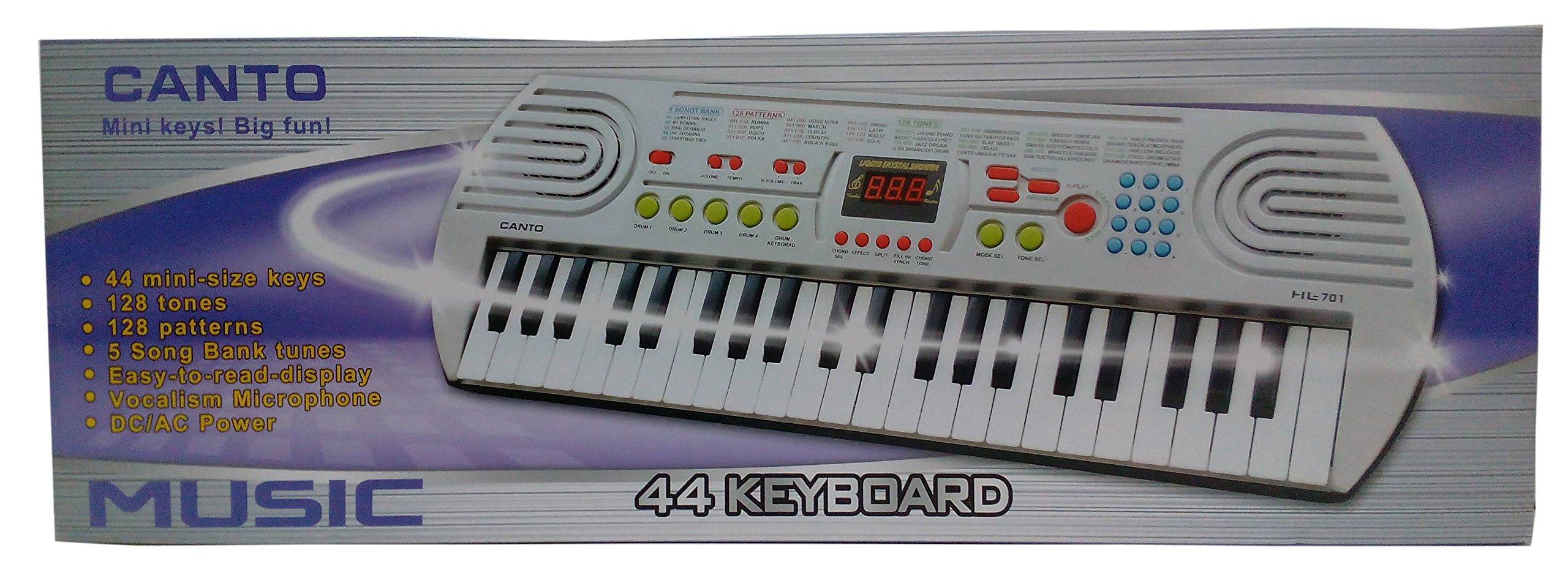
This image displays the product packaging for the Canto HL-701 Electronic Keyboard. The box features two keyboard models, one in black and one in white/grey, highlighting their compact size and various control buttons. The model number HL-701 is visible on the packaging.
Setup
1. Unpacking
- Carefully remove the keyboard and all accessories from the packaging.
- Verify that all components are present: Canto HL-701 Electronic Keyboard, power adapter (if included), and this user manual.
- Inspect the keyboard for any signs of damage. If damaged, do not use and contact customer support.
2. Power Connection
The Canto HL-701 Electronic Keyboard can be powered using either DC (battery) or AC (adapter) power.
- AC Power: Connect the AC power adapter (not always included, check packaging) to the DC IN jack on the keyboard and then plug it into a standard wall outlet.
- DC Power (Batteries): Open the battery compartment cover on the underside of the keyboard. Insert the required number of batteries (e.g., AA batteries, not included) ensuring correct polarity (+/-). Close the cover securely.
3. Microphone Connection
To use the vocalism microphone feature, connect a microphone (not included) to the 3.5mm Jack labeled 'MIC' or 'MICROPHONE INPUT' on the keyboard.
Operating Instructions
1. Power On/Off
Press the POWER button to turn the keyboard on. Press it again to turn the keyboard off.
2. Basic Playback
The keyboard features 44 mini-size keys. Simply press the keys to produce musical notes. The volume can be adjusted using the dedicated volume controls, typically labeled VOLUME + and VOLUME - or a rotary knob.
3. Selecting Tones
The Canto HL-701 offers 128 different tones (instrument sounds). Use the TONE selection buttons or a numeric keypad to browse and select your desired instrument sound. The selected tone number will typically be displayed on the easy-to-read display.
4. Using Patterns (Rhythms)
Access the 128 built-in patterns (rhythms) by pressing the PATTERN or RHYTHM selection buttons. Press START/STOP to begin or end the rhythm playback. Adjust the tempo using the TEMPO + and TEMPO - buttons.
5. Song Bank Tunes
The keyboard includes 5 song bank tunes. Press the SONG button and then use the selection buttons to choose a tune. Press PLAY/PAUSE to listen to the selected song.
6. Display
The easy-to-read display shows important information such as selected tone, pattern, tempo, and song number.
Maintenance
1. Cleaning
- Wipe the keyboard surface with a soft, dry cloth.
- For stubborn dirt, use a slightly damp cloth and then dry thoroughly.
- Do not use abrasive cleaners, solvents, or chemical wipes, as these can damage the finish.
2. Storage
- Store the keyboard in a cool, dry place away from direct sunlight and extreme temperatures.
- If storing for an extended period, remove batteries to prevent leakage.
3. Battery Replacement
When the keyboard's power indicator dims or the sound becomes distorted, it may be time to replace the batteries. Refer to the 'Power Connection' section for instructions on battery replacement.
Troubleshooting
| Problem | Possible Cause | Solution |
|---|---|---|
| No power | Power adapter not connected properly; Batteries drained or incorrectly inserted. | Check power adapter connection; Replace batteries, ensuring correct polarity. |
| No sound | Volume too low; Headphones connected; Speaker malfunction. | Increase volume; Disconnect headphones; Contact support if issue persists. |
| Distorted sound | Low batteries; Volume too high; Speaker issue. | Replace batteries; Reduce volume; Contact support if issue persists. |
| Microphone not working | Microphone not connected; Microphone faulty; Volume too low. | Ensure microphone is fully plugged into the 3.5mm jack; Test with another microphone; Increase microphone volume (if applicable). |
Specifications
- Model Name: HL-701
- Number of Keys: 44 Mini-size keys
- Tones: 128
- Patterns: 128
- Song Bank: 5 tunes
- Display: Easy-to-read display
- Special Features: Vocalism microphone input (3.5mm Jack)
- Power: DC/AC power (adapter and batteries not always included)
- Material: Plastic
- Connectivity Technology: Auxiliary
- Skill Level: Beginner
- Age Range: Adult (suitable for various ages with supervision)
Warranty Information
This product is covered by a limited warranty against manufacturing defects. Please refer to the warranty card included with your purchase or contact your retailer for specific warranty terms and conditions. Keep your proof of purchase for warranty claims.
Customer Support
For technical assistance, troubleshooting, or service inquiries, please contact the retailer where you purchased the Canto HL-701 Electronic Keyboard. You may also visit the official Canto website for additional resources or contact information, if available.