
Introduction
The Retevis Ailunce HD1 is a robust and versatile DMR (Digital Mobile Radio) dual-band two-way radio designed for amateur radio enthusiasts. It combines analog and digital capabilities, offering cross-band transmission and reception. Key features include an integrated GPS module for precise location tracking, a durable IP67 waterproof and dustproof rating, and a long-lasting 3200mAh Type-C rechargeable battery. The radio supports up to 3000 channels and 200,000 contacts, with extensive customization options available via the keypad and CPS software.
What's in the Box
- 1 x Ailunce HD1 DMR Radio (GPS Version)
- 1 x Type-C Charge 3200mAh Battery
- 1 x USB Type-C Charging Cable
- 1 x Antenna
- 1 x Type-C Desktop Charging Base

Image: A detailed view of all items included in the Retevis Ailunce HD1 package, including the radio, battery, charging cable, antenna, and desktop charging base.
Setup Guide
- Charge the Battery: Insert the 3200mAh Type-C battery into the radio or the desktop charging base. Connect the Type-C charging cable to the base or directly to the radio. The charging indicator will show the charging status. Ensure the battery is fully charged before first use.
- Attach the Antenna: Carefully screw the antenna clockwise into the antenna connector on top of the radio until it is secure. Do not overtighten.
- Power On: Rotate the Power/Volume knob clockwise until you hear a click and the display illuminates.
- Initial Configuration: The radio allows most functions to be set directly via the keypad. For advanced programming, connect the radio to a computer using the CPS (Customer Programming Software) and programming cable (sold separately if not included).

Image: The Retevis Ailunce HD1 radio shown with its antenna securely attached, ready for operation.
Operating Instructions
Power On/Off and Volume Control
To power on the radio, rotate the top-left knob clockwise. Continue rotating to increase the volume. To power off, rotate counter-clockwise until it clicks off.
Channel Selection and VFO Mode
The Ailunce HD1 supports both Channel Mode (MR Mode) and VFO Mode. In Channel Mode, you can select pre-programmed channels. In VFO Mode, you can manually input frequencies. To switch between modes, navigate through the radio settings menu. Most functions can be set directly via the keypad.
Video: This video demonstrates how to switch to VFO mode on the Retevis Ailunce HD1 radio, allowing for manual frequency input.
DMR and Analog Operation
The HD1 operates in both analog and digital DMR modes. It is compatible with Motorola Tier I & II. The direct communication dual-slot mode allows for two groups of calls on a single frequency point simultaneously. You can configure these settings through the menu or CPS software.
Video: This video illustrates various functions and operations of the Retevis Ailunce HD1, including its analog and digital compatibility and dual-band features.
GPS Functionality
The integrated GPS allows for precise location tracking. This feature is useful for outdoor activities, enabling teammates to locate each other quickly. GPS information can be viewed on the display.

Image: The Retevis Ailunce HD1 radio screen showing GPS coordinates and location data, with a satellite and map pins in the background.
DTMF Keys
The 16 DTMF keys enhance calling convenience and allow for various functions, including remote control of repeaters or other devices.
Maintenance
- Cleaning: Use a soft, damp cloth to clean the radio's exterior. Do not use harsh chemicals or abrasive cleaners.
- Battery Care: To prolong battery life, avoid overcharging or completely draining the battery. Store the radio and battery in a cool, dry place when not in use for extended periods.
- Waterproofing (IP67): The radio is IP67 rated, meaning it is dustproof and can withstand immersion in up to 1 meter of water for 30 minutes. Ensure all port covers are securely closed before exposing the radio to water or dust.
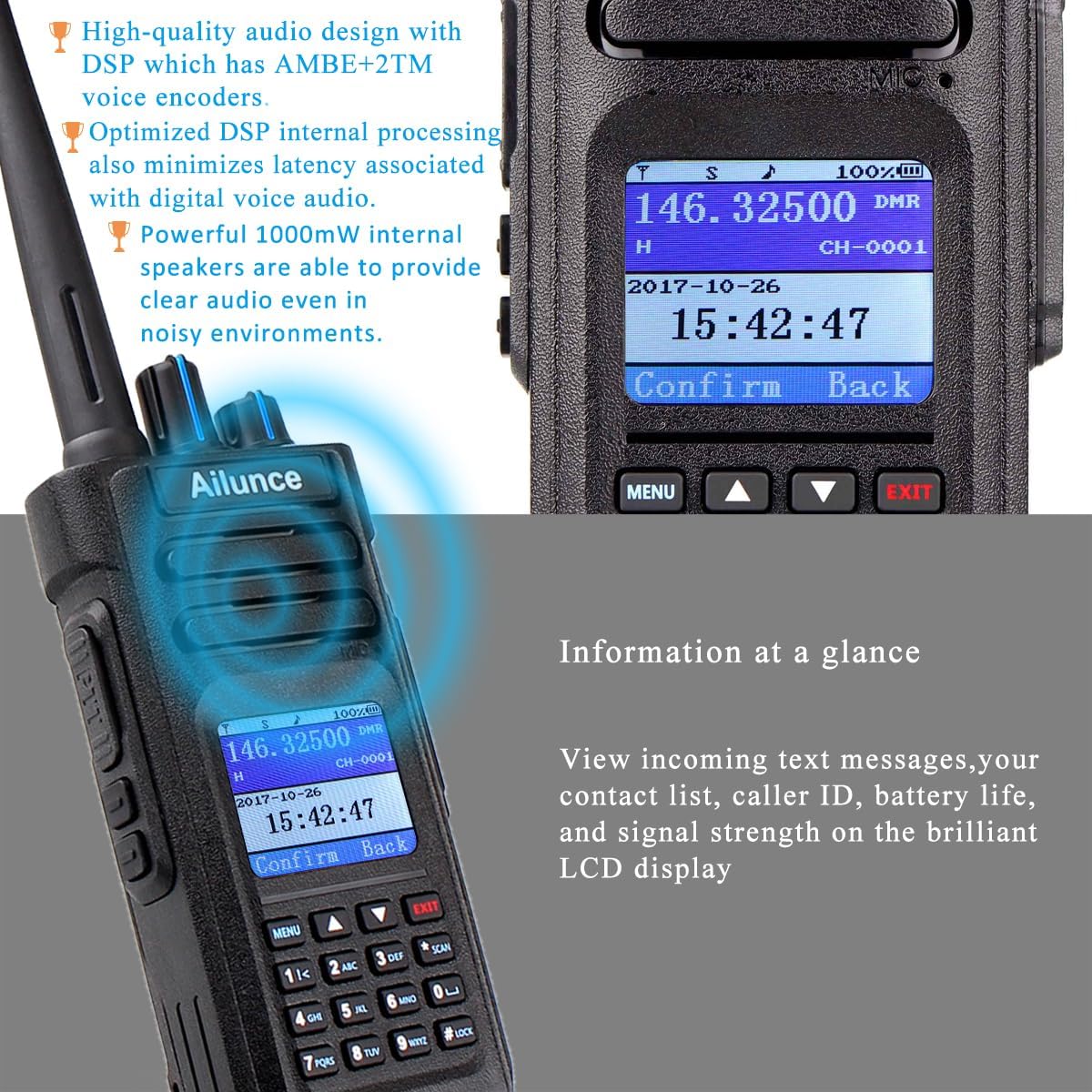
Image: The Retevis Ailunce HD1 radio shown with water splashing around it, illustrating its IP67 waterproof and dustproof capabilities.
Troubleshooting
| Problem | Possible Cause | Solution |
|---|---|---|
| Radio does not power on. | Low or dead battery. | Charge the battery fully. Ensure battery is properly installed. |
| Cannot transmit or receive. | Incorrect frequency/channel, antenna not connected, or out of range. | Verify frequency/channel settings. Ensure antenna is securely attached. Move closer to the other radio or repeater. |
| Poor audio quality. | Low signal strength, incorrect squelch setting, or microphone/speaker issue. | Check signal strength. Adjust squelch level. Ensure microphone and speaker are clear of obstructions. |
| GPS not acquiring signal. | Obstructed view of the sky or indoor location. | Move to an open outdoor area with a clear view of the sky. |
Specifications
- Brand: Retevis
- Model Number: EUA9131B-J9131P
- Color: Black
- Number of Channels: 3000
- Frequency Range: 144-146 MHz / 430-440 MHz
- Max Talk Range: 8 Kilometers
- Voltage: 7.4 Volts (DC)
- Water Resistance Level: IP67 (Waterproof)
- Product Dimensions: 65P x 39l x 150H mm
- Battery: 1 Lithium Ion battery required (included), 3200mAh, 16 hours average life
- Weight: 360 Grams
- Connectivity Protocol: DMR
- Compatible Devices: MOTOTRBO DMR Radios
- Special Feature: Waterproof, GPS
Warranty & Support
Retevis provides a 2-year warranty for the radio body and a 1-year warranty for accessories. Additionally, a 30-day no-reason return policy is offered. For support beyond the warranty period, maintenance services are available, with buyers responsible for associated costs. For any inquiries or support, please contact RetevisDirect on Amazon. Responses are typically provided within 12 hours.
Visit the official Retevis Store for more products and information: Retevis Store


