
Lighting EVER 4300024-WW
LE Fairy Curtain Lights User Manual
Model: 4300024-WW
1. Introduction
Thank you for choosing LE Fairy Curtain Lights. This manual provides essential information for the safe and efficient use of your new lighting product. Please read these instructions thoroughly before installation and operation, and retain them for future reference.

Image: LE Fairy Curtain Lights, showing the curtain lights, remote control, battery box, and USB cable.
2. Safety Information
- This product is rated IP44 for indoor and outdoor use, meaning it is protected against solid objects larger than 1mm and splashing water from any direction. However, do not immerse the product in water.
- Do not connect this light string in series with other string lights. Connecting multiple units in series may exceed electrical limits and pose a safety risk.
- Ensure the power source (batteries or USB) is correctly installed and within the specified voltage range (4.5V for batteries, 5V for USB).
- Keep the product away from heat sources, open flames, and flammable materials.
- Do not attempt to modify or repair the product. Contact customer support for assistance.
- Keep out of reach of children.
3. Package Contents
- 10x10ft 300 LED Curtain Lights
- RF Remote Controller
- USB Cable
- Battery Box with Switch Button
- 10ft Extension Cord
- User Manual
4. Setup
4.1 Unpacking and Hanging
Carefully remove the curtain lights from the packaging. The lights are designed to be flexible. When hanging, avoid cutting the individual strings. If a string is too long, loop it around to adjust the length.

Image: Diagram illustrating the 12 strings and 9.8ft length, with a note to not cut the strings but loop them if too long.
4.2 Power Options
Your LE Fairy Curtain Lights offer two convenient power options:
- Battery Powered: Insert 3 AA batteries (not included) into the battery box. Ensure correct polarity.
- USB Powered: Connect the provided USB cable to the battery box and then to a USB power source. This can be a power bank, a USB port hub, or a standard USB phone charger base (power source not included).
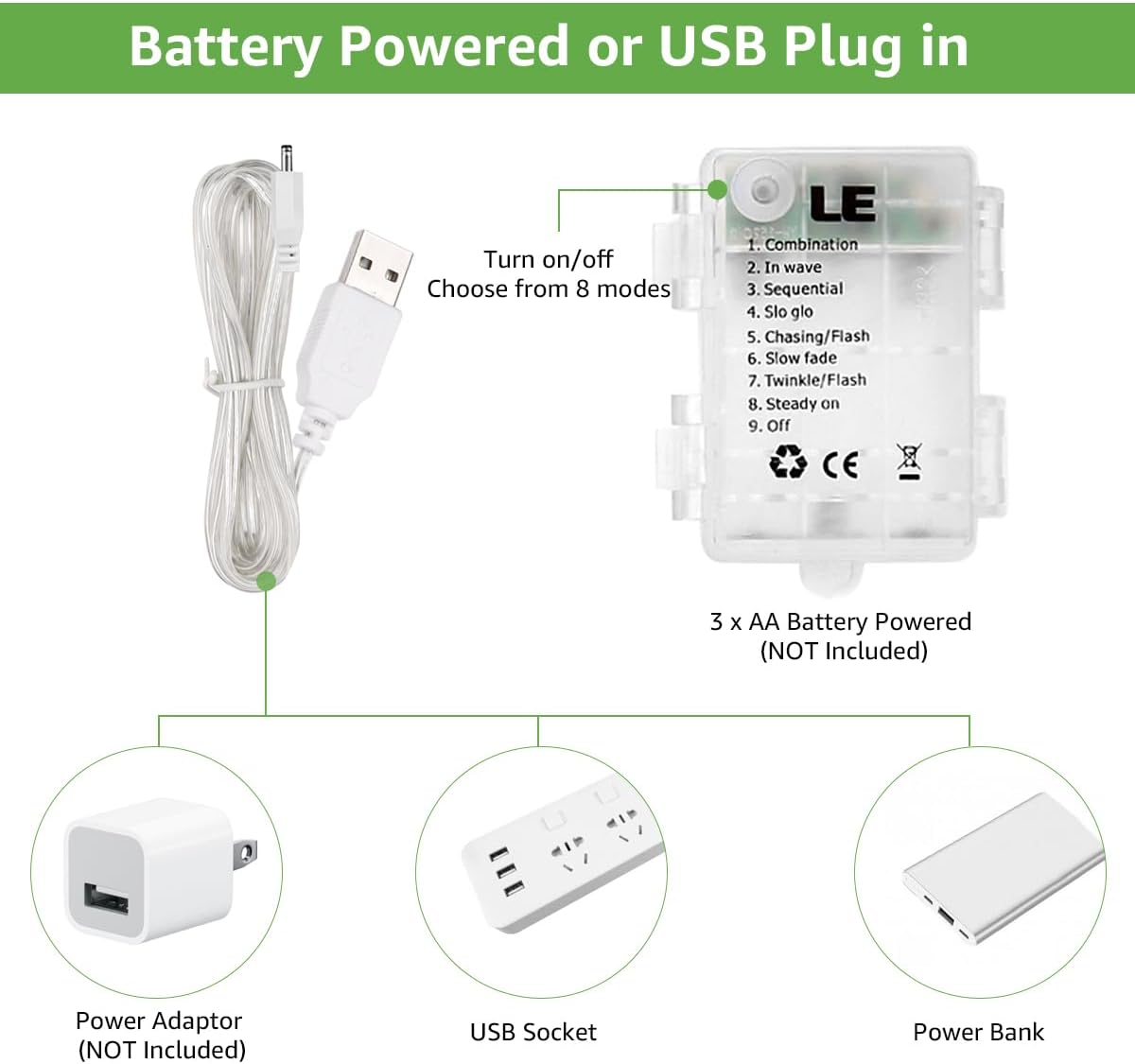
Image: Diagram detailing how to power the lights using 3 AA batteries or a USB connection to a power adaptor, USB socket, or power bank.
5. Operating Instructions
The lights can be controlled using the included RF remote controller or the button on the battery box.
5.1 Remote Control Functions

Image: Remote control with buttons for On/Off, Timer, Dimmer, and 8 lighting modes.
- ON/OFF: Press the green 'ON' button to turn the lights on, and the red 'OFF' button to turn them off.
- DIM +/-: Use the 'DIM +' and 'DIM -' buttons to adjust the brightness levels.
- TIMER: Press the 'TIMER' button to activate the automatic 6 hours on, 18 hours off cycle. The lights will remember this setting.
- MODE (1-8): Select from 8 different lighting patterns using the numbered buttons:
- Combination
- In Wave
- Sequential
- Slo Glo
- Chasing/Flash
- Slow Fade
- Twinkle/Flash
- Steady On
5.2 Battery Box Button
The button on the battery box allows you to cycle through the 8 lighting modes and turn the lights off. It also has a memory function, retaining the last selected mode when turned off and on again.
6. Maintenance
- Cleaning: Gently wipe the lights with a soft, dry cloth. Do not use harsh chemicals or abrasive cleaners.
- Battery Replacement: When the lights dim or stop working, replace the 3 AA batteries in the battery box. Ensure proper disposal of old batteries.
- Storage: When not in use, carefully coil the light strings to prevent tangling and store them in a cool, dry place away from direct sunlight.
7. Troubleshooting
| Problem | Possible Cause | Solution |
|---|---|---|
| Lights do not turn on. | No power, dead batteries, loose connection. | Check battery installation/charge. Ensure USB cable is securely connected to a working power source. |
| Lights are dim. | Low battery power. | Replace batteries or switch to USB power. |
| Remote control not working. | Remote battery dead, no line of sight, remote too far. | Replace the remote control battery. Ensure the remote is pointed towards the battery box and is within range. |
| Lights flicker or behave erratically. | Unstable power supply, loose connection. | Check power source stability. Ensure all connections are secure. |
8. Specifications
| Feature | Detail |
|---|---|
| Model Number | 4300024-WW |
| Color | Warm White |
| Brand | Lighting EVER |
| Indoor/Outdoor Usage | Indoor, Outdoor |
| Special Feature | Cordless |
| Light Source Type | LED |
| Power Source | Battery Powered (3x AA, not included) / USB Powered (5V) |
| Number of Light Sources | 300 |
| Voltage | 4.5 Volts (Battery) / 5 Volts (USB) |
| Wattage | 3 watts |
| IP Rating | IP44 |
| Average Battery Life | 72 Hours (with fresh batteries) |
| Item Length | 9.84 Feet (3 meters) |
| Coverage | 100 square feet |
9. Warranty and Support
For warranty information or technical support, please refer to the product packaging or contact Lighting EVER customer service directly. Keep your purchase receipt as proof of purchase.
10. Usage Examples
The LE Fairy Curtain Lights are versatile and can enhance various settings:
- Outdoor Patio/Gazebo: Create a warm and inviting ambiance for outdoor gatherings.
- Bedroom Wall Decor: Add a magical touch to your bedroom or create a cozy reading nook.
- Event Backdrops: Perfect for weddings, parties, or other special occasions to create a stunning visual effect.

Image: Fairy curtain lights illuminating an outdoor patio area with seating.
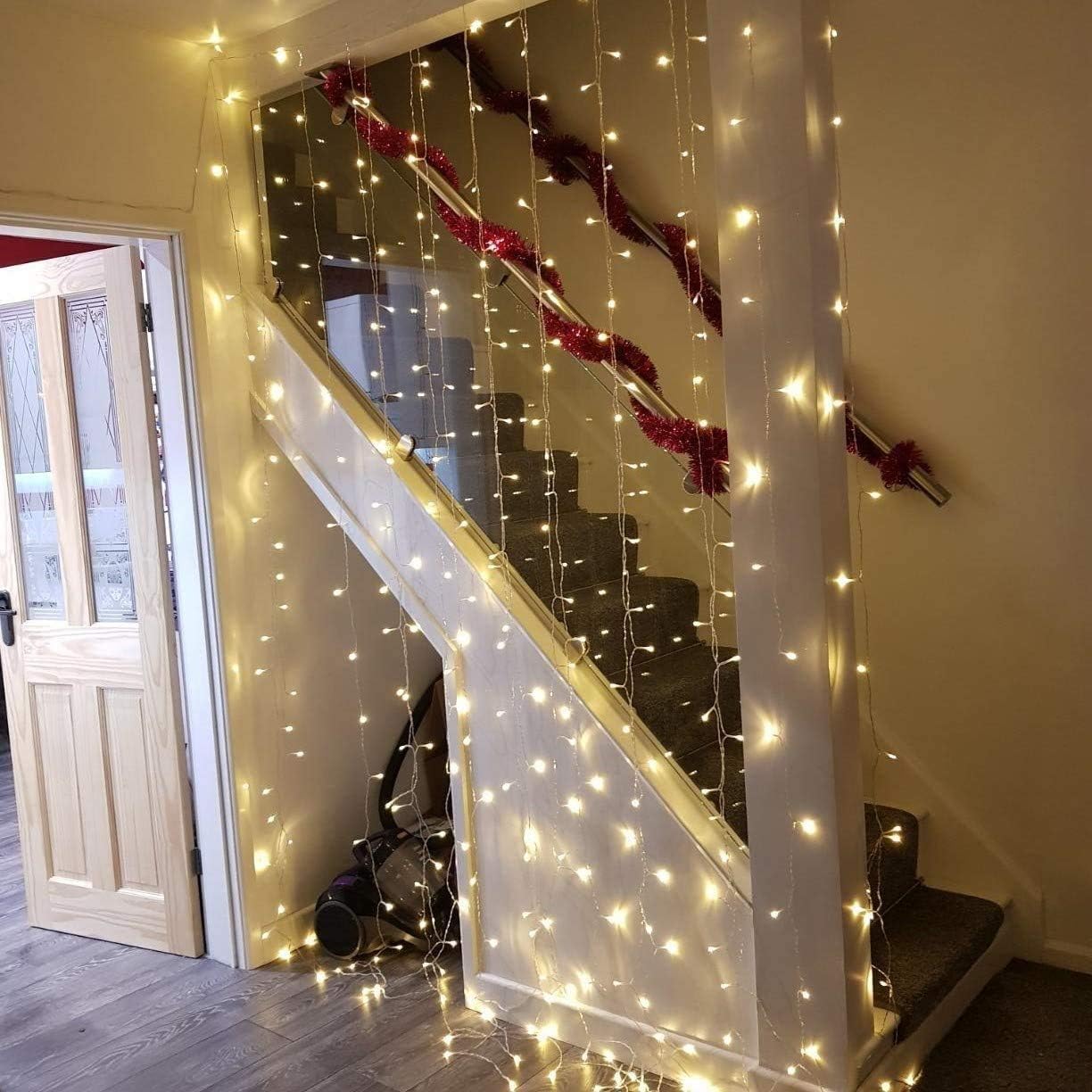
Image: Fairy curtain lights used as decorative lighting along an indoor staircase.

Image: A collage showcasing the lights in a tent, as a photo display on a wall, and in a child's bedroom.
Ask a question about this manual
Ask about setup, troubleshooting, compatibility, parts, safety, or missing instructions. Manuals+ will review the question and use this page’s manual context to help answer it.