
Introduction
The Portronics SeeSaw II is a smart Wi-Fi IP security camera designed for indoor surveillance. It offers 720p HD video, two-way audio communication, motion detection, and night vision capabilities, allowing for remote monitoring via your smartphone. This manual provides detailed instructions for setting up, operating, and maintaining your SeeSaw II camera.
Package Contents
- Portronics SeeSaw II Smart Wi-Fi IP Security Camera
- Power Adapter
- Mounting Accessories (if applicable)
- User Manual
Product Overview
The SeeSaw II camera features a compact design with a 720p HD lens, infrared LEDs for night vision, a microphone, and a speaker for two-way audio. It includes an adjustable magnetic base for flexible placement.

Key components include:
- Camera Lens: Captures 720p HD video.
- Infrared LEDs: Enable night vision in low-light conditions.
- Microphone: For audio input during two-way communication.
- Speaker: For audio output during two-way communication.
- SD Card Slot: Supports local storage for recorded footage (up to 64GB).
- Power Port: For connecting the power adapter.
- Reset Button: Used for factory reset.
Setup Instructions
Follow these steps to set up your Portronics SeeSaw II camera:
- Power On: Connect the camera to a power source using the provided power adapter. The camera will power on and indicate readiness for setup.
- Download the App: Download the free 'Danale' app on your smartphone. The app is available on both Google Play Store and Apple App Store.
- Create Account & Add Device: Open the Danale app, create a new user account, and follow the in-app instructions to add your SeeSaw II camera. This typically involves scanning a QR code on the camera or manually entering its ID.
- Connect to Wi-Fi: During the app setup process, you will be prompted to connect the camera to your home Wi-Fi network. Ensure your Wi-Fi network is 2.4GHz, as 5GHz networks are not supported.
- Insert SD Card (Optional): For local video recording, insert a microSD card (up to 64GB) into the designated slot on the camera. Ensure the camera is powered off before inserting or removing the SD card.
- Position the Camera: Utilize the adjustable 360° magnetic base to position the camera on any flat surface or mount it as desired.

Operating Instructions
Once set up, you can control and monitor your SeeSaw II camera using the Danale app:
- Live View: Open the app and select your camera to view live 720p HD video feed from anywhere.
- Two-Way Audio: Use the microphone icon in the app to speak through the camera's speaker, and listen to audio from the camera's surroundings.
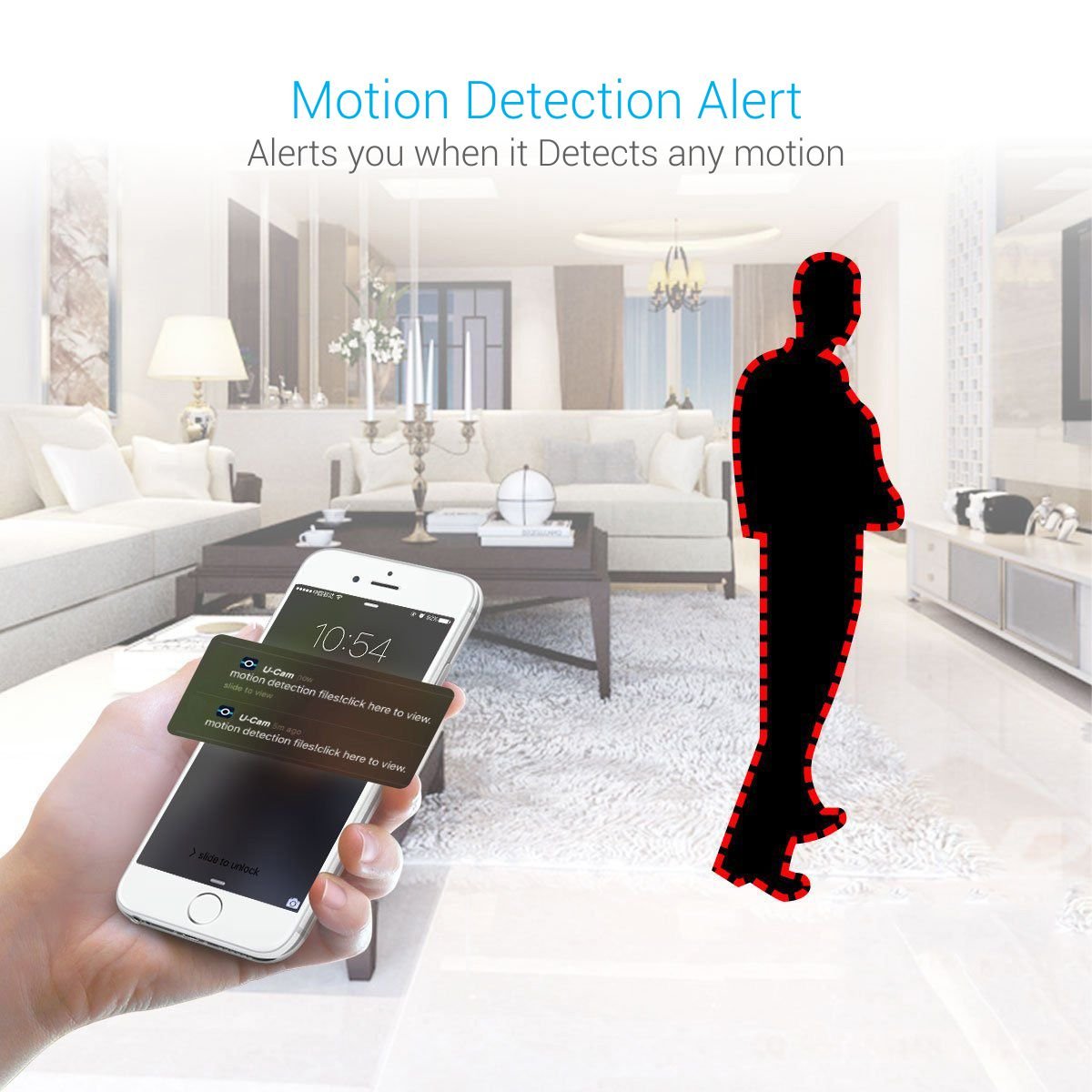
- Motion Detection Alerts: Enable motion detection in the app settings to receive instant notifications on your smartphone when movement is detected.
- Night Vision: The camera automatically switches to night vision mode in low-light conditions, providing clear black and white images.
- Recording & Playback: Access recorded footage stored on the SD card through the app. You can view past events and download clips.
- Multiple Device Monitoring: The app allows multiple users to view the camera feed simultaneously and monitor from various devices.




Maintenance
To ensure optimal performance and longevity of your camera:
- Cleaning: Gently wipe the camera lens and body with a soft, dry cloth. Avoid using harsh chemicals or abrasive materials.
- Software Updates: Regularly check the Danale app for firmware updates for your camera. Keeping the firmware updated ensures the latest features and security patches.
- Placement: Ensure the camera is placed in a stable location, away from direct sunlight, extreme temperatures, and moisture.
Troubleshooting
If you encounter issues with your Portronics SeeSaw II camera, refer to the following common solutions:
| Problem | Possible Solution |
|---|---|
| Camera not connecting to Wi-Fi | Ensure your Wi-Fi network is 2.4GHz. Check Wi-Fi password. Move camera closer to the router. Reset the camera and try setup again. |
| No video feed / Offline status | Check power connection. Verify Wi-Fi connectivity. Restart the camera and the app. |
| Black and white video during the day | This usually indicates the camera is stuck in night vision mode. Check app settings to ensure night vision is set to 'Auto' or 'Off' during daylight. Ensure sufficient lighting in the room. |
| SD card not recording | Ensure the SD card is inserted correctly and is not full. Format the SD card via the app settings. Check if the SD card is compatible (up to 64GB). Some users have reported issues with cards larger than 16GB, try a 16GB card if problems persist. |
| Poor video quality | Ensure stable Wi-Fi connection. Clean the camera lens. Check app settings for video resolution options. |
Specifications
| Feature | Detail |
|---|---|
| Model Name | Portronics POR-797 SeeSaw II |
| Video Capture Resolution | 720p (1280x720 pixels) |
| Frame Rate | 30 Frames/Sec |
| Connectivity Technology | Wi-Fi (2.4GHz only) |
| Storage | MicroSD Card (up to 64GB) |
| Audio | Two-Way Communication |
| Motion Detection | Yes, with alerts |
| Night Vision | Yes, Infrared (IR) |
| Mounting Type | Surface Mount (Adjustable 360° Magnetic Base) |
| Indoor/Outdoor Usage | Indoor |
| Power Source | Corded Electric |
| Control Method | App (Danale) |
| Item Weight | 290 g |
| Dimensions | 16.7 x 9.9 x 8.8 cm |

Warranty and Support
The Portronics SeeSaw II Smart Wi-Fi IP Security Camera comes with a 1 Year Manufacturer Warranty from the date of purchase.
For technical support, warranty claims, or further assistance, please contact Portronics customer service through their official website or the contact information provided with your product packaging.