
1. Introduction
This manual provides comprehensive instructions for the safe installation, operation, and maintenance of your Brilliant 96164/05 Tanko Outdoor Wall Light with Motion Sensor. Please read this manual thoroughly before installation and retain it for future reference. This product is designed for exterior illumination and features an integrated motion sensor for automatic lighting control.
2. Safety Instructions
- Electrical Safety: Installation must be performed by a qualified electrician in accordance with all local and national wiring regulations. Always disconnect the main power supply before commencing any installation, maintenance, or bulb replacement.
- Outdoor Use: This product is rated IP44, meaning it is protected against solid objects larger than 1mm and splashing water from any direction. It is suitable for outdoor use but should be installed in a location that minimizes direct exposure to extreme weather conditions where possible.
- Bulb Requirements: Use only R7s type halogen bulbs with a maximum wattage of 400W. Do not exceed the specified wattage to prevent overheating and potential damage. The bulb is not supplied with the product.
- Handling: Handle the product with care. Avoid dropping or subjecting it to strong impacts.
- Heat: Halogen bulbs generate significant heat. Ensure adequate ventilation around the fixture and avoid touching the bulb or fixture immediately after use. Keep flammable materials away from the light.
3. Package Contents
Please check that all components are present and undamaged before beginning installation.
- Brilliant Tanko Outdoor Wall Light with Motion Sensor (Model 96164/05)
- Mounting bracket
- Screws and wall plugs for mounting
- Note: R7s halogen bulb is not included and must be purchased separately.
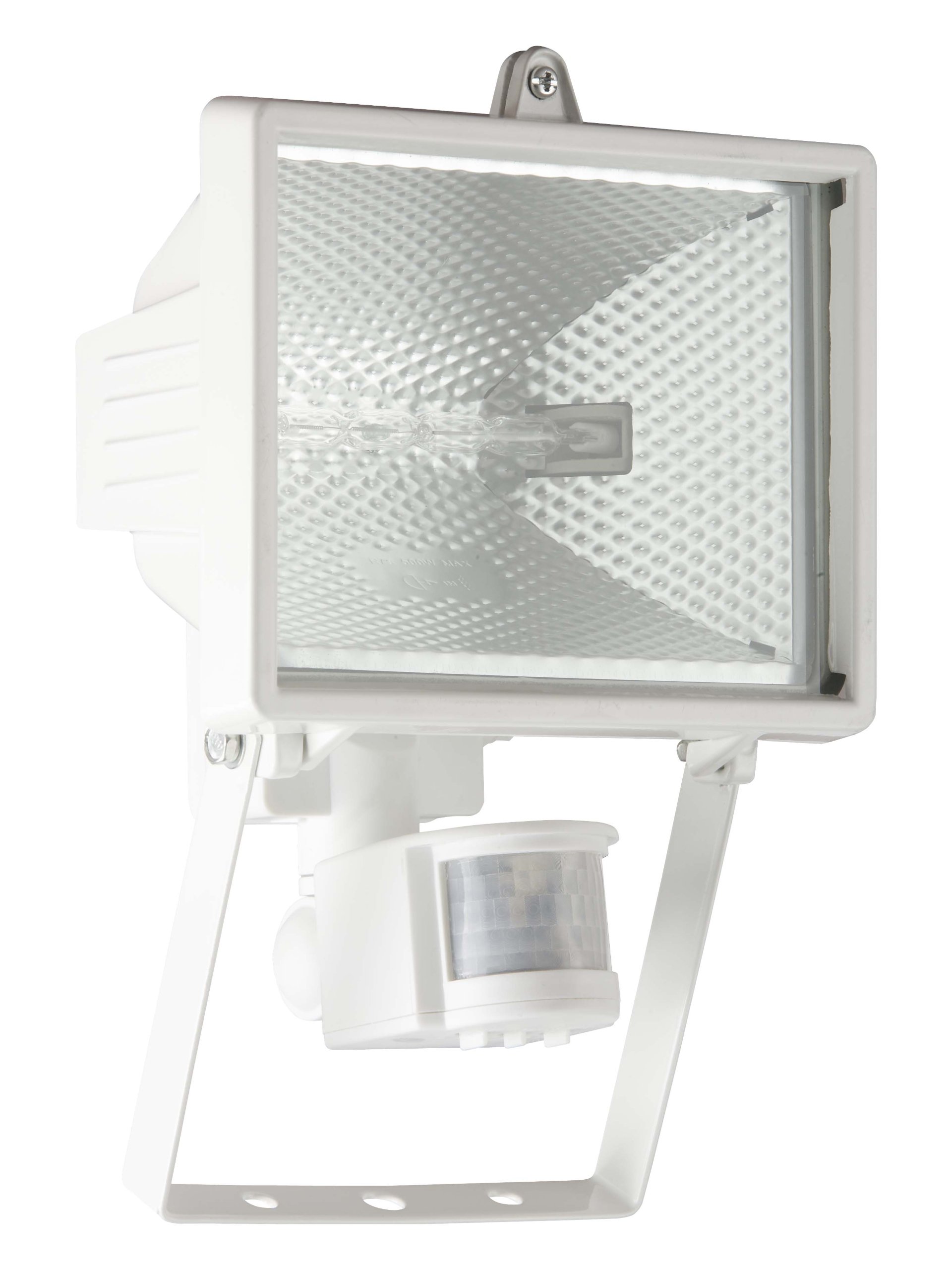
Figure 1: Brilliant Tanko Outdoor Wall Light with Motion Sensor. This image shows the complete white metal and glass fixture, including the integrated motion sensor at the bottom and the R7s bulb housing.
4. Product Specifications
| Brand | Brilliant |
| Model Number | 96164/05 |
| Dimensions (L x W x H) | 18 x 23 x 25 cm |
| Weight | 887 g |
| Material | Metal, Glass |
| Color | White |
| IP Rating | IP44 |
| Bulb Type | R7s (Halogen) |
| Max Wattage | 400 Watts |
| Voltage | 230 Volts |
| Special Features | Integrated Motion Sensor, Dimmable (with compatible R7s bulb and dimmer switch) |
| Usage | Outdoor only |
5. Setup & Installation
Important: Ensure the main power supply is disconnected before starting installation. Installation should be carried out by a qualified electrician.
- Choose Location: Select a suitable outdoor location for the wall light, ensuring it is on a stable surface and has access to the necessary electrical wiring. Consider the desired coverage area for the motion sensor.
- Mounting:
- Mark the drilling points on the wall using the mounting bracket as a template.
- Drill holes and insert the provided wall plugs.
- Secure the mounting bracket to the wall using the screws.
- Wiring:
- Connect the electrical wires from your mains supply to the terminal block inside the fixture. Ensure correct connections: Live (L), Neutral (N), and Earth (E).
- Double-check all connections for security and proper insulation.
- Install Bulb:
- Carefully open the fixture to access the R7s bulb socket.
- Insert an R7s halogen bulb (max 400W) into the socket. Ensure it is seated correctly.
- Close the fixture securely, ensuring all seals are properly seated to maintain the IP44 rating.
- Attach Fixture: Secure the light fixture to the mounting bracket.
- Sensor Adjustment: The motion sensor typically has adjustable settings for sensitivity (detection range), time (how long the light stays on after detection), and lux (ambient light level at which the sensor activates). Adjust these settings using the dials usually located on the sensor unit. Refer to the sensor's specific markings for guidance.
- Power On: Restore power to the circuit. Test the light and sensor functionality.
6. Operating Instructions
The Brilliant Tanko Outdoor Wall Light operates automatically via its integrated motion sensor.
- Automatic Activation: When the ambient light level falls below the set LUX threshold and motion is detected within the sensor's range, the light will automatically turn on.
- Duration: The light will remain on for the duration set by the TIME dial. If motion is continuously detected, the timer will reset, and the light will stay on until no motion is detected for the set period.
- Manual Override (if applicable): Some motion sensors allow for a manual override by quickly switching the power OFF and ON twice. This may cause the light to stay on continuously. To return to automatic mode, switch the power OFF for a longer period (e.g., 10 seconds) and then ON again. Consult a qualified electrician if unsure.
- Dimmable Functionality: If a dimmable R7s bulb is installed and the fixture is connected to a compatible dimmer switch, the light output can be adjusted.
7. Maintenance
- Cleaning: Disconnect power before cleaning. Clean the fixture with a soft, damp cloth. Do not use abrasive cleaners or solvents, as these can damage the finish or sensor lens.
- Bulb Replacement:
- Ensure power is disconnected and the bulb has cooled completely.
- Carefully open the fixture to access the R7s bulb.
- Remove the old bulb and insert a new R7s halogen bulb (max 400W). Avoid touching the new bulb directly with bare hands, as oils can reduce its lifespan. Use a clean cloth or gloves.
- Close the fixture securely, ensuring the seals are correctly positioned.
- Restore power.
- Regular Checks: Periodically inspect the fixture for any signs of damage, loose connections, or wear. Ensure the mounting is secure.
8. Troubleshooting
| Problem | Possible Cause | Solution |
|---|---|---|
| Light does not turn on. |
|
|
| Light stays on continuously. |
|
|
| Light flashes or flickers. |
|
|
| Sensor not detecting motion. |
|
|
9. Warranty & Support
For warranty information, please refer to the terms and conditions provided by your retailer at the time of purchase. In case of technical issues or if you require further assistance, please contact the Brilliant customer support or your point of purchase.
Visit the Brilliant Brand Store for more information on Brilliant products.


