
Kidde P4010DCSCO-W
Kidde P4010DCSCO-W Wire-Free Interconnect Combination Smoke & CO Alarm User Manual
Model: P4010DCSCO-W
1. Introduction
This manual provides essential information for the proper installation, operation, and maintenance of your Kidde P4010DCSCO-W Wire-Free Interconnect Combination Smoke and Carbon Monoxide (CO) Alarm. This device is designed to detect both smoke and carbon monoxide, providing early warning of potential hazards. It features a 10-year sealed-in lithium battery and wire-free interconnectivity with compatible Kidde P4010 Wire-Free models.

Figure 1: Front view of the Kidde P4010DCSCO-W Combination Smoke and CO Alarm. This image shows the white, circular alarm unit with the central test/hush button and a speaker grille.
2. Important Safety Information
Please read and understand all instructions before installing and operating this alarm. Failure to do so may result in property damage, injury, or death. This alarm is not intended to substitute for proper installation, use, and maintenance of fuel-burning appliances, including appropriate ventilation and exhaust systems.
- DANGER: This alarm detects carbon monoxide gas, which is an odorless, colorless, and poisonous gas.
- WARNING: This unit is designed for residential use only.
- CAUTION: Do not paint the alarm. Paint can clog the sensing chambers and prevent the unit from operating properly.
- IMPORTANT: The 10-year sealed-in battery is designed to power the alarm for its entire lifespan. Do not attempt to replace the battery.
3. Package Contents
Verify that all items are present in your package:
- Kidde P4010DCSCO-W Combination Smoke & CO Alarm
- Mounting Bracket
- Mounting Screws and Anchors
- User Manual (this document)
4. Setup and Installation
4.1 Choosing a Location
For optimal protection, install smoke alarms in every sleeping room and on every level of your home, including the basement. For CO alarms, install on every level and in a central location outside of each sleeping area. Avoid installing near windows, doors, or forced-air vents, or in extremely dusty, dirty, or greasy areas.
4.2 Mounting the Alarm
- Twist the mounting bracket counter-clockwise to detach it from the alarm unit.
- Position the mounting bracket on the ceiling or wall at your chosen location. Mark the two mounting holes.
- Drill holes and insert the plastic anchors (if needed). Secure the mounting bracket with the provided screws.
- Align the alarm with the mounting bracket and twist clockwise until it clicks into place. This action will activate the sealed-in battery.
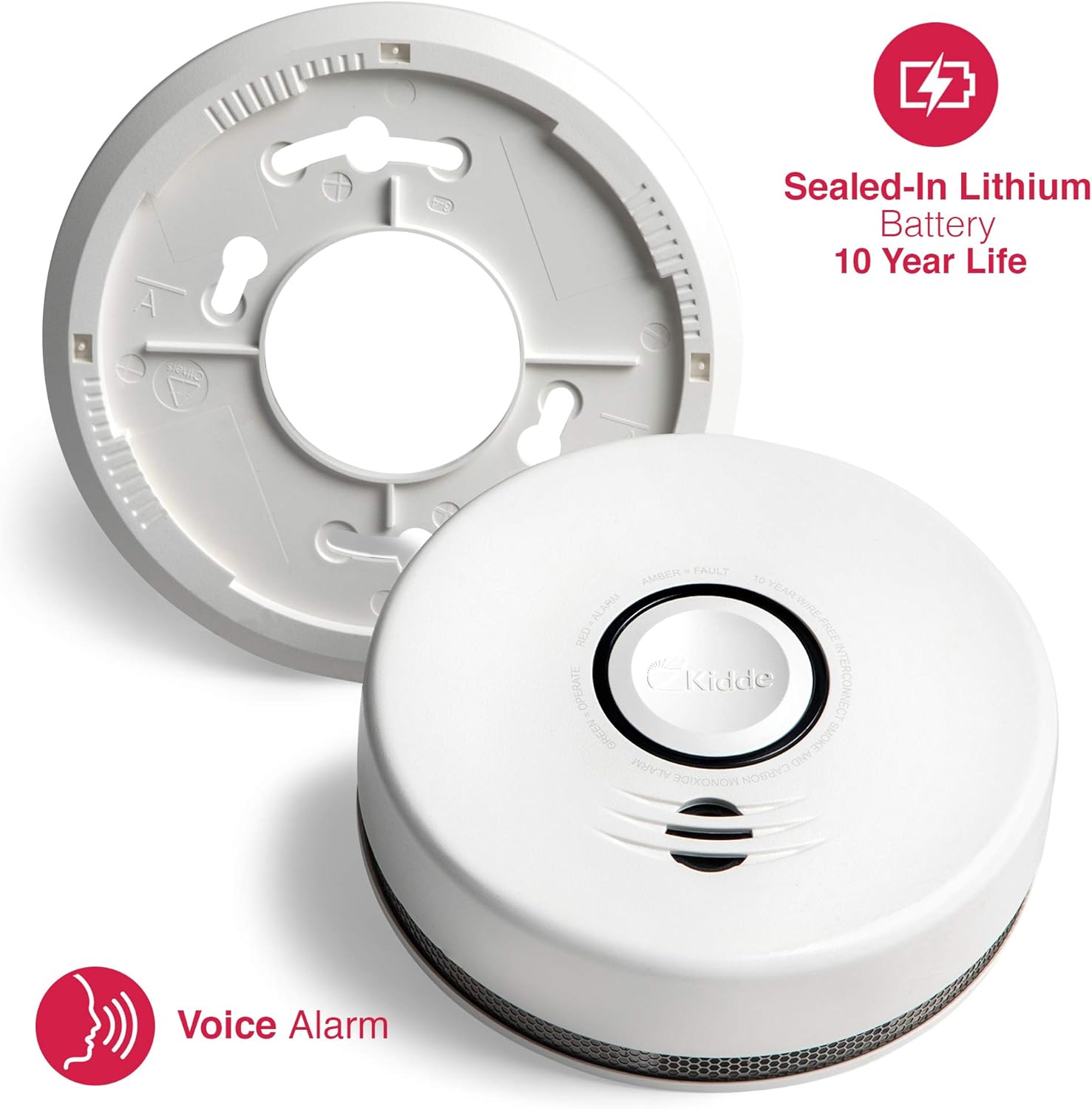
Figure 2: The Kidde P4010DCSCO-W alarm separated from its mounting plate, highlighting the 10-year sealed-in lithium battery and voice alarm feature. This image illustrates the components involved in mounting.
4.3 Wire-Free Interconnect Setup
The P4010DCSCO-W features supervised wire-free interconnect technology, allowing multiple compatible Kidde P4010 Wire-Free alarms to communicate with each other. When one alarm detects a hazard, all interconnected alarms will sound. Refer to the separate Wire-Free Interconnect Guide for detailed pairing instructions.

Figure 3: A close-up of the Kidde P4010DCSCO-W alarm, emphasizing its 10-year wire-free interconnect capability. The labels 'RED = ALARM', 'AMBER = FAULT', and 'GREEN = OPERATE' are visible around the central button.
5. Operating the Alarm
5.1 Normal Operation
During normal operation, the alarm will emit a short chirp and the green LED will flash approximately every 60 seconds, indicating that the unit is functioning correctly.
5.2 Alarm Conditions and Voice Notifications
The alarm provides distinct audible and voice notifications for different conditions:
- Smoke Alarm: Three long beeps followed by the voice message "FIRE! FIRE!" The red LED will flash rapidly.
- Carbon Monoxide Alarm: Four quick beeps followed by the voice message "WARNING, CARBON MONOXIDE!" The red LED will flash rapidly.
- Low Battery/End of Life: A single chirp every 60 seconds accompanied by the voice message "REPLACE ALARM." The amber LED will flash.
- Fault/Malfunction: A single chirp every 30 seconds. The amber LED will flash.
5.3 Test/Hush Button
The large central button on the alarm serves as both a Test button and a Hush button.
- Test: Press and hold the button for a few seconds to test the alarm's functions. It will cycle through smoke and CO alarm patterns. Test your alarm weekly.
- Hush: In the event of a nuisance alarm (e.g., from cooking smoke), press the button to temporarily silence the alarm for approximately 10 minutes. The alarm will automatically reset after the hush period if the smoke/CO has cleared.
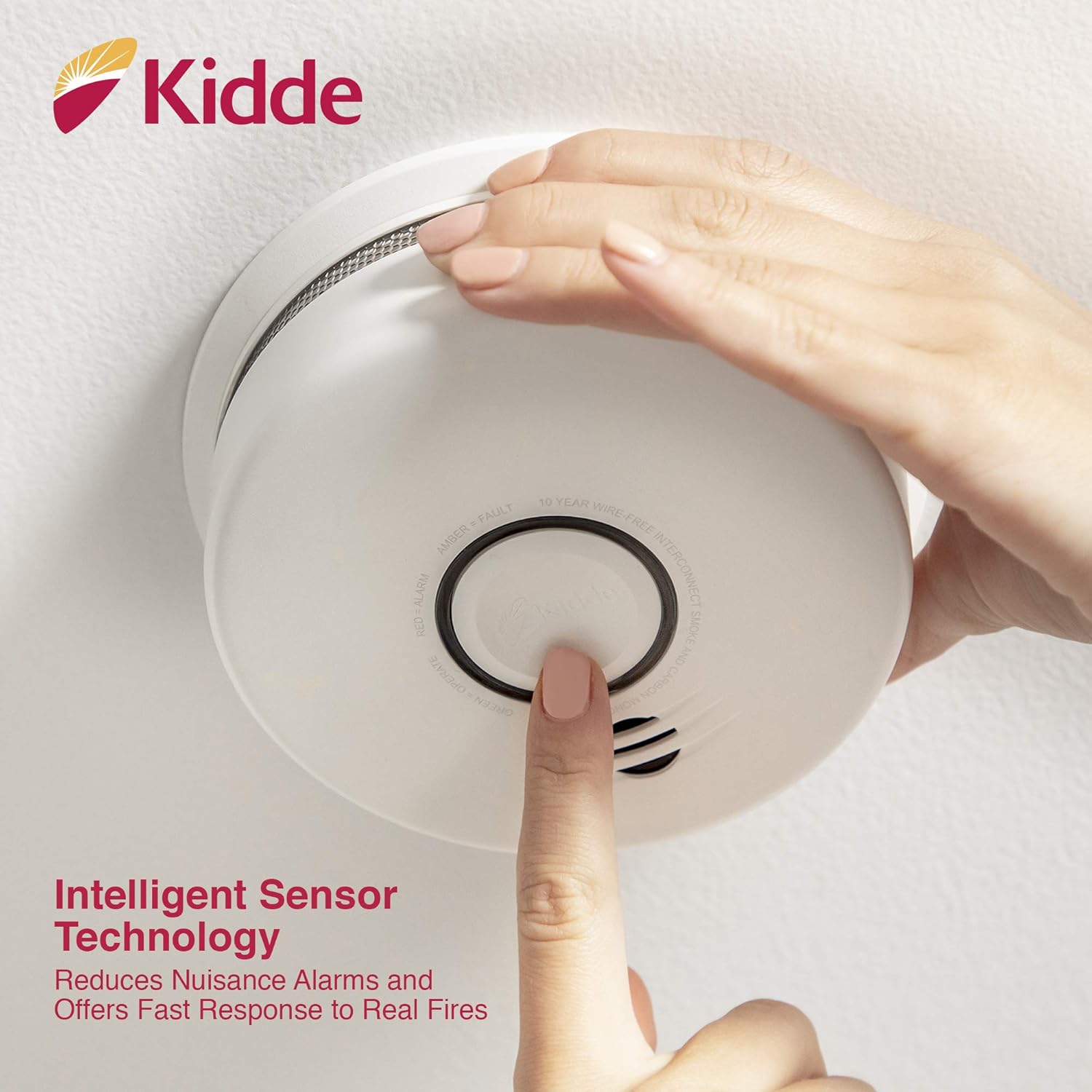
Figure 4: A hand pressing the central test/hush button on the Kidde P4010DCSCO-W alarm. This action activates the intelligent sensor technology, which helps reduce nuisance alarms.
6. Maintenance
6.1 Weekly Testing
Test your alarm weekly by pressing and holding the Test/Hush button until the alarm sounds. This confirms the unit's electronic circuitry, horn, and battery are working.
6.2 Cleaning Your Alarm
Clean your alarm at least once a month to remove dust and dirt. Use a soft brush or a vacuum cleaner with a soft brush attachment to gently clean the exterior of the alarm, especially around the openings. Do not use cleaning solvents or spray cleaners directly on the alarm.
6.3 Battery Information
This alarm is powered by a sealed-in 10-year lithium battery. The battery is designed to last the entire life of the alarm (10 years from activation). Do not attempt to replace the battery. When the alarm reaches its end-of-life, it will chirp and announce "REPLACE ALARM." At this point, the entire unit must be replaced.
7. Troubleshooting
| Problem | Possible Cause | Solution |
|---|---|---|
| Alarm chirps once every 60 seconds and says "REPLACE ALARM." | End of life or low battery. | Replace the entire alarm unit. |
| Alarm chirps once every 30 seconds (Amber LED flashes). | Malfunction or fault. | Clean the alarm. If chirping persists, replace the unit. |
| Nuisance alarms (false alarms). | Cooking smoke, steam, high humidity, dust. | Press the Hush button. Relocate the alarm if nuisance alarms are frequent. Ensure proper ventilation. |
| Alarm does not sound during test. | Unit not activated, faulty unit. | Ensure the alarm is fully twisted onto the mounting bracket. If still no sound, replace the unit. |
8. Specifications
- Model: P4010DCSCO-W
- Power Source: Sealed-in 10-Year Lithium Battery
- Sensor Type: Ionization (Smoke), Electrochemical (CO)
- Alarm Output: Audible (85 dB at 10 feet), Visual (LED), Voice Notifications
- Operating Temperature: 40°F (4.4°C) to 100°F (37.8°C)
- Operating Humidity: 10% to 95% relative humidity, non-condensing
- Dimensions: 14.2D x 14.2W x 4.9H Centimetres (approximately 5.59" diameter x 1.91" depth)
- Interconnect: Wire-Free Interconnect (compatible with up to 24 Kidde P4010 Wire-Free devices)

Figure 5: The Kidde P4010DCSCO-W alarm with its approximate dimensions (5.59 inches diameter and 1.91 inches depth) clearly marked, providing a visual reference for its size.
9. Warranty and Support
Kidde provides a limited warranty for this product. For detailed warranty information, including terms and conditions, please refer to the warranty card included with your product or visit the official Kidde website. For technical support, troubleshooting assistance, or to inquire about replacement parts, please contact Kidde Customer Service:
- Website: www.kidde.com
- Phone: Refer to your product packaging or the Kidde website for regional contact numbers.
Related documentsP4010DCSCO-W


Ask a question about this manual
Ask about setup, troubleshooting, compatibility, parts, safety, or missing instructions. Manuals+ will review the question and use this page’s manual context to help answer it.